Framer vs Lovable: Which AI Builder Should You Choose?
Picking between Framer and Lovable?
Framer promises beautiful websites, pixel-perfect design control, and smooth publishing.
But is it the right tool if you want to build more than a marketing site?
Lovable claims it can turn simple prompts into full-stack apps, SaaS MVPs, dashboards, and working products.
But does it give you enough design control when your brand and website experience matter?
And which one is the better choice for you, your startup, or your team?
So, I compared Framer and Lovable across ten practical tests.
I looked at ease of use, design control, backend support, app building, SEO, pricing, and more.
Keep reading to find out which AI builder fits your project best in 2026!
Quick Verdict Table: Framer VS Lovable
If you’re in a hurry, here’s the simplest way to choose between Framer and Lovable.
Framer is the better pick when your project is mostly about design, branding, content, and presentation. Lovable makes more sense when you need a working app with users, data, backend logic, or product features.
| Need | Choose |
|---|---|
| Landing page | Framer |
| Portfolio | Framer |
| Startup marketing website | Framer |
| SaaS MVP | Lovable |
| User login | Lovable |
| Database or stored user data | Lovable |
| Client portal | Lovable |
| Internal tool | Lovable |
| Advanced animations | Framer |
| Code ownership / GitHub export | Lovable |
| CMS-driven marketing content | Framer |
| Product + marketing site | Use both |
A good rule of thumb is this: if people are only visiting pages, Framer is usually the better fit. If people need to log in, save data, use dashboards, or interact with real product features, Lovable is the stronger choice.
For many startups, the smartest setup is not Framer vs Lovable. It’s Framer for the public website and Lovable for the actual product or MVP.

Build web and mobile apps with AI prompts, React frontend, Supabase backend, and downloadable code.
Start Building Now →
Framer vs Lovable Feature Comparison
In the previous section, I shared a quick overview of how Framer and Lovable compare with each other.
Now, it’s time to break them down — feature by feature.
I’ve compared the core features that matter when choosing between an AI website builder and an AI app builder, including:
- Pricing
- Ease of use
- Website design control
- AI app generation
- Backend and database support
- Authentication
- CMS and SEO
- Code ownership
- Integrations
- Deployment
P.S. — I’ll also show you where using both Framer and Lovable together makes more sense than choosing only one.
Keep reading!
Which Tool Offers the Better Pricing?
First, I wanted to compare Framer and Lovable from a pricing angle.
Because let’s be honest both tools sound exciting until you start checking what you actually get for the money.
Framer charges more like a website builder. You pay based on the type of site you want to publish, how much CMS/content capacity you need, and how many people need editing access.
Lovable works differently. It’s priced more like an AI app builder, where credits matter because those credits are used while generating, editing, and improving your app.
So, who gives better value?
Let’s see.
| Feature | Framer | Lovable |
|---|---|---|
| Free Plan | ✅ | ✅ |
| Entry Paid Plan | $10/month Basic | $25/month Pro |
| Higher Team Plan | $30/month Pro | $50/month Business |
| Pricing Style | Website/site-based | Credit and workspace-based |
| Best For | Published websites and marketing pages | AI app building and MVP development |
| Custom Domain | ✅ Paid plan needed | ✅ Available in Pro |
| Team Collaboration | ✅ Extra editor costs apply | ✅ Shared across unlimited users |
| Credits System | ❌ | ✅ |
| Code/App Generation Value | ❌ Not the main use case | ✅ Strong |
| Best Budget Fit | Simple websites | SaaS MVPs and app prototypes |
Pricing checked from the official Framer pricing page and Lovable pricing page.
Framer
Framer’s paid pricing starts at $10/month for the Basic plan.
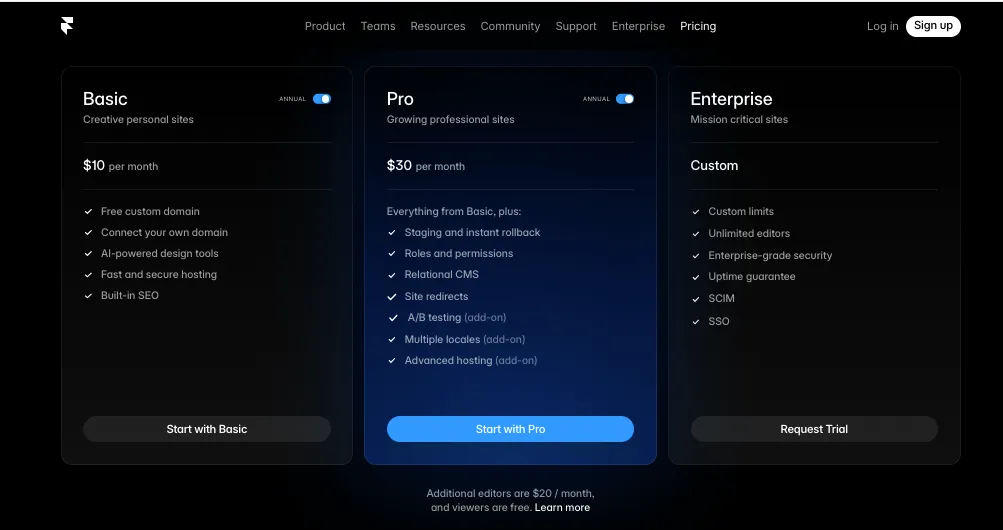
That plan is good if you want to publish a simple website with a custom domain. Think of things like:
- Landing pages
- Personal portfolios
- Small business websites
- Startup waitlist pages
- Simple marketing websites
Its Pro plan costs $30/month and is better suited for teams, agencies, startups, and marketing websites that need more pages, more CMS items, stronger hosting limits, and better scaling.
But here’s where you need to pay attention.
Framer can become more expensive when your team grows because extra editors are charged separately. At the time of checking, Framer lists additional editors at $20/month and content editors at $10/month.
So, Framer looks affordable when you’re building one website by yourself.
But if you’re running a bigger marketing team, working with clients, or inviting multiple people to edit the site, the cost can start adding up.
That said, Framer pricing still makes sense if your main goal is to create a polished website.
You’re not paying for app logic, backend workflows, or AI coding credits. You’re paying for a visual website builder that lets you design, publish, and manage a professional web presence.
So, if your project is mostly a website, Framer gives you a cleaner pricing fit.
Lovable
Lovable’s paid pricing starts at $25/month for the Pro plan.
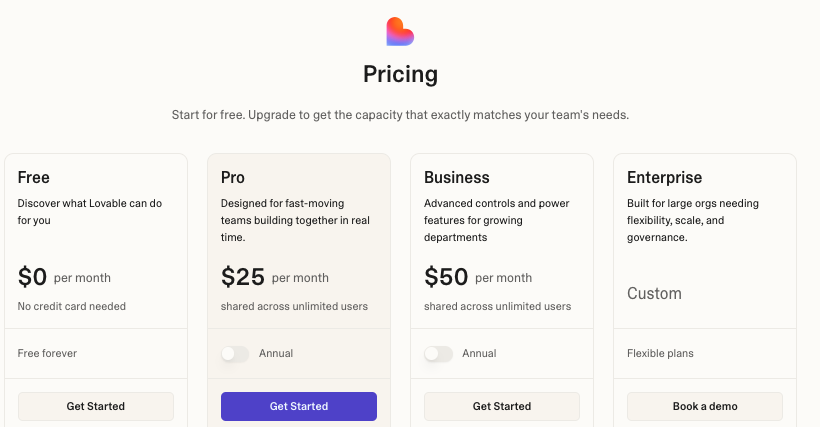
This includes 100 monthly credits, daily credits, custom domains, credit rollovers, on-demand credit top-ups, and the option to remove the Lovable badge.
Its Business plan costs $50/month and adds more team-focused features like:
- Internal publish
- SSO
- Team workspace
- Personal projects
- Design templates
- Role-based access
- Security center
The interesting part is that Lovable’s paid plans are shared across unlimited users.
That’s helpful if you’re a small startup, product team, or agency where more than one person wants to work on the same app idea.
But there’s a catch.
Lovable uses a credit-based model. So, while the entry price looks reasonable, your real cost depends on how much you prompt, fix, regenerate, and debug inside the tool.
This is where Lovable can feel amazing or frustrating.
If your prompts are clear and your app is simple, you can move very fast. But if you keep asking Lovable to fix bugs, change layouts, rebuild screens, or adjust logic, credits can disappear quickly.
That’s why Lovable is better judged by output, not just monthly price.
If it helps you build a SaaS MVP, client portal, dashboard, or internal tool without hiring a developer immediately, $25/month can feel like a bargain.
But if you only need a simple landing page, Lovable may not be the most cost-effective option.
Lovable User Review
“I find the monthly credits provided to be insufficient.”
Read the full review on G2: source
That review sums up the biggest pricing concern with Lovable.
The tool itself can save time, but you need to be careful with how you use your credits.
Winner?
For simple websites, Framer wins on pricing.
For AI app building, Lovable gives better value because it helps you create real product functionality, not just pages.
So, here’s the clean answer:
Choose Framer if you want a website.
Choose Lovable if you want a working app or MVP.
If you’re building both a marketing website and a product, you may need both tools in your stack.
Which Tool Is Easier to Use?
The next thing I wanted to compare was ease of use.
Because both Framer and Lovable claim to make building easier, but they make different things easier.
Framer makes it easier to design and publish a website.
Lovable makes it easier to describe an app idea and turn it into a working prototype.
That sounds similar from the outside, but once you use them, you’ll notice the difference pretty quickly.
| Feature | Framer | Lovable |
|---|---|---|
| Beginner Friendly | ✅ Good for website beginners | ✅ Strong for non-technical app builders |
| Prompt-Based Building | ✅ Some AI help | ✅ Core experience |
| Visual Editing | ✅ Excellent | ✅ Basic to moderate |
| Blank Canvas Design | ✅ Strong | ❌ Not the main workflow |
| App Logic Setup | ❌ Limited | ✅ Strong |
| Learning Curve | Medium | Low at first, higher later |
| Best For | Designers, marketers, website builders | Founders, product builders, MVP creators |
| Hardest Part | Layouts, breakpoints, CMS structure | Prompting, debugging, credit usage |
Framer
Framer is easy if you already understand how websites are designed.
If you’ve used Figma, Webflow, or any visual design tool before, Framer will feel familiar. You work on a canvas, move sections around, adjust spacing, change typography, create responsive layouts, and publish your site.
It’s especially helpful when you want control over:
- Hero sections
- Navigation bars
- Landing page layouts
- Animations
- Mobile responsiveness
- CMS pages
- Visual branding
I found Framer easier when the goal was clear: build a beautiful website and polish the experience.
But if you’re a complete beginner, Framer can still take some time.
You may need to understand things like:
- Breakpoints
- Components
- Layout spacing
- CMS collections
- Section structure
- Mobile editing
None of this is impossible, but it’s not as simple as typing one prompt and getting a finished website.
Framer gives you control, but with control comes a learning curve.
Framer User Review
“Framer helps me build and iterate on websites really fast.”
Read the full review on G2: source
That’s exactly where Framer shines.
Once you understand the editor, it’s very fast for website iteration.
Lovable
Lovable is easier to start with because you don’t begin with a blank canvas.
You start with a prompt.
You can say something like:
“Build a client portal where users can log in, upload files, and see project status.”
Or:
“Create a SaaS dashboard with authentication, billing page, settings page, and analytics cards.”
That’s where Lovable feels different from Framer.
You’re not placing every section manually at the start. You’re explaining what you want, and Lovable generates the first version of your app.
This is very helpful for:
- Non-technical founders
- SaaS builders
- Product managers
- Freelancers
- Agencies building MVPs
- People who want to test ideas quickly
Lovable is also useful because it can create more than just the frontend. It can help with app screens, database structure, authentication, and backend logic.
In simple words, it doesn’t only help you design how an app looks. It helps create how the app works.
But here’s where it gets interesting.
Lovable is easy at the beginning, but it can become harder as your project grows.
The first version may come out quickly. But when you start asking for smaller edits, bug fixes, database changes, or more complex workflows, you need to be very clear with your prompts.
A vague prompt can waste credits.
A confusing prompt can create more bugs.
And sometimes, fixing one thing can affect another part of the app.
Lovable User Review
“I use Lovable to quickly build and test simple apps.”
Read the full review on G2: source
That’s the sweet spot for Lovable.
It’s great when you want to move from idea to working prototype quickly.
But for serious production apps, you’ll still want someone technical to review the code, database rules, security setup, and user flows.
Winner?
Lovable is easier for getting started.
Framer is easier for controlled website editing once you know the design workflow.
So, the winner depends on what you’re trying to build.
If you want to create a landing page, edit sections, and make everything look polished, Framer feels easier.
If you want to describe an app idea and get a working first version, Lovable feels easier.
My honest take?
Lovable wins for first-draft speed.
Framer wins for final visual control.
Create SaaS MVPs, dashboards, portals, and internal tools with AI-powered full-stack app generation.
Try Vitara AI Today →
Which Tool Offers Better Website Design Control?
Now let’s compare design control.
This is one of the biggest differences between Framer and Lovable.
Framer is built for visual design.
Lovable is built for AI app generation.
Yes, Lovable can create good-looking pages. But if your goal is a high-quality website with careful spacing, brand details, animations, and a polished layout, Framer has the stronger design system.
Let’s compare them.
| Feature | Framer | Lovable |
|---|---|---|
| Pixel-Level Design Control | ✅ Excellent | ❌ Limited compared to Framer |
| Visual Canvas | ✅ Yes | ✅ Basic visual editing |
| Typography Control | ✅ Strong | ✅ Good, but prompt/edit dependent |
| Responsive Design Control | ✅ Strong | ✅ Good for generated apps |
| Animations | ✅ Advanced | ❌ Basic |
| Brand Consistency | ✅ Strong | ✅ Possible, but needs guidance |
| Landing Page Polish | ✅ Excellent | ✅ Good for drafts |
| App UI Generation | ❌ Not the main use case | ✅ Strong |
| Best For | Marketing websites | App interfaces and MVP screens |
Framer
Framer is the stronger tool for website design control.
That’s not really surprising because Framer was built for designers, marketers, and teams that care about how a website feels.
With Framer, you can control small but important design details like:
- Spacing between sections
- Font size and font weight
- Button styling
- Hover states
- Scroll animations
- Desktop and mobile layouts
- CMS page templates
- Visual hierarchy
- Brand colors
- Reusable components
This matters a lot when you’re building a website where design directly affects trust and conversions.
For example, a SaaS landing page is not just a collection of sections. The hero section, social proof, feature blocks, pricing table, FAQ, and call-to-action buttons all need to feel connected.
Framer gives you that control.
It’s also better when you want custom animations without writing code.
You can create interactive sections, smooth transitions, hover effects, sticky elements, and polished landing page experiences.
This is helpful if you’re building:
- Startup websites
- Agency websites
- Product landing pages
- Portfolios
- Waitlist pages
- Case study pages
- Launch pages
- CMS-driven marketing pages
Framer User Review
“If you have even just a little bit of Figma knowledge, the learning curve will be infinitely faster.”
Read the full review on Reddit: source
That’s a fair way to describe Framer.
If you already think like a designer, Framer feels natural.
Lovable
Lovable can generate good-looking interfaces, but it doesn’t give you the same level of manual design control as Framer.
That doesn’t mean Lovable design is bad.
In fact, for an AI app builder, the UI output can be surprisingly useful. You can ask it to create dashboards, login pages, settings screens, admin panels, onboarding flows, and even landing pages.
This works well when you need:
- A SaaS dashboard
- A client portal
- An internal tool
- A booking app
- A simple marketplace MVP
- A user account area
- A working product prototype
But Lovable’s design process is more prompt-led.
You may say:
“Make the dashboard cleaner and more minimal.”
Or:
“Use a modern SaaS style with rounded cards, better spacing, and a dark sidebar.”
Lovable will update the interface, but it may not always match the exact design you had in your head.
That’s where Framer feels better.
In Framer, you can directly move things around. In Lovable, you often guide the AI and then adjust from there.
This may feel limiting if you’re very particular about design details.
But if you’re building an app, Lovable’s design is usually good enough to test the product idea.
You don’t always need a pixel-perfect interface for an MVP. Sometimes, you just need screens that work, users that can log in, and data that saves properly.
And that’s where Lovable makes more sense.
Lovable User Review
“There’s room for improvement in customization.”
Read the full review on G2: source
That’s the key point.
Lovable can create UI fast, but Framer gives you deeper visual control.
Winner?
Framer wins for website design control.
No surprise here.
If the project is a marketing website, landing page, portfolio, or brand-heavy startup site, Framer is clearly the better choice.
Lovable is better when design is only one part of the job and you also need backend logic, user accounts, dashboards, and app functionality.
So, choose Framer when the website needs to look polished.
Choose Lovable when the product needs to work.
Which Tool Offers Better AI App Generation?
Now let’s talk about the actual AI building experience.
This is where Framer and Lovable start moving in completely different directions.
Framer can help you generate website layouts, sections, and starting points with AI.
Lovable, on the other hand, is built around turning prompts into working web apps.
So, if your goal is to build a homepage or landing page, Framer can help.
But if your goal is to build a SaaS MVP, dashboard, client portal, internal tool, or product prototype, Lovable has a much stronger app generation workflow.
Let’s compare them.
| Feature | Framer | Lovable |
|---|---|---|
| Prompt-to-App Building | ❌ Limited | ✅ Strong |
| AI Website Generation | ✅ Good | ✅ Good |
| Full-Stack App Generation | ❌ Not the main use case | ✅ Yes |
| Dashboard Generation | ❌ Limited | ✅ Strong |
| Login-Based App Creation | ❌ Not native | ✅ Strong |
| App Logic Creation | ❌ Limited | ✅ Strong |
| Code Generation | ❌ Limited to code components/overrides | ✅ Generates real app code |
| Best For | Website structure and design ideas | SaaS MVPs, tools, portals, dashboards |
| Biggest Limitation | Not built for working apps | Needs careful prompting and testing |
Framer
Framer’s AI is helpful when you want to move faster on website creation.
Instead of starting with a blank canvas, you can use Framer AI to generate a first layout, get section ideas, or create a quick visual direction.
This is useful when you’re building:
- Landing pages
- Portfolio websites
- Startup homepages
- Agency websites
- Product pages
- Waitlist pages
- Simple marketing sites
For example, you can ask Framer to create a landing page for a SaaS product, and it can give you a starting structure with sections like hero, features, testimonials, pricing, and CTA.
That’s helpful.
But here’s the thing.
Framer’s AI is still mostly helping you create a website experience. It’s not trying to build a full application with user login, database tables, dashboards, saved user data, and backend workflows.
So, if you ask Framer to build a full SaaS product, you’ll hit a wall pretty quickly.
You can design the marketing page beautifully.
You can create a pricing page.
You can publish a polished website.
But you’re not building the actual logged-in SaaS product inside Framer in the same way you would inside Lovable.
That’s why Framer works best when AI is used as a design helper, not as a full product builder.
Framer User Review
“On the other hand Framer makes it easy to create well designed pages/website. Any designer used to Figma can pick it up quickly.”
Read the full review on Reddit: source
That review explains Framer pretty well.
It’s strong when the job is building pages and making them look good.
Lovable
Lovable is much better for AI app generation.
This is the main reason people use it.
You describe what you want, and Lovable starts creating the app structure for you. It can generate screens, connect flows, create frontend layouts, help with backend logic, and guide you toward a working prototype.
You can prompt it with something like:
“Build a SaaS dashboard for a social media scheduling app with login, analytics cards, billing page, team settings, and a content calendar.”
Or:
“Create an internal CRM where my team can add leads, update deal status, filter contacts, and assign tasks.”
Lovable can take that idea and generate a working first version.
That’s where it feels different from a normal AI website builder.
It’s not just giving you a pretty page. It’s trying to build a product flow.
This is helpful for:
- SaaS MVPs
- Client portals
- Admin dashboards
- Internal tools
- Booking apps
- CRM tools
- AI workflow apps
- Marketplace prototypes
- User account systems
And this is why Lovable is often described as a prompt to app builder or AI full stack app builder.
But it’s not magic.
You still need to review what it creates.
Sometimes the layout may need cleanup. Sometimes the logic may not work exactly how you expected. Sometimes you may need to explain the same thing in more detail.
And if your app becomes complex, you may need a developer to check the code, database rules, security, and deployment setup.
Lovable User Review
“I have now created two complex commercial apps with Lovable. I love the product. It’s immature but the potential is enormous, IMO.”
Read the full review on Reddit: source
That feels like a fair summary.
Lovable is exciting and useful, but it’s still something you need to handle carefully if you’re building serious software.
Winner?
Lovable wins for AI app generation.
No debate here.
Framer can help you generate and refine websites, but Lovable is the stronger AI app builder when you need screens, flows, backend logic, and a working MVP.
Choose Framer if you want AI help with website design.
Choose Lovable if you want AI help building a real app.
Which Tool Offers Better Backend and Database Support?
This is one of the most important tests in the Framer vs Lovable comparison.
Because this is where many people make the wrong choice.
A website and an app are not the same thing.
A website mostly shows information.
An app lets users do things.
That means users may need to log in, save data, upload files, update records, make payments, view dashboards, manage settings, or trigger workflows.
For that, you need backend and database support.
Let’s see how both tools handle it.
| Feature | Framer | Lovable |
|---|---|---|
| Native Backend Logic | ❌ Limited | ✅ Strong |
| Database Support | ✅ CMS for content | ✅ App database support |
| Supabase Integration | ❌ Not native as core workflow | ✅ Strong |
| User Authentication | ❌ Not native full app auth | ✅ Supported |
| Data Storage | ✅ Content data through CMS | ✅ User/product data |
| API Workflows | ✅ Possible with custom code/tools | ✅ Better suited for app workflows |
| Business Logic | ❌ Limited | ✅ Strong |
| Best For | Blogs, landing pages, CMS websites | Apps with users, data, and workflows |
Framer
Framer has a CMS, but it’s important to understand what that means.
A CMS is great for managing website content.
You can use it for:
- Blog posts
- Case studies
- Landing page collections
- Help center pages
- Job listings
- Team pages
- Product pages
- Resource libraries
This is perfect if your website has repeatable content.
For example, if you’re building a SaaS website, you may want CMS collections for blogs, changelogs, templates, integrations, customer stories, or comparison pages.
Framer handles that kind of content very well.
But this is not the same as having a full app database.
Framer’s CMS is not meant to manage user accounts, private dashboards, app records, permissions, or complex backend workflows.
So, if you want to build something like:
- A user dashboard
- A client portal
- A subscription app
- A project management tool
- A booking platform
- A CRM
- A marketplace
- A SaaS product
Framer is not the right tool on its own.
Yes, developers can extend Framer with custom code, APIs, embeds, forms, and external tools. But at that point, you’re building around Framer instead of using Framer as the main app platform.
That’s fine for light workflows.
But for real app logic, it starts to feel like a workaround.
So, Framer is strong for content data.
It’s not the best choice for product data.
Lovable
Lovable is much stronger for backend and database support.
This is where the tool actually starts to feel like an AI software development platform, not just a no code AI app builder.
Lovable can help you create apps that need:
- User login
- Database tables
- Saved records
- App dashboards
- Role-based access
- File uploads
- API connections
- Admin panels
- Product workflows
One of Lovable’s biggest strengths is its Supabase integration.
In simple words, Supabase gives your app a real backend. It can handle your database, authentication, file storage, and other app infrastructure.
That means Lovable can help you build both sides of the app:
- The frontend, which is what users see and click
- The backend, which stores data and controls how the app works
This is why Lovable makes more sense for SaaS MVPs and internal tools.
For example, if you’re building a client portal, you probably need users to log in, see only their own data, upload documents, and track project progress.
Framer can design the public website for that business.
But Lovable is better for building the actual logged-in portal.
Here’s where you need to be careful, though.
Backend work is where AI builders can get messy if you don’t plan properly.
If you add authentication late, change database structure too often, or ask for unclear logic, the app can become harder to fix.
A Reddit user shared a helpful point on this:
Lovable User Review
“It seems that authentication problems become a lot less and easier to fix if they are built early on in the project rather than having the ai add auth wrappers into hundreds of components on different pages.”
Read the full review on Reddit: source
That’s actually very practical advice.
If you’re using Lovable, decide early whether your app needs login, roles, permissions, and database rules. Don’t wait until the app becomes too big.
Winner?
Lovable wins for backend and database support.
Framer’s CMS is great for website content, but Lovable is better when your project needs actual app data, user accounts, and backend workflows.
Here’s the easiest way to think about it:
Use Framer when you need to manage content.
Use Lovable when you need to manage users and data.
Which Tool Offers Better CMS and SEO Features?
Now let’s move to CMS and SEO.
This is where Framer gets back in the game.
If you’re building a website that needs organic traffic, blog content, landing pages, comparison pages, or marketing content, CMS and SEO features matter a lot.
A pretty website is not enough.
You also need search-friendly pages, clean metadata, fast loading, redirects, sitemap support, and a simple way to publish content.
So, how do Framer and Lovable compare?
| Feature | Framer | Lovable |
|---|---|---|
| Built-In CMS | ✅ Strong | ❌ Not the main use case |
| Blog Publishing | ✅ Strong | ✅ Possible, but not ideal |
| SEO Settings | ✅ Strong | ✅ Basic/app dependent |
| Meta Titles and Descriptions | ✅ Yes | ✅ Possible |
| Sitemap and Robots.txt | ✅ Automatic support | ✅ Depends on app setup |
| Redirects | ✅ Yes | ✅ Possible through app/deployment setup |
| Landing Page SEO | ✅ Strong | ✅ Possible, but less natural |
| Content Collections | ✅ Strong | ❌ Not CMS-first |
| Best For | SEO websites and content marketing | Product apps and logged-in software |
Framer
Framer is clearly stronger for CMS and SEO.
This is one of the main reasons startups, agencies, and creators use it for public websites.
You can build and manage content pages like:
- Blog posts
- Product updates
- Case studies
- Help articles
- Landing pages
- Comparison pages
- Resource pages
- Location pages
- Template libraries
Framer also gives you control over important SEO basics like:
- Page titles
- Meta descriptions
- Open Graph images
- Canonical URLs
- Indexing settings
- Redirects
- Sitemap
- Robots.txt
- Alt text
- Page structure
This is helpful if your website depends on Google traffic.
For example, if you’re writing comparison pages like “Framer vs Lovable,” “Lovable alternatives,” or “best AI app builders,” Framer’s CMS can help you organize and publish those pages faster.
It also works well for content-driven startup websites where the marketing team needs to publish without asking developers for every small update.
But let’s be honest.
Framer SEO is not perfect for every situation.
Some users love it. Some users feel limited when they compare it with platforms that have years of SEO plugin ecosystems.
A Reddit user said:
Framer User Review
“The site performance is better than our own custom built site when I look at core web vitals, but it is not perfect.”
Read the full review on Reddit: source
That’s a balanced view.
Framer gives you a strong SEO foundation, but SEO still depends on content quality, site structure, internal linking, backlinks, page speed, and how well you target search intent.
The tool can help.
It can’t rank the site for you.
Lovable
Lovable can publish web apps and pages, but CMS and SEO are not its biggest strength.
And that’s okay because Lovable is not mainly trying to replace Framer for marketing websites.
It’s trying to help you build working products.
If you build a public app with Lovable, you can still think about SEO. You can create landing pages, add metadata, improve page structure, and publish content-like pages if needed.
But it doesn’t feel as natural as Framer for content marketing.
For example, if you’re planning to publish 100 blog posts, 50 comparison pages, customer stories, integration pages, and SEO landing pages, Framer is the better fit.
Lovable makes more sense when the main experience happens after login.
Think of tools like:
- SaaS dashboards
- Client portals
- Internal tools
- Private workspaces
- Admin panels
- Booking systems
- AI-powered workflow apps
In these cases, SEO is not always the main priority.
The public website may need SEO, but the actual app doesn’t usually need to rank in Google because users access it after signing in.
That’s why many startups should split the job:
- Framer for the SEO website
- Lovable for the product app
This setup gives you the best of both worlds.
Framer helps you attract users.
Lovable helps you build something users can actually use.
Lovable User Review
“Make sure your code is in Github. In the Lovable app there is a SEO and a Security review.. do that.”
Read the full review on Reddit: source
That advice is useful.
Lovable can support SEO work, but you’ll need to be more hands-on if search traffic is a serious growth channel.
Winner?
Framer wins for CMS and SEO.
It’s better for public websites, content publishing, landing pages, and search-driven growth.
Lovable is better for product functionality, but it’s not the tool I’d choose first for a blog-heavy website or SEO content engine.
So, here’s the simple answer:
Use Framer if your website needs to rank.
Use Lovable if your app needs to work.
And if you need both, don’t force one tool to do everything.
Use Framer for the marketing site and Lovable for the app.
Which Tool Offers Better Code Ownership and Developer Handoff?
Code ownership is a big deal if you’re building something serious.
A landing page can live inside a website builder without much stress.
But a SaaS MVP, client portal, dashboard, internal tool, or full-stack app is different. At some point, you may want a developer to review the code, move the project to another setup, connect more tools, or scale it beyond the AI builder.
So, I wanted to see which tool gives you more control over the actual project.
Let’s compare.
| Feature | Framer | Lovable |
|---|---|---|
| Code Export | ❌ No full HTML export for self-hosting | ✅ GitHub sync available |
| Self-Hosting | ❌ Not officially supported | ✅ Possible |
| Developer Handoff | ✅ Good for design/dev collaboration | ✅ Stronger for app code handoff |
| GitHub Sync | ❌ Not native for full site export | ✅ Yes |
| Own App Code | ❌ Limited | ✅ Yes |
| Own App Data | ❌ Not the main use case | ✅ Yes |
| Custom Code | ✅ React components and overrides | ✅ Full app code workflow |
| Best For | Hosted marketing websites | Apps that may need future development |
Framer
Framer gives you some developer flexibility, but it’s not a code ownership tool in the traditional sense.
You can use custom code, React components, overrides, plugins, and embeds to extend what your website can do.
This is helpful if you want to:
- Add custom interactions
- Create advanced components
- Connect forms
- Embed third-party tools
- Add tracking scripts
- Customize parts of your website experience
So, Framer is not “closed” in the sense that you can’t customize anything.
But there’s one important limitation.
You can’t fully export your Framer website as HTML and self-host it somewhere else.
That matters if your team wants complete control over hosting, codebase, infrastructure, or long-term development outside Framer.
For most marketing websites, this may not be a problem.
If you’re building a startup homepage, portfolio, landing page, or agency website, Framer’s managed hosting is actually convenient. You don’t need to worry about servers, performance setup, image optimization, or deployment pipelines.
But if your team specifically needs source code ownership, GitHub workflows, or self-hosting, Framer may feel limiting.
Framer User Review
“Framer does not support export the underlying code.”
Read the full review on Reddit: source
That’s the main tradeoff.
Framer is great when you’re happy building and hosting inside Framer.
It’s not the best choice when your project needs to leave Framer as a full codebase.
Lovable
Lovable is much stronger for code ownership.
This is one of the reasons it works better for founders, developers, agencies, and SaaS builders who want to move beyond a simple prototype.
With Lovable, you can sync your project to GitHub.
That means your app code can live in a repository where developers can review it, edit it, branch it, and continue working on it outside Lovable.
This is helpful when you want to:
- Hand the project to a developer
- Review generated code
- Build custom features later
- Connect external deployment tools
- Keep a version history
- Move away from the AI builder if needed
- Self-host or manage your own infrastructure
This makes Lovable a better fit for real software projects.
Not because the AI-generated code will always be perfect.
It won’t.
But because you’re not trapped in the same way. You have a clearer path to GitHub, code review, and developer handoff.
That said, code ownership also comes with responsibility.
Once you take the code seriously, you need to check things like:
- Database rules
- Authentication logic
- Security settings
- API keys
- Environment variables
- Error handling
- Deployment setup
- User permissions
Lovable can help you move fast, but production apps still need proper review.
Lovable User Review
“The integrations with sources like GitHub and Supabase are fantastic.”
Read the full review on G2: source
That’s where Lovable stands out.
It gives you a better path from vibe coding to real development.
Winner?
Lovable wins for code ownership and developer handoff.
Framer is better if you want a hosted visual website that your marketing team can manage.
Lovable is better if you want an app codebase that can move into GitHub and be extended by developers later.
So, if your project is a website, Framer is fine.
If your project is software, Lovable gives you more long-term control.
Which Tool Offers Better Integrations?
Integrations matter because most projects don’t live alone.
Your website may need analytics, forms, CRM tools, chat widgets, pixels, email marketing tools, or automation.
Your app may need a database, authentication, payment system, APIs, GitHub, or backend services.
So, the better tool depends on what kind of integrations you need.
Let’s see how Framer and Lovable compare.
| Feature | Framer | Lovable |
|---|---|---|
| Marketing Integrations | ✅ Strong | ✅ Possible |
| Analytics Tools | ✅ Strong | ✅ Possible |
| CRM/Form Integrations | ✅ Strong | ✅ Possible |
| Figma Import | ✅ Strong | ❌ Not the main use case |
| Backend Integrations | ❌ Limited | ✅ Strong |
| Supabase | ❌ Not native as core workflow | ✅ Native integration |
| GitHub | ❌ Not for full site code sync | ✅ Strong |
| Stripe/Payments | ✅ Possible with embeds/tools | ✅ Better suited for app payments |
| APIs | ✅ Possible with custom setup | ✅ Stronger for app workflows |
| Best For | Marketing stack integrations | Product and app integrations |
Framer
Framer has strong integrations for website and marketing workflows.
You can connect the kinds of tools most marketing teams care about, such as:
- Google Analytics
- Google Tag Manager
- HubSpot forms
- Mailchimp
- Marketo forms
- Intercom
- Typeform
- Hotjar
- Trustpilot
- Loom embeds
- Webhooks
- Custom scripts
This makes Framer useful for startup websites, landing pages, campaign pages, and lead generation websites.
For example, if you want to build a SaaS landing page and send leads into HubSpot, track visitors with Google Analytics, add a Meta Pixel, and embed a Typeform, Framer can handle that workflow well.
It also has a plugin ecosystem, which helps you extend your design and website-building workflow.
And if you’re coming from Figma, Framer’s Figma import flow is very useful. Designers can move layouts into Framer and turn them into live websites faster.
This is why Framer works well for:
- Marketing teams
- Designers
- Agencies
- SaaS websites
- Landing page builders
- Content teams
- Growth teams
But Framer’s integrations are still mostly website-focused.
If you need deep backend workflows, app databases, user accounts, role permissions, or product logic, you’ll probably need external tools or custom workarounds.
Framer User Review
“It connects easily to various tools we use, like CRMs and analytics.”
Read the full review on G2: source
That’s exactly where Framer fits best.
It connects nicely with tools that support a marketing website.
Lovable
Lovable has stronger integrations for app building.
This is where it starts to feel more like an AI powered app development platform than a normal website builder.
Lovable can connect with tools and systems like:
- Supabase
- GitHub
- Stripe
- External APIs
- MCP connectors
- Authentication services
- Backend workflows
- AI APIs
- Data sources
Supabase is especially important here.
With Supabase, Lovable can help you manage both the frontend and backend of your app. In simple words, you can create the screens users see and also set up the database that stores your app data.
That’s useful if you’re building:
- SaaS MVPs
- Internal tools
- Client portals
- Booking apps
- Dashboards
- AI workflow tools
- CRM-style apps
- Subscription products
Lovable also supports GitHub sync, which makes it easier to involve developers later.
And if your app needs payments, API calls, AI features, or custom workflows, Lovable is usually a better starting point than Framer.
But there’s a catch.
Integrations inside an app can get tricky.
Connecting a form to a CRM is one thing.
Connecting authentication, database rules, API keys, payment flows, and user permissions is much more serious.
So, while Lovable gives you more app integration power, you still need to test everything carefully.
Lovable User Review
“Connecting GitHub and Supabase to your Lovable project is much simpler.”
Read the full review on Reddit: source
That’s the big benefit.
Lovable makes technical integrations feel more approachable, especially for non-technical founders.
Winner?
It depends on the type of integration.
Framer wins for website and marketing integrations.
Lovable wins for app, backend, database, GitHub, API, and product integrations.
So, here’s the simple answer:
Use Framer if your website needs marketing tools.
Use Lovable if your product needs app infrastructure.
And if you need both, the smart setup is Framer for your public website and Lovable for your actual app.
Which Tool Offers Better Deployment and Hosting?
Deployment is another area where Framer and Lovable solve different problems.
Framer makes publishing websites simple.
Lovable makes publishing apps possible, while also giving you more ownership options through GitHub and external hosting.
So, the better tool depends on whether you’re deploying a marketing website or a working web application.
Let’s compare.
| Feature | Framer | Lovable |
|---|---|---|
| One-Click Publishing | ✅ Strong | ✅ Strong |
| Managed Hosting | ✅ Yes | ✅ Yes |
| Custom Domain | ✅ Yes on paid plans | ✅ Yes on paid plans |
| Website Performance | ✅ Strong | ✅ Good, app dependent |
| Self-Hosting | ❌ Not officially supported | ✅ Possible |
| External Deployment | ❌ Limited | ✅ Possible |
| Private App Access | ❌ Not the main use case | ✅ Available on higher plans |
| Best For | Marketing website hosting | App deployment and ownership control |
Framer
Framer is excellent for website publishing.
Once your design is ready, publishing is simple. You can connect a custom domain, manage pages, update content, and keep your website live without dealing with a traditional development workflow.
This is very helpful if you’re a founder, designer, marketer, or agency that wants to ship pages quickly.
You don’t need to worry about:
- Hosting setup
- Server configuration
- Image optimization
- Deployment scripts
- Frontend build systems
- Manual performance tuning
Framer handles a lot of that for you.
That’s why it’s a strong choice for:
- Startup websites
- Landing pages
- Portfolios
- Product marketing pages
- Agency websites
- Campaign pages
- Content websites
But again, the tradeoff is control.
Framer is built around its own managed hosting system. If you want to fully export your site and host it somewhere else, that’s not officially supported.
For many website projects, that’s fine.
For teams that need full infrastructure control, it may be a blocker.
Framer User Review
“Websites made on Framer are very fast and well optimized.”
Read the full review on G2: source
That’s the reason Framer works so well for marketing teams.
You can publish fast, keep things polished, and avoid a heavy engineering process.
Lovable
Lovable is better when deployment is tied to a real app.
You can publish your Lovable project, connect a custom domain on paid plans, and share your app with users.
But Lovable goes further because it also gives you a path to GitHub and external deployment.
That matters if your app starts as a quick MVP but later becomes a serious product.
For example, you may start by building your app in Lovable, then later:
- Sync the code to GitHub
- Ask a developer to review it
- Deploy through another hosting provider
- Connect a production database
- Manage environment variables
- Improve security
- Add custom infrastructure
- Move toward a more traditional dev workflow
That’s a much better path for software products.
Lovable is also useful if you need private access for internal tools or workspace-based apps, depending on your plan.
But you do need to be more careful.
Deploying a website is fairly simple.
Deploying an app can involve authentication, database access, API keys, storage rules, payment logic, user permissions, and security checks.
This is where beginners may need help.
Lovable User Review
“I want to decouple the database and backend from Lovable.”
Read the full review on Reddit: source
That review shows the real-world situation pretty well.
Lovable gives you more ownership options, but once you move into external hosting and backend control, the work becomes more technical.
Winner?
Framer wins for simple website publishing.
Lovable wins for app deployment and long-term ownership.
So, if you want to publish a clean marketing website, Framer is easier.
If you want to deploy a working app and keep the option to move the code later, Lovable is stronger.
Which Tool Has Better Customer Support?
Customer support matters more than people think.
When everything works, support feels like a small detail.
But when your website is down, your app breaks, your billing fails, or your project gets stuck, support quickly becomes one of the most important parts of the product.
So, I checked how Framer and Lovable support users.
Let’s compare.
| Feature | Framer | Lovable |
|---|---|---|
| Help Center | ✅ Strong | ✅ Strong |
| Documentation | ✅ Strong | ✅ Strong |
| Community Support | ✅ Yes | ✅ Yes |
| Billing Support | ✅ Yes | ✅ Yes |
| Product Support | ✅ Paid users can access support | ✅ Support form and email |
| Emergency Support | ✅ Available for urgent site issues | ❌ Not the same website-down workflow |
| AI Troubleshooting | ❌ Not the main support flow | ✅ Built into debugging flow |
| Best For | Website, billing, and publishing issues | App debugging, docs, and builder community |
Framer
Framer has a large help center with guides for publishing, domains, CMS, SEO, localization, account settings, integrations, and troubleshooting.
It also offers contact options for billing, product support, emergency site issues, and sales.
That’s useful because website problems can be urgent.
If your landing page, portfolio, or startup website goes down, you need a clear support path.
Framer also has a community where users can ask questions and share issues.
From a practical point of view, Framer support is easier to understand because the product scope is narrower.
Most support issues are around websites, billing, publishing, domains, CMS, SEO, plugins, or design behavior.
That’s still a lot, but it’s not the same as debugging a full-stack app.
Framer User Review
“The customer support is incredible. They’re so nice, helpful, and quick to respond.”
Read the full review on G2: source
That said, not every user has the same experience.
Some Reddit users complain about slow support or difficulty reaching someone, especially when they need specific help.
So, Framer support seems stronger for common website and account issues, but your experience may depend on your plan, issue type, and urgency.
Lovable
Lovable also has documentation, guides, community support, and official support options.
It also has something Framer doesn’t really have in the same way: AI-assisted troubleshooting inside the product.
When your Lovable app shows an error, you can use the “Try to Fix” style workflow to let Lovable scan logs and attempt a fix.
This is helpful because many Lovable users are not developers.
Instead of reading error logs manually, they can ask the tool to diagnose and fix problems.
That’s a big advantage for beginners.
But here’s the honest part.
Lovable support can feel more complicated because app problems are more complicated.
If your landing page headline looks wrong, that’s one type of issue.
If your app authentication breaks, database rules fail, API keys don’t work, or a backend function throws an error, that’s a different level of problem.
Some users have also shared frustration around support response times and bug fixing.
Lovable User Review
“No proper support from the Team.”
Read the full review on Reddit: Source
Another user said:
“They replied there. Slowly, but they did.”
Read the full review on Reddit: Source
That’s why I wouldn’t treat Lovable like a replacement for technical support on a serious production app.
It can help you build fast, but if your project is important, you should still have someone technical who can check the setup.
Winner?
Framer wins for website-related support.
Lovable has useful docs and AI troubleshooting, but app issues are harder by nature and users report mixed experiences with support.
So, if support matters because you’re running a public marketing website, Framer feels safer.
If you’re using Lovable for an MVP, be ready to troubleshoot, search docs, ask the community, and involve a developer when things get serious.
Which Tool Is Best for Teams, Agencies, and Real Projects?
At this point, the Framer vs Lovable comparison becomes less about features and more about workflow.
Because teams don’t just ask, “Which tool has more features?”
They ask:
Which tool helps us ship faster?
Which tool reduces developer dependency?
Which tool is easier for clients?
Which tool can scale with the project?
Which tool will not create a mess later?
Let’s compare them from a real project angle.
| Use Case | Framer | Lovable |
|---|---|---|
| Marketing Team | ✅ Excellent | ❌ Not ideal |
| Design Agency | ✅ Excellent | ✅ Good for app MVPs |
| SaaS Startup | ✅ Great for website | ✅ Great for MVP/product |
| Product Team | ✅ Good for marketing pages | ✅ Strong for prototypes |
| Internal Tool Team | ❌ Limited | ✅ Strong |
| Client Website Projects | ✅ Strong | ✅ Good if app-like |
| Client App Projects | ❌ Not ideal | ✅ Strong |
| Long-Term Product Development | ❌ Limited | ✅ Better starting point |
Framer
Framer is the better choice for teams and agencies that build websites.
If your clients need startup websites, portfolios, SaaS landing pages, case study pages, blogs, resource hubs, or campaign pages, Framer is a great fit.
It gives designers and marketers a lot of control without needing developers for every update.
This is helpful for agencies because they can:
- Build polished websites faster
- Let clients update content
- Create reusable CMS structures
- Launch landing pages quickly
- Keep design quality high
- Avoid long dev handoffs
Framer is also useful for startup teams where the marketing team wants to move fast.
Instead of asking developers to update a headline, publish a landing page, or add a case study, the team can manage the website inside Framer.
That saves engineering time for the actual product.
But Framer is not the best tool for agencies building full-stack software.
If the client needs user accounts, database workflows, dashboards, admin panels, or SaaS features, Framer alone won’t be enough.
Lovable
Lovable is better for teams and agencies building apps, MVPs, and internal tools.
This is helpful for:
- Startup founders testing ideas
- Agencies building client portals
- Product managers creating prototypes
- Developers speeding up first drafts
- Freelancers building small software products
- Operators building internal dashboards
Lovable can reduce the time it takes to go from idea to working prototype.
That’s a huge advantage when you’re trying to validate a product idea before spending months on development.
For example, an agency could use Lovable to build a first version of:
- A booking app
- A lead management dashboard
- A client portal
- A small SaaS tool
- An internal approval workflow
- A simple CRM
- A reporting dashboard
But Lovable also needs more responsibility.
If you’re delivering client work, you can’t just generate an app and hand it over without testing.
You need to check the app logic, database setup, user permissions, mobile responsiveness, edge cases, and deployment flow.
This is especially true if money, customer data, login credentials, or private business information is involved.
So, Lovable is powerful for agencies, but it needs a more careful delivery process.
Lovable User Review
“I use Lovable to build websites for my clients.”
Read the full review on G2: source
That shows the opportunity.
People are already using Lovable for client work.
But the best use case is not just basic websites. It’s app-like projects where Lovable’s backend and AI app generation actually matter.
Winner?
For website teams and agencies, Framer wins.
For app, MVP, dashboard, and internal tool projects, Lovable wins.
For startups, the best answer is often both.
Use Framer to build the public website that explains, markets, and sells your product.
Use Lovable to build the working app, SaaS MVP, dashboard, or client portal behind the scenes.
That setup is much more practical than forcing one tool to do everything.
Best Alternatives to Framer and Lovable
Framer and Lovable are both strong tools, but they’re not the only options.
If you want more flexibility, better app-building features, or a different website-building workflow, here are a few Framer and Lovable alternatives worth checking out.
Vitara AI
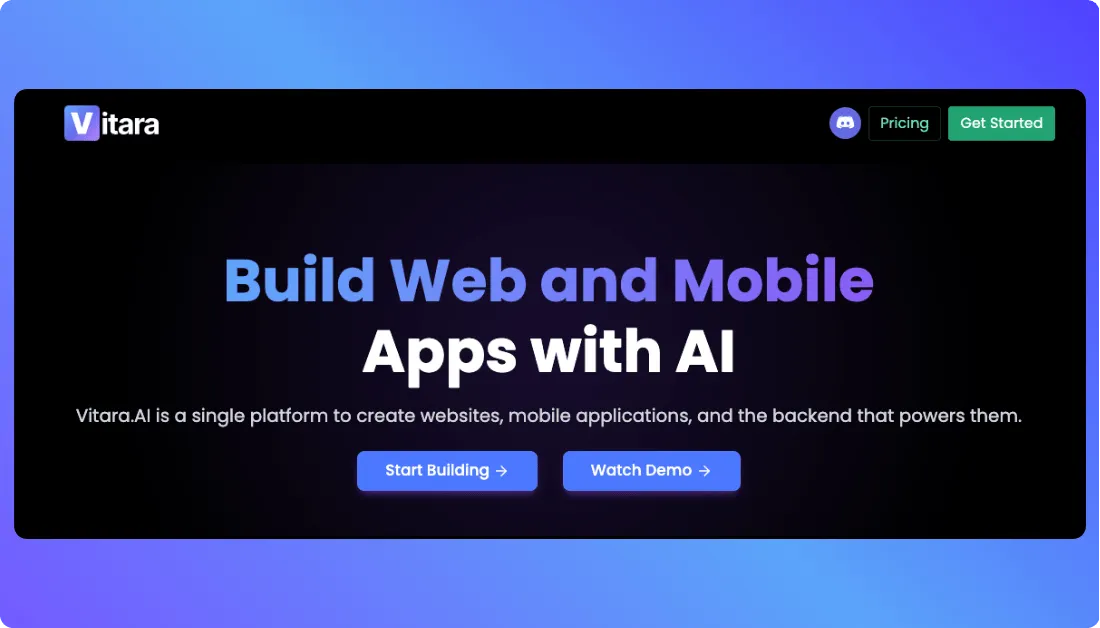
Vitara AI is a good alternative if you want an AI app builder that can help you create full-stack web and mobile apps from prompts.
It’s especially useful if you’re looking for a vibe coding tool that can handle more than just landing pages. You can use it to build app screens, dashboards, SaaS MVPs, internal tools, and mobile-friendly software ideas without starting from scratch.
You may want to try Vitara AI if Lovable feels useful, but you want another AI powered app development platform to compare before choosing your main builder.
Create web apps, mobile apps, SaaS MVPs, and business tools using AI-powered development.
Launch with Vitara AI →
Bolt.new
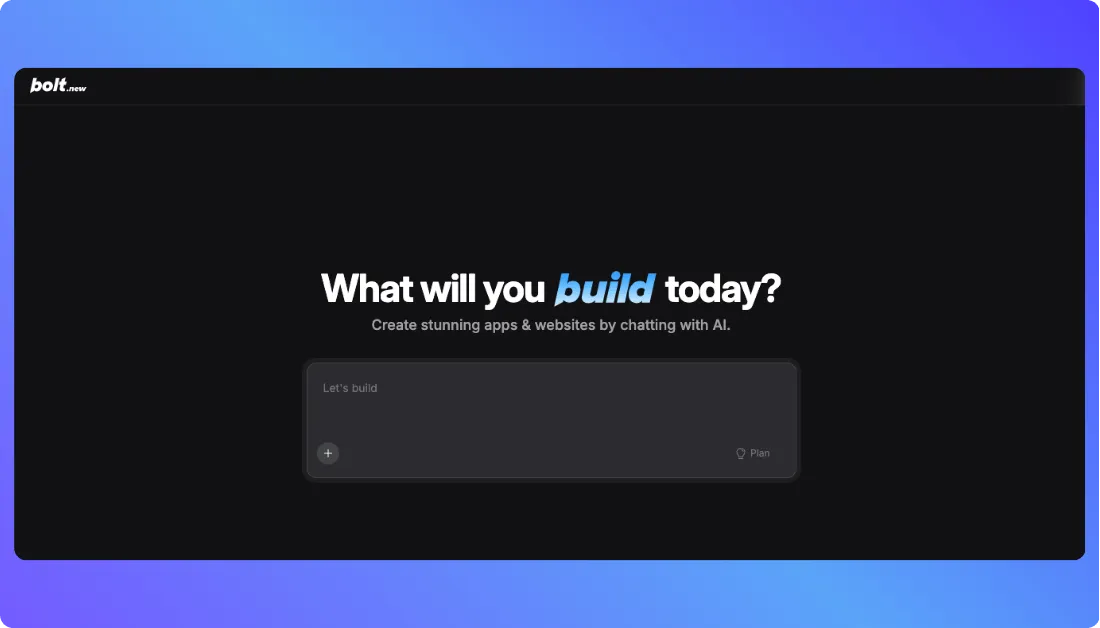
Bolt.new is another strong Lovable alternative for building apps, prototypes, and full-stack projects with AI.
It works well if you want to describe your idea, generate code, test changes, and keep improving the app inside a browser-based development environment.
This is better suited for users who are comfortable with a slightly more developer-focused workflow. If you want more control over the generated code than a basic no code AI app builder gives you, Bolt.new is worth considering.
Also Read:
Compare Bolt.new with other leading app builders:
Best Bolt.new Alternatives
Bolt.new Pricing Explained
Bolt.new vs Vitara.ai
Webflow
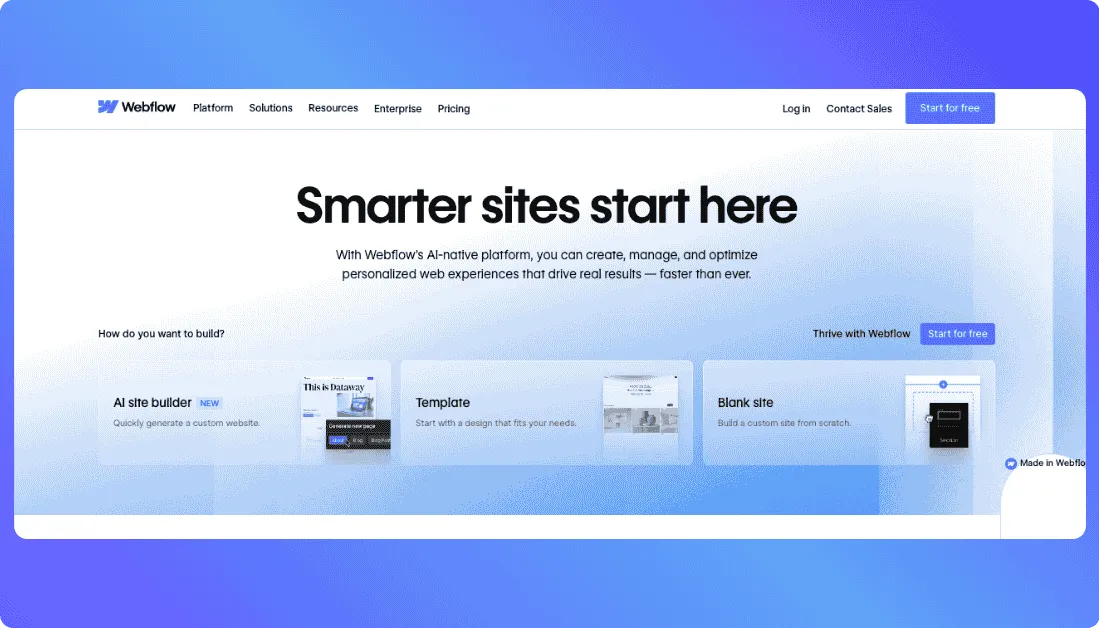
Webflow is a strong Framer alternative if your main goal is to build polished websites, landing pages, CMS pages, and marketing sites.
It gives you more design and website structure control than many simple website builders, but it can also feel more complex for beginners.
You may want to choose Webflow if you’re building a serious business website, content-heavy site, or marketing website where CMS, design control, and scalability matter more than AI app generation.
Also Read:
If Webflow isn’t a perfect fit, explore these options:
Top Webflow Alternatives
Webflow Pricing Explained
My Final Verdict: Framer or Lovable?
Framer and Lovable are both useful, but they’re built for different jobs.
Choose Framer if you want to build a polished website, landing page, portfolio, startup homepage, blog, or CMS-based marketing site. It gives you better design control, stronger animations, cleaner visual editing, and a more natural workflow for SEO-focused pages.
Choose Lovable if you want to build a working app, SaaS MVP, internal tool, dashboard, client portal, or product that needs login, database, backend logic, and user workflows. It’s much better when your idea needs to function like software, not just look like a website.
Here’s the easiest way to decide:
If people are only visiting your pages, go with Framer.
If people need to log in, save data, manage records, or use product features, go with Lovable.
And honestly, many startups don’t need to choose only one.
The smartest setup is often Framer for your public marketing website and Lovable for your actual product or MVP.
That way, Framer helps you attract users, and Lovable helps you build something they can actually use.
Still comparing platforms? These guides can help:
Refine Alternatives for Building Apps and Dashboards
Lovable vs Retool: The Only Comparison You’ll Actually Want to Read
V0 vs Replit: One-to-One Comparison
What’s New?