Webflow Alternatives: 7 Best Website Builders & AI Platforms You Should Try in 2026
Webflow is one of the most popular website builders for designers, agencies, and marketing teams.
But that doesn’t mean you should be paying premium prices for 👇🏼
- A learning curve that feels steeper than it needs to be
- Pricing that gets expensive fast once you need more CMS items, seats, or site features
- Ecommerce tools that still feel limited for serious online stores
- A workflow that can slow you down when you just want to launch pages quickly
- A platform that gives you design freedom, but not always the easiest path to getting work done
I spent time reviewing Webflow and comparing it against other website builders across different use cases.
The experience made one thing clear.
Webflow is powerful, but it’s not the best fit for everyone.
That’s when I realized it’s 2026 and there are much better Webflow alternatives that offer simpler workflows, stronger ecommerce features, easier editing, and better overall value for the price.
In this blog, I’ll walk you through the top 5 Webflow alternatives I recommend, including their standout features, real pricing, and which type of user each one is actually best for.
Let’s get into it.
TL;DR — Which Webflow Alternative Should You Pick?
If you want a quick answer, here’s my honest take after reviewing the top options:
- 🏆 Best Webflow alternative overall: Wix – easier to use, faster to launch with, strong built-in features, and a much better fit for most small businesses, creators, and marketing teams
- 🏆 Best for prompt-to-full-stack development: Vitara.ai – ideal if you want to turn ideas into full-stack web or mobile apps using prompts instead of building everything manually
- Best for design-focused teams: Framer – the closest match for modern visual design workflows, especially if you care about polished landing pages, animations, and fast iteration
Quick Overview Table of Top Webflow Competitors
| Tool | Core strength | Hosting model | Best for |
|---|---|---|---|
| Wix | AI assisted website creation with an easy all in one builder | Cloud | Beginners, small businesses, and marketing sites |
| Vitara.ai | Prompt to full stack development platform for building web and mobile apps from natural language | Cloud | Startups, product teams, and builders who want faster app development |
| Framer | Design first website building with strong CMS, SEO, and collaboration features | Cloud | Designers, agencies, and high converting marketing sites |
| WordPress.com | Flexible site building with themes, plugins, and room to scale | Cloud or managed hosting | Content heavy sites, businesses, and teams that want more control |
| Squarespace | Polished templates and simple all in one site management | Cloud | Creators, portfolios, and service based businesses |
| Shopify | Ecommerce focused website building with built in checkout, inventory, payments, and multichannel selling | Cloud | Online stores, retailers, and growing ecommerce brands |
| Hostinger | Affordable AI website creation with hosting, security, domain tools, and ecommerce features included | Cloud | Beginners, freelancers, local businesses, and budget conscious website owners |

Build full stack web and mobile apps with AI prompts, editable React code, and a Supabase backend.
Build Your App With Vitara.ai →
How I Tested These Webflow Alternatives?
I signed up for each tool, explored the editor, built sample pages, and compared the overall experience against what Webflow offers for similar use cases. I did not just skim landing pages and rewrite feature lists.
I looked at four things for each platform: how easy it was to build and publish a site, how much design flexibility it gave me, how strong the built-in features were for things like SEO, CMS, and ecommerce, and whether it actually made the workflow faster or just looked good on paper.
Every tool below earned its spot based on that hands-on review process and real user feedback from trusted software review platforms.
5 Best Webflow Alternatives
I was honestly underwhelmed by Webflow for everyday website building, especially once I looked at the learning curve, pricing, and how quickly simple projects can start feeling more complicated than they should.
So I decided to compare other website builders and app platforms to find options that are easier to use, faster to launch with, and better suited to different types of users.
1. Wix
G2 Rating: 4.3/5 ⭐
⭐ Best For:
Small businesses, creators, and marketers who want an easier all in one website builder with AI tools built in.
The first Webflow alternative on my list is Wix.
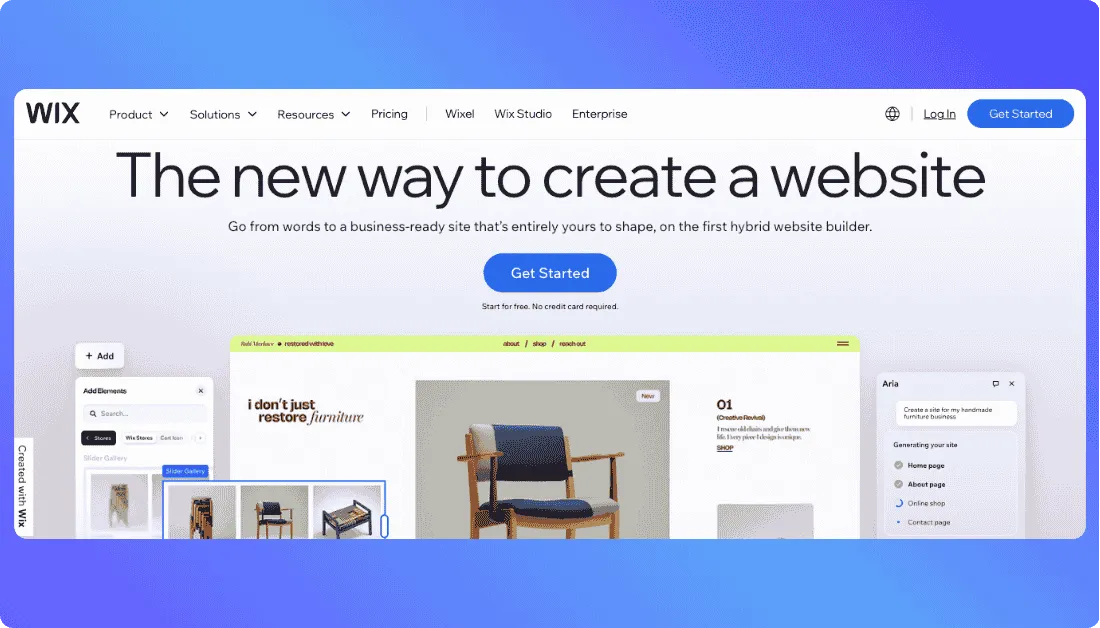
It’s one of the most widely used website builders in the market right now, and it’s easy to see why. Wix gives you templates, drag and drop editing, hosting, AI site creation tools, and business features in one place.
Where Webflow asks you to think more like a designer building inside a visual development tool, Wix feels much more straightforward. You can get a site live faster, make edits without a learning curve, and manage everything from one dashboard.
That’s the big reason Wix works so well as a Webflow alternative for most people.
Why Wix is a Strong Webflow Alternative
What stood out most to me was how quickly you can go from idea to published website.
With Wix, you can start with AI website creation, use one of its 2000+ templates, and edit pages with a much more beginner friendly interface. Webflow gives you more design control, but Wix removes a lot of the friction that slows non-designers down.
That difference matters.
On Webflow, even a basic marketing site can feel like a project.
On Wix, you can build the same kind of site, connect your domain, add business features, and publish without feeling like you need to learn a new design system first.
Wix is also a solid pick if you want to start free and upgrade later. Its free plan lets you build and publish a site, while paid plans add things like a custom domain, more storage, and advanced business features.
There is a tradeoff, though.
Wix gets more expensive as you move up plans, and it still does not give advanced users the same design precision that draws people to Webflow in the first place. G2 reviews also show that while users often praise ease of use, some mention pricing creep as needs grow.
Pros
- Easy drag and drop website builder
- AI website creation tools built in
- 2000+ templates to start from
- Hosting, security, and support included
- Free plan available for testing and simple sites
Cons
- Can get expensive as you upgrade
- Free plan includes Wix branding
Pricing
Wix plans:
- Free = $0/mo
- Light = $17/mo
- Core = $29/mo
- Business = $39/mo
Also Read:
Compare Webflow with other leading app builders:
Best Wix Alternatives
2. Vitara.ai
G2 Rating: Not enough public G2 data yet
⭐ Best For:
Prompt to full stack development for startups, product teams, and builders who want to turn ideas into working apps fast
If you want a Webflow alternative that goes beyond website building and helps you create actual full stack products, Vitara.ai is one of the most interesting options on this list.

It solves a very different problem.
Why Vitara.ai is a Strong Webflow Alternative
Webflow is great when your goal is designing and publishing a polished website.
Vitara.ai takes a different route. Instead of focusing on visual page design first, it helps you go from prompt to full stack development, which makes it a much better fit if you want to build web apps, product MVPs, internal tools, or more functional digital products.
That difference became obvious right away.
With Webflow, you are still working inside the boundaries of a website builder.
With Vitara.ai, the experience is closer to describing what you want, generating the product structure, and moving much faster toward something that actually behaves like software, not just a marketing site.
That is the biggest reason Vitara.ai stands out.
It is not trying to be a prettier Webflow clone. It is for people who have outgrown drag and drop site builders and want a platform that can help with real app development workflows.
Describe what you want to build and let Vitara.ai create the frontend, backend, database, and core app flow.
Start Building for Free →
The biggest win is speed to execution. If your end goal is a working product instead of just a landing page, Vitara.ai gives you a much more direct path.
Pros
- Prompt to full stack development workflow
- Better fit for web apps and MVPs than traditional website builders
- Useful for startups, internal tools, and product teams
- Faster path from idea to working product
- Goes beyond static website creation
Cons
- Not the best fit for simple brochure websites
- May be more than you need for basic content sites
Pricing
- Free = Custom / may vary
- Paid plans = Contact sales or check current pricing
3. Framer
⭐ Best For:
Designers, agencies, and marketing teams that want modern websites with smooth animations and faster publishing
If you want a Webflow alternative that still feels design forward, Framer is probably the closest match on this list.
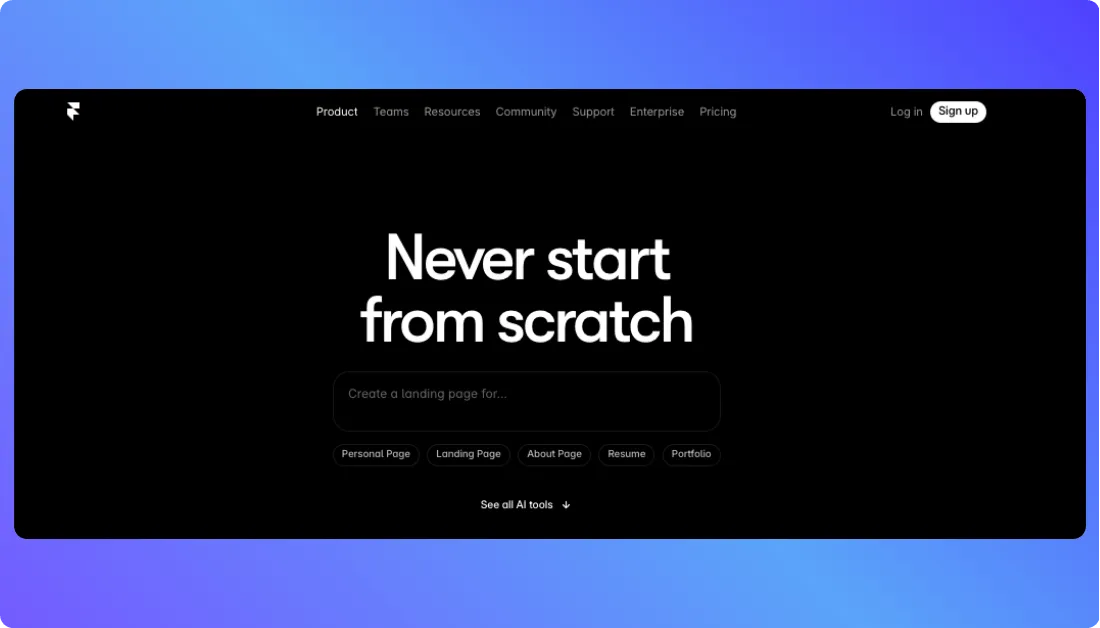
It just feels lighter and easier to work with.
Why Framer is a Strong Webflow Alternative
Webflow and Framer both appeal to people who care a lot about design, layout control, and polished websites.
The difference is in the workflow.
Webflow can feel like you are building inside a visual front end system that expects you to think in a more technical way. Framer still gives you creative control, but the overall experience feels faster, cleaner, and less heavy for marketing sites and landing pages.
That stood out to me right away.
With Webflow, even simple edits can turn into a more deliberate process.
With Framer, the path from idea to published page feels much smoother, especially if your team works fast, tests often, and wants to launch pages without getting buried in setup.
Framer also does a great job with modern interactions and visual polish.
That makes it a strong pick for startups, personal brands, agencies, and SaaS teams that care about presentation just as much as speed.
The biggest win is that Framer gives you a more approachable design experience without losing the premium feel that attracts people to Webflow in the first place.
Pros
- Great for high converting landing pages
- Clean and modern editing experience
- Strong animation and interaction tools
- Faster workflow for design focused teams
Cons
- Less ideal for highly complex websites
- Can feel limiting for deeper content structures
- Not the best pick for ecommerce first projects
Pricing
Framer plans:
- Free = $0/mo
- Mini = $5/mo
- Basic = $15/mo
- Pro = $30/mo
Framer is one of the best Webflow alternatives if you still want a premium, design led website builder but do not want the same level of friction in the workflow.
4. WordPress.com
G2 Rating: 4.4/5 ⭐
⭐ Best For:
Businesses, publishers, and content heavy websites that need flexibility and room to scale
The next Webflow alternative on my list is WordPress.com, and it takes a very different approach from Webflow.
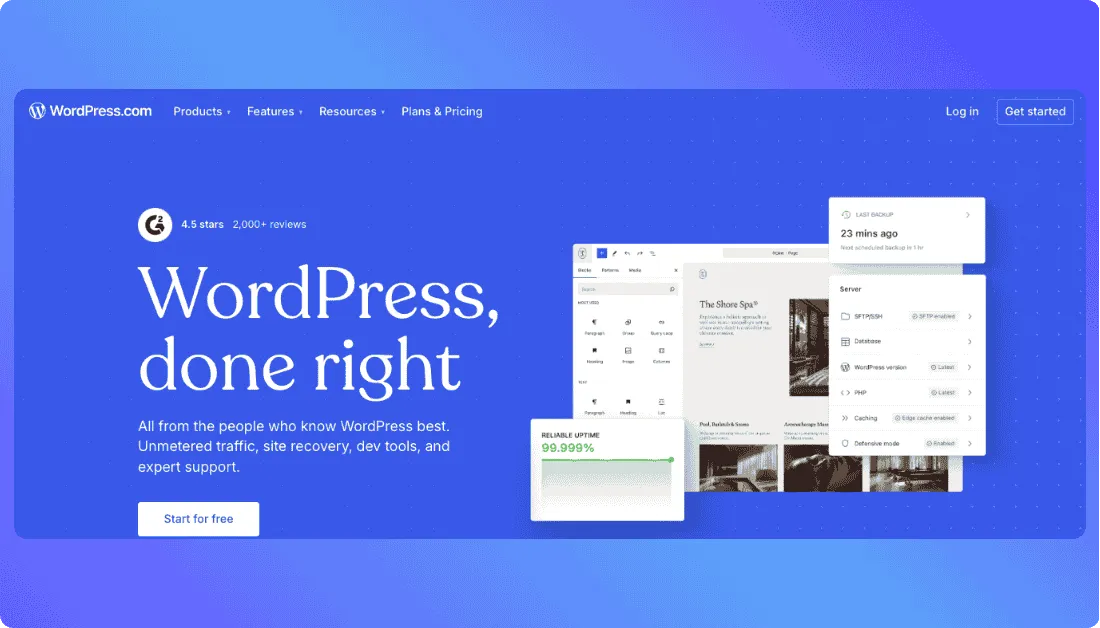
Instead of focusing mainly on visual design control, WordPress.com leans into flexibility, content management, and long term site ownership.
Why WordPress.com is a Strong Webflow Alternative
If your website is going to grow over time, WordPress.com deserves serious consideration.
Its biggest strength is not flashy design tooling.
It is the fact that WordPress is built for real world publishing, blogging, landing pages, business websites, and large content libraries. That makes it a much better fit for teams that care about SEO, content scale, and extensibility.
Webflow looks great when you want visual control.
WordPress.com gives you a broader foundation for building a site that may need more plugins, more integrations, more editors, and more flexibility as time goes on.
That is where it pulls ahead.
It also feels more practical for businesses that want to publish a lot of content without rebuilding their workflow around a more design first platform.
The biggest win is freedom. You are not locked into one narrow style of website building, and that matters once your site becomes a real business asset instead of just a nice homepage.
Pros
- Strong for blogs and content heavy websites
- Better long term flexibility for growing sites
- Large theme and plugin ecosystem
- Good fit for SEO driven publishing
Cons
- Setup can feel less beginner friendly
- Design experience is not as sleek as Framer or Webflow
- Extra features may require higher plans or plugins
Pricing
WordPress.com plans:
- Free = $0/mo
- Personal = $4/mo
- Premium = $8/mo
- Business = $25/mo
- Commerce = $45/mo
WordPress.com is one of the strongest Webflow alternatives if your site needs flexibility, content depth, and more control over how it grows over time.
5. Squarespace
G2 Rating: 4.4/5 ⭐
⭐ Best For:
Creators, service businesses, portfolios, and brands that want a polished site without the complexity of Webflow
If your main goal is to launch a beautiful website without fighting the builder, Squarespace is an easy recommendation.
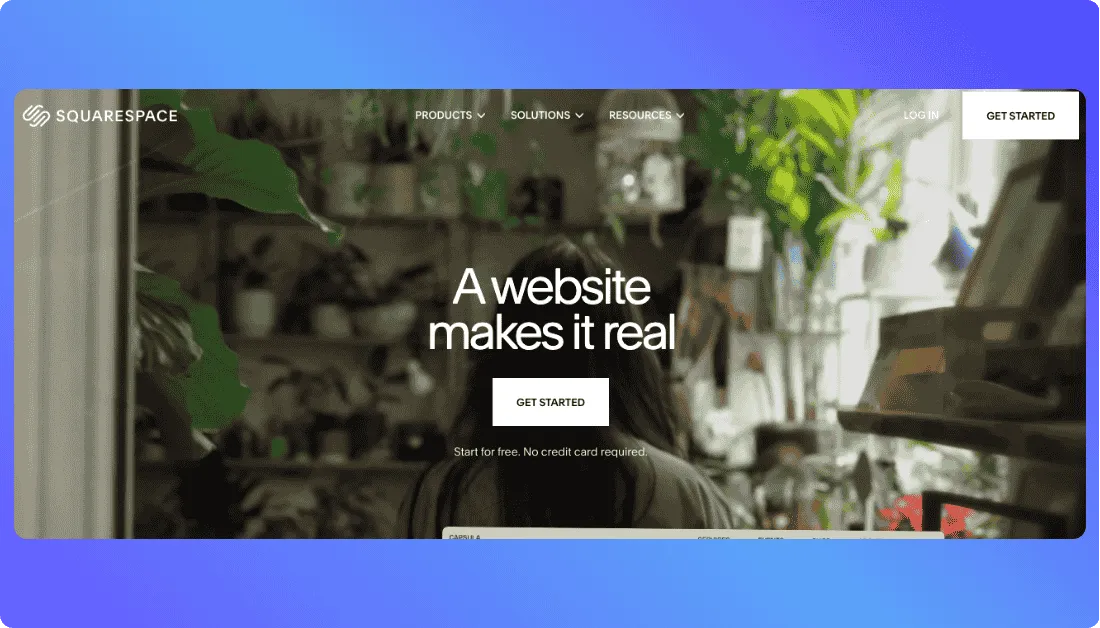
It is much simpler, and that is the point.
Why Squarespace is a Strong Webflow Alternative
Webflow gives you more design freedom, but that freedom comes with more decisions, more setup, and more room to get stuck.
Squarespace takes the opposite path.
It gives you polished templates, a more guided editing experience, built in business tools, and a smoother setup for people who want a professional site without spending hours learning the platform.
That is why it works so well as a Webflow alternative.
For portfolios, service businesses, personal brands, consultants, and small online stores, Squarespace removes a lot of the friction that makes Webflow feel heavier than it needs to be.
It is not trying to be the most customizable builder on the internet.
It is trying to help you launch something clean, modern, and functional with less effort. In a lot of cases, that is exactly what users need.
The biggest win is simplicity with polish. You can get a great looking site live faster, and you do not need to think like a designer or front end builder to make it work.
Pros
- Beautiful templates out of the box
- Easy to use all in one website builder
- Built in blogging, scheduling, and ecommerce tools
- Faster learning curve than Webflow
Cons
- Less customization than Webflow
- Ecommerce is solid but not best in class for large stores
Pricing
Squarespace plans:
- Personal = $16/mo
- Business = $23/mo
- Commerce Basic = $28/mo
- Commerce Advanced = $52/m
Also Read:
Looking for something better than Webflow? Start here:
Best Squarespace Alternatives
6. Shopify
G2 Rating: 4.4/5 ⭐
⭐ Best For:
Ecommerce businesses, retailers, direct to consumer brands, and growing online stores that need stronger selling tools than Webflow
Shopify is an easy choice when selling products is the main purpose of your website.

It may not offer the same level of visual control as Webflow, but it gives you far more tools for running an ecommerce business.
Why Shopify is a Strong Webflow Alternative
Webflow works well when you want to create a highly customized website and control how every page looks.
That flexibility becomes less valuable when your daily work revolves around products, inventory, orders, payments, shipping, and customer management.
Shopify focuses on those tasks from the start.
You can build an online store, add unlimited products, organize collections, manage stock, accept payments, process orders, and sell through social media or online marketplaces from one platform. It also provides built in hosting, reporting tools, an app marketplace, and support for in person selling through Shopify POS.
That makes Shopify a stronger Webflow ecommerce alternative for brands that expect their store to grow.
You do not have to connect several separate tools just to manage basic store operations. Most of the important commerce features are already available inside the Shopify dashboard.
Shopify also includes AI tools for creating store content, handling routine tasks, and getting business insights through its Sidekick assistant. You can start with a theme or use a prompt to create the foundation of your storefront.
The biggest advantage is commerce management. Shopify helps you manage the full buying journey, from product discovery and checkout to payment, fulfilment, and repeat sales.
You may give up some of Webflow’s design freedom, but you gain a platform built specifically for selling.
Pros
- Strong product, inventory, and order management
- Built in checkout, payment, hosting, and security tools
- Supports social, marketplace, online, and in person selling
- Large selection of themes and ecommerce apps
- Suitable for both new and growing online stores
Cons
- Offers less visual design freedom than Webflow
- Third party apps can increase your monthly costs
- Advanced theme changes may require Shopify Liquid knowledge
- Transaction fees may apply when using an external payment provider
Pricing
Shopify plans with annual billing:
- Basic = $29/mo
- Grow = $79/mo
- Advanced = $299/mo
- Plus = Starts at $2,300/mo
7. Hostinger
G2 Rating: 4.4/5 ⭐
⭐ Best For:
Freelancers, creators, local businesses, and beginners who want an affordable AI website builder with hosting included
Hostinger makes sense when you want to launch a professional website without paying for several separate services.
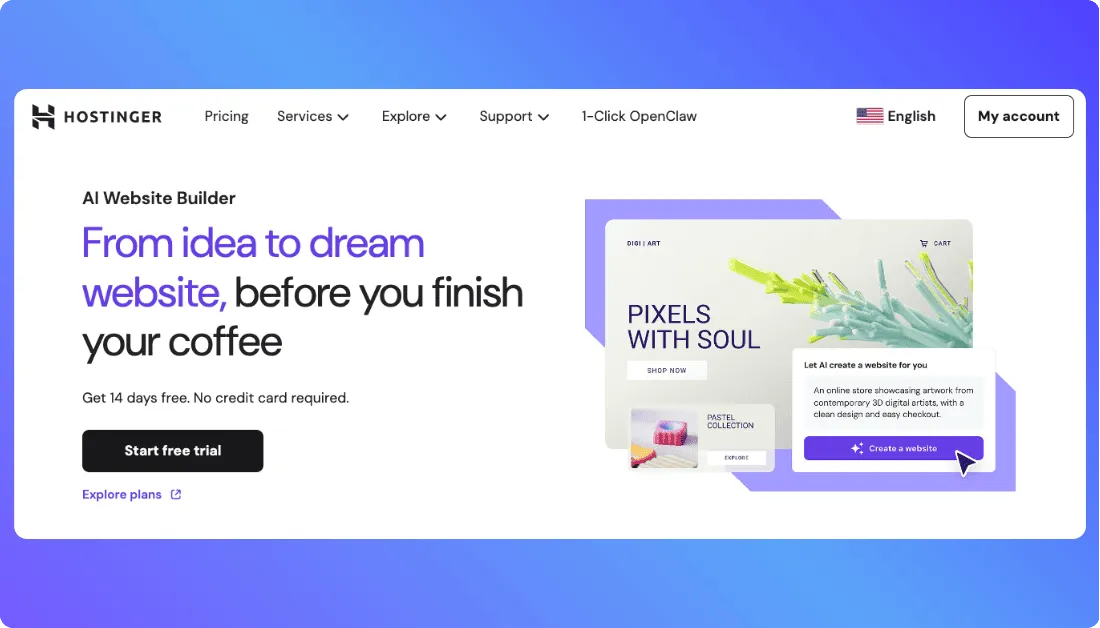
It keeps website creation, hosting, security, domain management, and AI tools inside one simple platform.
Why Hostinger is a Strong Webflow Alternative
Webflow gives experienced designers plenty of control, but that freedom can feel unnecessary when you only need a clean business website, portfolio, blog, or small online store.
Hostinger offers a much simpler route.
You can generate a website with AI, customize the pages through its drag and drop editor, connect your domain, and publish everything from the same dashboard. Its plans also include hosting, SSL certificates, website templates, AI tools, and ecommerce features.
That makes Hostinger a practical Webflow alternative for beginners who don’t want to manage design software, hosting accounts, security tools, and domain settings separately.
You can use it to build a website for a restaurant, consultant, photographer, local service business, personal brand, or small product catalogue without writing code.
The AI website builder can create the initial layout and content based on your description. You can then change the text, images, sections, colours, and page structure through the visual editor.
Hostinger also supports WordPress, Node.js, ecommerce, email marketing, and basic vibe coding features on eligible plans. This gives you more room to grow without forcing you to move to another hosting provider straight away.
The biggest benefit is value for money. You get the builder and the tools needed to keep your website online in one subscription.
You won’t receive Webflow’s advanced animation controls or detailed layout freedom, but you can launch a functional website with far less setup and a much smaller starting budget.
Pros
- Affordable introductory pricing
- AI website builder and drag and drop editor
- Hosting, domain, SSL, and ecommerce tools included
- Easy dashboard for beginners
- Suitable for websites, blogs, portfolios, and small stores
Cons
- Less design control than Webflow
- Not ideal for complex or highly customized websites
- The lowest price requires a long term purchase
- Renewal prices are much higher than introductory rates
Pricing
Hostinger plans based on a 48 month purchase:
- Premium = $2.99/mo
- Unlimited = $3.79/mo
- Cloud Startup = $7.99/mo
- Premium renews at $10.99/mo, Unlimited at $16.99/mo, and Cloud Startup at $25.99/mo. Hostinger charges the full subscription term upfront.
Create your application with AI, customize the React code, connect a Supabase backend, and download the project whenever you need it.
Try Vitara.ai Today →
Which Webflow Alternative is Best?
You’ve seen how all these tools work and why they can be solid alternatives to Webflow.
But if you’re still unsure which one to choose, let me make it simple.
If you’re looking for a Webflow competitor that:
- Lets you build by simply describing what you want
- Goes beyond websites and helps you create full stack products
- Turns your idea into something real much faster
Then, Vitara.ai is the best alternative to Webflow.
Also Read Other Tools Alternatives
Top Rocket.new Alternatives
Best Softr Alternatives
Top Soften Alternatives
Frequently Asked Questions
What is the best Webflow alternative in 2026?
The best option depends on what you want to build. Wix is a strong choice for beginners and small business websites, Framer works well for design-heavy marketing sites, and Vitara.ai stands out if you want to build by prompting instead of designing everything manually.
Are there easier alternatives to Webflow for beginners?
Yes. Wix and Squarespace are both easier to use than Webflow and make much more sense if you want to launch a polished website without dealing with a steep learning curve.
Can Webflow alternatives handle more than just websites?
Some can. Vitara.ai is the clearest example here because it goes beyond page building and helps you create full stack products from prompts, which makes it a very different kind of alternative.
Which Webflow alternative is best for startups?
Startups often choose Framer for fast landing pages, Wix for quick business websites, and Vitara.ai for turning product ideas into working apps faster.
Do Webflow alternatives replace developers?
Not completely. These tools can speed up design and development, but developers still matter when you need custom logic, integrations, performance work, or long-term product scalability.
How should you choose a Webflow alternative?
Look at what you actually need most: ease of use, design flexibility, ecommerce features, content management, or the ability to build full stack products from a simple prompt.
What’s New?