7 Best Windsurf AI Alternatives for Different Use-Cases
Developers are always chasing tools that make coding smoother, faster, and more intuitive. That “vibe coding” flow, where ideas turn effortlessly into working code with the help of AI, is the goal. Windsurf is the vibe coding tool that does some of these.
It is built by Codeium, offers smart features like autocompletion, AI chat, and API integration. While it’s powerful, some developers run into issues with performance, IDE compatibility, or limited workflow flexibility.
If you’re looking for better options, this guide covers the top 7 Windsurf alternatives for 2026. Each one is designed to boost productivity, match your coding style, and keep your development flow uninterrupted.

Build MVPs, SaaS apps, and internal tools with React, Supabase, editable code, and simple publishing.
Start Building Now →
Windsurf Alternatives Comparison Table
Here’s a quick side-by-side look at the top 5 windsurf competitors. Use this table to see which vibe coding platform aligns best with your project needs before diving into the detailed reviews.
| Tool | Best For | Features | Windsurf Alternative For |
|---|---|---|---|
| Vitara | Teams and makers building full-stack apps | Natural language to full-stack app generation, browser-based IDE, one-click deployment, multi-framework support | Developers who find Windsurf limited to code suggestions and want a full app builder |
| Replit Agent | Startups, solo devs, rapid prototyping | Natural language prompt to app, full-stack scaffolding, real-time collaboration, integrated IDE | Users who want more than code completion from Windsurf and prefer full app creation |
| Lovable | Non-developers, rapid app creation | Text-to-app generation, UI and backend scaffolding, built-in integrations, exportable code | Makers or product teams who feel Windsurf is too code-focused and want a simpler builder |
| Base44 | Lean teams building apps quickly | Idea-to-app pipeline, built-in infrastructure like auth, storage, and payments, minimal code required | Teams wanting fast app creation instead of coding assistance alone |
| Cursor | Developers working on large or legacy codebases | Deep IDE integration, semantic search, natural language edits, refactoring support | Developers who need stronger IDE support and deeper codebase understanding than Windsurf provides |
| Claude Code | Experienced developers and engineering teams handling complex coding tasks | Terminal and IDE-based agentic coding, repository understanding, multi-file edits, command execution, testing, debugging, and refactoring | Developers who want autonomous coding workflows and deeper repository-level engineering support |
| Cline | Developers who want open-source flexibility and control over AI models | Open-source coding agent, BYOK support, multi-model access, Plan and Act modes, multi-file editing, terminal commands, and MCP support | Developers who want model flexibility, open-source control, and a customizable agentic coding workflow |
Why Are Windsurf Users Looking For Alternatives?
Windsurf solves a real developer problem. You open the editor, explain what you want, and the AI starts helping with code, files, refactoring, debugging, and project context. For many developers, that first experience feels seriously impressive. It’s faster than copy-pasting code from ChatGPT, and it feels more natural than using a normal code editor with basic autocomplete.
But once people start using Windsurf for real projects, not just quick experiments, a few frustrations start showing up.
I checked official Windsurf and Devin updates, along with Reddit discussions where developers talk openly about their experience. The pattern is pretty clear. People aren’t only searching for another AI code editor. They’re looking for Windsurf alternatives because their workflow, pricing expectations, and product needs are changing.
Here are the most common reasons Windsurf users start looking for alternatives.
1. Windsurf’s move toward Devin Desktop has confused some users
One big reason users are looking for Windsurf alternatives is the recent shift from Windsurf toward Devin Desktop.
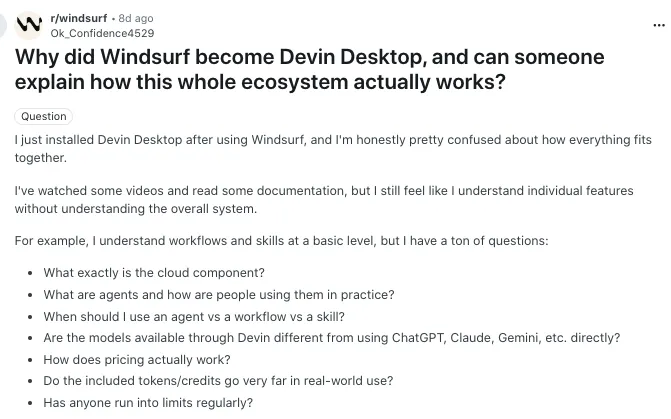
In the Windsurf subreddit, some users said they felt confused after installing Devin Desktop because they could understand individual features, but not how the full ecosystem worked together. That’s a real problem for developers who were used to opening Windsurf, using Cascade, and getting straight into coding.
Another user raised a more practical concern. They had used Windsurf and Cascade for almost a year while building a complex production app. Their worry was not about losing code, because the code lived in GitHub. Their bigger concern was losing project context, chat history, architecture notes, bug history, feature decisions, and all the small details Cascade had learned over time.
That explains why some users are now comparing Windsurf with Cursor, Vitara, Replit, Claude Code, Cline, GitHub Copilot, and other AI coding tools. They are not only asking which tool has better AI. They are asking which tool fits their workflow without forcing them to relearn everything.
Source of Information: Reddit
2. Daily and weekly quota limits feel restrictive for heavy users
Pricing is another major reason Windsurf users are searching for alternatives.
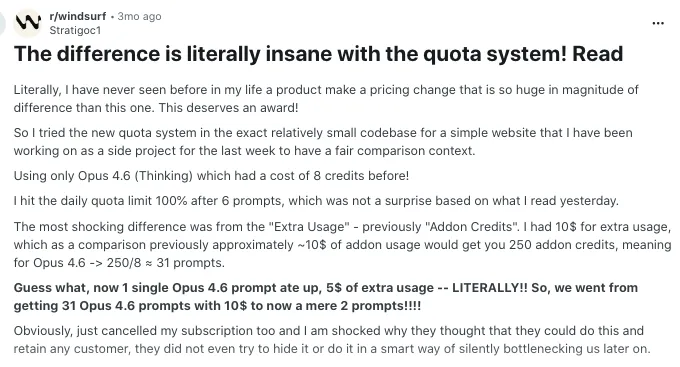
Windsurf now uses a quota-based usage system with daily and weekly allowances. According to Windsurf’s official docs, usage depends on token consumption, model choice, request size, and how much codebase context the AI needs. That makes technical sense, but many users still find it harder to manage than a simple monthly credit system.
In Reddit discussions, users complained that quota usage can disappear quickly during real development work. Some mentioned using a large part of their daily or weekly quota in a short session, while others said they preferred tools with monthly usage limits instead of daily and weekly caps.
This matters a lot for vibe coders and app builders. They don’t always work in small, neat sessions. Sometimes they spend 5 to 6 hours fixing bugs, changing UI, testing flows, and rebuilding features. When the tool slows them down in the middle of that process, they start looking for Windsurf alternatives with clearer pricing and more flexible usage.
Source of Information:Reddit
3. Some users want full app creation, not only coding assistance
Windsurf is mainly built for developers who want AI support inside a coding workflow. That’s great if you already know how to manage code, files, frameworks, dependencies, Git, testing, and deployment.
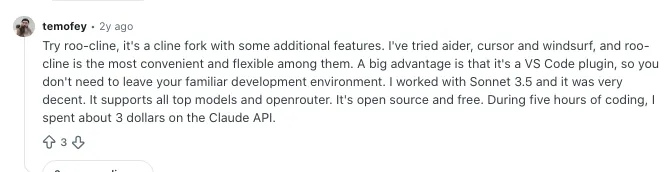
But many people searching for Windsurf alternatives are not only looking for better autocomplete. They want to build a complete app.
That includes frontend screens, backend logic, database setup, authentication, deployment, and editable code. For this kind of user, an AI IDE may feel like only one part of the job.
For founders, product managers, students, and non-technical builders, that difference matters. They don’t want to spend all day inside an editor. They want to see the app working.
Source of Information: Reddit
4. AI output can still make mistakes in real codebases
Windsurf can be useful, but like every AI coding tool, it is not perfect.

In Reddit discussions, some developers said Windsurf sometimes repeated the same mistakes, failed to remember preferences, or made changes that created new problems. One user even described a case where the tool deleted database work during an app-building task.
This does not mean Windsurf is a bad product. It means AI coding tools still need human review.
The real issue starts when developers expect the AI to behave like a reliable senior engineer every time. That expectation can break quickly in larger projects, especially when the codebase has unclear structure, missing documentation, weak prompts, or complex business logic.
For teams working on production software, this is why alternatives like Cursor, Claude Code, GitHub Copilot, Augment Code, and Qodo enter the conversation. They may offer different strengths around codebase context, review, testing, or developer control.
Source of Information: Reddit
5. Large projects need stronger control over context and workflow
Windsurf works well when the AI understands the task clearly. But real software projects can get messy fast.
A developer may have old files, hidden dependencies, custom architecture decisions, database rules, API flows, and edge cases that are not obvious from one prompt. When the AI loses context, it may give shallow answers, edit the wrong files, or solve the same issue in a way that does not match the project.
In one Reddit comparison between Cursor and Windsurf, a user said Windsurf had similar features but sometimes produced simpler answers with more errors. Another developer said both Cursor and Windsurf need clear documentation and constant reminders to get predictable output.
That’s a very real point. AI coding tools work better when the project has rules, architecture notes, and clean context.
Users who work with larger repositories may start looking for tools that give them more control over context, indexing, review, rollback, and model behavior.
Source of Information: Reddit
6. Different users now need different kinds of AI coding tools
A few years ago, people compared AI coding tools mostly by autocomplete quality. Now the market has split into different categories.
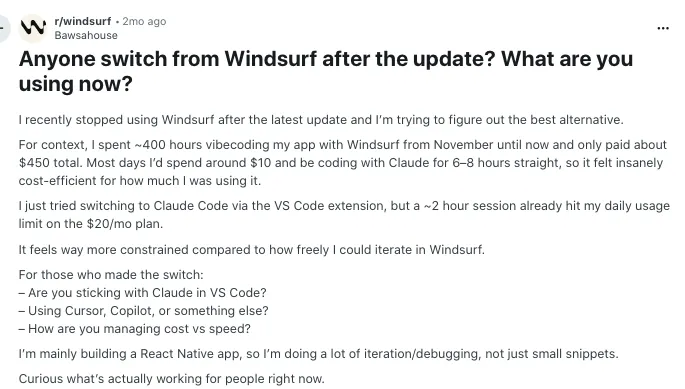
Some tools are AI code editors. Some are browser IDEs. Some are full-stack app builders. Some are terminal coding agents. Some are open-source assistants where developers bring their own API key. Some are enterprise-focused tools built for large codebases and security rules.
That’s why one Windsurf alternative will not fit everyone.
A developer may prefer Cursor because it feels close to VS Code. A founder may choose Vitara because it helps build a complete app from prompts. A student may like Replit because everything runs in the browser. A senior engineer may prefer Claude Code or Cline because they offer more control over agentic coding.
This is the real reason Windsurf users are exploring alternatives. They are not always unhappy with Windsurf. Many simply want a tool that matches how they build today.
Source of Information: Reddit
Our Criteria for Ranking the Top Windsurf AI Alternatives
To identify the best alternatives to Windsurf, we started by reviewing over 20 AI coding tools actively used in 2026. We analyzed product data, user feedback, and expert reviews from trusted sources like G2, Capterra, and Gartner. But more importantly, we tested how these tools actually perform in real coding environments.
Each tool was evaluated across seven key areas:
- IDE compatibility and integration
- AI performance and code suggestion accuracy
- Speed and responsiveness in large projects
- Support for multi-language and multi-repo workflows
- Collaboration and team-based features
- Pricing flexibility and scalability
- Overall developer experience and UI/UX
From there, we handpicked the top 5 tools that consistently delivered value across solo developers, growing teams, and enterprise-scale projects. These aren’t just alternatives to Windsurf, they’re upgrades in the right context.
Ready to explore the list? Let’s break down the top picks.
Also Know: Windsurf Pricing
Top 7 Alternatives to Windsurf to Explore in 2026
1. Vitara
⭐Best For
Engineering teams and professional developers managing complex, multi-repo projects.
Vitara stands out as one of the most advanced AI coding assistants built for developers who want deep project understanding and seamless collaboration. Unlike Windsurf, which focuses primarily on inline completions and chat-style assistance, Vitara takes a more holistic approach to AI-powered development. It understands your entire codebase, adapts to team workflows, and helps developers move faster from idea to implementation.

With Vitara, developers can describe what they need in natural language, and the assistant generates contextually accurate code suggestions that align with the project’s architecture. Its real-time collaboration tools also make it easier for teams to review, debug, and refine code together without losing context or quality.
Key Features:
- Context-aware AI assistant that understands multi-file projects
- Real-time collaboration for teams and remote developers
- Support for major languages and frameworks
- Secure local or cloud-based project processing
- Continuous learning from your code patterns
Pros:
- Builds full-stack apps from prompts.
- Good for MVPs and quick app ideas.
- Runs in the browser, so setup is simple.
- Supports editable and downloadable code on paid plans.
- Better for app creation than only code assistance.
Cons:
- Free plan has limited credits.
- Complex apps may need developer review.
- Output depends on prompt quality.
Pricing:
- Starter: Free, 5 credits per day and 20 total one-time credits.
- Build: $20/month with 100 monthly credits.
- Scale: $50/month with 250 monthly credits.
- Custom solution: Available for advanced needs.
Windsurf alternative for: Deep contextual understanding, collaborative coding, and scalable team productivity.
Create web and mobile apps with AI prompts, React frontend, Supabase backend, and downloadable code.
Start Building with Vitara.ai →
2. Replit
⭐Best For
Startups, solo developers, and remote teams looking for an all-in-one cloud-based development experience
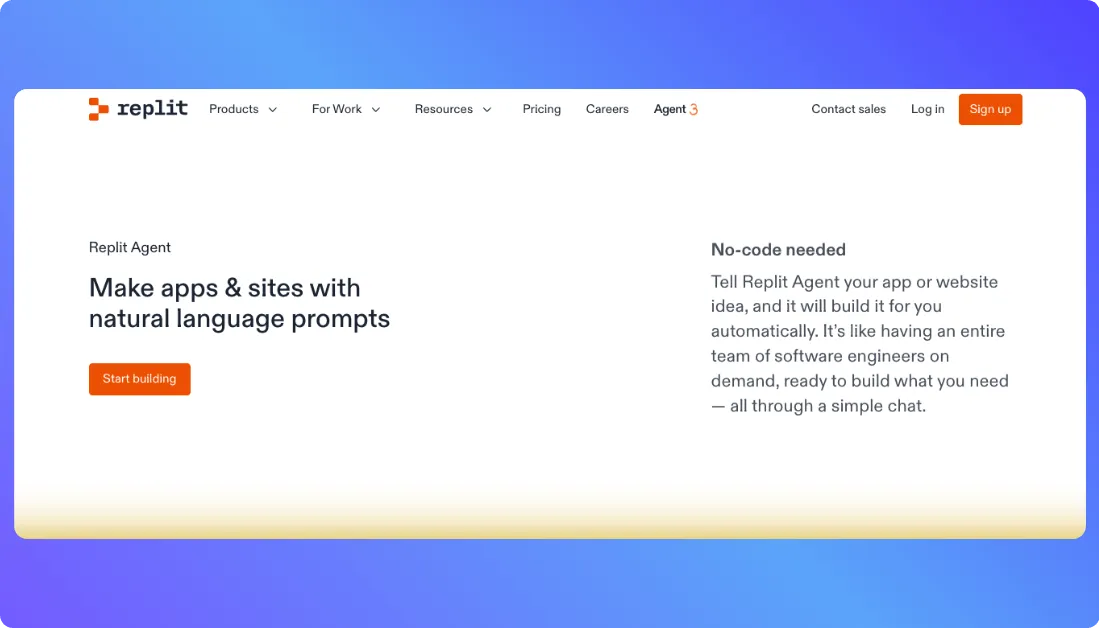
Replit brings AI-powered coding, full deployment, and real-time collaboration into your browser. Unlike Windsurf, which focuses mainly on code suggestions, Replit offers a complete development environment where you can code, debug, and ship apps without leaving your browser.
Key Features:
- Natural language prompts to generate working applications
- In-browser IDE with support for frontend, backend, and databases
- Real-time collaboration and shared workspaces for teams
- AI assistant integrated across the entire development flow
- Built-in deployment tools for instant shipping
Pros:
- Runs fully in the browser.
- Good for quick prototypes and small apps.
- Includes coding, hosting, and deployment in one place.
- Useful for beginners, students, and solo builders.
Cons:
- Usage-based pricing can feel hard to predict.
- Large or complex apps may need extra credits.
- Less control than a local developer setup.
Pricing:
- Starter: Free plan for basic app creation.
- Core: $20/month, or $18/month billed annually.
- Replit Pro: $100/month, or $90/month billed annually.
- Enterprise: Custom pricing for larger teams.
Windsurf alternative for: Full-stack development, live deployment, and in-browser collaboration
Also Read:
Looking for something better than Replit? Start here:
Top Replit Alternatives
Replit Pricing Explained
3. Lovable
⭐Best For
Product managers, designers, and early-stage founders building apps quickly without writing all the code
Lovable is designed for creators who want to build functional apps using natural language, without needing deep coding expertise. While Windsurf supports code generation and assistance, Lovable focuses on converting plain English prompts into full applications, complete with UI and backend logic.
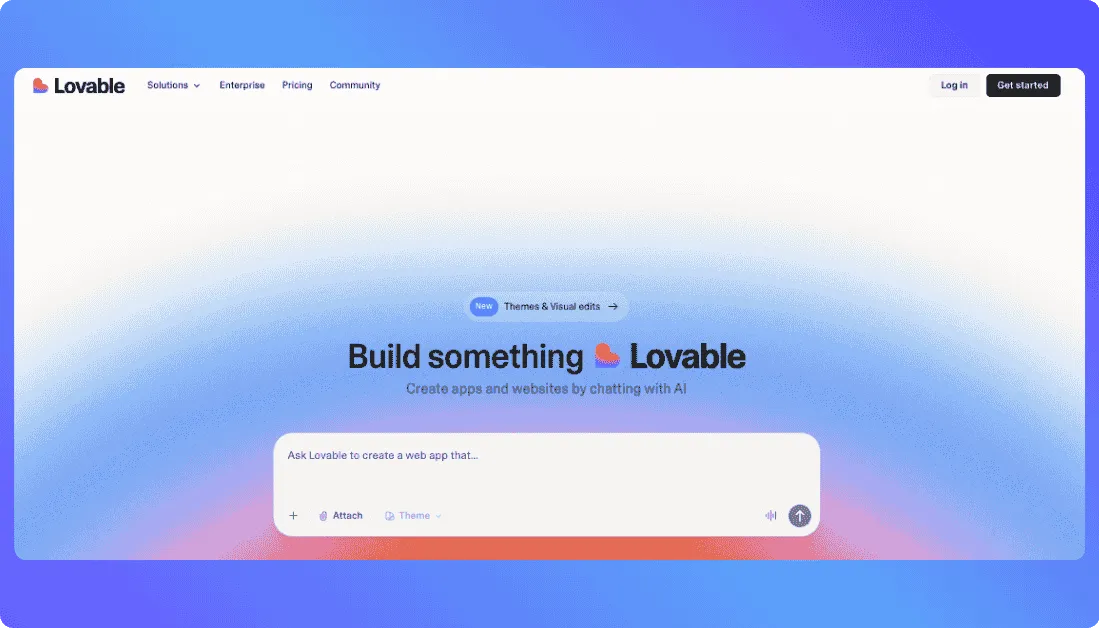
Key Features:
- Text-to-app generation for fast prototyping
- Built-in backend logic, UI scaffolding, and API integrations
- Ideal for building MVPs and internal tools
- Supports export to code for developer customization
- Visual editor with flexible control for non-technical users
Pros:
- Turns prompts into web apps quickly.
- Good for founders and product teams.
- Supports custom domains on paid plans.
- Useful for fast MVPs and prototypes.
Cons:
- Free usage is limited.
- Complex apps may need developer fixes.
- Credit usage can increase with more edits.
- Less suitable for deep custom engineering.
Pricing:
- Free: Basic plan to start building.
- Pro: $25/month with 100 monthly credits.
- Business: $50/month with SSO and team controls.
- Enterprise: Custom pricing for large teams.
Windsurf alternative for: Simpler app creation with less technical setup and a higher-level builder experience
Also Read:
If Lovable isn’t a perfect fit, explore these options:
Best Lovable Alternatives
Lovable Pricing Explained
Lovable vs Windsurf
4. Base44
⭐Best For
Product teams, non-developers, and lean startups building full apps without heavy engineering resources
Base44 helps you turn ideas into working applications in minutes using simple natural language prompts. Unlike Windsurf, which assists with code inside your existing environment, Base44 handles everything from UI to backend and database generation in a single workflow.
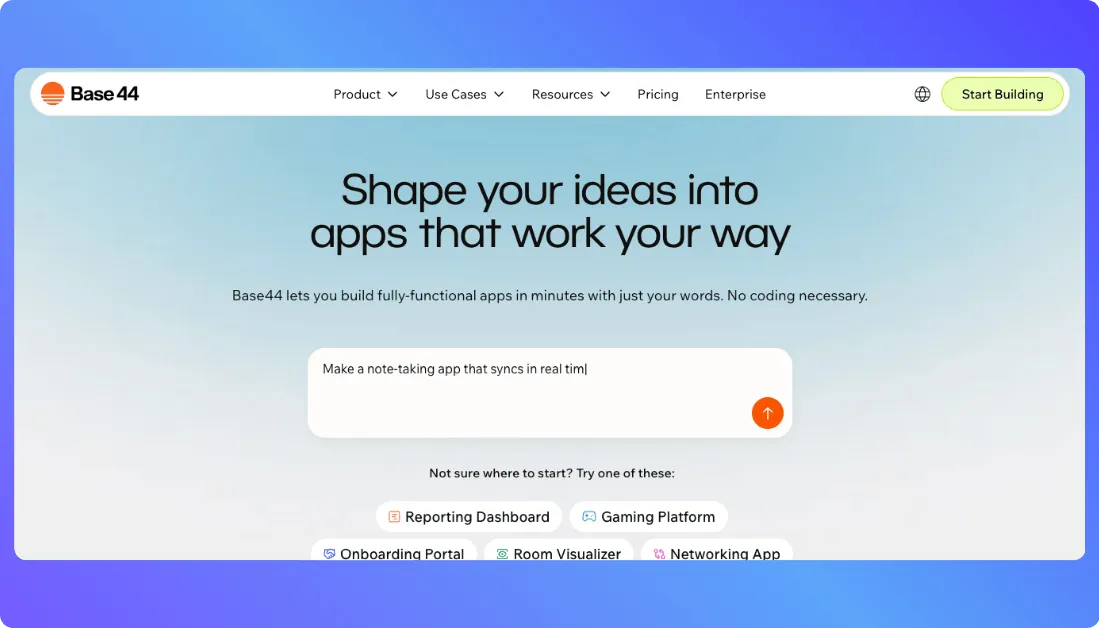
Key Features:
- Describe your app idea and instantly generate pages, flows, backend logic, and database
- Built-in infrastructure including authentication, file storage, and payment integration
- Combines no-code simplicity with low-code flexibility for deeper customization
- Ideal for launching prototypes, MVPs, and internal tools fast
Pros:
- Builds apps from natural language prompts.
- Includes backend, database, and authentication.
- Good for MVPs, internal tools, and business apps.
- Supports GitHub integration on paid plans.
Cons:
- Free plan has low monthly message limits.
- Higher usage may need expensive plans.
- Less flexible than custom coding for complex products.
Pricing:
- Free: $0 with 25 message credits per month.
- Starter: $16/month billed annually.
- Builder: $40/month billed annually.
- Pro: $80/month billed annually.
- Elite: $160/month billed annually.
- Enterprise: Custom pricing for larger teams.
Windsurf alternative for: End-to-end app creation with minimal code and maximum speed
Also Read:
Still deciding? Check out this:
Top Base44 Alternatives
Base44 Pricing Explained
Base44 vs Lovable
5. Cursor
⭐Best For
Developers managing large-scale, multi-repo applications who need smarter code navigation and control
Cursor is an AI-enhanced IDE tailored for developers working on complex projects. While Windsurf offers code suggestions and chat support, Cursor focuses on deep file context, large codebase comprehension, and seamless developer workflows within your editor.
Key Features:
- Built on a familiar editor interface with integrated AI-powered tools
- Enables natural language edits, semantic code search, and in-line debugging
- Designed for working across large or legacy projects with precision
- Offers local-first processing and privacy control for security-conscious teams
Pros:
- Strong AI code editor for developers.
- Good for large codebases and multi-file edits.
- Supports agent, chat, and autocomplete workflows.
- Feels familiar for users coming from VS Code.
Cons:
- Not ideal for non-technical users.
- Heavy usage can become expensive.
- Works better for coding than full app generation.
Pricing:
- Hobby: Free with limited Agent requests and Tab completions.
- Individual: $20/month for extended limits and frontier models.
- Teams: $40/user/month with team billing, SSO, and admin controls.
- Enterprise: Custom pricing for larger organizations.
Windsurf alternative for: Deep IDE support, structured refactoring, and high-context understanding
Also Read:
Compare Cursor with other leading app builders:
Best Cursor Alternatives
Cursor Pricing Explained
Cursor vs Windsurf
6. Claude Code
⭐Best for
Experienced developers and engineering teams that want an agentic coding tool for terminal-based development, debugging, refactoring, and repository-level tasks
Claude Code is Anthropic’s agentic coding tool that works directly with your codebase through the terminal and supported IDEs. Unlike Windsurf’s editor-first experience, Claude Code focuses more on delegating development tasks such as exploring repositories, editing multiple files, running tests, fixing bugs, and working through complex coding problems.
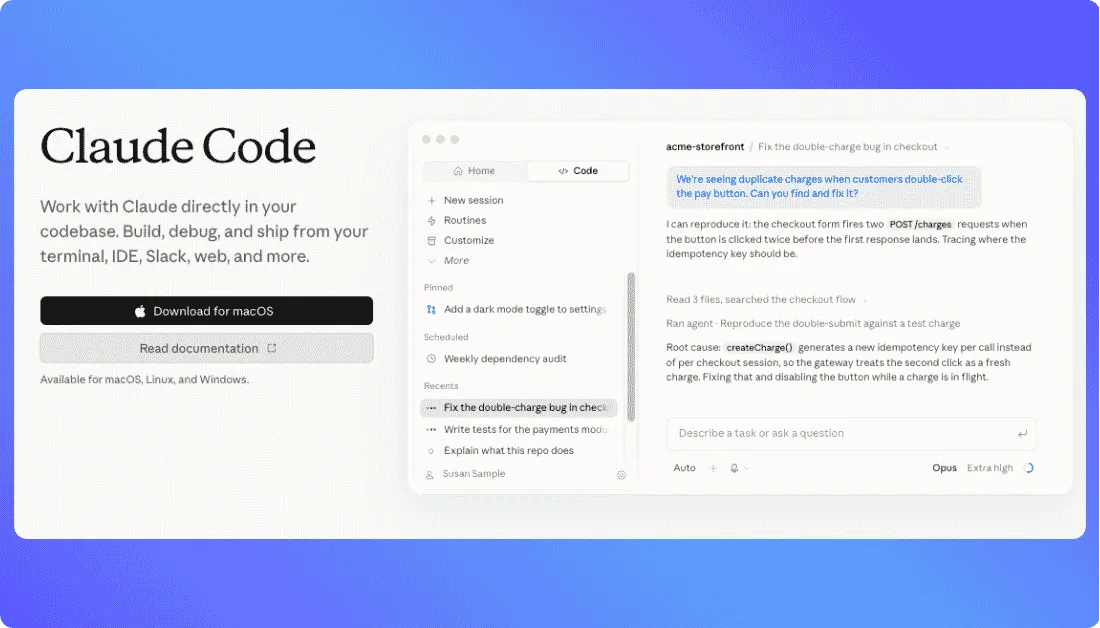
Key Features:
- Agentic coding directly from the terminal and supported IDEs
- Reads and works across large repositories and multiple files
- Runs commands, tests code, fixes bugs, and handles refactoring tasks
- Supports Claude.md, sub-agents, skills, plugins, and MCP connections
- Integrates with GitHub, VS Code, JetBrains, and existing developer tools
Pros:
- Strong fit for complex coding and debugging tasks.
- Works directly with existing repositories.
- Supports terminal and IDE-based development.
- Can automate multi-step engineering workflows.
Cons:
- Better suited to users with coding experience.
- Terminal-first workflows may feel difficult for beginners.
- Heavy usage can require higher-priced plans.
- Less focused on visual, prompt-to-app development.
Pricing:
- Pro: $20/month or about $17/month with annual billing.
- Max 5x: $100/month for higher Claude Code usage.
- Max 20x: $200/month for power users.
- Team and Enterprise: Available with organization plans and different usage models.
Windsurf alternative for: Developers who want deeper agentic coding, terminal-based workflows, repository-level automation, and more autonomous handling of complex engineering tasks.
7. Cline
⭐Best for
Developers who want an open-source coding agent with BYOK flexibility, model choice, and more control over how AI works inside their development workflow
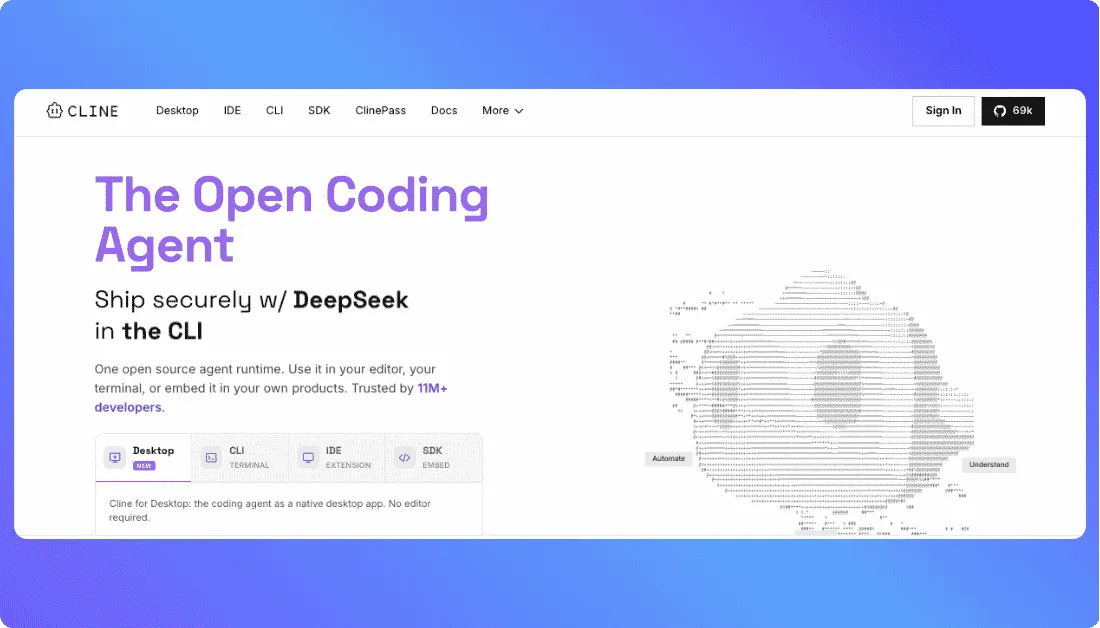
Cline is an open-source AI coding agent built for developers who want more control over their models, costs, and coding environment. While Windsurf offers an AI-native editor experience, Cline works through VS Code, the terminal, and supported IDEs, letting you choose models from providers such as Anthropic, OpenAI, Google, and others.
Key Features:
- Open-source coding agent with VS Code and CLI support
- Bring your own API keys from multiple AI model providers
- Plan and Act modes for handling complex coding tasks
- Multi-file editing, terminal commands, testing, and debugging
- Supports MCP tools, multi-root workspaces, and agent workflows
Pros:
- Free for individual developers.
- Supports multiple AI models and providers.
- Gives developers more control over AI costs.
- Works well for repository-level coding tasks.
Cons:
- Requires more technical setup than app builders.
- AI inference costs depend on the model you choose.
- Beginners may need time to understand BYOK workflows.
- Less focused on visual app development.
Pricing:
- Open Source: Free for individual developers.
- AI inference: Pay based on model usage or bring your own API keys.
- Enterprise: Custom pricing with SSO, team controls, centralized billing, and dedicated support.
Windsurf alternative for: Developers who want an open-source coding agent, flexible AI model selection, BYOK pricing, and greater control over their agentic coding workflow.
Final Thoughts
Windsurf is a solid choice for developers seeking fast, AI-assisted code completion. But when it comes to deeper project understanding, full-stack flexibility, and advanced collaboration, it may fall short especially for growing teams or complex workflows.
If you’re looking for Windsurf alternatives that support real-world production apps, offer stronger IDE integration, or provide end-to-end app generation, the tools we’ve listed above are worth exploring. Each one brings unique strengths that go beyond what Windsurf currently offers.
Whether you’re a solo developer building side projects, a startup racing to MVP, or an enterprise team needing scalable AI coding support, there’s a Windsurf alternative tailored to your needs. Even better, many of these platforms offer free plans, making it easy to test and find the right fit before you commit.
FAQs
1. Why look for Windsurf alternatives?
Windsurf is a strong AI coding assistant, but some developers find it limited in IDE compatibility, context awareness, and team collaboration. If you’re working on large projects or need more flexibility, exploring alternatives can offer better performance, broader integrations, and a smoother coding flow that fits your workflow.
2. What are the top alternatives to Windsurf in 2026?
The best Windsurf alternatives in 2026 combine AI-powered assistance, multi-language support, and collaborative workflows to enhance productivity across different development setups. Based on testing, user feedback, and real-world coding performance, the top five are:
1. Vitara: Best for deep codebase understanding and team collaboration.
2. Replit Agent: Best for in-browser coding, real-time teamwork, and instant app deployment.
3. Lovable: Ideal for creators and non-developers building apps with natural language.
4. Base44: Perfect for rapid app creation using minimal code and built-in infrastructure.
5. Cursor: Tailored for developers needing deep IDE integration and large-project comprehension.
3. Which Windsurf alternative is best for teams and enterprises?
Vitara is the top choice for teams and enterprise developers. It offers deep project understanding, real-time collaboration, and multi-repo support, making it ideal for complex, large-scale codebases. Unlike Windsurf, Vitara adapts to team workflows and ensures consistent code quality across contributors perfect for engineering organizations that prioritize context, security, and scalability.
4. Are Windsurf alternatives suitable for learning and beginner developers?
Yes. Tools like Lovable and Base44 simplify coding with natural language prompts, making them perfect for beginners who want to learn by building real projects.
5. How do these Windsurf alternatives compare in pricing?
Pricing among Windsurf alternatives is designed to fit different developer needs, from solo creators to enterprise teams. Here’s how they typically compare:
1. Flexible Pricing Models: Most platforms offer tiered plans based on usage and available features.
2. Free Plans Available: Tools like Replit Agent and Lovable provide free tiers suitable for individuals and small projects.
3. Team and Enterprise Options: Solutions such as Vitara and Cursor offer scalable pricing for larger teams and professional environments.
4. Pay for What You Need: Costs adjust depending on integrations, collaboration tools, and advanced AI capabilities.
6. Which Windsurf alternative offers the best privacy and local processing options?
If privacy and data control are priorities, Cursor and Vitara stand out. Both tools offer local-first processing, allowing developers to work securely without sending sensitive code to external servers. Cursor, in particular, focuses on on-device intelligence and granular data handling, making it a strong choice for teams with strict security or compliance requirements.
7. Do Windsurf alternatives support frameworks like React, Django, or Node.js?
Yes. Most Windsurf alternatives, including Vitara, Replit Agent, and Cursor, support popular frameworks like React, Django, Node.js, and more. They’re built to handle multi-language and full-stack workflows, making them suitable for modern web and backend development.
What’s New?