5 Best Healthcare Website Builders in 2026: HIPAA, Booking & SEO Compared
If your healthcare website looks professional but still makes it hard for patients to take action, the design is not doing enough.
Maybe patients can find your services, but booking still means calling the front desk.
Maybe your contact form collects health information, and you are not completely sure where that data goes.
Or maybe adding provider profiles, insurance details, patient resources, or a portal link turns into a plugin project.
That is where choosing the right healthcare website builder gets complicated.
You are not just comparing templates.
You are comparing booking, forms, SEO, customization, integrations, accessibility, and when protected health information is involved HIPAA-related requirements.
So I compared five very different options: Vitara.ai, Wix, WordPress with Elementor, Dr. Leonardo, and Bolt.new.
The goal was simple: find out which builder fits which healthcare workflow.
Here is what stood out.

Build custom provider pages, appointment flows, forms, patient resources, and healthcare workflows from simple AI prompts.
Start Building with Vitara.ai →
Quick Comparison: All 5 Healthcare Website Builders at a Glance
Here is the short version before we get into each platform.
| Builder | Best For | HIPAA/BAA Position | Booking & Forms | Customization |
|---|---|---|---|---|
| Vitara.ai | Custom AI-built healthcare websites and workflows | Verify PHI, hosting, vendor, and BAA requirements before collecting sensitive data | Custom workflows | Very high |
| Wix | Small to midsize practices wanting an easy DIY setup | PHI Protection and BAA support on eligible configurations | Strong | High |
| WordPress + Elementor | SEO, content, and design control | Depends on hosting, plugins, forms, vendors, and BAAs | Very high through integrations | Very high |
| Dr. Leonardo | Healthcare-specific practice websites | Healthcare-focused hosting and security features | Strong | Moderate |
| Bolt.new | Done-for-you medical websites | Managed healthcare solution with vibe coding | Strong | Custom/managed |
The biggest difference is not how attractive the templates look.
It is how much control you need, who will maintain the site, and whether patient data will ever pass through it.
How I Evaluated These Healthcare Website Builders
I kept the criteria practical.
A healthcare website has to do more than look polished.
I compared each option across:
- Healthcare fit: provider pages, services, locations, and patient resources.
- HIPAA and BAA readiness: what happens when the site handles protected health information.
- Patient actions: booking, forms, portal access, and mobile contact options.
- Ease of use: how much technical work is required.
- SEO and content: service pages, educational content, and local search support.
- Accessibility and mobile: how comfortably patients can use the site.
- Customization and integrations: external tools, APIs, portals, and custom workflows.
- Cost and ownership: subscriptions, add-ons, maintenance, and control over the site.
One important distinction: SSL or encrypted hosting alone does not make a healthcare website HIPAA compliant.
The entire data flow matters.
What Does “HIPAA-Compliant Website Builder” Actually Mean?
A public healthcare website that only shows services, provider bios, office hours, and general patient education may not handle PHI at all.
The situation changes when patients submit health details, book appointments with sensitive information, upload documents, or send data through connected forms.
At that point, the website builder is only one piece of the compliance picture.
You also need to evaluate hosting, forms, scheduling tools, analytics, connected apps, backups, and any vendor that receives the data.
And when required, you need to confirm whether that vendor will sign a Business Associate Agreement.
Wix, for example, now offers PHI Protection and a BAA on eligible configurations. That still does not mean every Wix app or setup should automatically be treated as suitable for PHI.
WordPress is even more dependent on the stack you assemble.
Another option is the hybrid approach: use the main site for marketing and patient education, then send sensitive forms or intake through a dedicated system configured for the data it handles.
That is often simpler than forcing every website feature into the same compliance boundary.
Next, we will look at the first builder: Vitara.ai.
5 Best Healthcare Website Builders For You to Try in 2026
1. Vitara.ai — Best for Custom Healthcare Websites and Workflows
Vitara.ai is the strongest fit on this list when a healthcare website needs to do more than display pages from a fixed template.

Instead of starting with a theme and adding plugins one by one, you can describe what you want to build in natural language.
That is useful when the site needs custom provider directories, appointment flows, patient-resource areas, location pages, or workflows that do not fit neatly inside a traditional website builder.
Vitara.ai can generate both frontend and backend code, giving it more flexibility than a builder focused only on page design. The platform also says users retain ownership of their code and data and can download and deploy generated code.
For practices exploring a customized setup, its AI website builder lets you build around the workflow instead of adjusting the workflow around a template.
A dental practice, for example, may need service pages, dentist profiles, appointment calls to action, and location-specific content. Vitara also has a dedicated dental website builder for this use case.
The important limitation is compliance.
I could not find a public Vitara.ai statement saying every generated healthcare website is automatically HIPAA compliant or that a BAA is included.
So if your application will process PHI, verify the hosting, data flow, third-party services, access controls, and contractual requirements before putting patient information through it.
Key Healthcare Website Features
- Natural-language website and app generation
- Frontend and backend development
- Custom forms, booking flows, and site logic
- Editable and downloadable code
- API and integration flexibility
- Custom-domain and deployment options
Pricing
- Free tier available
- Build: $20/month with 100 monthly credits
- Scale: $50/month with 250 monthly credits
- Build includes code editing and downloads
Verdict: Best for healthcare teams that want more control over how their website or web app works and can separately verify the compliance requirements of their setup.
Create custom forms, booking flows, site logic, APIs, and frontend-backend functionality with editable and downloadable code.
Build with Vitara.ai →
2. Wix — Best for Small to Midsize Medical Practices
Wix takes almost the opposite approach.
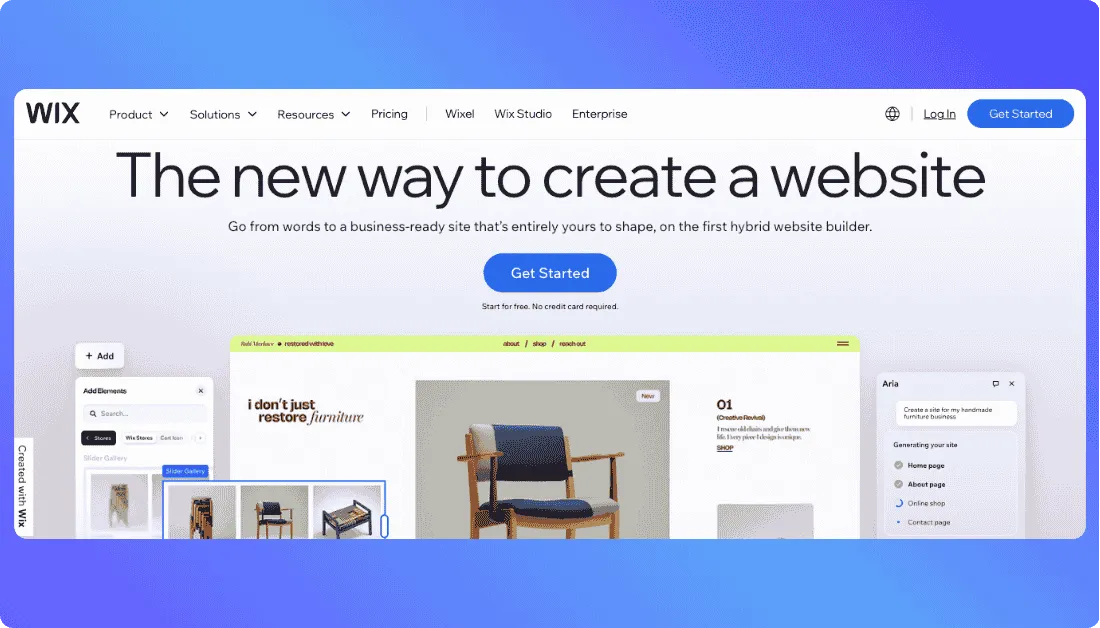
You do not need to think about frameworks, backend code, or hosting architecture just to get a professional medical website online.
Its health template library includes designs for doctors, dentists, clinics, therapists, chiropractors, and other healthcare businesses. Several templates already use Wix Bookings, so patients can schedule appointments directly from the website.
That makes Wix practical when your main needs are provider information, services, appointment booking, contact details, patient education, and healthcare SEO.
The biggest change is HIPAA support.
Eligible Wix Editor and Wix Studio sites can now activate PHI Protection. Wix says supported plans include Business, Plus, Elite, Business Elite, and Enterprise, and eligible users can sign a Business Associate Agreement.
But the configuration still matters.
Wix advises healthcare businesses not to collect, store, or process PHI before PHI Protection is activated and the BAA is completed. You also remain responsible for avoiding unsupported services in workflows involving health information.
For a broader look at the platform,
our Wix review covers its website-building experience in more detail.
Key Healthcare Website Features
- Drag-and-drop editing
- Medical and healthcare templates
- Wix Bookings for appointments
- Provider, service, and location pages
- SEO and blogging tools
- PHI Protection and BAA support on eligible plans
Pricing
Wix pricing depends on the plan and features you choose.
For practices handling PHI, the key is choosing a plan that supports PHI Protection and confirming that every app in the patient workflow is appropriate.
Verdict: Best for a small or midsize practice that wants an easy medical website builder with appointment booking and a documented HIPAA-related configuration path.
If you want more flexibility
our guide to Wix alternatives compares other options.
3. WordPress + Elementor — Best for Content-Heavy Medical Practices
WordPress with Elementor is the strongest option here if your healthcare website strategy revolves around content, organic search, and complete design control.
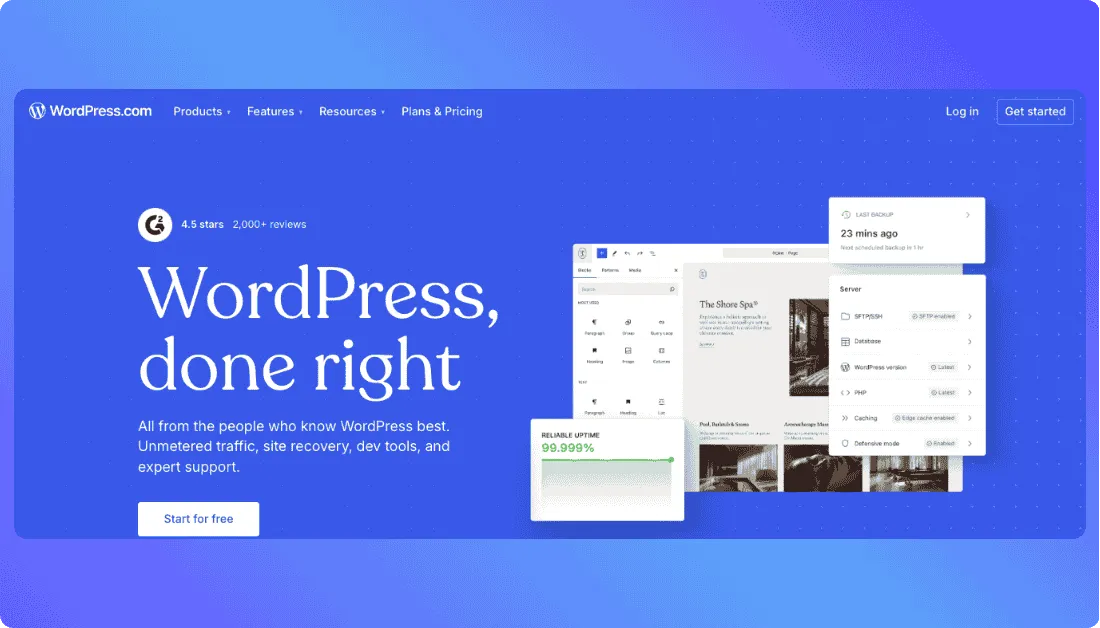
You are not limited to a fixed healthcare template or predefined page structure.
A practice can create separate pages for every service, provider, condition, treatment, and location, then continue expanding the website as its SEO strategy grows.
Elementor makes the WordPress side easier.
Its visual drag-and-drop editor lets teams build pages without working directly in code, while medical templates provide a starting point for clinics that do not want to design everything from scratch.
Elementor also supports integrations with appointment-booking tools, telehealth platforms, forms, and other healthcare software.
The content flexibility is where this setup stands out.
You can build detailed service pages, individual doctor profiles, insurance information, FAQs, location pages, and a patient education library under the same website.
That gives healthcare SEO teams much more room to target local and service-specific searches.
But there is a tradeoff.
WordPress gives you flexibility because you are responsible for assembling more of the technology yourself.
Hosting, security, forms, appointment plugins, backups, analytics, and third-party integrations can all come from different vendors.
And WordPress + Elementor should not automatically be described as a HIPAA-compliant website builder.
WordPress.com currently says it does not offer HIPAA-compliant plans or Business Associate Agreements. A separately hosted WordPress installation is different, but every service handling PHI still needs to be evaluated individually.
That makes WordPress better suited to a practice with technical support—or a team willing to manage the stack carefully.
Key Healthcare Website Features
- Visual drag-and-drop page building with Elementor
- Extensive medical website templates
- Custom provider, service, treatment, and location pages
- Strong blogging and patient education capabilities
- Large SEO plugin ecosystem
- Appointment, telehealth, and form integrations
- Full control over hosting and website functionality
Pricing
There is no single price for a WordPress + Elementor healthcare website.
Your total cost can include:
- Hosting
- Elementor plan
- Premium plugins
- Booking or form software
- Security and backups
- Developer or maintenance costs
So the entry price can look inexpensive, while the real long-term cost depends heavily on the stack you build.
Verdict: Best for medical practices that prioritize healthcare SEO, publishing, and long-term customization and have the resources to manage hosting, plugins, and compliance properly.
If maintaining a plugin-heavy stack is not appealing,
newer vibe coding tools take a different approach by generating more of the website and application logic from prompts.
4. Dr. Leonardo — Best for Practices That Want Medical Features Built In
Dr. Leonardo is different from general-purpose healthcare website builders because it was designed specifically for medical professionals.

That means you spend less time turning a generic business website into a healthcare website.
Its practice plan includes more than 1,000 design layouts, multiple provider profiles, mobile optimization, built-in SEO tools, secure online scheduling, and links to EHR patient portals.
But the feature that stands out most is patient education.
Dr. Leonardo gives practices access to more than 8,800 patient education topics.
Instead of writing every educational page from scratch, a practice can add relevant information about conditions, procedures, treatments, and other healthcare topics to its website.
That can be particularly useful for smaller medical teams that know patient education matters but do not have a full content department.
The platform also includes an image library with more than 6,000 images and lets practices create unlimited patient education pages.
Its healthcare focus extends to hosting.
Dr. Leonardo states that its provider and practice websites are hosted on HIPAA-compliant servers and include SSL certificates and SecureForms for online scheduling.
The tradeoff is flexibility.
If you want to develop highly customized application logic or unusual patient workflows, a healthcare-specific template system will naturally give you less freedom than WordPress or a full-stack builder.
For a conventional medical practice website, however, that limitation may actually make setup simpler.
Key Healthcare Website Features
- 1,000+ practice design layouts
- 8,800+ patient education topics
- Multiple provider and staff profiles
- Secure online scheduling with SecureForms
- EHR patient portal linking
- Built-in SEO tools
- Mobile-optimized layouts
- Healthcare-focused hosting
Pricing
Provider Site
- $35/month
- $95 one-time activation fee
- Designed for a single provider
Practice Site
- $75/month
- $495 one-time activation fee
- Supports multiple providers and staff
Dr. Leonardo also lists an optional done-for-you setup service.
Verdict: Best for doctors and medical practices that want healthcare-specific content, scheduling, and patient-facing features already built into the platform instead of assembling them from multiple plugins.
5. Bolt.new — Best for Quickly Building Custom Healthcare Websites and Apps
Bolt.new is not a healthcare-specific website builder.

Instead, it is an AI-powered full-stack builder that can turn a plain-language prompt into a working website or web application.
That makes it useful when you want more than a standard medical website template.
You could describe a site with provider profiles, service pages, appointment requests, patient-resource areas, authentication, or a custom dashboard, then refine the design and functionality through additional prompts.
Bolt can generate the frontend and backend together, including databases, authentication, server functions, file storage, and APIs. You can also edit the generated code directly inside its browser-based IDE.
Hosting is built into Bolt Cloud, and paid plans support custom domains. Bolt also includes database management, analytics, SSL/HTTPS, and SEO-related functionality without requiring you to assemble each service separately.
That flexibility can work well for healthcare teams experimenting with custom workflows or patient-facing tools.
But compliance needs careful attention.
Bolt is SOC 2 Type II certified and states that data is encrypted at rest and in transit. It also offers security reviews and enterprise controls.
For HIPAA specifically, Bolt says its bring-your-own-cloud deployment can run inside an organization’s AWS or Azure environment and meet HIPAA requirements.
That does not mean every Bolt website or standard Bolt Cloud project is automatically HIPAA compliant.
If your healthcare website will store or process PHI, confirm the deployment architecture, vendors, database, integrations, access controls, and BAA requirements before launch.
Key Healthcare Website Features
- Prompt-based website and full-stack app generation
- Built-in databases and authentication
- Custom forms and workflow logic
- Browser-based code editing
- Hosting and deployment through Bolt Cloud
- Custom domain support on paid plans
- Built-in security review tools
- External infrastructure options for enterprise deployments
Pricing
- Free: $0 with 1M monthly tokens
- Pro: $25/month with 10M+ monthly tokens
- Teams: $30/month per member
- Enterprise: Custom pricing with additional security, governance, and deployment options
Verdict: Best for teams that want to prototype and launch a custom healthcare website or web app quickly, especially when they need full-stack functionality rather than a traditional medical website template.
If you want a deeper comparison with our top pick,
Which Healthcare Website Builder Fits Your Workflow?
The best healthcare website builder depends more on how you plan to use the site than which platform has the longest feature list.
| Your Situation | Go With | Why |
|---|---|---|
| Need custom workflows or web-app functionality | Vitara.ai | Flexible full-stack building |
| Want an easy DIY medical website | Wix | Simple editing, booking, and eligible PHI Protection |
| SEO and content are the priority | WordPress + Elementor | Maximum publishing control |
| Want healthcare features already built in | Dr. Leonardo | Medical-specific tools and patient education |
| Want the website managed for you | Bolt.new | Done-for-you healthcare expertise |
What to Check Before You Commit
Before choosing between healthcare website builders, run this quick check.
- Verify the BAA before collecting PHI: Do not stop at SSL or the word “secure.” Confirm the exact plan, forms, integrations, and vendors covered. Our guide to secure vibe coding practices explains why security needs to be considered across the complete build.
- Test the real patient journey: On mobile, try finding a provider, checking insurance information, booking an appointment, completing intake, and reaching the patient portal.
- Calculate the real cost: Include hosting, plugins, booking software, secure forms, maintenance, development, and agency fees—not just the advertised monthly plan.
- Check SEO and accessibility: Provider bios, treatment pages, locations, mobile usability, and accessible navigation help both patients and search engines understand the website.
- Check ownership and portability: Know what happens to your domain, content, code, and data if the practice eventually changes platforms.
Go beyond static pages with custom workflows for providers, locations, patient resources, appointment requests, and integrations.
Try Vitara.ai Free →
Final Takeaway
There is no healthcare website builder that wins for every practice.
Wix is easier for DIY websites.
WordPress + Elementor offers more SEO and content control.
Dr. Leonardo gives traditional medical practices healthcare-specific features, while Bolt.new handles more of the work for you.
Vitara.ai stands out when you need custom functionality instead of another fixed template.
If you are exploring broader use cases for AI in the industry,
our guide to AI tools for healthcare covers other ways the technology is being used.
Whatever you choose, if PHI enters the workflow, verify the complete data path and compliance requirements before launch.
Frequently Asked Questions
What is the best healthcare website builder in 2026?
It depends on your workflow. Vitara.ai fits custom builds, Wix works well for straightforward DIY sites, WordPress suits SEO-heavy practices, Dr. Leonardo provides healthcare-specific features, and Bolt.new is better for managed website projects.
Which website builders support HIPAA-related workflows?
Wix provides PHI Protection and BAAs on eligible configurations. Dr. Leonardo and Bolt.new offer healthcare-focused security features. WordPress can use appropriate third-party services, but the platform is not automatically HIPAA compliant.
What should a healthcare website include?
At minimum, include provider bios, services, accepted insurance, locations, mobile-friendly contact options, online appointment booking, patient resources, and a secure path for forms or patient-portal access.
Is WordPress HIPAA compliant?
Not automatically.
Compliance depends on the hosting provider, plugins, forms, analytics, integrations, access controls, and every other service that may store or process PHI.
Are there other healthcare website builders worth considering?
Yes. Squarespace can work for polished marketing websites, Practice Front targets smaller healthcare practices, and AI platforms such as Emergent provide another custom-building approach. You can also compare Squarespace alternatives or read more about Emergent AI before deciding.
What’s New?