7 Best Blackbox AI Alternatives in 2026 for Coding & App Development
Blackbox AI has grown far beyond basic code completion. Its current platform includes a Router with 300+ AI models, APIs, CLI tools, cloud coding agents, and multi-agent workflows. That breadth is useful, but it does not mean Blackbox fits every development workflow.
Developers may look for Blackbox AI alternatives when they need:
- A full-stack AI app builder that can turn an idea into a working product.
- Deeper codebase context and multi-file editing inside an AI-powered IDE.
- Tighter integration with GitHub and an existing development environment.
- More control over models, open-source tooling, or agent workflows.
The demand for these tools is already mainstream. In the 2026 Stack Overflow Developer Survey, 65.9% of respondents said they use AI coding assistants or coding agents, and 73% of those users said they use them daily. This matters because developers are no longer choosing an AI tool only for occasional code suggestions; many now depend on it as part of their regular workflow.
To find the best Blackbox AI alternatives, we compared seven tools across code generation, project context, agent capabilities, integrations, deployment, ease of use, pricing, and the type of developer or team each tool serves best.

Turn natural-language prompts into full-stack web and mobile apps with frontend, backend, APIs, authentication, and GitHub integration.
Start Building with Vitara.ai →
TL;DR: Best Blackbox AI Alternatives
If a quick answer is all that is needed, these three Blackbox AI alternatives stand out for the most common development use cases:
Vitara.ai — Best for full-stack app development. Vitara turns natural-language prompts into full-stack web and mobile applications. Its platform supports React frontends, Node.js backends, APIs, databases, authentication, browser-based development, and GitHub integration.
Cursor — Best for working inside existing codebases. Cursor provides an AI-first development environment with agent workflows and tools designed to help developers work across project files while coding. Its current plans include a free option with limited AI usage.
GitHub Copilot — Best for developers who want AI inside their existing workflow. Copilot works across GitHub and popular development environments, with chat, agent features, code assistance, CLI support, and a free plan.
Best Blackbox AI Alternatives at a Glance
| Tool | Best For | Type | Free Option | Main Advantage |
|---|---|---|---|---|
| Vitara.ai | Building full-stack web and mobile apps | AI app builder / vibe coding platform | Yes | Idea-to-application workflow |
| Cursor | Working on existing codebases | AI-powered development environment | Yes | Project context and agent workflows |
| GitHub Copilot | Keeping an existing IDE and GitHub workflow | AI coding assistant | Yes | Broad GitHub and IDE integration |
| Replit | Building and deploying in the browser | AI app development platform | Yes | Build, run, and publish in one place |
| Devin Desktop | Managing local and cloud coding agents | Agent-first development environment | Yes | Agent orchestration from one command center |
| Verdent AI | Multi-step engineering work | AI coding agent platform | Yes | Structured agent workflows and model flexibility |
| Cline | Open-source and model-flexible coding | Open-source coding agent | Yes | Bring-your-own-model control |
Replit currently offers free daily usage, Devin has a $0 individual plan, Verdent provides a free mode, and Cline remains an open-source agent runtime.
There is no single best option for every developer. Vitara.ai is the strongest fit when the goal is to build a complete application from natural language, while Cursor and GitHub Copilot make more sense for developers who mainly want AI embedded in an existing coding workflow.
For a closer look at the difference between prompt-first application builders and developer-focused coding environments,
this guide to chat-based AI app builders explains how tools such as Vitara and Replit approach idea-to-app development.
Why People Look for Blackbox AI Alternatives
Developers usually look for Blackbox AI alternatives because they need a different development workflow, tighter integrations, another pricing model, or more control over their coding environment.
That does not mean Blackbox AI lacks advanced features. Its current platform supports API and CLI access, cloud coding agents, multi-agent orchestration, and 300+ AI models through one endpoint.
Still, one tool rarely fits every coding workflow. The 2026 Stack Overflow Developer Survey found that about two-thirds of respondents switched AI tools during the previous year. Better output quality was the biggest reason, cited by 25.1% of respondents.
1. Developers Need Different Coding Workflows
AI coding tools now range from autocomplete assistants to AI-powered IDEs, coding agents, and full-stack app builders. Each category solves a different problem.
For example, a developer maintaining a large repository may value codebase context and multi-file edits. A founder building a new product may care more about generating the frontend, backend, database, and deployment workflow in one place.
This difference matters in practice. 7.4% of respondents in Stack Overflow’s 2026 survey switched AI tools specifically for better integration with their workflow or development environment.
2. Some Users Want More End-to-End App Building
Blackbox provides coding agents and development tools, but some Blackbox AI competitors focus more directly on turning an idea into a complete application.
An AI app builder, for example, can connect interface design, backend logic, APIs, databases, authentication, and deployment within one workflow. This can reduce the number of separate tools needed to move from a prompt to a usable product.
This is where platforms such as Vitara.ai and Replit serve a different use case from a traditional AI coding assistant.
If this is the type of workflow you are looking for,
understanding what vibe coding is can help clarify how prompt-first software development differs from traditional autocomplete or IDE assistance.
3. Pricing Models Can Affect the Choice
Cost is another reason developers compare Blackbox AI alternatives.
Blackbox’s current enterprise offering uses token-based pricing rather than per-seat pricing. Its published model rates vary by model and separate input, output, and cached-token costs.
Different teams may prefer a fixed monthly subscription, a free tier, usage-based credits, or an open-source tool where they pay their chosen model provider directly.
Cost is not the biggest reason developers switch tools, but it still matters: 6.4% of Stack Overflow respondents changed AI tools primarily for a lower price.
4. Developers May Want More Control Over Models and Tools
Some developers prefer to choose the AI model, connect their own API key, use local models, or work inside a specific IDE.
Others prioritize open-source software because it gives them more visibility into how the coding agent works and greater control over configuration.
For these users, the best Blackbox AI alternative may not be the tool with the longest feature list. It is the one that fits their existing codebase, development environment, model preferences, and level of control.
7 Best Blackbox AI Alternatives in 2026
The best Blackbox AI alternatives solve different development needs. Some focus on building complete applications, while others work more deeply inside existing codebases. We evaluated each option based on its workflow, coding features, integrations, pricing, flexibility, and practical use case.
1. Vitara.ai
Vitara.ai is a full-stack AI app builder for users who want to turn natural-language instructions into working web and mobile applications. It combines prompt-based development with access to the underlying code, making it useful for founders, developers, and product teams.
The platform currently supports React for web interfaces, React Native for mobile apps, and Node.js for backend development. It also includes browser-based development, GitHub integration, authentication, APIs, and prompt-based changes.
Vitara says its vibe coding workflow can handle about 90% of repetitive development work and help users develop up to 12 times faster. These are vendor-reported claims, not independent benchmark results.
Why Vitara.ai Is a Strong Blackbox AI Alternative
Vitara.ai stands out when the goal is to move from an idea to a complete application instead of using AI mainly for individual coding tasks.
For example, a startup founder can describe a customer dashboard, then use Vitara to generate the interface, backend logic, authentication, APIs, and related application structure. Developers can continue refining the project through prompts or work with the generated code.
This makes Vitara useful for building MVPs, internal tools, SaaS products, and mobile applications within one workflow.
Pros
- Builds full-stack web and mobile applications from natural-language prompts
- Supports React, React Native, and Node.js
- Includes browser-based development with no local setup
- Connects with GitHub for version control
- Allows prompt-based changes as a project develops
- Provides editable and downloadable code on supported paid plans
Cons
- Independent review coverage is still limited compared with older AI coding tools
- Credit limits can matter for frequent generation and revisions
- Developers who only need IDE code completion may prefer a more focused assistant
Vitara.ai Pricing
According to Vitara’s current pricing information:
- Starter: free with limited usage
- Build: $20 per month with 100 monthly credits
- Scale: $50 per month with 250 monthly credits
- Custom: available for higher usage needs
The free plan does not require a credit card. Paid plans add more usage, while Build includes code editing and code downloads.
What Users Have to Say About Vitara.ai
Public review data is still limited. Product Hunt currently shows a 5.0 rating based on one review, which is too small to represent broad user sentiment.
The reviewer praised full-stack prompt generation and browser-based iteration, while noting that onboarding, error feedback, and customization could improve.
Generate React interfaces, Node.js backend logic, APIs, databases, and authentication while keeping access to the underlying source code.
Build with Vitara.ai →
2. Cursor
Cursor is an AI-powered development environment built around working directly with an existing codebase. Its Agent can search project files, edit multiple files, run terminal commands, fix errors, and write tests from natural-language instructions.
Cursor’s 2026 Insights data shows that AI edits per developer nearly tripled on its internal productivity index, while median pull-request size more than doubled. These figures come from Cursor’s own product telemetry, not an independent productivity study.
If you are new to the platform
and want the fundamentals before comparing it with Blackbox AI, read the complete guide to what Cursor AI is.
Why Cursor Is a Strong Blackbox AI Alternative
Cursor is a strong fit for codebase-heavy development. Its Agent, Ask, Plan, and Debug modes let developers choose between explanations, planned changes, autonomous edits, and help with difficult bugs.
For example, a developer can ask Cursor to add authentication across several files. The Agent can inspect the codebase, identify relevant files, make edits, run commands, and present the changes for review.
Also Read:
The Windsurf vs Cursor comparison goes deeper into codebase context, agent workflows, multi-file editing, and developer control.
Pros
- Strong codebase search and project context
- Supports multi-file editing and terminal commands
- Includes Agent, Ask, Plan, and Debug workflows
- Can write tests, refactor code, and fix bugs
- Supports cloud agents for longer tasks
Cons
- Heavy agent usage can increase costs
- AI-generated changes still need human review
- Prompt-to-app users may prefer a dedicated AI app builder
Cursor Pricing
Cursor’s current individual and team plans include:
- Free: $0 per month with limited usage
- Plus: $8 per month
- Premium: $30 per month
- Super: $100 per month
- Ultra: $200 per month
- Teams: starts at $30 per user per month
If pricing and AI usage limits are an important part of your decision,
the complete Cursor pricing guide breaks down its plans and usage model in more detail.
What Users Have to Say About Cursor
G2 currently lists Cursor at 4.6 out of 5 from 329 reviews. Recent reviewers often mention codebase-aware assistance, model choice, Git integration, and terminal workflows.
G2’s broader AI coding assistant category also notes concerns about cost, inconsistent suggestions, and performance on some larger projects. This makes human review important when agents make substantial code changes.
Teams that like Cursor’s workflow but want to compare other IDEs,
agents, and full-stack development platforms can explore these Cursor alternatives.
3. GitHub Copilot

GitHub Copilot is an AI coding assistant designed for developers who want AI support without moving to a completely different development environment. It works across GitHub, Visual Studio Code, Visual Studio, JetBrains IDEs, Xcode, Eclipse, and the command line.
Copilot now goes beyond code completion. Its agent mode can identify relevant files, edit code across a project, run terminal commands, fix problems, and continue working until it completes the requested task.
This makes it useful for developers who already work inside GitHub and established IDEs. Instead of moving an existing project into another AI coding platform, teams can add Copilot to tools they already use.
G2 currently lists GitHub Copilot among its highest-scoring AI coding assistants, with 335 reviews and a G2 Score of 93 in its October 2026 category data.
Why GitHub Copilot Is a Strong Blackbox AI Alternative
GitHub Copilot stands out for its integration with existing development workflows.
For example, a developer working in VS Code can ask Copilot Agent to update a feature that spans several files. The agent can determine what needs to change, edit the files, suggest terminal commands, and let the developer review the result before accepting it.
This approach makes Copilot a practical Blackbox AI alternative for developers who want AI-assisted coding without replacing their current IDE or GitHub workflow.
Pros
- Works across several widely used IDEs and GitHub
- Supports inline code suggestions, chat, CLI, and agent workflows
- Agent mode can handle multi-file tasks and terminal commands
- Paid plans include code review and cloud-based coding features
- Supports multiple AI models depending on the plan
Cons
- Agent and advanced model usage is limited by AI credits
- Complex AI-generated changes still require developer review
- It is less focused on complete prompt-to-app development than dedicated AI app builders
GitHub Copilot Pricing
GitHub currently offers these individual plans:
- Free: $0 with 2,000 code completions per month and limited AI usage
- Pro: $10 per month
- Pro+: $39 per month
- Max: $100 per month
Paid plans include unlimited code completions, while AI agent and model usage depends on the credits included with each plan.
What Users Have to Say About GitHub Copilot
G2’s 2026 AI coding assistant analysis highlights GitHub Copilot for inline suggestions that can speed up repetitive coding and boilerplate work. Review data also points to weaker results on some complex-context tasks and higher costs as team usage grows.
4. Replit
Replit is a browser-based development platform that combines AI-assisted building, coding, infrastructure, collaboration, and deployment in one environment.
Its current Agent 4 can create web apps, mobile apps, websites, data applications, and other digital projects from natural-language instructions. It can also work on authentication, databases, backend features, and frontend design through parallel tasks.
Unlike an AI coding assistant that mainly works alongside an existing IDE, Replit provides the development environment itself. Users can describe an application, refine it through prompts, run the project, and publish it without setting up a local development environment.
If you want the fundamentals before comparing it with Blackbox AI,
this guide to what Replit is explains its browser IDE, AI Agent, development workflow, and deployment model in more detail.
Why Replit Is a Strong Blackbox AI Alternative
Replit is a useful Blackbox AI alternative for users who want app building and deployment in the same browser-based workspace.
For example, a founder can describe a SaaS dashboard, ask Agent to add authentication and a database, review the generated application, and continue improving it through prompts. Replit’s built-in database and authentication services reduce the need to connect several separate development tools.
Agent 4 also supports parallel work. Separate tasks can handle areas such as backend functionality, authentication, database work, and interface design at the same time.
For teams comparing Replit with more design-focused AI builders,
the Lovable vs Replit comparison shows how their workflows differ around full-stack development, UI generation, backend control, and deployment.
Pros
- Builds web and mobile applications from natural-language prompts
- Runs entirely in the browser
- Includes database, authentication, hosting, and deployment tools
- Supports parallel agent tasks for larger projects
- Allows teams to collaborate within the same project
Cons
- Usage costs can rise when projects require substantial AI work
- Credit-based usage may be harder to predict than a simple fixed-price coding assistant
- Generated applications still need testing and review before production use
Replit Pricing
Replit’s current paid plans include:
- Core: $20 per month, or $18 per month when billed annually
- Pro: $100 per month, or $90 per month when billed annually
- Enterprise: custom pricing
The Core plan includes up to 30 hours of chat on Free Mode, up to 60 Free Mode projects, and $20 toward higher-powered models.
If cost is one of the reasons you are comparing Replit with Blackbox AI,
the complete Replit pricing guide breaks down plans, credits, AI usage, and additional costs in more detail.
What Users Have to Say About Replit
G2 currently gives Replit an average rating of 4.4 out of 5 across 422 reviews on its seller profile. Recent users often highlight its ease of use, fast app creation, and browser-based workflow.
User feedback also shows an important trade-off. Some reviews mention concerns about usage costs, AI credits, and unexpected bugs, which means teams should monitor spending and review generated code carefully as projects grow.
Developers who like Replit’s browser-first model but want different levels of code control,
deployment flexibility, or AI assistance can also explore these Replit alternatives.
5. Devin Desktop
Devin Desktop is an agent-focused development environment from Cognition. It combines a full IDE with a command center for managing local and cloud coding agents.
Devin Desktop is also the new name for Windsurf. Cognition says existing Windsurf users keep their settings, extensions, workflows, and pricing after the transition.
The platform includes code completion, debugging tools, codebase search, diff review, and support for multiple agents. Developers can delegate separate tasks while still reviewing the code inside the same environment.
Cognition reports that the broader Devin platform is used by more than 1 million users and over 4,000 enterprise customers. These figures come from the company itself rather than an independent usage study.
Why Devin Desktop Is a Strong Blackbox AI Alternative
Devin Desktop is a good fit for developers who want to manage several coding agents without leaving their development environment.
For example, one agent can work on a bug while another handles tests or a separate feature. Developers can then inspect the resulting changes, review diffs, and decide what should move forward.
Its Fast Context feature also helps agents locate relevant files and code quickly. This can be useful in larger repositories where understanding project structure is often as important as generating new code.
Pros
- Combines a full IDE with local and cloud coding agents
- Supports multi-agent development from one command center
- Includes codebase search, debugging, autocomplete, and diff review
- Works with extensions, MCP servers, and development tools
- Existing Windsurf workflows and settings carry over to Devin Desktop
Cons
- Multi-agent workflows may be unnecessary for simple coding tasks
- Complex agent-generated changes still require careful review
- Higher plans become expensive for individual developers
Devin Desktop Pricing
Current Devin Desktop plans include:
- Free: $0
- Pro: $20 per month
- Max: $200 per month
- Teams: $80 per month plus $40 per month for each full seat
What Users Have to Say About Devin Desktop
Independent feedback still appears under both the Windsurf and Devin names because the rebrand is recent.
A July 2026 verified G2 reviewer said the former Windsurf workflow worked well for understanding unfamiliar codebases, editing multiple files, and handling Playwright automation without constantly switching tools.
Broader Devin reviews also show a trade-off: users value end-to-end task execution, but some report slower performance and the need for manual review on complex work.
6. Verdent AI
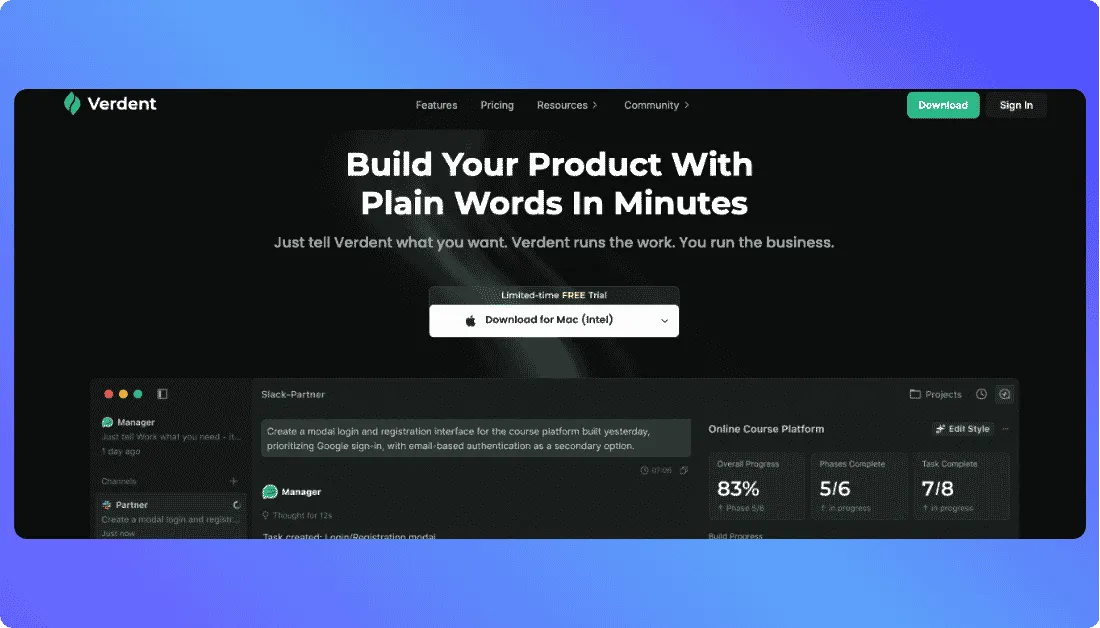
Verdent AI is an agentic coding platform built around planning, parallel execution, isolated workspaces, and code review.
Its main difference is how it handles several development tasks at once. Verdent can run multiple agents in separate Git worktrees, which means each agent gets its own copy of the codebase and cannot interfere with another agent’s uncommitted changes.
For example, one workspace can handle authentication while another works on an API bug and a third writes tests. Developers can review each result separately and rebase only the changes they want to keep.
Verdent also provides Plan Mode, which lets developers review an implementation approach before the agent changes files. This can help reduce unnecessary edits on larger or more sensitive tasks.
Why Verdent AI Is a Strong Blackbox AI Alternative
Verdent stands out for developers who need structured, multi-step engineering rather than only code generation.
Its parallel execution model works best when tasks are independent. For tightly connected work, Verdent itself recommends using a more sequential workflow because separate agents do not automatically share context.
That makes Verdent especially relevant for teams managing several features, bug fixes, tests, or experiments at the same time.
Pros
- Runs multiple coding agents in parallel
- Uses isolated Git worktrees to reduce interference between tasks
- Includes Plan Mode for reviewing an approach before execution
- Supports Verdent Desktop and VS Code
- Provides code review and specialized subagents
Cons
- Parallel agents consume credits faster
- Separate agents do not automatically share context
- Multi-agent workflows can add unnecessary complexity to small tasks
- Heavy usage requires monitoring both credits and system resources
Verdent AI Pricing
Verdent’s current plans include:
- Free: $0
- Lite: $5 per month
- Starter: $19 per month
- Pro: $59 per month
- Max: $179 per month
- Teams: $20 per user per month
New users currently receive 100 trial credits for seven days. Verdent also notes that promotional credit bonuses and deployment limits may change.
What Users Have to Say About Verdent AI
Independent review coverage is smaller than for older AI coding tools, so broad user-satisfaction claims would be premature.
Recent hands-on reviews generally highlight parallel agents and workspace isolation as useful for larger workflows, while also noting that credit usage can rise quickly during heavy multi-agent sessions.
7. Cline
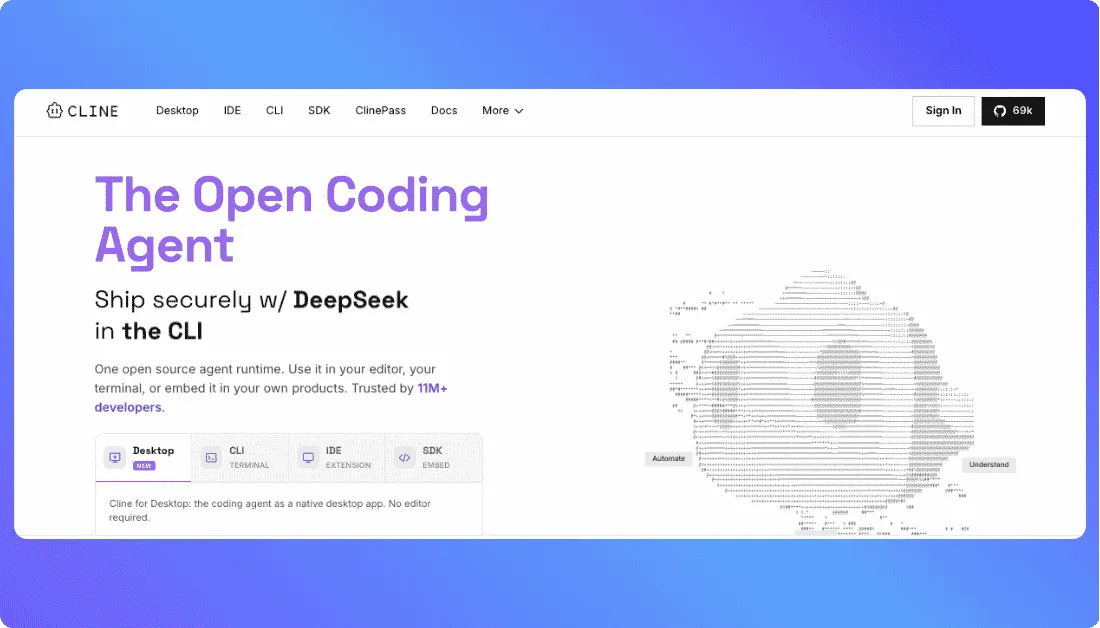
Cline is an open-source AI coding agent for developers who want more control over models, inference providers, and how an agent changes their code.
It works across IDEs, the terminal, and a desktop application. Cline can read a codebase, edit multiple files, run terminal commands, execute tests, and work through development tasks with human approval.
Model flexibility is one of its main differences. Developers can use models from OpenAI, Anthropic, Google, OpenRouter, and other providers or connect local models through tools such as Ollama and LM Studio.
Cline reports more than 11 million developers across its platforms. Its main open-source GitHub repository also has more than 70,000 stars as of October 2026, showing substantial developer interest in the project. The 11 million figure is vendor-reported, while the GitHub count is publicly visible.
Why Cline Is a Strong Blackbox AI Alternative
Cline stands out when model choice and developer control matter more than having one fixed AI ecosystem.
Its Plan and Act workflow separates planning from implementation. A developer can first ask Cline to inspect a repository and propose an approach, then approve the plan before the agent edits files or runs commands.
For example, a team can use a high-capability model for a difficult architecture decision and switch to a lower-cost model for routine coding tasks. This flexibility can help developers balance quality, speed, privacy, and inference cost.
Pros
- Open-source agent runtime
- Supports multiple AI models and inference providers
- Works in IDEs, the terminal, and a desktop application
- Can make coordinated multi-file changes
- Supports local models through Ollama and LM Studio
- Includes Plan and Act modes for more controlled development
Cons
- Inference costs depend on the model and provider selected
- More configuration may be required than with an all-in-one coding assistant
- Agent-generated commands and code changes still need review
- Model quality and performance can vary significantly between providers
Cline Pricing
Cline’s pricing model differs from most Blackbox AI competitors.
- Open-source version: free for individual developers
- AI inference: paid according to model usage
- Bring your own API key: supported
- Enterprise: custom pricing
Cline does not charge an individual subscription for its open-source version. Developers instead pay for the AI inference they use, either through Cline or their chosen provider.
What Users Have to Say About Cline
Independent community feedback often points to model flexibility as one of Cline’s practical advantages. In a 2026 r/CLine discussion, users recommended pairing Cline with different providers or OpenRouter to choose models based on price and capability.
Community feedback also shows that flexibility does not remove reliability issues. One 2026 developer reported occasional failures caused by malformed tool calls after using Cline for an extended period. Individual Reddit comments are anecdotal, but they show why developers should test agent workflows on their own codebase before relying on them heavily.
Use Vitara.ai to go from prompt to MVP, SaaS product, internal tool, or mobile app without stitching together separate coding assistants and development tools.
Try Vitara.ai Free →
Which Blackbox AI Alternative Is the Best?
The best Blackbox AI alternative depends on the development workflow rather than the number of features a tool offers.
Vitara.ai stands out for users who want to turn natural-language instructions into full-stack web or mobile applications within one development workflow.
Cursor is better suited to developers who spend most of their time inside existing codebases, while GitHub Copilot fits teams that want AI assistance without leaving familiar IDE and GitHub workflows.
Replit is a strong option for browser-based development and deployment. Devin Desktop and Verdent AI focus more heavily on agent-based engineering, while Cline suits developers who prioritize open-source tooling and model flexibility.
The practical choice is therefore simple: match the tool to the work that needs to be done instead of choosing an AI coding assistant only from a feature list.
Blackbox AI Alternatives: FAQs
What Is the Best Blackbox AI Alternative?
Vitara.ai is a strong Blackbox AI alternative for full-stack application development because it combines natural-language building with frontend, backend, API, database, and deployment workflows.
For developers mainly working on existing repositories, Cursor or GitHub Copilot may be a better fit.
What Is the Best Free Alternative to Blackbox AI?
Several free Blackbox AI alternatives are available, including GitHub Copilot Free, Cursor's free plan, Replit's free access, Devin Desktop Free, Verdent Free, and Cline's open-source version.
The best free option depends on whether the goal is code assistance, app building, agent workflows, or model flexibility.
Which Blackbox AI Alternative Is Best for Building Complete Apps?
Vitara.ai and Replit are the most relevant options on this list for complete application development.
Vitara.ai focuses on turning natural-language ideas into full-stack web and mobile products, while Replit combines AI-assisted building with browser-based development, hosting, and deployment.
Which Blackbox AI Alternative Is Best for Existing Codebases?
Cursor is one of the strongest choices for existing codebases because its agent can search project files, make multi-file edits, run commands, debug problems, and work with repository-wide context.
Cline and Verdent are also useful when developers want more model control or parallel agent workflows.
Is Cursor Better Than Blackbox AI?
Cursor is not universally better than Blackbox AI. It is better suited to developers who want an AI-first environment for working deeply with an existing codebase.
Blackbox AI provides a broader ecosystem that includes coding agents, APIs, CLI tools, multi-agent workflows, and access to many AI models. The better option depends on how AI fits into the developer's workflow.