10 Best Lovable Alternatives in 2026
AI-powered vibe coding tools have made app building much easier for founders, product teams, and even non technical users who just want to turn an idea into something real. That shift is happening at scale too. Stack Overflow’s 2025 Developer Survey says 84 percent of respondents are already using or planning to use AI tools in their development workflow, up from 76% in 2024. Lovable’s rise also shows how fast this space is moving. TechCrunch reported that Lovable hit $100 million ARR in 2025.
I am using Lovable since last 6 months, i must say it is great when the goal is speed. It helps turn prompts into working apps quickly, and that makes it attractive in the early stage.
But the problem is once projects start growing, the gaps become easier to notice. sometime you have to pay more to push further, enter prompt a lot and yet dont get what you want.
I saw these issue and that is exactly why this comparison matters, lovable alternative matters.
Quick Verdict: Top Lovable Alternatives
- Vitara.AI: Best for users who want a balanced mix of AI app building speed, full stack flexibility, and easy browser based development.
- Bolt.new: Great for fast prompt based prototyping and quick app creation directly in the browser.
- Cursor AI: Better for developers who want an AI coding assistant inside a more code focused workflow.
- Replit: A good choice for browser based coding, collaboration, hosting, and AI support in one platform.
- Buildglare: Useful for users who want simple no code or low code app building with AI assistance.
- Codev: Suitable for teams that want collaborative AI powered product development in a shared workspace.
- Softgen: Works well for lightweight low code app building with guided workflows and templates.
- Glide: Best for non technical users building structured business apps, portals, and internal tools.
- Bubble: Strong for custom no code software products that need more logic, flexibility, and room to scale.
- v0 by Vercel: Ideal for fast UI generation, frontend prototyping, and quick design to code workflows.
What is Lovable?
Lovable is an AI-powered platform that helps people build applications faster with fewer manual steps. It gives users a way to create software using written instructions, making it easier for teams that may not have full-time developers. Lovable is known for blending AI with guided development. The platform supports natural language input, which allows users to describe what they want and get working code or interfaces in return.
Also Read: Lovable Pricing
Why Are Existing Users Looking for Lovable Alternatives?
Lovable creates a strong first impression. It helps users turn ideas into working apps fast, and that early speed is a big reason why so many people try it. But after reading user discussions and reviews, a clear pattern starts to show. Many existing users begin looking for a Lovable alternative when they run into issues with pricing, control, reliability, or scaling.
1. Credit usage starts feeling expensive
One of the most common reasons users look elsewhere is credit burn. The issue is not just the monthly price. It is how quickly credits can disappear when users are fixing bugs, retrying prompts, or making repeated changes during active app building. Once that starts happening, the tool can feel expensive very quickly.
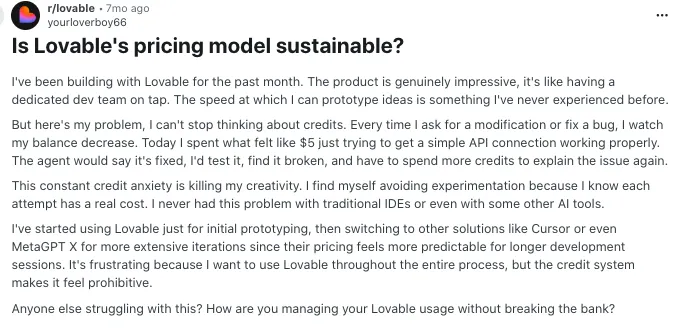
Source of Information: Reddit
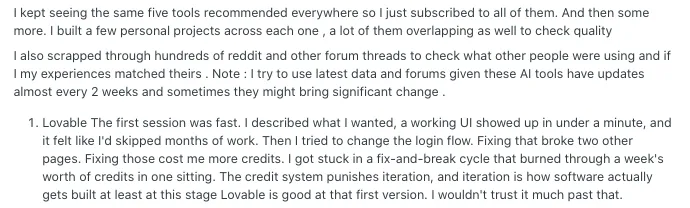
2. Small changes can create new issues
Some users say Lovable works well in the beginning, but later changes can affect parts of the app they did not intend to touch. That becomes frustrating when one fix leads to another bug, especially in larger workflows. For many builders, this creates a cycle of patching instead of building.
Source of Information: Reddit
3. Users want more code control
As projects become more serious, many users want better control over app structure, logic, and long term maintainability. Lovable is useful for moving fast, but some builders feel limited when they want to shape the codebase more directly or make deeper product level changes.

Source of Information: Reddit
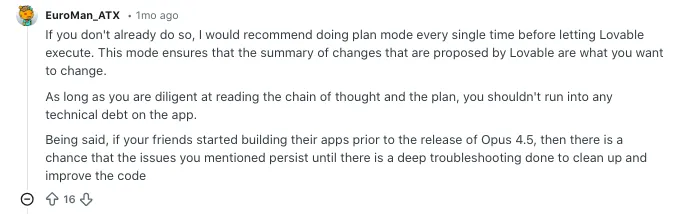
4. Non technical users hit a wall later
Lovable feels beginner friendly at first, but later stages can become harder for non technical users. Once debugging, app logic, integrations, or repeated prompt corrections enter the picture, some users realize the tool still needs more technical thinking than they expected.
Source of Information: Reddit
Top Lovable Alternatives in 2026
After reviewing the strengths and limits of Lovable, the next step is to explore vibe coding tools that offer a better match for different development needs. Each platform in this list was chosen based on how well it supports modern workflows, especially those that use AI-assisted coding and development processes like vibe coding. These AI code assistants deliver more flexibility, stronger customization, and better alignment with how teams work today. Whether you want more control, improved performance, or smarter automation, the best Lovable alternatives listed here will help you build with greater speed and clarity.
1. Vitara.AI
2. Bolt.new
3. Cursor.AI
4. Replit
5. Buildglare
6. Codev
7. Softgen
8. Glide
9. Bubble
10. v0 by Vercel
1. Vitara.AI
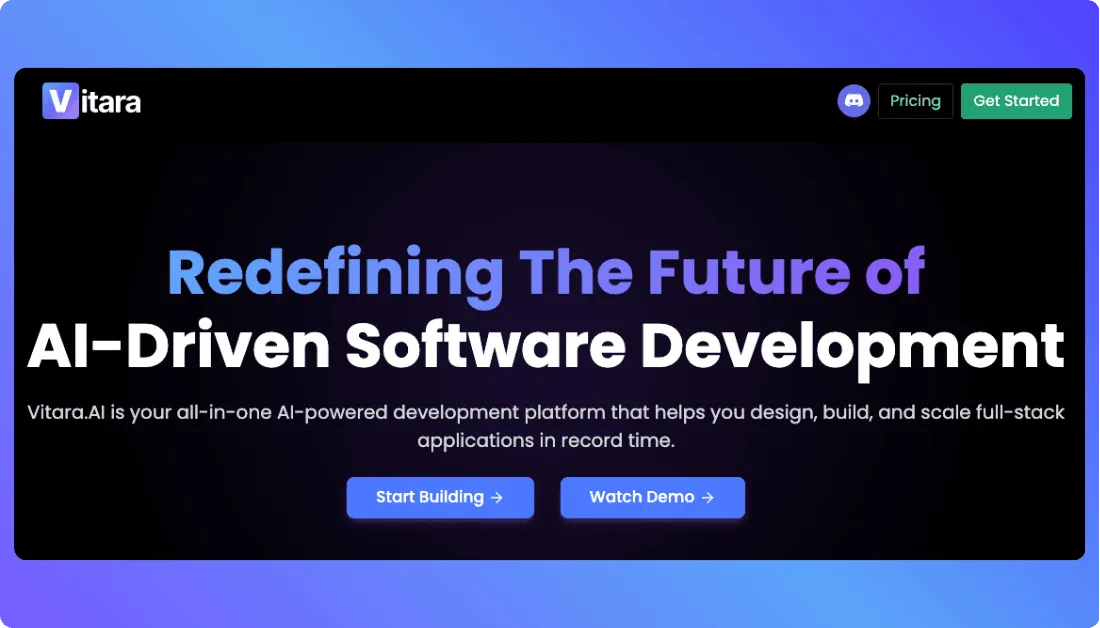
Vitara.AI is a complete application development solution that brings AI-driven support to both technical and non-technical users. Vitara AI allows teams to build full-stack applications quickly through a browser-based interface. The system supports modern frameworks and helps users move from concept to launch without complex setup or tool-switching. With built-in AI-assisted coding and real-time editing, Vitara.AI is designed to speed up every stage of the software development cycle.
Key Features of Vitara.AI
- Browser-based development environment with instant setup
- AI-assisted coding for frontend and backend logic
- Live previews and prompt-driven workflows
- Full code export and team handoff capabilities
Pros of Vitara.AI
- Accelerates application development from planning to deployment
- Provides flexibility for both first-time users and experienced developers
- Includes no-code and low-code elements without limiting customization
- Offers a smooth, user-friendly interface that supports fast adoption
- Backed by regular updates and community engagement
Vitara.AI Pricing
Vitara.AI provides a three-tier pricing model:
- Starter: Free. Includes 5 credits per day, 20 total one time credits, AI powered assistance, and prompt based building access.
- Build: $20 per month. Includes everything in the free tier plus 100 monthly credits, code editing and download, custom domain support, and faster AI processing.
- Scale: $50 per month. Includes everything in Build plus 250 monthly credits for higher usage needs.
- Custom Plan: Custom pricing. Vitara also offers tailored plans for users or teams that need more than the standard pricing tiers.
Who Should Use Vitara.AI
Vitara.AI is best suited for early-stage startups, product managers, and developers looking for an AI-supported tool that allows quick prototyping and production-ready builds. It is also a smart option for users exploring AI code assistants who want more control than traditional no-code platforms provide.
2. Bolt.new
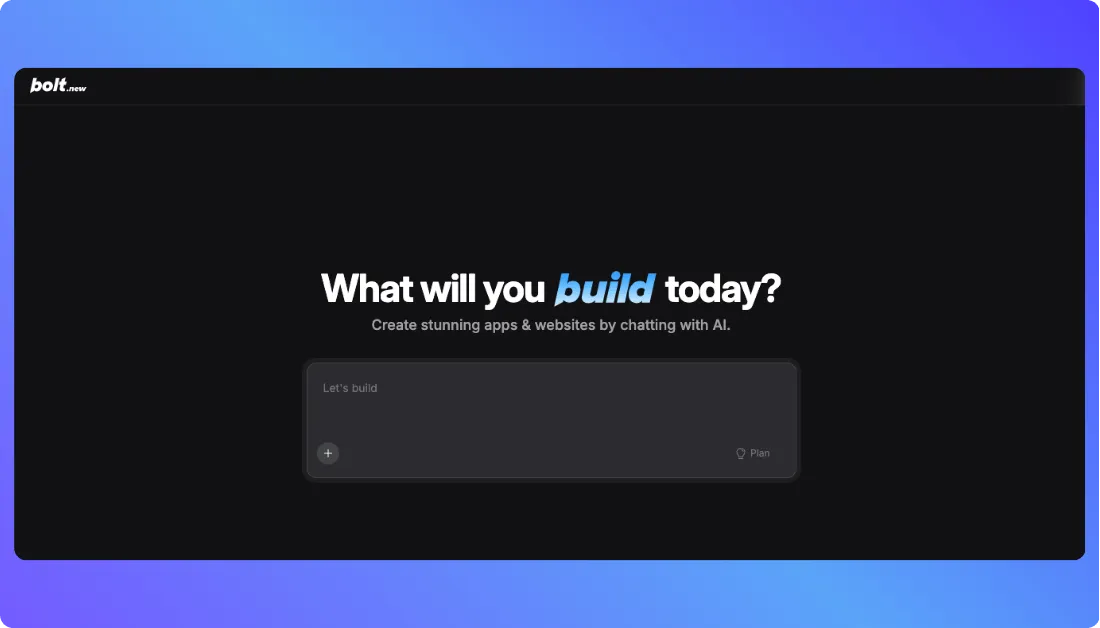
Bolt.new is a browser-based development platform that helps users develop full-stack applications using natural language input. It is designed for speed, automation, and flexibility, with a strong focus on AI assistance. Users can develop and deploy interactive applications directly from their browser without needing to install local tools.
Key Features of Bolt.new
- Real-time coding and preview experience in the browser
- AI prompt interface for generating application code
- Support for multiple modern frontend and backend technologies
- Quick deployment to cloud platforms
- Token-based usage system to manage AI interactions
- Simple, clean layout focused on usability and speed
Pros of Bolt.new
- Provides a fast start without setup or configuration
- Supports coding and deployment in one space
- Works well for developers and non-developers who want guided development
- Enables quick testing and iteration cycles
- Built for single-user projects and rapid prototyping
Cons of Bolt.new
- Token-based usage requires tracking limits during active building
- Less suitable for large or multi-user applications
- May require additional steps for backend extensions or third-party services
Bolt.new Pricing
Bolt.new uses a flexible, token-based pricing structure:
- Free: $0. Includes public and private projects, a 300K daily token limit, 1M tokens per month, Bolt branding on websites, 10MB file upload limit, website hosting, up to 333K web requests, and unlimited databases.
- Pro: $25 per month billed monthly. Includes public and private projects, no daily token limit, plans starting at 10M tokens per month, no Bolt branding on websites, private site sharing, 100MB file upload limit, website hosting, up to 1M web requests, token rollover, custom domain support, SEO boosting, unlimited databases, expanded database capacity, choice of database provider, and AI image editing.
- Teams: $30 per member per month billed monthly. Includes everything in Pro, plus centralized billing, team level access management, granular admin controls, organization sharing, private NPM registries support, and design system knowledge with per package prompts. Tokens are allocated per paid team member, not shared across the team.
- Enterprise: Custom pricing. Includes everything in Pro, plus advanced security features such as SSO and audit logs, dedicated account management, 24 by 7 priority support, custom workflows, integrations, SLAs, data governance controls, and enterprise onboarding.
Who Should Use Bolt.new
Bolt.new is best for developers, founders, and makers who want to develop functional applications quickly. It works especially well for those who prefer prompt-driven development or are testing new ideas and features on a regular basis.
Also Read:
3. Cursor.AI
Cursor AI is a developer-focused coding assistant built to enhance productivity by offering intelligent, context-aware code suggestions directly inside your existing development environment. It supports a fast, clean workflow and helps streamline everything from debugging to documentation. Designed to integrate deeply into your coding process, Cursor AI behaves more like a collaborative partner than a passive tool.
Key Features of Cursor AI
- Inline AI suggestions directly in your IDE
- Natural language support for asking coding-related queries
- Debugging assistance and code explanation features
- GitHub Copilot-compatible commands and interface
- Built-in support for search, testing, and documentation workflows
- Focus mode for uninterrupted development sessions
Pros of Cursor AI
- Designed specifically for developers with practical, code-first features
- Improves speed and accuracy through well-contextualized completions
- Reduces the time spent switching between tools
- Allows seamless testing, editing, and version control support in one space
- Maintains your working context without needing to re-prompt frequently
Cons of Cursor AI
- Only available as a desktop application for select systems
- Limited functionality outside of supported development environments
- May require system setup that is not suitable for beginner users
4. Cursor AI Pricing
Cursor currently offers five main pricing options on its official pricing page:
- Hobby: Free. Includes no credit card requirement, limited Agent requests, and limited Tab completions.
- Pro: $20 per month. Includes everything in Hobby, plus extended limits on Agent, access to frontier models, MCPs, skills, hooks, and cloud agents.
- Pro+: $60 per month. Includes everything in Pro, plus 3x usage on all OpenAI, Claude, and Gemini models.
- Ultra: $200 per month. Includes everything in Pro, plus 20x usage on all OpenAI, Claude, and Gemini models, along with priority access to new features.
- Teams: $40 per user per month. Includes everything in Pro, plus shared chats, commands, and rules, centralized team billing, usage analytics and reporting, org wide privacy mode controls, role based access control, and SAML or OIDC SSO.
- Enterprise: Custom pricing. Includes everything in Teams, plus pooled usage, invoice or PO billing, SCIM seat management, AI code tracking API and audit logs, granular admin and model controls, and priority support with account management.
Who Should Use Cursor AI
Cursor AI is best suited for professional developers, software engineers, and technical teams seeking to reduce friction in the coding process. Its desktop-native design makes it particularly effective for those who write code daily and need speed, depth, and automation in one place.
Also Read: Top Cursor Alternatives
4. Replit
Replit is an all-in-one browser-based software development environment that allows users to write, run, and deploy code directly from the web. It is designed to remove barriers to software development by offering instant setup, real-time collaboration, and built-in AI code assistance. Replit enables users to develop full-stack applications without requiring complex local installations or toolchains.
Key Features of Replit
- Cloud-based IDE with support for over 50 programming languages
- AI code assistant (Ghostwriter) for code generation and problem-solving
- Real-time multiplayer collaboration on coding projects
- One-click deployment and integrated hosting features
- Built-in version control and package management
- Mobile and desktop accessibility for development on the go
Pros of Replit
- Removes friction with a zero-setup, browser-first development environment
- Includes AI code assistant for faster coding and learning
- Suitable for both beginners and experienced developers
- Enables quick project sharing and live collaboration
- Active community and frequent feature updates
Cons of Replit
- Free plan has limited memory and storage capacity
- Performance may vary with large projects or complex apps
- AI features are only available on paid plans
Replit Pricing
Replit offers several pricing plans:
- Starter: Free. Includes free daily Agent credits, free credits for AI integrations, 1 published app, and limited Agent intelligence.
- Replit Core: $20 per month billed annually. Includes $25 of monthly credits, up to 5 collaborators, unlimited workspaces, autonomous long builds, and the ability to remove the “Made with Replit” badge.
- Replit Pro: $95 per month billed annually. Includes everything in Core, plus $100 monthly credits, up to 15 collaborators, up to 50 viewers, access to the most powerful models, private deployments, database restore up to 28 days, premium support, and an exclusive community.
- Enterprise: Custom pricing. Includes everything in Pro, plus custom seat limits, SSO or SAML, advanced privacy controls, design system support, data warehouse connections, custom groups, dedicated support, single tenant environments, region selection, static outbound IPs, and VPC peering.
Who Should Use Replit
Replit is a good choice for developers, educators, and product teams that need a fast, portable, and collaborative coding environment. It fits well with remote teams, classroom settings, and individual developers who want flexibility and AI-assisted productivity.
Also Read: Best Replit Alternatives
5. Buildglare
Buildglare is a development tool designed to simplify the process of building applications through a visual interface combined with AI support. It aims to bridge the gap between no-code simplicity and code-level customization. Buildglare supports users in designing and deploying applications through step-by-step automation while still giving room for deeper configuration.
Key Features of Buildglare
- Visual workflow editor with AI-enhanced suggestions
- API integration and database connection support
- Real-time preview and drag-and-drop UI builder
- Built-in hosting and deployment options
- Logic customization for backend operations
- Collaboration tools for multi-user projects
Pros of Buildglare
- Makes app development more accessible through simplified visuals
- Includes AI suggestions for workflows and data handling
- Offers backend flexibility without writing complex code
- Helps teams iterate faster with fewer blockers
- Ideal for MVP development and client demonstrations
Cons of Buildglare
- May feel limited for advanced developers needing full control
- Requires internet connection for full functionality
- UI customization might be constrained compared to code-based tools
Buildglare Pricing
BuildGlare offers flexible pricing based on building credits and hosting usage:
- Building Credits: $17.21 for 800 message credits.
- Hosting Sites: $3 for 3 sites.
- Worker Requests: $0.76 per 1 million requests.
- Example Estimated Monthly Price: $21.21 based on the sample usage shown on the pricing page.
BuildGlare uses a usage based pricing model, so the monthly cost changes depending on how many message credits, hosted sites, and worker requests are needed.
Who Should Use Buildglare
Buildglare is ideal for startups, product designers, and no-code developers who want to develop functional applications without managing servers or writing code from scratch. It also suits teams working on fast prototypes or MVPs where speed and clarity matter more than raw technical control.
Also Read: Best Buildglare Alternatives
6. Codev
Codev is an AI-powered collaborative development workspace designed to simplify full-stack application development for modern teams. It brings developers, designers, and product owners together in a shared environment, enabling everyone to contribute to application logic, layout, and deployment. The platform blends real-time collaboration with AI-assisted coding to reduce time spent on repetitive tasks and streamline project workflows.
Key Features of Codev
- Real-time collaborative coding and editing
- Built-in AI assistant for code generation and task automation
- Shared project boards and visual workflow management
- Support for React-based frontend and serverless backend setups
- Integration with GitHub, APIs, and cloud deployment providers
- Automated error detection and versioning controls
Pros of Codev
- Encourages cross-functional team collaboration
- Reduces development bottlenecks with AI-assisted support
- Offers shared visibility across product, design, and development roles
- Suitable for both solo developers and team-based workflows
- Fast setup without infrastructure complexity
Cons of Codev
- Requires ongoing internet connection for optimal performance
- Some advanced backend features may need external service integration
- AI capabilities may vary in accuracy based on task complexity
Codev Pricing
Codev offers a tiered pricing structure:
-
- Hobby: Free. Includes $3 in one time credit balance, 1 public project, AI model choice, and Discord community support.
- Plus: $19 per month. Includes everything in the free tier, plus 25 percent discount on all AI model usage, unlimited private projects, unlimited custom domains, code download, GitHub integration, and early access to new features. This plan does not include credits.
- Enterprise: Custom pricing. Includes white glove onboarding and priority support.
Also Read: Top Codev Alternatives
Who Should Use Codev
Codev is ideal for product teams, startup developers, and small agencies who want to develop applications collaboratively. It is especially helpful for teams that want AI-assisted development without losing clarity or control across departments.
7. Softgen
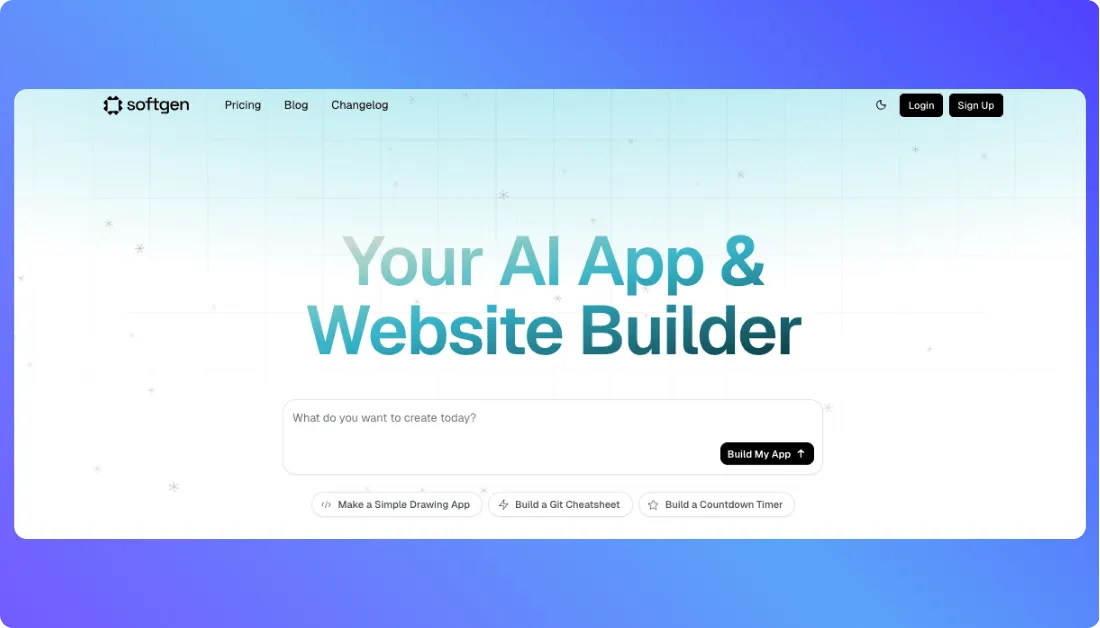
Softgen is a development automation tool designed to speed up web and app development using low-code design, reusable templates, and AI-generated logic. It helps users turn product ideas into functional software with fewer manual steps. The platform combines a modular approach to app design with AI-assisted tools that simplify backend operations and UI structuring.
Key Features of Softgen
- Low-code interface with drag-and-drop modules
- AI-assisted backend generation and data modeling
- Pre-built UI templates for fast design workflows
- Deployment to cloud platforms with integrated staging
- User access management and security layers
- Visual logic editor for building workflows without code
Pros of Softgen
- Reduces development time with reusable components
- Combines no-code and low-code approaches for better control
- Makes backend setup simple through guided AI flows
- Suitable for web apps, dashboards, and internal tools
- Provides clear separation of logic, UI, and data layers
Cons of Softgen
- Less suitable for large-scale, complex applications
- May limit customization for advanced UI scenarios
- Learning curve for new users unfamiliar with logic-based editors
Softgen Pricing
Softgen offers a flexible pricing model:
- Annual License: $33 per year. Includes access to the Softgen platform, 10 included projects, access to add on services, and cooperative benefits over time.
- AI Usage: Pay as you go. Users start with a minimum $3 credit purchase and then pay only for the AI usage they consume while building.
- Trial: Includes a 3 day trial with the option to cancel anytime and keep unused credits.
Who Should Use Softgen
Softgen is well suited for startups, business analysts, and product designers who want to build functional tools without deep coding knowledge. It is also helpful for internal teams creating custom dashboards, admin panels, and workflow tools.
8. Glide
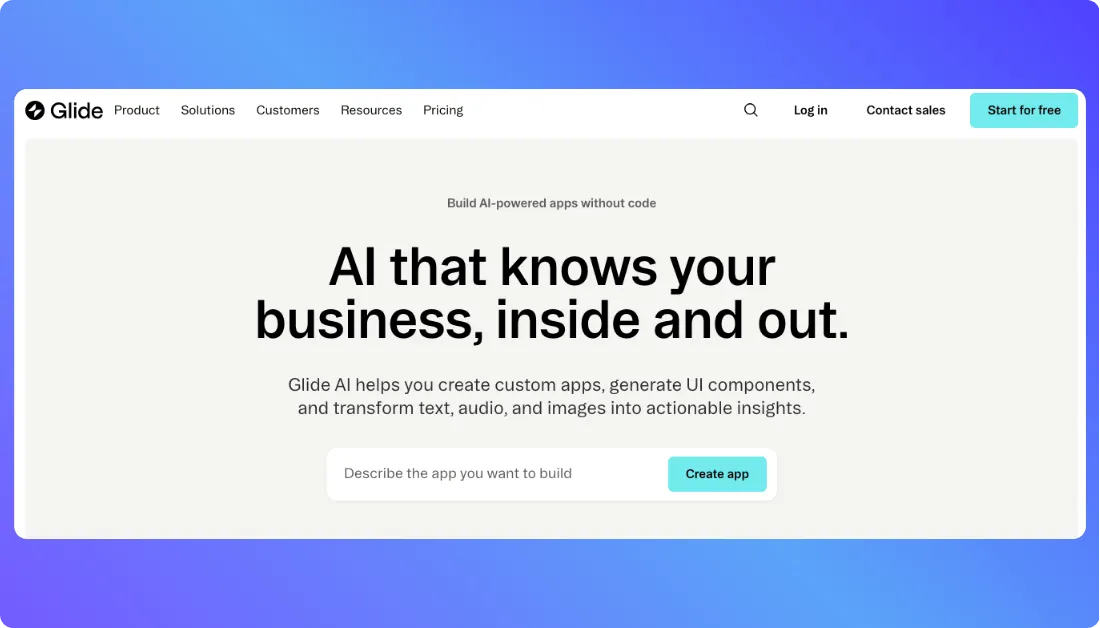
Glide is a no code app builder that helps users create business apps, internal tools, client portals, and lightweight workflows without writing much or any code. It is built for teams that want a faster way to turn spreadsheets and structured business data into usable web apps. Instead of focusing on prompt based code generation, Glide focuses more on visual building, data organization, and practical app creation for everyday business use.
Key Features of Glide
- Visual no code builder for creating apps from structured data
- Supports data sources like Glide Tables, Google Sheets, Airtable, Excel, and CSV imports
- Offers 40 plus components and 90 plus column types for app building
- Includes workflows, API calling, and Glide API access on business plans
- Allows unlimited app creation on business plans
- Supports custom branding, custom domains, and user specific data controls for more tailored business apps
Pros of Glide
- Very approachable for non technical users who want to build apps quickly
- Works especially well for internal tools, dashboards, forms, directories, and client facing portals
- Strong fit for businesses that already organize operations in spreadsheets or tables
- Offers a more guided and structured building experience than prompt first tools
- Supports business friendly features like workflows, branding, and data integrations
Cons of Glide
- Less flexible than code first platforms when a project needs deep customization
- Pricing can rise as more users and updates are added to a business app
- Better suited to structured business apps than highly custom product ideas
- Some advanced capabilities are tied to higher plans or paid add ons
Glide Pricing
Glide currently shows three main pricing options on its official pricing page:
- Free Plan: Free to start. Includes unlimited drafts, 1 editor, up to 25,000 rows, and 40 plus components.
- Business Plan: Starts at $199 per month when billed yearly. Includes unlimited apps, 30 users, 5,000 updates, up to 100,000 rows, 10 editors, workflows, Call API, and Glide API access. Additional users are priced at $5 annually or $6 monthly per user, and additional updates cost 2 cents each.
- Enterprise Plan: Custom pricing. Includes unlimited apps with custom users, updates, and row limits, plus features such as SSO, data backups, enterprise integrations, an account manager, and priority support.
Who Should Use Glide
Glide is best for businesses, operations teams, consultants, and non technical builders who want to create structured apps without getting into full code. It fits especially well when the goal is to build internal business tools, workflow apps, portals, or data driven applications using spreadsheets or tables as the starting point. It is a strong option for teams that value simplicity, speed, and business usability over full developer level flexibility.
9. Bubble
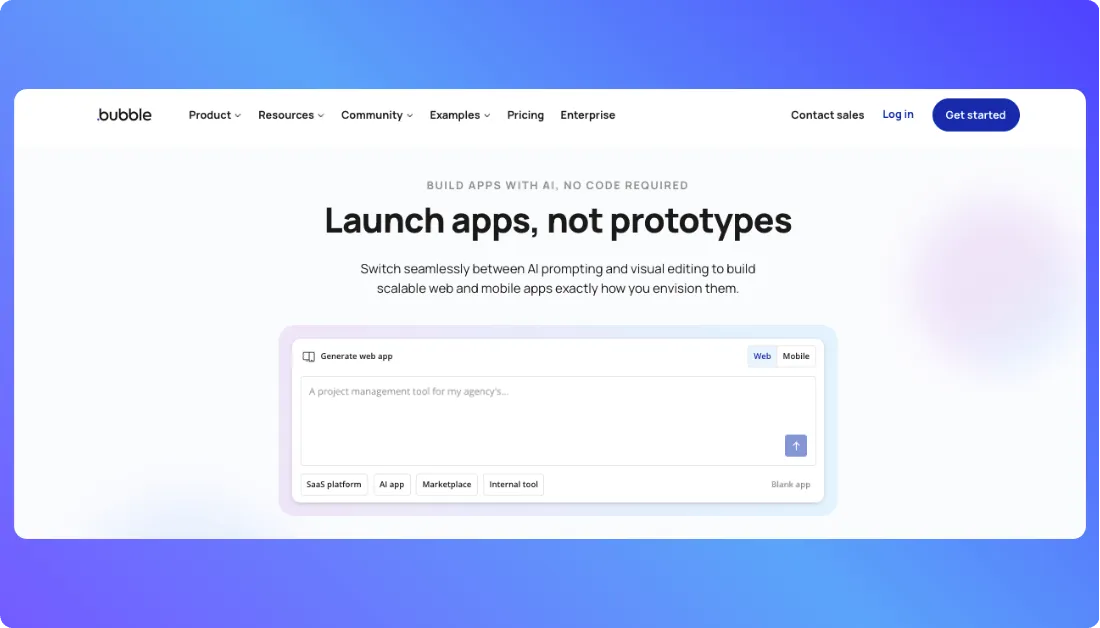
Bubble is a visual app development platform that helps users build web apps and mobile apps without relying on traditional coding. It is designed for founders, startups, agencies, and teams that want more control than a simple website builder but still want to move faster than a fully coded workflow. Bubble stands out because it combines visual design, database logic, workflows, and deployment in one place, which makes it useful for building real software products, not just simple pages.
Key Features of Bubble
- Visual drag and drop builder for web and native mobile apps
- Built in API connector for working with external services
- Workflow system for creating app logic and recurring actions
- Built in version control, with more advanced options on higher plans
- Custom domains and live app deployment on paid plans
- Shared backend support for web, iOS, and Android projects inside one project setup
- Workload based infrastructure that helps apps scale based on usage
Pros of Bubble
- Gives non technical users a serious way to build software products without starting from code
- Covers design, logic, database, and deployment in one platform
- Supports both web and native mobile app development from the same ecosystem
- Strong fit for MVPs, startup products, client projects, and custom business apps
- Offers more depth and app building flexibility than many simpler no code tools
Cons of Bubble
- The learning curve can feel heavier than simpler no code builders
- Workload based pricing may take time to understand for new users
- Costs can increase as app traffic, logic, and usage grow
- Better for custom app building than for very simple internal tools that need quick setup only
- Some team collaboration, branching, and scaling features are locked behind higher plans
Bubble Pricing
Bubble currently offers five main app plans on its pricing page:
- Free Plan: $0 per month. Includes development version access, API connector, 1 app editor, 50K workload units per month, and limited server logs.
- Starter Plan: $59 per month billed annually. Includes live website, custom domain, recurring workflows, basic version control, 175K workload units per month, and mobile app launch features.
- Growth Plan: $209 per month billed annually. Includes everything in Starter plus premium version control, two factor authentication, 2 app editors, 10 custom branches, and 250K workload units per month.
- Team Plan: $549 per month billed annually. Includes everything in Growth plus sub apps, 5 app editors, 25 custom branches, and 500K workload units per month.
- Enterprise Plan: Custom pricing. Includes custom workload, hosting location choice, customizable server setup, dedicated support, and enterprise billing options. Bubble also offers workload add ons, paid storage add ons, and plugin subscriptions for eligible paid plans.
Who Should Use Bubble
Bubble is best for founders, product teams, agencies, and builders who want to create custom software without depending fully on traditional development from day one. It works especially well for MVPs, SaaS products, marketplaces, portals, and business apps where visual building speed matters but deeper logic and product flexibility still matter too. It is a better fit than simpler no code tools when a project needs more custom behavior, more moving parts, and more room to grow.
10. v0 by Vercel
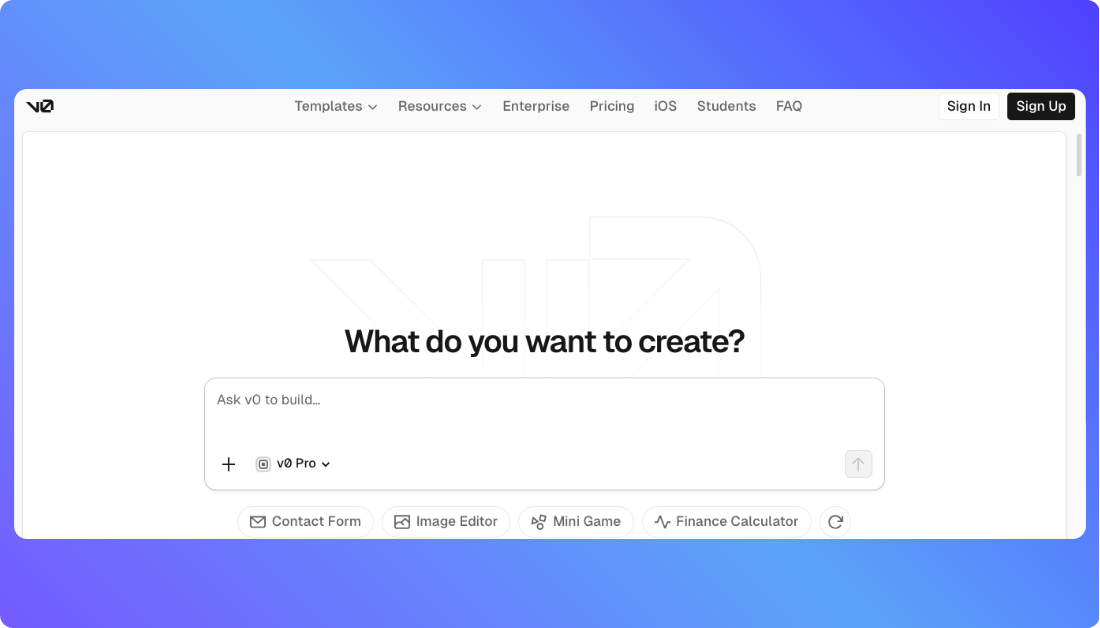
v0 by Vercel is an AI powered app building tool that helps users generate user interfaces, components, and full stack app foundations through natural language prompts. It is built for speed and works especially well for people who want to move from idea to working interface quickly. Unlike broader no code builders, v0 leans more toward prompt driven generation, design iteration, GitHub sync, and deployment through the Vercel ecosystem.
Key Features of v0 by Vercel
- AI prompt interface for generating UI, components, and app flows from natural language.
- Visual editing through Design Mode, which lets users refine output more directly.
- GitHub sync for moving generated work into a more developer friendly workflow.
- Direct deployment to Vercel, which makes testing and publishing faster.
- Team collaboration features on paid team focused plans.
- Multiple model options with different pricing for speed, intelligence, and output needs.
Pros of v0 by Vercel
- Very fast for generating interfaces and starting app ideas from prompts.
- Works well for designers, founders, and developers who want quick front end iteration.
- Fits naturally into the Vercel workflow for deployment and modern product building.
- Offers both visual editing and code oriented workflow support through GitHub sync.
- Good option for teams that want shared chats and centralized billing on paid plans.
Cons of v0 by Vercel
- Free plan has a 7 message per day limit, which can feel restrictive during active experimentation.
- Pricing depends on credits and model usage, so costs may rise with frequent prompting or heavier generation tasks.
- Better suited for rapid interface and app generation than for users who want a fully guided no code business app builder.
- Collaboration and business grade controls are stronger on higher plans, not the free tier.
v0 by Vercel Pricing
v0 currently offers four main pricing tiers on its official pricing page:
- Free Plan: $0 per month. Includes $5 of monthly credits, deployment to Vercel, Design Mode, GitHub sync, and a 7 message per day limit.
- Team Plan: $30 per user per month. Includes $30 of monthly credits per user, $2 of free daily credits on login per user, additional shared credit purchases, centralized billing, and team chat sharing.
- Business Plan: $100 per user per month. Includes $30 of monthly credits per user, $2 of free daily credits on login per user, training opt out by default, shared additional credits, centralized billing, and collaboration features.
- Enterprise Plan: Custom pricing. Includes no training on customer data, SAML SSO, role based access control, priority access for better performance and no queues, and guaranteed support SLAs.
Who Should Use v0 by Vercel
v0 is best for founders, designers, frontend developers, and product teams who want to turn ideas into interfaces quickly. It works especially well for rapid prototyping, landing pages, dashboards, app UI generation, and early stage product experiments where speed matters more than a rigid visual no code system. Teams already using Vercel will likely find it even more useful because deployment and collaboration fit naturally into that workflow.
How to Choose the Right Lovable Alternative?
With many strong Lovable alternatives available, choosing the right one depends on understanding your needs, goals, and level of technical experience. Each tool has strengths that fit different situations. This section will help guide that decision by outlining the key areas to consider when comparing platforms.
Ease of Setup
If you need to start quickly without spending time on installations or configurations, choose a platform that offers instant access through the browser. AI code assistants like Vitara, Replit and HopeAI allow you to begin coding or development immediately. Ease of setup is especially important for beginners, solo developers, and fast-moving teams launching MVPs.
Scalability
Not every project stays small. If you plan to develop your project solution, look for tools that support advanced features and larger workloads. The best Lovable AI alternatives offer the ability to scale from prototypes to production-ready apps. Vitara.AI, for example, supports both simple and complex use cases with real-time performance improvements and team support.
Compatibility
Consider whether the platform works well with the technologies or environments you already use. Some vibe coding tools are optimized for React-based development, while others focus on low-code or no-code development. A good Lovable alternative should be compatible with your preferred frontend, backend, and deployment systems to reduce friction during integration.
Support and Community
Platforms backed by active communities often receive regular updates, bug fixes, and new features. Look for tools with responsive support, helpful documentation, and visible development roadmaps. A strong support network ensures you do not get stuck when problems arise or when building something new.
Assess Your Technical Skills
A platform built for developers may not be ideal for someone without coding experience. If you prefer visual interfaces, choose vibe coding tools like Buildglare or Hostinger Horizons that offer drag-and-drop workflows. For those with technical backgrounds, options like Vitara.AI, Cursor.AI or Tabnine provide deeper control and AI-assisted coding precision.
Define Your Project Goals
Whether you’re developing a complete application, a dashboard, or a landing page, your choice should match the end goal. Use tools for vibe coding if you prefer fast, idea-driven workflows. If long-term team collaboration is part of your plan, consider a structured environment like Co.dev that supports multiple contributors and shared logic editing.
Consider Your Budget
Pricing can differ widely among AI-assisted development tools. Start by exploring what is offered in the free plan. Vibe coding platforms like Vitara.AI, Bolt.new and Tabnine offer generous access tiers without requiring upfront payment. Then assess the value of paid plans and whether they align with your project size or user load.
Identify Must-Have Features
Create a list of features your project cannot work without. This might include real-time collaboration, backend editing, prompt-based automation, or integration with GitHub. Match those needs with the platform’s core capabilities. The best alternatives to Lovable are those that meet your must-haves without unnecessary add-ons.
Try Free Trials or Demos
Most Lovable alternatives offer a free plan or trial. Use it. These trials allow you to explore the interface, test features, and assess how well the tool fits your workflow. Starting with a test run helps avoid long-term lock-in and ensures the platform feels intuitive before making a commitment.
Why Vitara is the Best Lovable Alternative?
Choosing the right tool often comes down to control, adaptability, and ease of execution. Among all available options, Vitara.AI offers a more complete experience for developers who want speed and flexibility together. Here you will find how it explains why Vitara is the best Lovable alternative for modern teams and developers.
Designed for Flexibility
Vitara AI supports a wide range of users. It allows both non-technical persons and experienced developers to work in the same environment. Users can make detailed changes to their logic and interface without being forced into a fixed workflow. This makes it easier to adjust applications as project needs evolve.
Built for AI-Assisted Productivity
Vitara uses Artificial Intelligence (AI) to assist users in developing applications from natural input. The system interprets user prompts and transforms them into usable components or logic. This saves time while allowing more focus on ideas and outcomes. The AI works across multiple stages of development and supports different levels of complexity.
Supports Flow-Based Development
For those who prefer to build in a flow, Vitara.AI removes common blockers. It is responsive, fast, and built to support uninterrupted work. Features like browser editing, prompt-driven building, and live updates reduce friction. This makes it ideal for users who follow a vibe coding approach and want to continue working without disruption.
Easy to Start and Grow
Vitara.AI offers an accessible free version with core features. No credit card is needed to begin. This allows users to explore the platform and test ideas at no cost. Paid plans are available when more capacity or collaboration is required. Pricing increases with usage but stays fair across different project sizes.
A Complete Environment
Unlike tools that focus only on design or simplified workflows, Vitara covers a broader scope of development. Users can plan, structure, and build real software in one space. The platform supports logic creation, interface development, and deployment without requiring external tools. This makes it a strong choice for users who need a more capable environment than Lovable can offer.
Recommend To Also Read Lovable Competitor:
Conclusion
Finding the right Lovable alternative starts with understanding your goals, your technical background, and how you prefer to work. Whether you are a developer looking for deep control, a startup team needing rapid delivery, or a developer exploring AI-assisted tools for coding, there are now more options than ever to build without limits.
Throughout this guide, we reviewed some of the best alternatives to Lovable AI available today. Each platform brings something unique such as faster workflows, smarter automation, more flexibility, or simpler setup. From code-first environments to visual builders and AI code assistants, the landscape has shifted to serve a wide range of use cases.
Among all the vide coding tools, Vitara AI stands out as the most balanced and adaptable solution. It supports full-stack development in a way that blends natural prompts with real control. Vitara allows users to build at their own pace, using AI assistance to reduce complexity while maintaining flexibility. Its combination of power, speed, and ease of use makes it an ideal choice for individuals, teams, and growing products alike.
As you explore your options, try a few tools and measure how well they match your needs. Look for flexibility, clarity, and support for your creative flow. For those who want a strong, future-ready environment that works across technical skill levels, Vitara.AI continues to be a top Lovable alternative that helps you build better while staying in control of the process.
Frequently asked questions regarding Lovable alternatives
What is Lovable AI?
Lovable AI is a guided development platform that helps users develop applications using artificial intelligence. It turns user instructions into functional components and workflows, making it easier to build software without deep technical knowledge.
Are Lovable AI alternatives only for developers?
No. The best Lovable alternatives are built for a wide range of users, including developers, designers, startup teams, and non-technical professionals. Platforms like Vitara and Buildglare are designed to simplify the process while still allowing control for those who want it.
What are some of the top Lovable alternatives?
Top Lovable AI alternatives include Vitara.AI, Bolt.new, Cursor.AI, Replit, Co.dev, Softgen, and Tabnine. These platforms are known for fast setup, AI-assisted features, flexibility, and support for modern workflows.
Which Lovable alternative offers the best balance of control and automation?
Vitara AI is considered the leading choice for users who want the best mix of automation and manual control. It allows AI-guided development while also supporting real-time edits, logic changes, and full creative direction.
What is the best free alternative to Lovable?
Among the best free Lovable alternatives are Replit, Vitara, and Bolt.new. These platforms provide access to core features at no cost and do not require a credit card to begin. They are suitable for personal projects, testing, and fast prototyping.
How do AI code assistants compare to Lovable?
AI code assistants like Vitara AI, Tabnine and Cursor.AI are built to support live development with intelligent suggestions inside code editors. Unlike Lovable, which guides users through full app development, these tools focus on improving the coding experience for faster and more accurate development.
How should I decide which Lovable AI alternative to use?
To find the right Lovable alternative, consider your skill level, project size, feature needs, and budget. Choose a tool that supports your preferred way of working. Leading vibe coding platforms like Vitara AI offer broad support for different workflows, whether you are a solo developers, freelancer, or part of a product team.
Why are users moving away from Lovable?
Users often move to better Lovable alternatives because they want more customization, better performance, or clearer pricing. Top alternatives now offer greater flexibility, stronger AI features, and faster development workflows that align better with evolving user expectations.
Why is Vitara considered the best Lovable alternative?
Vitara is considered the best Lovable alternative because it offers a more complete and flexible environment. It supports fast AI-assisted building, deep customization, and project scaling without added complexity. Its accessible pricing and prompt-driven interface make it a preferred option for developers and development teams alike.
Do Lovable alternatives support team collaboration?
Yes. Leading Lovable AI alternatives support real-time collaboration and shared development environments. Platforms like Co.dev and Replit provide features such as multi-user access, workspace sharing, and live editing, making them suitable for remote teams, startups, and cross-functional product groups.
Can I switch from Lovable to another platform without losing progress?
Transitioning from Lovable to a better alternative depends on how the original project was structured. Top AI coding platforms like Vitara offer flexible tools that let users recreate workflows through AI prompts or visual interfaces. This makes it easier to rebuild projects without needing to start from scratch, even if direct export is not available.
Are Lovable alternatives suitable for building real production apps?
Yes. The best Lovable AI alternatives, including Vitara, Replit, and Buildglare, support building production-ready applications. These platforms offer advanced logic editing, deployment tools, and integration options that go beyond simple prototypes and can support long-term scaling and public use.
What’s New?