7 Refine Alternatives for Building Apps and Dashboards
If you’ve used Refine for a while, you already know it helps developers build admin panels, dashboards, and CRUD apps with good control. But the moment you need more than a React based framework, things can start feeling slow or limiting.
- Full stack app generation? You still need to handle more setup manually.
- Visual building? Refine is not built for non technical users.
- AI assisted app development? You may need another platform.
- Enterprise internal tools? You may need stronger built in workflows, permissions, and integrations.
For teams that want faster app development, backend support, AI generation, and easier internal tool building without handling everything through code, that’s a real problem.
And if you are also facing these limitations and looking for the best Refine alternative, this guide is for you.
I compared the best Refine alternatives across AI app development, internal tool building, code control, backend support, ease of use, and scalability. So you don’t just find a tool similar to Refine, but one that fits the way you actually want to build.
Let’s get into this.
TLDR: Best Refine Alternatives at a Glance
Vitara.ai
AI powered full stack app builder for teams that want to create web apps, mobile apps, dashboards, SaaS products, and internal tools faster with prompts, editable code, backend support, and downloadable source code.

Build web apps, mobile apps, dashboards, and internal tools with AI prompts, React frontend, Supabase backend, and downloadable code.
Start Building with Vitara.ai ➜
Retool
Best for enterprise internal tools where teams need database connections, API integrations, workflows, role based access, approval flows, and secure admin panels for business operations.
Appsmith
Open source low code platform for building internal tools, admin panels, dashboards, database apps, and CRUD interfaces with drag and drop components and JavaScript customization.
Lovable
AI app builder for creating full stack web apps from natural language prompts, making it useful for founders, product teams, and developers who want quick MVPs and web app prototypes.
Bolt.new
Best for fast prototypes, websites, landing pages, and early app ideas where users want to turn prompts into working interfaces quickly without heavy setup.
React-admin
Open source React framework for developers who want to build admin panels, dashboards, CRUD apps, B2B applications, and internal tools with ready components while keeping strong control over the code.
Superblocks
AI powered internal app development platform for enterprise teams that need secure dashboards, admin tools, workflows, database integrations, permissions, and stronger governance around business applications.
Top Refine Alternatives Compared
My list now includes seven Refine alternatives that solve different app development problems.
Some are better for AI powered full stack development. Some are built for internal tools. Others make more sense when you want open source React development, enterprise governance, or fast prototyping.
Here’s a quick side by side comparison 👇🏼
| Tool | Best For | Development Style | Code & Backend Control | Main Limitation |
|---|---|---|---|---|
| Vitara | Startups, founders, and teams that want AI powered full stack app development | Prompt based AI development for web apps, mobile apps, SaaS products, dashboards, and internal tools | ✅ Editable and downloadable code with React frontend and Supabase backend support | Very complex enterprise products still need developer review before scaling |
| Retool | Enterprise teams that need secure internal tools, dashboards, workflows, and admin panels | Visual internal tool builder with AI, ready UI components, workflows, and custom logic | ⚠️ Strong database and API connections, but apps mainly stay inside the Retool platform | Less source code ownership and pricing can grow as more users join |
| Appsmith | Developers and teams that want open source internal tools, admin panels, and CRUD apps | Open source low code development with drag and drop components and JavaScript customization | ⚠️ Strong database and API integrations with self hosting, but not full product source code control | Less flexible than custom React development for highly polished public facing apps |
| Lovable | Founders and product teams that want to create full stack web apps and MVPs with AI | Natural language app building where users generate and improve applications through prompts | ✅ Real code with GitHub sync plus backend, database, authentication, and integration support | Complex apps can use credits quickly and may need developer cleanup before production |
| Bolt.new | Users who want quick prototypes, websites, landing pages, and early app ideas | Browser based AI app development where users can prompt, preview, edit code, and publish | ✅ Code editing with database, hosting, Supabase, GitHub, Stripe, and other integrations | Token usage and repeated AI fix loops can become a problem on larger projects |
| React-admin | React developers who want open source admin panels, B2B apps, dashboards, and CRUD tools | Code first React framework with ready components, hooks, Material UI, Shadcn, and headless options | ✅ Strong React code control and works with REST, GraphQL, Supabase, Firebase, Hasura, and other backends | Requires React development and is mainly focused on admin and B2B applications |
| Superblocks | Enterprise teams that want AI powered internal apps with stronger security and governance | AI assisted internal app development with enterprise integrations, workflows, and centralized controls | ✅ Strong database and API connectivity with permissions, source control, and enterprise deployment options | More expensive and mainly built for enterprise internal apps rather than public SaaS products |
7 Best Alternatives to Refine
I have shared a detailed review of the 7 best tools that stand out as strong Refine alternatives.
You will see where each tool performs better, where it may feel limited, and which one fits your app development workflow the best.
Let’s get into the details.
1. Vitara
⭐Best For
Founders, startups, product teams, and businesses that want to build full stack web apps, mobile apps, dashboards, SaaS products, and internal tools with AI powered development.
Vitara is not just a simple AI code assistant.
It is an AI powered full stack app builder where you can describe your idea, generate frontend and backend code, edit the output, connect the backend, and move faster from product idea to working app.

The reason I’m putting Vitara at the top of this list is simple. Most Refine alternatives solve one specific problem.
Some help with internal tools. Some help with dashboards. Some help with frontend UI generation.
Vitara goes wider. It helps you build full stack apps with AI while still giving you more control over the code than most closed no code tools.
Vitara is the best Refine alternative for AI powered full stack app development.
Turn your app idea into a working product with AI prompts, editable code, backend support, and full stack development flow.
Try Vitara.ai for Free ➜
What makes Vitara a stronger Refine alternative?
The biggest difference between Vitara and Refine comes down to how much of the product development process you want AI to handle.
With Refine, you get a powerful React based framework for building admin panels, dashboards, and CRUD apps. But you still need to plan the app structure, set up backend connections, write logic, manage database flows, and handle most of the development work manually.
Vitara takes a different path.
You can describe the app you want to build, and Vitara helps generate the frontend, backend, database connected features, and app structure through a prompt based workflow.
Here is how Vitara stands out in the feature to value comparison.
1. AI Powered Full Stack App Development
Vitara helps you build complete applications using natural language prompts.
That means you can move beyond a basic admin panel and start creating full stack apps like SaaS platforms, client portals, internal dashboards, booking systems, marketplace tools, CRM style apps, and MVPs.
Refine is strong when a developer wants more control over a React based app. But Vitara is better when a team wants to move from idea to working software faster with AI support.
2. Frontend and Backend in One Workflow
Refine is mainly focused on frontend development for data heavy applications. It works well when your team already has APIs, backend logic, authentication, and database structure ready.
Vitara gives you a more complete development flow.
It supports React frontend and Supabase backend, so you can build user interfaces, authentication, APIs, database powered features, and app logic in one place.
That makes Vitara useful for teams that do not want to stitch too many tools together before they can test a product idea.
3. Editable and Downloadable Code
One big reason teams hesitate with AI app builders is code ownership.
Vitara handles this better than many closed platforms. You can edit the generated code and download the source code. This gives developers more freedom to review, improve, and scale the product later.
With Refine, code control is already strong because it is a developer framework. But Vitara brings that control closer to an AI first development workflow.
So you get speed without feeling fully locked inside the platform.
4. Better Fit for MVPs and Product Validation
If your goal is to build an MVP, Vitara feels more practical than starting everything from scratch with Refine.
You can generate the first version of your app, test flows, change screens with prompts, adjust logic, and move faster during early product validation.
For example, a founder can create a customer portal, admin dashboard, user login flow, and core feature screens before investing heavily in a full custom development team.
Refine can also build these things, but it needs more hands on React development from day one.
5. Useful for Both Technical and Non Technical Users
Refine is mostly for developers.
Vitara can support a wider group of users. Founders can use prompts to shape the product. Product teams can test flows faster. Developers can inspect and improve the generated code.
This makes Vitara helpful when a business wants speed, but still wants developers to stay involved before production launch.
It does not remove developers from the process. It helps them move faster.
Pros of Vitara
- AI powered full stack app development from natural language prompts
- Supports web apps, mobile apps, dashboards, portals, SaaS products, and internal tools
- React frontend and Supabase backend support
- Editable and downloadable source code
- Useful for MVP development and product validation
- Good for founders, startups, product teams, and developers
- Browser based development with less setup
- GitHub integration for version control and collaboration
- More code control than many closed no code tools
Cons of Vitara
- Complex enterprise apps still need developer review before scaling
- Highly custom architecture may need manual engineering work
- New users may need time to learn how to prompt clearly for better outputs
Pricing Plans
- Starter: Free
- Build: $20 per month
- Scale: $50 per month
- Custom plan: Available for larger or custom requirements
The Starter plan gives users limited credits to explore AI powered development. The Build plan gives more usage, code editing, code download, custom domain support, and faster AI processing. The Scale plan gives higher usage limits for professionals and teams that need more room to build.
What Users Have to Say?
On Reddit, Vitara is being discussed as one of the newer vibe coding and full stack AI app development tools. One user included Vitara.ai in a list of tested vibe coding platforms and pointed out that it still needs deeper features.
That feedback is useful because it shows where Vitara stands today. It is promising for users who want to build apps faster with AI, especially around React and Supabase based development. But for advanced products, users may still expect more depth, better control, and stronger production features as the platform grows.
Read the full review on Reddit
2. Retool
⭐Best For
Enterprise teams, operations teams, and developers who want to build internal tools, admin panels, dashboards, approval workflows, and database connected apps faster.
Another Refine alternative on my list is Retool.
Retool is built for teams that want to create internal software without building every screen, table, form, and workflow from scratch.
You can connect databases, APIs, third party tools, LLMs, and internal systems. Then you can build apps on top of them using visual components, queries, workflows, and custom logic.
Similar to Refine, Retool is useful for admin panels and internal tools.
But the experience is very different.
Refine gives developers a React framework. Retool gives teams a platform where they can drag, drop, connect data, write logic, manage users, and ship internal apps faster.
When I looked at Retool as a Refine alternative, the strongest part was clear. It is made for business teams that need working internal tools quickly, but still want engineering control where it matters.
However, Retool is not the best fit if you want full source code ownership or if you are building a public facing SaaS product with a custom frontend.
What disappointed me the most is the pricing model.
Retool charges separately for builders and internal users. That works well for smaller internal teams, but the cost can grow fast when more people start using the apps every day.
What makes Retool a strong Refine alternative?
Retool becomes a better choice than Refine when your main goal is to build internal tools quickly without spending weeks on frontend development.
With Refine, your team still needs React developers to design the interface, connect APIs, manage routing, handle permissions, and maintain the codebase.
With Retool, many of those pieces come ready.
You get UI components, database connectors, API integrations, workflows, access controls, audit logs, source control options, and deployment features inside one platform.
That makes Retool useful for teams that want speed, governance, and internal app delivery in one place.
1. Strong Internal Tool Builder
Retool is one of the most popular platforms for building internal tools.
You can create admin panels, customer support dashboards, inventory tools, finance dashboards, order management systems, CRM style tools, and approval workflows.
This is where Retool feels stronger than Refine for non frontend heavy teams.
Instead of building every UI component manually, your team can use ready tables, forms, buttons, charts, modals, and data views.
Developers can still write JavaScript and queries when they need custom behavior.
2. Better Database and API Connectivity
Retool works well when your app depends on multiple data sources.
You can connect databases, internal APIs, external APIs, spreadsheets, and business tools. This makes it useful for teams that need one operational dashboard across many systems.
Refine can also connect to APIs and data providers, but it needs more manual setup.
Retool makes this faster because connectors and query workflows are already part of the platform.
3. Built In Workflows and Automation
Retool is not limited to building screens.
You can also create workflows for approvals, alerts, scheduled jobs, backend processes, and data updates.
This matters for businesses that need internal software to do more than show data.
For example, an operations team can build a dashboard where staff review orders, approve refunds, trigger notifications, and update records from one place.
With Refine, you can build this too, but it usually needs more custom development.
4. Enterprise Level Permissions and Governance
Retool is a good fit for larger teams because it includes features around access control, audit logs, environments, permissions, user roles, and app governance.
That matters when many departments use the same internal tools.
For example, a finance user may need access to payment reports, while a support user only needs customer tickets and order history.
Retool helps manage this without forcing developers to build every permission layer from scratch.
Pros of Retool
- Fast internal tool development with visual components
- Strong database and API integrations
- Useful for dashboards, admin panels, approval tools, and operations apps
- Built in workflows and automation support
- Good permission controls for teams
- Supports AI apps, agents, and LLM connected workflows
- Works well for engineering led business teams
Cons of Retool
- Less source code ownership than framework based tools like Refine
- Pricing can grow as more builders and users join
- Not ideal for public facing SaaS products with custom frontend needs
- Advanced logic still needs technical knowledge
- Some teams may feel locked into the Retool platform
Pricing Plans
- Retool offers a Free plan for small teams and early testing.
- The Team plan starts at $10 per month for builders and $5 per month for internal users.
- The Business plan starts at $50 per month for builders and $15 per month for internal users.
- The Enterprise plan comes with custom pricing for larger businesses that need advanced governance, scale, security, and support.
The Free plan includes limited users, AI credits, workflow runs, and storage. Team and Business plans unlock more usage, collaboration, staging, environments, permissions, and business controls.
So yes, Retool can help you build internal tools much faster than starting from scratch.
But once more users, workflows, external users, and advanced controls are involved, the total cost needs careful planning.
Also Read:
Thinking about using Retool? These will help:
Top Retool Alternatives
Appsmith vs Retool
What Users Have to Say?
On Reddit, users seem to agree on one thing: Retool is useful for internal tools, but it becomes tricky when pricing, performance, or custom product needs grow.
One user said Retool is friendly for basic internal apps, but also mentioned that cost can get wild quickly. Another user pointed out that Retool works well for rapid prototyping, but teams may hit limits when they need a highly custom UI.
Read the full Review on Reddit
3. Appsmith
⭐Best For
Developers and teams who want an open source low code platform for internal tools, admin panels, dashboards, database apps, and CRUD interfaces.
One of the Refine alternatives that comes close to its internal tool use case is Appsmith.
Just like Refine, Appsmith helps teams build admin panels, dashboards, and data connected business apps.
But the way it works is different.
Refine gives you a React framework. Appsmith gives you a low code platform where you can drag and drop UI components, connect databases and APIs, write JavaScript, and build internal tools faster.
Appsmith is also open source, which makes it a good choice for teams that care about self hosting, flexibility, and avoiding full platform lock in.
When I looked at Appsmith as a Refine alternative, the biggest strength was clear. It helps teams avoid repetitive CRUD UI work.
You do not need to spend days building the same tables, forms, filters, buttons, and admin screens again and again.
However, Appsmith is still not a full replacement for custom React development.
If you need a highly polished public facing SaaS frontend, complete design control, or a complex customer product, Refine or a custom development approach may fit better.
Appsmith is best when the goal is speed, internal usability, and open source flexibility.
What makes Appsmith a strong Refine alternative?
The biggest difference between Appsmith and Refine comes down to how much frontend code you want to write.
With Refine, developers still need to build and maintain the React app structure, UI logic, routing, data providers, authentication, permissions, and deployment flow.
With Appsmith, many of those pieces are easier to manage through a visual builder.
You can connect data sources, build screens with ready components, add JavaScript logic where needed, and ship internal apps faster.
That makes Appsmith useful for operations teams, engineering teams, support teams, finance teams, and startups that need admin panels without spending too much time on frontend boilerplate.
1. Open Source Low Code Builder
Appsmith is one of the stronger open source low code tools in this space.
You can use it to build internal dashboards, CRUD apps, approval tools, customer support panels, reporting tools, and admin interfaces.
This gives it a clear edge over closed platforms for teams that want more freedom.
If your business prefers self hosting or wants more control over the internal tool setup, Appsmith becomes a practical option.
2. Faster CRUD and Dashboard Development
Appsmith works well for apps that depend on forms, tables, filters, charts, and database actions.
For example, you can build a customer management dashboard where your team can view records, edit customer details, filter orders, update statuses, and trigger actions from one screen.
With Refine, developers can build the same thing with more control.
But with Appsmith, teams can move faster because many UI components are already available.
3. Database and API Integrations
Appsmith connects with popular databases, APIs, GraphQL endpoints, Google Sheets, and third party tools.
That makes it useful when your internal app needs to pull data from different places.
For example, a support dashboard may need customer data from PostgreSQL, order data from an API, and internal notes from a spreadsheet.
Appsmith lets teams bring these pieces together inside one interface.
4. JavaScript Customization
This is where Appsmith becomes more flexible than many basic low code tools.
You can write JavaScript to control logic, transform data, manage conditions, and create more dynamic app behavior.
That helps developers avoid the usual low code problem where visual builders feel easy at first but become frustrating once business logic gets complex.
Appsmith still needs technical thinking for advanced apps, but it gives developers room to customize instead of locking everything behind fixed templates.
Pros of Appsmith
- Open source low code platform
- Good for internal tools, dashboards, admin panels, and CRUD apps
- Drag and drop UI builder with ready components
- Strong database and API connectivity
- JavaScript customization for business logic
- Self hosting support
Cons of Appsmith
- Advanced apps still need JavaScript and technical setup
- UI flexibility is lower than custom React development
- Complex workflows can become harder to manage over time
Pricing Plans
Appsmith offers three pricing options:
- Free: Best for individual developers and small teams. It includes up to 5 cloud users, 5 workspaces, limited Git version control, Google SSO, standard roles, public apps, and community support.
- Business: Starts at $15 per user per month. It adds more users, unlimited workspaces, unlimited Git repos, reusable packages, premium integrations, custom roles, audit logs, and email or chat support.
- Enterprise: Starts at $2,500 per month for 100 users. It is built for larger teams that need SAML or OIDC SSO, SCIM, CI/CD, private app embedding, managed hosting, custom integrations, and dedicated support.
Also Read:
Want to see how Appsmith compares to other tools?
Best Appsmith Alternatives
Appsmith vs Hostinger Horizons
What Users Have to Say?
On Reddit, developers often mention Appsmith with tools like Retool, ToolJet, Budibase, and Superblocks when talking about faster internal tool development. The common feedback is simple: Appsmith can save a lot of time when teams need to build CRUD apps, dashboards, admin panels, forms, and database connected tools without writing everything from scratch. At the same time, users also point out that tools like Appsmith work best for internal apps, not highly custom public facing products where full design and architecture control matter more.
4. Lovable
⭐Best For
Founders, indie hackers, product teams, and developers who want to build full stack web apps, MVPs, prototypes, landing pages, and SaaS style products using natural language prompts.
Another Refine alternative on my list is Lovable.
Lovable is built for people who want to describe an app idea and turn it into a working web application without starting from a blank codebase.
Just like Refine, Lovable can help you build dashboards, admin panels, internal tools, and business apps.
But the workflow is completely different.
Refine is a React framework for developers. Lovable is an AI app builder where you chat with the platform, explain what you want, and generate the app step by step.
When I looked at Lovable as a Refine alternative, the strongest part was speed.
You can create a web app structure, user interface, authentication flow, database connected features, and app screens much faster than a manual React setup.
However, Lovable is not perfect for every project.
AI generated apps can still need cleanup, testing, security review, and developer support before production use. If the app has complex logic, heavy backend rules, or a custom architecture, you should not treat the first AI generated version as final.
Lovable is best when you want to move fast, validate an idea, and create a working version of a web app before investing in deeper custom development.
What makes Lovable a strong Refine alternative?
The biggest difference between Lovable and Refine comes down to how you want to build.
With Refine, developers plan the app, write React code, connect APIs, manage UI structure, and shape the product manually.
With Lovable, you can start with a prompt.
You can say what you want to build, ask for pages, change layouts, add authentication, connect a backend, create dashboard screens, and improve the app through follow up prompts.
That makes Lovable useful for founders and teams that want speed more than framework level control.
1. AI Powered Web App Generation
Lovable helps users build web apps through natural language.
You can use it for SaaS products, customer dashboards, admin panels, marketplaces, internal tools, landing pages, and early MVPs.
This makes it different from Refine.
Refine is better when a React developer wants full control over a data heavy app. Lovable is better when a team wants to create a working web app quickly and improve it through prompts.
2. Frontend, Backend, and Database Support
Lovable supports more than UI generation.
It can help create frontend screens, backend functionality, database powered features, authentication, and third party integrations.
This matters because many users looking for Refine alternatives do not only want an admin panel. They want a complete app that users can log into, use, and test.
For example, a founder can build a simple SaaS dashboard with login, user data, settings pages, and basic workflows without setting up every piece manually.
3. Good for MVPs and Product Validation
Lovable works well when the first goal is speed.
If you want to test an app idea, show a prototype to users, or validate a SaaS concept, Lovable can save time.
You can create a first version, review the flow, update screens, and test core features without waiting for a full development cycle.
Refine can also support MVP development, but it usually needs stronger React development involvement from the beginning.
4. Code Ownership and GitHub Sync
Lovable gives users access to real code and supports GitHub sync.
That is helpful because many AI app builders create fear around lock in.
With GitHub sync, developers can review the generated code, extend it, fix issues, and move the project into a more traditional engineering workflow when needed.
This makes Lovable more developer friendly than basic no code tools.
5. Better for Web Apps Than Mobile Apps
Lovable is mainly focused on web applications.
You can build responsive, mobile friendly web apps, but it is not the same as building native mobile apps.
So if your goal is to build web based MVPs, dashboards, SaaS apps, or landing pages, Lovable makes sense.
If you need stronger web and mobile app development support together, Vitara may be a better fit.
Pros of Lovable
- Easy natural language app building workflow
- Useful for MVPs, SaaS apps, landing pages, dashboards, and prototypes
- Supports frontend, backend, authentication, database, and integrations
- Real code output with GitHub sync
- Good for founders, makers, and product teams
- Faster than starting a React app from scratch
- Helpful for turning rough ideas into testable products
Cons of Lovable
- Not focused on native mobile app development
- AI generated code may need developer cleanup before production
- Credits can run out quickly during complex app building
- Not ideal for teams that need full framework level control from day one
- Complex business logic may need manual engineering support
- Design output can feel generic if prompts are not detailed
Pricing Plans
Lovable offers a credit based pricing model:
- Free: Includes 5 daily credits, up to 30 credits per month, workspace collaboration, unlimited members, and private projects.
- Pro: Starts at $25 per month for 100 monthly credits. It adds more credits, custom domains, Code mode, private projects, roles and permissions, and badge removal.
- Business: Starts at $50 per month for 100 monthly credits. It includes Pro features plus SSO, restricted projects, data training opt out, and reusable design templates.
Also Read:
Looking for something better than Lovable? Start here:
Top Lovable Alternatives
Lovable vs Vitara
What Users Have to Say?
On Reddit, users describe Lovable as useful for fast MVPs and early product building, but they also warn that credits can burn quickly when the app grows. One user said the early steps went well and Lovable helped build a good part of an MVP, but clear prompts became necessary as complexity increased. The same discussion also mentioned that AI generated apps may need manual cleanup, bug fixing, and performance improvement before production. That feedback makes Lovable a practical Refine alternative for fast web app creation, but not a complete replacement for developer review.
Read the full Review on Reddit
5. Bolt.new
⭐Best For
Users who want to build fast prototypes, websites, landing pages, web apps, and early product ideas with AI prompts.
You should consider Bolt.new as a Refine alternative if speed matters more than framework level control.
Bolt.new lets you describe your idea in chat and turn it into a working website, web app, or mobile app. You can use it to create landing pages, SaaS style dashboards, booking platforms, CRMs, job boards, eCommerce websites, and quick MVPs.
That makes it very different from Refine.
Refine is a React framework for developers who want more control over admin panels, dashboards, and CRUD apps. Bolt.new is more useful when you want to move quickly from an idea to a working interface without setting up a local development environment.
Another feature I like is its browser based development flow. You can prompt, preview, edit code, connect tools, and publish from one place. For early stage builders, that removes a lot of setup friction.
Bolt.new also supports useful integrations like GitHub for version control, Expo for mobile app development, Stripe for payments, and Supabase for databases.
That said, I would not treat Bolt.new as a complete replacement for structured custom development.
When projects get larger, prompts can consume more tokens. AI can also get stuck in repeated fix loops. And for production apps, developers still need to review the code, check environment variables, test the app properly, and clean up weak logic.
So yes, Bolt.new is great for speed.
But if you need stronger product architecture, deeper backend control, or long term maintainability, you should use it with developer review.
Pros of Bolt.new
- AI powered website, web app, and mobile app generation
- Very fast for prototypes, landing pages, and MVP ideas
- Browser based coding experience with no local setup needed
- Built in preview and code editing
- Supports GitHub, Expo, Stripe, Supabase, and other integrations
- Good for founders, indie builders, and non technical users
Cons of Bolt.new
- AI generated code may need cleanup before production
- Token usage can increase quickly as projects grow
- Complex backend logic may need manual engineering
- Some users may hit repeated error fixing loops
- Less ideal for enterprise internal tools with deep governance needs
- Not the best option when full architecture control matters from day one
Pricing Plans
Bolt.new offers four pricing options:
- Free: $0 with public and private projects, 300K daily tokens, 1M monthly tokens, Bolt branding, 10MB file upload limit, website hosting, up to 333K web requests, and unlimited databases.
- Pro: $25 per month with no daily token limit, 10M monthly tokens, no Bolt branding, private sharing, 100MB file upload limit, custom domain support, token rollover, SEO boosting, expanded database capacity, and AI image editing.
- Teams: $30 per member per month with everything in Pro, plus centralized billing, team access management, admin controls, organization sharing, private NPM registries, and design system knowledge.
- Enterprise: Custom pricing for large teams that need advanced security, SSO, audit logs, compliance support, custom workflows, SLAs, data governance, onboarding, and priority support.
Also Read:
If Bolt.new isn’t a perfect fit, explore these options:
Best Bolt.new Alternatives
Bolt.new vs Vitara.ai
What Users Have to Say?
On Reddit, users often describe Bolt.new as exciting for fast AI app building, but they also warn that bigger projects can run into token burnout, repeated fix loops, preview to production issues, memory crashes, and browser related problems. One recent Reddit discussion explains that many Bolt.new and Lovable projects hit the same walls once they grow beyond the first quick version. That feedback fits Bolt.new well. It is useful for quick prototypes, websites, and MVPs, but production apps still need careful testing, code review, and cleanup before launch.
6. React-admin
⭐Best For
React developers and technical teams that want an open source framework for building admin panels, B2B apps, dashboards, CRUD applications, and data heavy internal tools.
Another Refine alternative I would add to this list is React-admin.
React-admin is an open source React framework built specifically for B2B applications, admin panels, dashboards, internal tools, and business management systems.
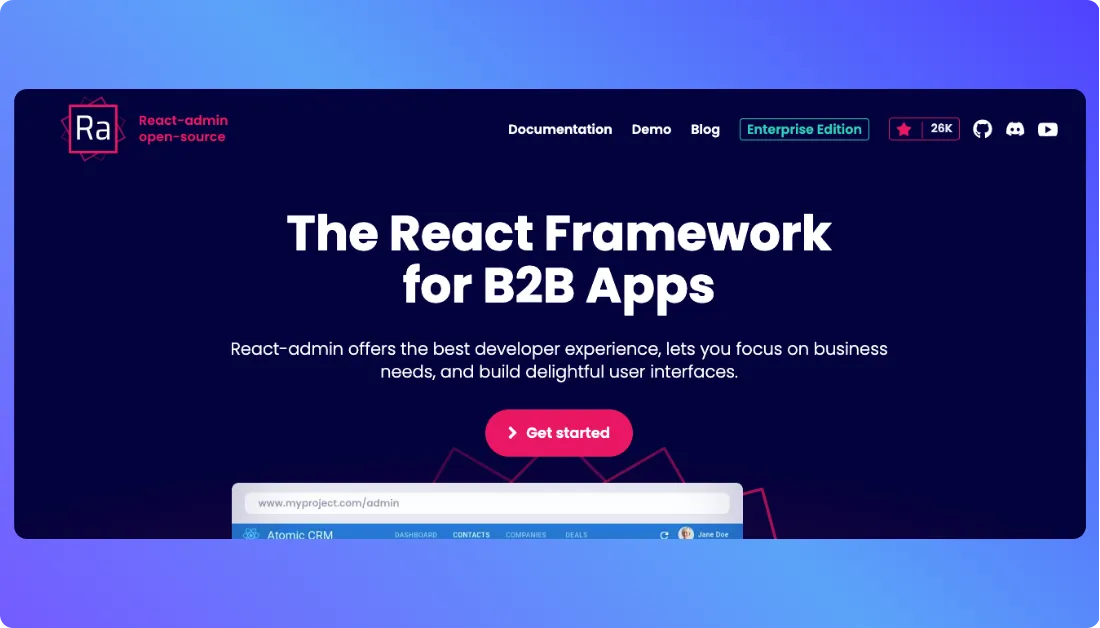
It gives developers ready components and hooks for common features like forms, tables, filters, authentication, permissions, routing, relationships, search, notifications, and data management.
This makes React-admin one of the closest Refine alternatives on this list.
Both tools are built around React.
Both help developers avoid rebuilding common CRUD and admin features from scratch.
But the development experience is slightly different.
Refine takes a more headless approach and gives developers flexibility around UI frameworks, routing, backend services, and application structure. It also now includes an AI agent for generating React and TypeScript applications.
React-admin feels more focused on ready B2B and admin application patterns.
You can start with Material UI, use its Shadcn Admin Kit, or work with headless components when you need more control. The open source version includes more than 170 hooks and components, while the Enterprise Edition adds more advanced business features.
When I looked at React-admin as a Refine alternative, the biggest advantage was clear.
It is not trying to turn development into a no code workflow.
It is made for React developers who still want to write code, but do not want to build every list page, form, filter, permission flow, relationship, and data table manually.
However, React-admin is still a developer framework.
If your main goal is to describe an app with a prompt and have the frontend, backend, database, and product structure generated for you, tools like Vitara will feel easier.
Complex applications can also require more customization once you move beyond standard admin and B2B patterns.
Want to compare code first development with AI assisted building?
Check out my guide to the best AI coding tools before choosing your workflow.
What makes React-admin a strong Refine alternative?
React-admin becomes a practical Refine alternative when you want to stay inside the React ecosystem but prefer a framework that comes with a large collection of ready business application components.
Instead of moving to a closed low code platform, you still work with React and your own APIs.
That gives technical teams more control over how the application is structured and maintained.
1. Strong React Framework for Admin and B2B Apps
React-admin is built around the exact type of applications many Refine users want to create.
You can use it for admin panels, CRM systems, help desks, eCommerce admin tools, dashboards, ERPs, internal applications, and other data heavy B2B products.
The framework already handles many common application patterns.
For example, instead of creating list, edit, create, show, filter, and form logic from the beginning, developers can start with ready React-admin components and customize them around the business requirement.
That can save time when most of your application revolves around viewing, creating, updating, filtering, and managing business data.
Refine can do the same type of work.
But React-admin may feel more practical when your team wants an opinionated B2B framework with many common UI patterns already available.
2. Large Library of Ready Components
One of React-admin’s biggest strengths is how much common admin functionality already exists.
The open source edition includes more than 170 hooks and components for areas like datagrids, forms, validation, authentication, access control, relationships, menus, theming, internationalization, filters, and preferences.
The Enterprise Edition goes further with features such as fine grained permissions, editable datagrids, audit logs, versioning, calendars, realtime features, nested forms, tree structures, advanced relationships, and alternative form layouts.
This matters because business applications usually repeat the same patterns.
You need tables.
You need forms.
You need permissions.
You need filters.
You need users to create and edit records.
React-admin gives developers a lot of that foundation before they start adding custom business logic.
3. Works With Existing APIs and Backends
React-admin is backend agnostic.
Its official site lists more than 50 API adapters and more than 10 authentication adapters, with support for REST, GraphQL, Supabase, Firebase, Hasura, Strapi, API Platform, and other backend systems.
That makes it useful when your company already has an API or database layer.
You do not need to move your backend into the React-admin ecosystem.
For example, if your company already has a REST API and authentication system, you can connect those pieces and use React-admin mainly for the frontend admin experience.
This is similar to Refine.
Both tools work well when developers want frontend productivity without giving up control over the backend.
4. Open Source With Enterprise Features Available
React-admin’s core edition is open source under the MIT license.
That gives developers a free way to build applications without paying for the basic framework.
For companies that need more advanced B2B functionality, React-admin also offers an Enterprise Edition.
This adds features such as RBAC, audit logs, advanced datagrids, versioning, realtime functionality, scheduling, complex forms, and professional support.
That creates a useful middle ground.
Small technical teams can start with the open source version.
Larger teams can pay for advanced components and support when the application becomes more complex.
Pros of React-admin
- Open source React framework for admin panels and B2B applications
- Good for dashboards, CRUD apps, CRM systems, back office tools, and internal apps
- Large collection of ready hooks and components
- Strong forms, datagrids, filters, relationships, and authentication support
- Works with REST, GraphQL, Supabase, Firebase, Hasura, and many other backends
- Material UI, Shadcn, and headless development options
- Developers keep normal React level control over the application
- Enterprise features are available for more complex business applications
React-admin’s open source and enterprise feature sets are documented by its maintainers.
Cons of React-admin
- Mainly built for developers, not non technical business users
- Still requires React knowledge and frontend development
- Does not generate complete full stack products from simple prompts
- Complex custom application requirements can require a lot of manual work
- Some advanced B2B features are only available in the paid Enterprise Edition
- Better suited to admin and B2B apps than highly custom consumer facing products
Pricing Plans
React-admin has two main ways to use the framework:
- Open Source Edition: Free under the MIT license. It includes more than 170 hooks and components along with community support.
- Enterprise Edition: Starts at €145 per month. It adds more than 230 hooks and components, advanced business features, and professional support.
The free version is already enough for many normal admin panels, CRUD applications, dashboards, and internal tools.
The Enterprise Edition makes more sense when your application needs things like advanced permissions, editable datagrids, audit logs, versioning, realtime updates, calendar features, complex relationships, and direct support from the React-admin team.
That makes React-admin attractive for developers who want to start with an open source framework and only pay when more advanced enterprise requirements appear.
What Users Have to Say?
On Reddit, feedback around React-admin is mixed, which is useful when deciding whether it fits your project.
Some developers say React-admin has worked very well for data intensive back office applications because it speeds up development and gives teams many commonly needed features without starting from zero.
But other developers point out that React-admin can become harder to work with as an application grows in size and complexity. One discussion comparing React-admin, Refine, and similar approaches mentions that highly custom applications may feel easier when developers compose React, TanStack, Shadcn, and other libraries themselves.
That feedback fits React-admin well.
It can save a lot of development time when your application matches normal admin, CRUD, and B2B patterns.
But when your product becomes very custom, developers may need to spend more time working around the framework or building parts themselves.
7. Superblocks
⭐Best For
Enterprise teams that want to build AI powered internal applications while keeping stronger control over company data, integrations, permissions, security, and deployment.
The second Refine alternative I would add is Superblocks.
Superblocks is built for companies that want business teams and developers to create internal applications with AI while IT and security teams control how those apps connect to company systems.
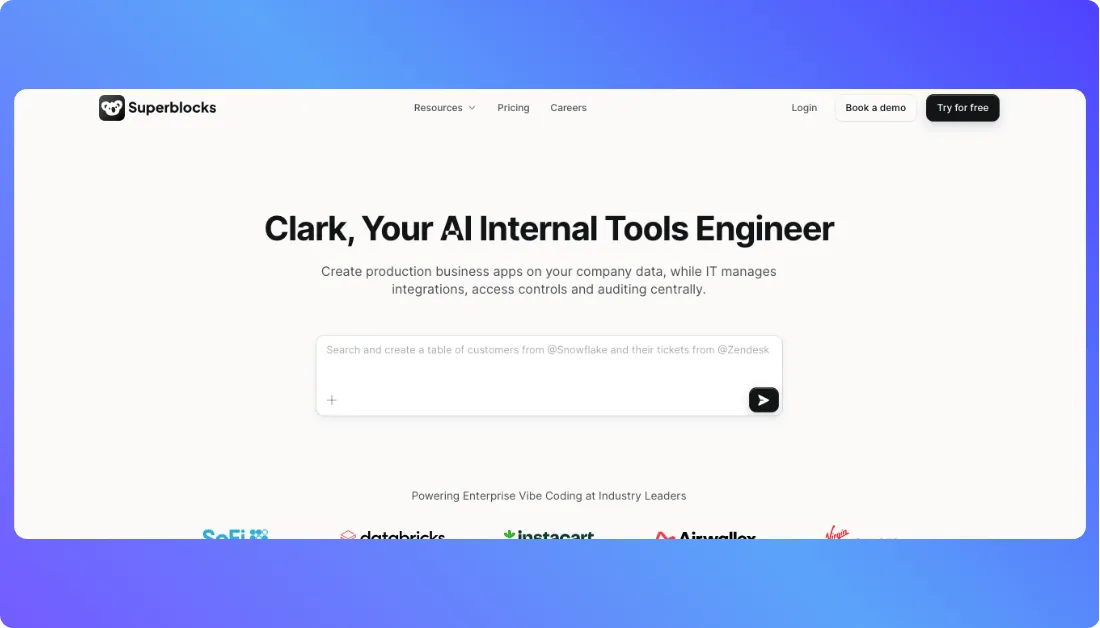
Its AI agent, Clark, lets users describe an internal application using natural language and build it on top of company databases, APIs, SaaS applications, and other business systems.
That makes Superblocks different from a normal React framework.
Similar to Refine, you can use it for dashboards, admin tools, operational applications, and data connected business software.
But the workflow is very different.
Refine gives developers an open source React framework and AI generation workflow where the output is standard React and TypeScript code.
Superblocks is more focused on companies that want AI app generation inside a centrally governed enterprise environment.
When I looked at Superblocks as a Refine alternative, the strongest part was not only the app builder.
It was the security and governance around the apps.
Superblocks is designed so IT can manage integrations, authentication, permissions, secrets, auditing, and deployment while other teams build applications on top of those approved systems.
That becomes useful when a company wants AI development speed but cannot let every employee connect random tools directly to production data.
Building AI apps inside a larger organization?
Check out the best vibe coding tools for enterprises before choosing your platform.
However, Superblocks is not the best choice for every team.
It is more enterprise focused than many tools on this list, and the starting price is much higher than using an open source framework.
If you are a small startup building a public SaaS product or simple MVP, a lighter full stack AI builder or normal React framework will probably make more sense.
What makes Superblocks a strong Refine alternative?
Superblocks becomes a stronger choice than Refine when the main goal is not only developer productivity.
It makes more sense when a company wants multiple teams to build internal applications while IT still controls the infrastructure, data access, authentication, and security policies behind those apps.
That is where Superblocks separates itself from more traditional internal tool builders.
1. AI Powered Internal App Development
Superblocks includes Clark, an AI coding agent built specifically for creating internal business applications.
Users can describe what they want in natural language and use company context, data schemas, APIs, integrations, and existing app patterns while building the application.
For example, an operations team could build an order review dashboard.
A finance team could create a payment approval tool.
A support team could create a customer management application.
Instead of asking developers to build every interface manually, the first version can be generated and improved through AI.
Refine also offers AI app generation today.
The difference is that Superblocks puts more focus on enterprise internal apps that need centralized governance around the AI development process.
2. Strong Enterprise Data Integrations
Internal applications are only useful when they can connect to the systems where company data already lives.
Superblocks includes more than 50 integrations and is designed to connect apps with databases, APIs, SaaS applications, data platforms, and other enterprise systems.
Its integration layer also handles authentication, secrets, and data access controls.
That means business teams do not need direct access to database passwords or API secrets every time they create an internal application.
This matters for larger companies.
A simple internal dashboard may need data from PostgreSQL, Snowflake, Salesforce, an internal API, and another business platform.
Superblocks gives IT a central place to control those connections while app builders use them inside approved workflows.
3. Better Security and Governance for Large Teams
This is probably the biggest reason to consider Superblocks over Refine.
Superblocks includes enterprise controls around access, deployment, auditing, authentication, and infrastructure.
Its Enterprise plan supports options such as SSO, SAML, OIDC, role based access control, audit logs, secrets management, security monitoring, and deployment inside an AWS, Google Cloud, or Azure environment.
Superblocks also offers VPC deployment models where companies can keep production infrastructure and data inside their own cloud environment.
This becomes important for larger or regulated organizations.
The goal is not simply to create an admin panel quickly.
The company also needs to know who can access it, which data they can see, what actions they performed, and where the application is running.
Security matters even more when AI apps connect to company data.
Read these secure vibe coding best practices before moving an app into production.
4. Built for Production Internal App Delivery
Superblocks is not only focused on generating a prototype.
The Teams plan includes separate staging and production environments, app hosting, and more than 50 integrations. Enterprise customers can also use source control through GitHub, GitLab, Bitbucket, and Azure DevOps.
Superblocks also says customers own the code generated on the platform and can connect it to their Git repository.
That makes the development process easier to manage when multiple people are working on business applications.
For example, a team can build and test changes in staging before those changes reach employees using the production application.
That type of workflow matters more as internal tools become business critical.
Pros of Superblocks
- AI powered internal app generation with Clark
- Good for enterprise dashboards, admin tools, operational apps, and business workflows
- More than 50 integrations with databases, APIs, and business systems
- Strong authentication, permissions, and governance options
- Supports staging and production environments
- Enterprise VPC and private cloud deployment options
- Source control support for larger engineering teams
- Unlimited end users on current Teams and Enterprise plans
- Useful for companies that want business teams and IT to build together
Current platform and plan capabilities are listed on Superblocks’ official product and pricing pages.
Cons of Superblocks
- Higher starting price than many Refine alternatives
- More focused on enterprise internal applications than public SaaS products
- Smaller teams may not need all the security and governance features
- Enterprise deployment and advanced controls can require more technical planning
- Less suitable if you simply want a lightweight open source React framework
- The workflow may feel more developer heavy than simple visual no code builders
Pricing Plans
Superblocks currently offers a Teams plan and custom Enterprise pricing.
- Teams: $125 per month on monthly billing or $100 per month when billed annually. It includes a 14 day free trial, Clark AI, 100 Governed Agent Units per month, staging and production environments, more than 50 integrations, and one hosted app.
- Additional hosted apps: $10 per app per month on the Teams plan.
- Enterprise: Custom pricing for companies that need advanced security, private cloud or VPC deployment, source control, SSO, secrets management, audit logs, dedicated support, and other enterprise controls.
The Teams plan supports unlimited end users and can scale to 15 builders, according to the current pricing page.
There is no permanent free plan listed right now.
Instead, Superblocks gives teams a 14 day trial before moving to a paid plan.
So yes, Superblocks gives enterprises a lot more around security, integrations, AI app generation, and governance.
But if you only need a simple CRUD dashboard for a small team, the price and enterprise platform may be more than you actually need.
What Users Have to Say?
Community feedback around Superblocks is still smaller than tools like Retool and Appsmith.
But the discussions that do exist show a clear pattern.
Users often see Superblocks as a stronger option when internal tools need both development flexibility and enterprise security. One recent Reddit comparison described Superblocks as solid for internal tools and security, but also said it feels more developer heavy and less friendly when someone wants a mostly visual no code experience.
Another community discussion around AI development tools described Clark as promising for enterprise internal apps, while still treating it as a newer option compared with more established internal tool platforms.
That feedback makes sense.
Superblocks is not really trying to be the easiest app builder for every founder.
Its stronger use case is companies that want AI generated internal apps without losing control over enterprise data, permissions, infrastructure, and security.
How I compared these Refine alternatives
I compared each tool based on how well it solves the problems that usually make teams look beyond Refine, from development speed to code control.
Here’s what I focused on:
- Development speed: How quickly can you move from an idea to a working app or internal tool?
- Code control: Can you edit, download, or fully control the code as your product grows?
- Backend support: Does it handle databases, APIs, authentication, and business logic without heavy setup?
- Ease of use: How much React knowledge, manual coding, or technical setup does the platform require?
- Scalability: Can it support larger apps, more users, stronger permissions, and long term development needs?
Which Refine alternative should you choose?
Pick the tool that fits your use case, whether that’s full stack apps, internal tools, dashboards, or prototypes.
Here are some guidelines:
- Choose Vitara if you want AI powered full stack development with editable code, backend support, and web or mobile apps.
- Choose Retool if you need enterprise internal tools, approval workflows, database apps, and team permissions.
- Choose Appsmith if you want an open source low code platform for dashboards, CRUD apps, and self hosted tools.
- Choose Lovable if you want to turn prompts into web apps and MVPs quickly.
- Choose Bolt.new if speed matters most for prototypes, websites, landing pages, and app ideas.
- Choose React-admin if you are a React developer who wants code first control for admin panels and B2B apps.
- Choose Superblocks if you need AI powered internal apps with enterprise security, governance, and data access.
- Stick with Refine if you prefer a React framework and want to build the app structure yourself.
So, Which Is the Best Refine.dev Alternative?
I have completed this practical review of the best Refine alternatives.
So, which one is the best Refine.dev alternative?
Well, the answer depends on what you want to build.
Do you want to create full stack apps with AI, build enterprise internal tools, launch open source dashboards, or turn an app idea into a working prototype quickly?
If you want the widest fit, Vitara is the strongest option. It helps you build web apps, mobile apps, dashboards, SaaS products, and internal tools with AI powered development, editable code, backend support, and faster MVP creation.
Retool is better for enterprise internal tools. Appsmith is better for open source admin panels. Lovable and Bolt.new are better for quick AI generated web app prototypes.
But if you are still unsure which Refine alternative to choose, start with Vitara. Its free plan can help you test the workflow and see whether AI powered full stack development fits your project.
FAQs About Refine Alternatives
What is the best Refine alternative in 2026?
- Vitara: Best for AI powered full stack app development.
- Retool: Best for enterprise internal tools and workflows.
- Appsmith: Best for open source internal tools and dashboards.
- Lovable: Best for AI generated web apps and MVPs.
- Bolt.new: Best for quick prototypes, websites, and app ideas.
Why do developers look for Refine alternatives?
Developers usually look for Refine alternatives when they want faster setup, visual building, AI app generation, easier backend support, or ready internal tool features. Refine gives good React control, but some teams do not want to write and manage every screen, API connection, permission flow, and dashboard manually.
Is Refine.dev a low code platform?
Refine.dev is not a typical drag and drop low code platform. It is closer to a React based framework for building CRUD apps, admin panels, dashboards, and internal tools. It helps developers move faster, but it still works best when someone on the team understands React and app structure.
Which Refine alternative is best for internal tools?
Retool and Appsmith are strong options for internal tools. Retool works better for larger teams that need governance, workflows, integrations, and access control. Appsmith is better for teams that want open source flexibility, self hosting, and faster development for dashboards, admin panels, database apps, and CRUD interfaces.
Which Refine alternative is best for AI app development?
Vitara, Lovable, and Bolt.new are good choices for AI app development. Vitara is the better pick when you want full stack app development with web and mobile app support. Lovable works well for AI generated web apps, while Bolt.new is useful for quick prototypes, websites, and early app ideas.
Is Retool better than Refine?
Retool is better when your main goal is to build internal tools quickly with ready components, database connectors, workflows, permissions, and team controls. Refine is better when developers want more React level control and prefer building a custom application instead of working inside a platform.
Is Appsmith a good open source Refine alternative?
Yes, Appsmith is a good open source Refine alternative for teams that want to build admin panels, dashboards, database tools, and internal apps faster. It gives a visual builder, JavaScript customization, API connections, database integrations, and self hosting options, which makes it practical for technical internal teams.
Is Lovable a Refine alternative?
Lovable can be a Refine alternative if you want to build web apps with AI prompts instead of writing everything with React. It is useful for MVPs, SaaS concepts, landing pages, dashboards, and prototypes. But for complex production apps, developers should still review the generated code before launch.
Is Bolt.new good for building apps like Refine?
Bolt.new is good for fast prototypes, websites, landing pages, and early app ideas. It is not a direct replacement for Refine’s React framework approach, but it helps users create working interfaces quickly through prompts. It fits early validation better than long term custom app architecture.
What should I check before choosing a Refine alternative?
- Project type: Check whether you need an internal tool, admin panel, SaaS app, dashboard, MVP, or full stack product.
- Development style: Decide if you want a React framework, low code builder, or AI powered app development platform.
- Code control: Check whether the tool gives editable code, downloadable source code, or keeps your app inside the platform.
- Backend support: Make sure it supports databases, APIs, authentication, user roles, and business logic.
- Scalability: Choose a tool that can support more users, more features, and future product growth.
- Pricing: Review user limits, credits, add ons, team pricing, and long term costs before choosing.
- Security: Check permissions, hosting options, access control, audit logs, and data protection features.
- Ease of use: Pick a tool your team can actually use without slowing down the project.
What’s New?