Cursor vs Lovable vs Bolt: Which AI Coding Tool Is Best in 2026
Are you confused about Cursor, Lovable, and Bolt and wondering which one you should actually use? You’re not alone. With so many AI development tools appearing every month, figuring out which platform fits your workflow can feel overwhelming.
Tools like Cursor, Lovable, and Bolt are getting a lot of attention right now, but they solve the problem in different ways. Cursor works like an AI coding partner inside a developer-friendly editor, helping you write and improve real code faster. Lovable focuses on turning simple prompts into full-stack applications, while Bolt prioritizes speed by letting you generate and preview apps instantly in the browser.

In this guide, we’ll break down the Cursor vs Lovable vs Bolt comparison in a simple, practical way. You’ll see how each tool works, where it shines, and what type of builder it’s best suited for. By the end, you’ll have a clear idea of which AI development tool fits your workflow, skills, and project goals.
Cursor vs Lovable vs Bolt: Quick Comparison Summary
Below is a quick comparison that highlights the key differences between these three AI development tools.
| Feature | Cursor | Lovable | Bolt |
|---|---|---|---|
| Core Approach | AI powered code editor | Prompt based full stack app builder | Browser based AI app builder |
| Best For | Developers and engineers | Founders and non technical builders | Rapid prototyping |
| Development Style | Code first workflow | Prompt first workflow | Prompt with live preview |
| Setup | Local environment | Minimal setup | No installation required |
| Customization | Very high | Moderate | Moderate |
| Speed to Prototype | Medium | Fast | Very fast |
| Ideal Use Case | Complex applications | MVP development | Quick product experiments |
Feature Comparison: Cursor vs Lovable vs Bolt
AI development tools often look similar at first. The real differences appear when you examine how each platform builds, edits, and deploys applications. Cursor, Lovable, and Bolt follow very different philosophies for AI powered software development. Understanding these differences helps builders choose the right tool for their workflow.
Below is a clear breakdown of the most important feature areas.
Build Approach & Philosophy
Cursor
- Acts as an AI powered coding assistant inside a developer focused editor.
- Improves the traditional coding workflow instead of replacing it with prompts.
- Understands the entire codebase to suggest functions, fixes, and improvements.
- Allows developers to design architecture, frameworks, and system structure manually.
- Keeps developers fully responsible for backend setup, infrastructure, and deployment decisions.
- Best suited for engineers who want AI support while maintaining full control over their code.
Lovable
- Transforms plain English prompts into complete full stack applications.
- Generates frontend UI, backend logic, database structures, and authentication automatically.
- Integrates backend services such as Supabase so users avoid manual configuration.
- Allows editing through both visual UI controls and direct code access.
- Handles hosting and deployment workflows inside the platform environment.
- Designed for founders and teams who want to move from idea to working product quickly.
Bolt
- Creates a full development environment directly inside the browser.
- Generates frontend and backend code structures instantly from prompts.
- Provides live previews so developers can see application changes immediately.
- Encourages manual editing of routes, APIs, and application logic.
- Works more like an AI assisted IDE than a no code builder.
- Ideal for developers who want rapid experimentation without losing architectural flexibility.
Speed & Productivity
Cursor
- Improves development speed by assisting developers while they write code.
- Suggests functions, fixes errors, and generates code snippets across multiple files.
- Understands the entire project context, which helps reduce debugging time.
- Speeds up repetitive tasks such as refactoring, documentation, and boilerplate generation.
- Still requires developers to structure applications and manage architecture manually.
- Best for teams building complex software where productivity matters more than instant generation.
Lovable
- Accelerates development by generating complete applications from prompts.
- Creates frontend, backend, database, and authentication systems automatically.
- Allows founders to launch working MVPs without writing large amounts of code.
- Reduces setup time by handling infrastructure and backend configuration internally.
- Lets teams iterate quickly by requesting new features through simple prompts.
- Ideal for startups that want to validate product ideas and ship prototypes quickly.
Bolt
- Focuses heavily on rapid prototyping and instant feedback.
- Generates full stack code structures quickly inside a browser based environment.
- Provides real time previews so developers can see changes immediately.
- Eliminates local setup time by running the development environment in the browser.
- Allows quick iteration by modifying prompts or editing code directly.
- Best suited for developers who want to experiment with ideas and build prototypes fast.
Also Read:
Flexibility & Customization
Cursor
- Provides the highest level of customization among the three tools.
- Allows developers to edit every file, function, and architecture layer manually.
- Works with any framework, library, or development stack developers choose.
- Supports complex application structures and large codebases.
- Uses AI to assist development without locking the project into predefined templates.
- Ideal for developers who want complete freedom to design and modify software architecture.
Lovable
- Focuses more on automation than deep customization.
- Generates a structured full stack application from prompts.
- Allows editing of UI components and application logic through visual tools or code access.
- Keeps the backend, database, and authentication connected through its integrated system.
- Limits some architectural flexibility because many components are generated automatically.
- Best suited for founders and teams who want fast development without managing every technical detail.
Bolt
- Balances automation with developer control.
- Generates the full application structure but allows developers to modify the code freely.
- Encourages manual editing of APIs, routes, and application logic inside the environment.
- Supports customization through direct code editing rather than visual builders.
- Provides flexibility for developers who want to adjust architecture after generation.
- Ideal for developers who want AI assistance but still prefer shaping the product manually.
Learning Curve & Skill Requirements
Cursor
- Designed mainly for developers who already understand coding environments.
- Works inside an IDE style interface similar to modern code editors.
- Requires knowledge of programming languages, frameworks, and project structure.
- AI assists with coding, debugging, and refactoring but does not remove the need for development skills.
- Fits engineers who are comfortable managing architecture, APIs, and dependencies.
- Best for developers who want productivity improvements rather than a no code experience.
Lovable
- Built to reduce the technical barrier for building applications.
- Allows users to generate full stack apps using simple natural language prompts.
- Offers visual editing features that reduce the need for manual coding.
- Handles backend setup, authentication, and database configuration automatically.
- Short learning curve for founders, product managers, and non technical builders.
- Ideal for users who want to launch an MVP without deep programming knowledge.
Bolt
- Sits between developer tools and beginner friendly AI builders.
- Runs a browser based development environment that resembles a lightweight IDE.
- Requires some understanding of code structure, APIs, and application logic.
- Developers can edit generated code directly while AI assists with scaffolding.
- Learning curve is moderate because users still interact with real code.
- Best suited for developers who want fast experimentation without complex setup.
Community & Ecosystem
Cursor
- Benefits from a developer focused ecosystem built around modern coding tools.
- Integrates smoothly with GitHub, developer workflows, and common programming frameworks.
- Works well with existing developer communities because it follows familiar IDE patterns.
- Allows developers to use their preferred libraries, APIs, and development stacks.
- Documentation and community discussions often appear across developer forums and GitHub communities.
- Ideal for developers who want AI assistance without leaving the broader developer ecosystem.
Lovable
- Builds its ecosystem around fast product creation and integrated services.
- Connects with backend platforms such as Supabase for database and authentication features.
- Encourages collaboration through GitHub synchronization and project sharing.
- Provides built in tools for hosting, deployment, and app management.
- Community discussions often focus on startup founders and product builders launching MVPs.
- Best suited for teams that want an all in one platform with minimal external configuration.
Bolt
- Develops its ecosystem around browser based development and rapid experimentation.
- Supports integrations with common hosting platforms such as Vercel or Netlify.
- Encourages developers to export projects and continue development using traditional tools.
- Works well with open source libraries and standard JavaScript frameworks.
- Community engagement is growing as more developers experiment with AI powered coding environments.
- Ideal for developers who want flexibility and compatibility with modern web development stacks.
Pricing Comparison: Cursor vs Lovable vs Bolt
Pricing models for AI coding tools vary depending on how AI usage, infrastructure, and compute resources are billed. Some platforms charge through subscriptions, while others use credits or tokens tied to AI generation.
Cursor
Cursor pricing is based on a subscription model for its AI coding assistant.
- Free Hobby plan available with limited features.
- Pro plan costs $20 per month and includes unlimited completions and AI agents.
- Teams plan costs $40 per user per month with team collaboration and admin tools.
- Ultra plan costs $200 per month for heavy AI usage and higher limits.
- Developers still manage their own hosting, backend, and deployment infrastructure.
Lovable
Lovable Pricing uses a credit based model tied to AI generation.
- Free plan offers 5 daily credits for experimenting with the platform.
- Pro plan costs $25 per month and includes around 100 monthly credits.
- Business plan costs $50 per month with team level features and security controls.
- Enterprise plans are available with custom pricing.
- Hosting, backend integration, and authentication are included in the platform.
Bolt
Bolt pricing follows a token-based system where AI usage consumes tokens.
- Free plan available with roughly 1M tokens per month and daily token limits.
- Pro plan costs about $25 per month and includes 10 million tokens monthly.
- Teams plan costs about $30 per user per month with higher token limits and collaboration features.
- Higher enterprise plans offer custom pricing for heavy usage.
- Hosting and deployment features are included depending on the plan.
Real Life Use Cases of Cursor vs Lovable vs Bolt
These real world scenarios show when each platform delivers the most value. The right choice depends on your technical skills, project complexity, and development speed requirements.
Use Cursor if you:
- Want AI assistance while writing and managing real code.
- Work on complex applications that require full architectural control.
- Need to maintain or scale large production codebases.
- Prefer working inside a developer focused IDE environment.
- Want AI to help with debugging, refactoring, and code generation.
- Use modern frameworks and want full flexibility with libraries and APIs.
- Need tight integration with Git workflows and developer tools.
- Build SaaS platforms or enterprise applications with long term maintenance.
- Care about code quality, performance optimization, and structured development.
- Want productivity improvements without replacing traditional development workflows.
Use Lovable if you:
- Want to build a full stack application from a simple prompt.
- Need frontend UI, backend logic, database, and authentication generated automatically.
- Are a founder or product manager without deep coding experience.
- Want to launch an MVP SaaS product quickly to validate an idea.
- Need internal tools with dashboards, user login, and data storage.
- Prefer visual editing instead of writing large amounts of code.
- Want to deploy a working product without managing servers or infrastructure.
- Need fast product validation before hiring a development team.
- Are building startup prototypes or early stage applications.
- Want an all in one platform that handles hosting and backend setup.
Use Bolt if you:
- Want AI to generate full stack code but still edit everything manually.
- Prefer working inside a browser based development environment.
- Need rapid prototyping with instant live previews.
- Are comfortable modifying APIs, routes, and application logic.
- Want to experiment with new product ideas quickly.
- Prefer AI assisted coding rather than no code builders.
- Need flexibility to export code and deploy anywhere.
- Are building experimental tools, prototypes, or technical projects.
- Want an environment similar to a lightweight IDE with AI capabilities.
- Care about developer control while still benefiting from AI acceleration.
Want an Alternative to Cursor vs Lovable vs Bolt?
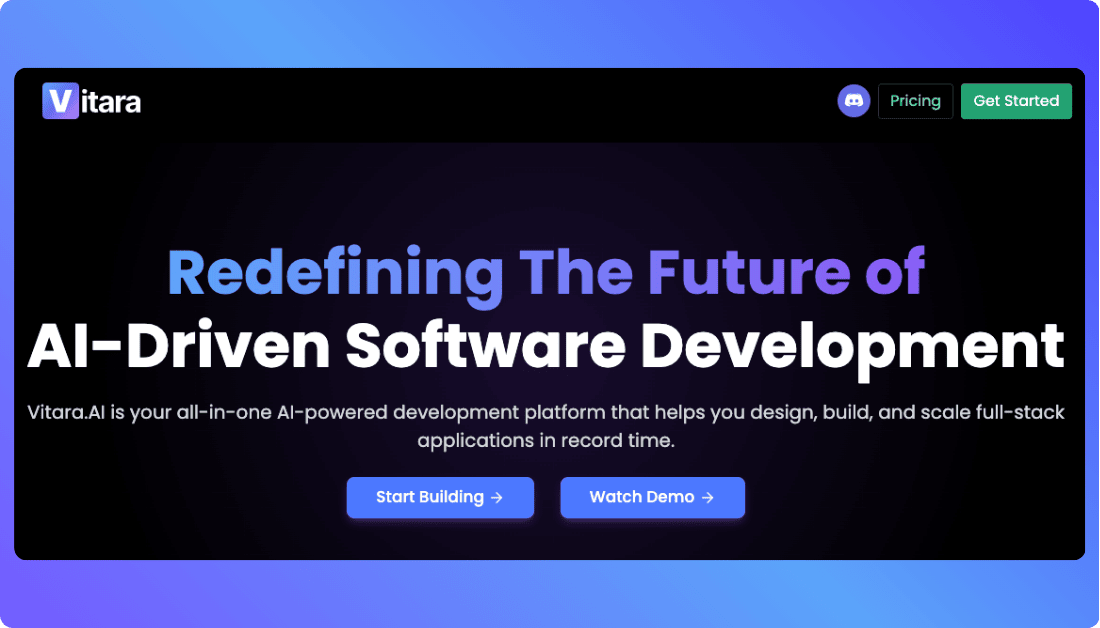
Cursor, Lovable, and Bolt are powerful AI development tools, but they do not fit every workflow. Some builders want faster app generation than traditional AI coding editors provide. Others want more flexibility than fully automated app builders. This is where Vitara emerges as a strong alternative for modern AI driven development.
Why Vitara Stands Out
Generates working applications quickly using natural language prompts.
Balances AI automation with real developer level customization.
Allows builders to modify generated code and extend the application easily.
Reduces setup complexity by handling core app structure automatically.
Supports rapid MVP creation while still enabling scalable product development.
Designed for builders who want both speed and control in the same platform.
When Vitara Is the Better Choice
Use Vitara if you:
Want to build a working application quickly using AI prompts.
Need flexibility to customize and expand the generated code later.
Are launching a startup MVP and want faster product validation.
Prefer a development workflow that combines AI generation with manual control.
Want to experiment with product ideas without heavy technical setup.

Recommend To Also Read This:
Conclusion
AI powered development tools are changing how applications are built. Cursor, Lovable, and Bolt each follow a different approach to AI assisted software development. Cursor improves productivity for developers who want full control over their code. Lovable focuses on generating complete full stack applications quickly. Bolt helps developers prototype and experiment faster inside a browser based development environment.
The best choice depends on your workflow and technical skills. Developers building complex software may prefer Cursor. Founders launching MVP products may benefit more from Lovable. Teams that want rapid experimentation often choose Bolt. Selecting the right tool helps builders move from idea to working product much faster.
Frequently Asked Questions
What is the main difference between Cursor, Lovable, and Bolt?
The main difference lies in how each platform approaches AI powered development. Cursor works as an AI assisted coding editor designed for developers who want full control over code. Lovable generates complete full stack applications from prompts. Bolt creates applications quickly inside a browser based development environment with live previews.
Which tool is best for developers: Cursor, Lovable, or Bolt?
Developers who want deep control over code and architecture usually prefer Cursor. It works like an advanced coding assistant inside a developer focused editor. Bolt is also developer friendly but focuses more on rapid prototyping. Lovable is often better for founders or teams who want to generate applications quickly without writing much code.
Can non technical founders use Lovable, Bolt, or Cursor?
Lovable is the most beginner friendly platform among the three. It allows users to generate full stack applications using simple prompts and visual editing tools. Bolt may require some understanding of code structure. Cursor is designed mainly for developers who already understand programming workflows.
Which tool is best for building an MVP quickly?
Lovable is often the fastest option for building a working MVP. It generates frontend interfaces, backend logic, database structures, and authentication from a single prompt. Bolt also helps build prototypes quickly but usually requires more manual editing. Cursor focuses more on improving developer productivity rather than instant app generation.
Is Bolt better than Cursor for rapid prototyping?
Bolt can be faster for prototyping because it generates full stack applications directly in the browser and provides instant previews. Cursor is better suited for structured development where developers want to manage architecture and code manually with AI assistance.
Are these AI development tools suitable for production applications?
Yes, these tools can support production level development depending on how they are used. Cursor works well for long term software projects because developers control the entire codebase. Lovable can generate production ready MVPs quickly. Bolt works well for prototypes and technical experiments that may later evolve into full products.
What is the best alternative to Cursor, Lovable, and Bolt?
If builders want a balance between AI automation and development flexibility, Vitara can be a strong alternative. It allows users to generate working applications using prompts while still enabling customization of the codebase. Vitara works well for founders and developers who want fast MVP generation without losing the ability to scale and modify the product later.
What’s New?