Squarespace Pricing in 2026: Plans, Credits, Hidden Costs, and What You Actually Pay

If you’re comparing Squarespace pricing right now, the plans probably look simple at first glance.
Four main tiers. A free trial. Paid plans from $16 to $99 per month when billed annually.
But here’s what the pricing page doesn’t make obvious right away.
Squarespace pricing isn’t just about the monthly subscription.
Your real cost depends on your billing cycle, domain, email, ecommerce fees, payment processing, and add-ons.

I went through every Squarespace pricing plan, checked the extra costs, and mapped where the price can quietly increase.
This breakdown covers all Squarespace plans so you know what you’re actually paying for before you build your site.
How Much Does Squarespace Cost? (Quick Overview)
Before getting into the details, here’s a quick look at all four Squarespace pricing plans side by side.
| Plan | Monthly Billing | Annual Billing | Key Limits / Fees | Best For |
|---|---|---|---|---|
| Basic | $25 per month | $16 per month | 2% transaction fee | Simple websites, blogs, portfolios |
| Core | $45 per month | $29 per month | 0% transaction fee | Small businesses and service websites |
| Plus | $69 per month | $49 per month | Lower selling fees | Growing online stores |
| Advanced | $139 per month | $99 per month | Advanced commerce tools | High volume ecommerce brands |
If you choose annual billing, you save a decent amount across every paid plan.
That said, Squarespace’s real cost isn’t just the monthly subscription, it’s the domain, email, ecommerce fees, and add-ons underneath.
Let me walk you through each plan so you know exactly what you’re getting.
Also Read:
Squarespace Pricing Plans — Full Breakdown
1. Basic Plan — $16/mo (Annual)
Squarespace’s Basic plan gives you the core tools to build a clean, professional website. It works well for portfolios, blogs, personal sites, and simple business pages that don’t need advanced selling features.
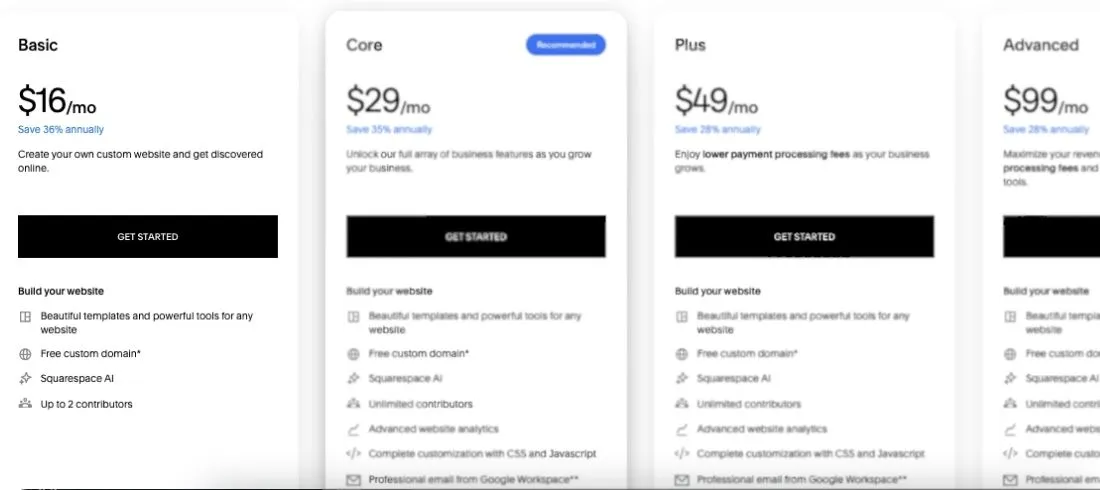
Squarespace Basic pricing plan breakdown
✅ What you get:
- Website builder with professionally designed templates
- Free custom domain for the first year on annual billing
- SSL security
- Basic website analytics
- Up to 2 contributors
- Mobile-optimized design
❌ Where it falls short:
The Basic plan is not the best fit if you’re planning to sell products seriously.
You can accept payments, but Squarespace charges a 2% transaction fee on top of standard payment processing fees.
You also miss out on advanced analytics, custom code, third-party integrations, and stronger marketing tools. So while the plan looks cheap, it can feel limited pretty quickly once your site starts doing more than displaying information.
My take: If you need a simple website, portfolio, or blog, the Basic plan does the job. But if you’re running a business website or plan to sell online, Core is usually the smarter starting point.
2. Core Plan — $29/mo (Annual)
This is where most small businesses should start with Squarespace. The Core plan removes the 2% transaction fee and unlocks stronger business, marketing, and customization features.
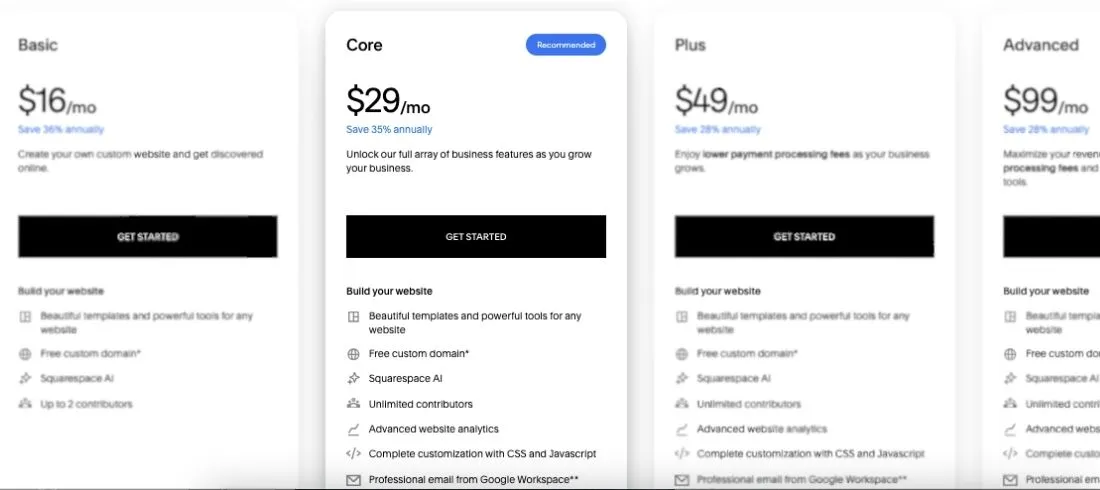
✅ What you get:
- Everything in the Basic plan
- Unlimited contributors
- Advanced website analytics
- Custom code and code injection
- Third-party integrations like Mailchimp and Zapier
- 0% Squarespace transaction fee on commerce sales
- 5 hours of video storage
- 5% digital product transaction fee
❌ Where it falls short:
Core is much better than Basic for business sites, but it still has limits if you sell digital products, courses, memberships, or videos.
That 5% digital product fee can add up quickly. If you sell a $100 course, Squarespace takes $5 before payment processing fees.
You also don’t get the lower payment processing rates or larger video storage limits that come with Plus and Advanced.
My take: The Core plan is the best Squarespace plan for most small businesses. If you want a serious website with custom code, analytics, and no regular commerce transaction fee, start here.
3. Plus Plan — $49/mo (Annual)
The Plus plan is built for growing online stores and creators who sell more than a few products. It lowers your selling fees and gives you more room for video-based content.
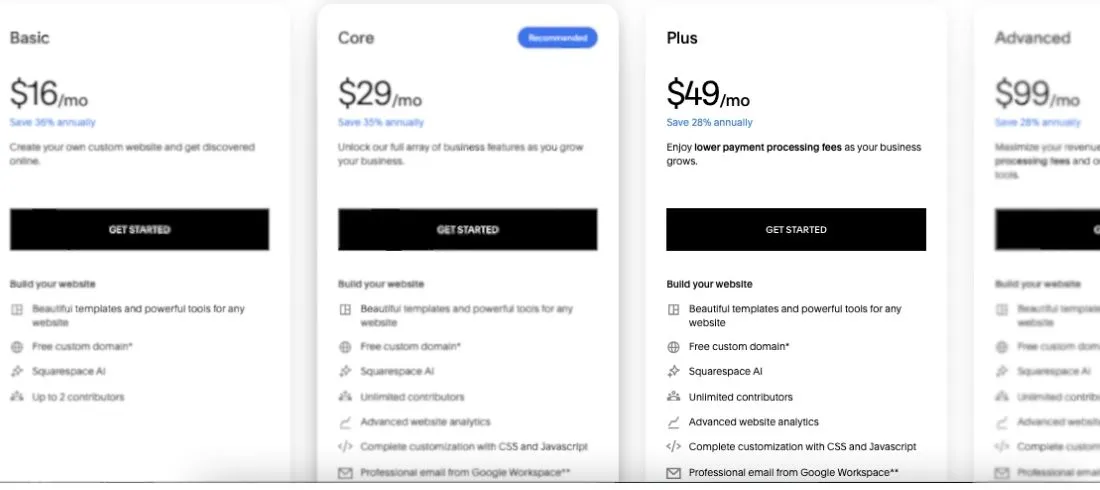
✅ What you get:
- Everything in Basic and Core
- No Squarespace commerce transaction fee
- Lower payment processing rate than Core
- 1% digital product transaction fee
- 50 hours of video storage
- Better ecommerce support for growing stores
- More room for courses, memberships, and digital content
❌ Where it falls short:
Plus costs $16 more per month than Core on annual billing, so it only makes sense if the fee savings actually cover the upgrade.
For example, if you sell digital products, the drop from 5% to 1% can save real money. But if you only run a basic service website or sell a few physical products, Core may be enough.
You also still pay a 1% digital product fee. That sounds small, but on $5,000/month in digital sales, that’s $50/month before card processing fees.
My take: The Plus plan makes sense when your store or digital product revenue is growing. If you sell courses, memberships, downloads, or video content, Plus can be a smarter deal than Core.
4. Advanced Plan — $99/mo (Annual)
This is Squarespace’s highest standard website plan. It’s made for larger ecommerce stores, high-volume sellers, and businesses that need the lowest fees.
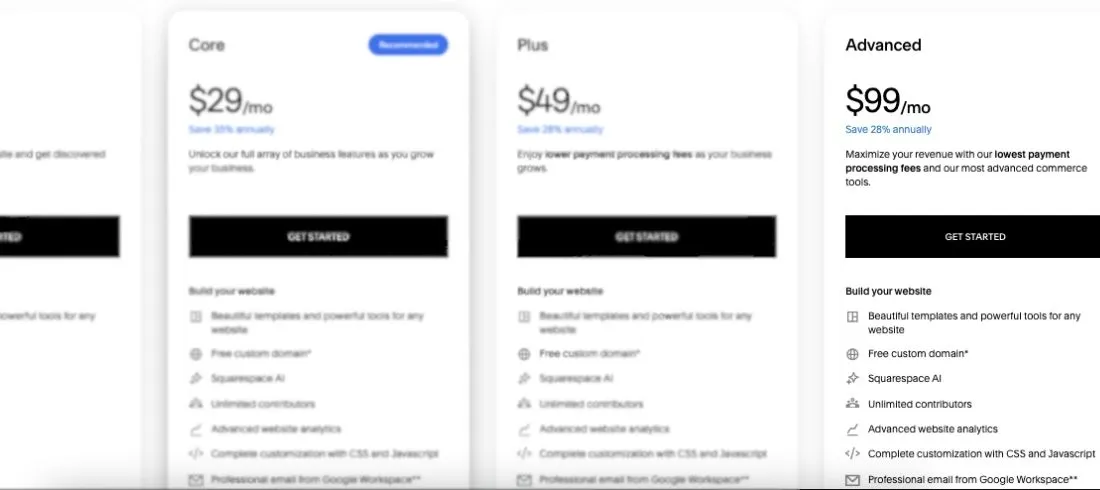
✅ What you get:
- Everything in Basic, Core, and Plus
- No Squarespace commerce transaction fee
- Lowest Squarespace Payments processing rate
- 0% digital product transaction fee
- Unlimited video storage
- Advanced selling features for larger stores
- Better fit for memberships, courses, and high-volume digital sales
❌ Where it falls short:
The price jump is big. Advanced costs $60 more per month than Plus on annual billing, or $720 more per year.
So unless you’re selling enough to offset the lower fees, you may overpay for features you don’t actually need.
For example, Advanced makes sense if you sell a lot of digital products because it removes the digital product fee completely. But for a simple business website, portfolio, or small shop, it’s usually too much.
My take: The Advanced plan is best for established sellers with meaningful monthly revenue. If your store is still small, start with Core or Plus and upgrade when the math makes sense.
How Squarespace Fees Actually Work
This is the part of Squarespace pricing that catches most buyers off guard. The subscription fee is just your starting point. The real cost depends on the extra fees, tools, and add-ons you use after your site goes live.
Here’s where costs usually show up:
| Cost Area | What You Might Pay For |
|---|---|
| Domain | Free for the first year on annual plans, then renewal cost after that |
| Google Workspace if you want a branded email address | |
| Payment processing | Card fees on online payments |
| Transaction fees | 2% on Basic for commerce sales |
| Digital products | 7%, 5%, 1%, or 0% depending on your plan |
| Email campaigns | Extra cost if you use Squarespace Email Campaigns |
| Scheduling | Extra cost if you use Acuity Scheduling |
| Extensions | Extra cost for some third party tools |
Now, let’s do some math that actually matters.
On the Basic plan:
- If you run a simple portfolio or blog → your cost may stay close to the plan price.
- If you sell products → Squarespace charges a 2% transaction fee, plus standard payment processing.
- If you sell digital products → Squarespace can take 7% before payment processing fees.
On the Core plan:
You remove the 2% commerce transaction fee.
But digital products still carry a 5% fee.
So if you sell $2,000/month in courses, memberships, or downloads, that’s $100/month in digital product fees.
The biggest catch with Squarespace pricing?
The cheapest plan is not always the cheapest plan in practice. Once you add ecommerce, email, scheduling, domains, or digital products, the plan that looked affordable at first can become more expensive than upgrading.
Hidden Squarespace Costs You Should Know
The sticker price is only the starting point. Here are the extra costs that can quietly increase your Squarespace bill.
Domain Renewal After Year One
Squarespace includes a free custom domain for the first year on annual plans.
After that, you’ll need to renew it separately.
| Item | Cost |
|---|---|
| First year domain | Free (with annual plan) |
| Renewal | ~$10 to $20 per year (varies by domain) |
That means your long-term cost is always slightly higher than the advertised plan price.
Branded Email Costs Extra
Squarespace doesn’t include a full business inbox by default.
If you want a professional email like you@yourdomain.com, you’ll need Google Workspace.
✅ What you get:
- Custom domain email
- Gmail interface
- Calendar, Drive, and business tools
❌ What it means for cost:
- Extra monthly fee per user
- Separate billing from your Squarespace plan
Ecommerce Fees Can Add Up
If you’re selling products, fees depend heavily on your plan.
| Plan | Squarespace Fee |
|---|---|
| Basic | 2% transaction fee |
| Core | 0% |
| Plus | 0% |
| Advanced | 0% |
💡 Quick example:
- $3,000/month in sales on Basic
- 2% fee = $60/month extra
That alone can justify upgrading to Core.
Digital Product Fees (This One Matters)
If you sell courses, memberships, downloads, or gated content, Squarespace takes a cut based on your plan.
| Plan | Digital Product Fee |
|---|---|
| Basic | 7% |
| Core | 5% |
| Plus | 1% |
| Advanced | 0% |
💡 Quick math:
- $2,000/month in digital sales on Core
- 5% fee = $100/month
- Same sales on Plus → 1% = $20/month
That’s an $80/month difference just in fees.
Email Campaigns Are a Paid Add-On
Squarespace has built-in email marketing, but it’s not fully included.
| Feature | Included? |
|---|---|
| Basic email sends | Limited |
| Advanced campaigns | Paid add on |
If you plan to run newsletters or automations, this becomes another monthly cost.
Scheduling (Acuity) Costs Extra
If you run appointments, bookings, or consultations, you’ll likely need scheduling.
✅ What you get:
- Online booking system
- Calendar syncing
- Payments for appointments
❌ What it means for cost:
- Separate subscription required
- Adds to your total monthly spend
Third-Party Extensions Can Add Monthly Fees
Squarespace integrates with tools for shipping, marketing, accounting, and print-on-demand.
| Type | Example Cost |
|---|---|
| Free integrations | $0 |
| Paid tools | $10 to $50 plus per month |
Some are free to connect. Others come with their own subscriptions.
Real Cost Example (What People Actually Pay)
Here’s what a typical small business setup might look like:
| Item | Monthly Cost |
|---|---|
| Core Plan | $23 |
| Domain (averaged monthly) | ~$1–2 |
| Google Workspace | ~$6 |
| Email Campaigns | ~$10–20 |
| Scheduling | ~$15–25 |
👉 Total: $55–$75/month
That’s more than double the base plan price.
The biggest catch with Squarespace pricing?
The plan you choose is just the foundation. Once you add tools, selling fees, and business features, your actual cost depends on how you use the platform — not just which plan you pick.
What Squarespace Pricing Plan Is Best for Your Company?
The “right” Squarespace pricing plan depends on your site type, selling needs, and how much you want to avoid extra fees. Here’s a practical guide:
- Personal site, blog, or portfolio → The Basic plan is enough if you only need a clean website. But you’ll likely outgrow it if you want custom code, integrations, or serious ecommerce.
- Small business or service provider → The Core plan at $23/mo annually is the best starting point. You get better analytics, custom code, integrations, and no 2% commerce transaction fee.
- Growing online store → Plus at $39/mo annually makes more sense if you sell regularly. You get lower selling fees, more video storage, and better room for digital products.
- Course creator, membership site, or digital product seller → Plus or Advanced is usually the smarter choice. The digital product fee drops from 5% on Core to 1% on Plus, and Advanced removes it completely.
- High-volume ecommerce business → Advanced at $99/mo annually is built for sellers who need the lowest fees. But don’t upgrade just for the label make sure your sales volume justifies the higher plan cost.
If you’re wondering which Squarespace plan is best overall, here’s the quick answer Core is the best value for most small businesses.
Basic works for simple sites, Plus works for growing sellers, and Advanced only makes sense when your revenue is high enough to make the fee savings worth it.

Is Squarespace Pricing Worth It in 2026?
After breaking down every plan, fee, and add-on, here’s my honest take.
What Squarespace does well:
- Clean, professional templates that look good without heavy design work
- Easy website builder for beginners and non-technical users
- Built-in hosting, SSL, security, and website tools in one place
- Good option for portfolios, service businesses, blogs, and small stores
- Annual plans can lower your monthly cost quite a bit
Where Squarespace falls short:
- No permanent free plan, only a free trial
- The cheapest plan gets limited quickly for business use
- Domain, email, scheduling, and email campaigns can cost extra
- Basic has a 2% transaction fee on commerce sales
- Digital product fees can be expensive on lower plans
- Larger ecommerce stores may outgrow Squarespace faster than Shopify
Bottom line: Squarespace is worth it if you want a polished website without managing hosting, plugins, security, or design from scratch. The all-in-one setup saves time, especially for small businesses and creators.
But once you add ecommerce, email marketing, scheduling, or digital products, the real cost can climb beyond the advertised plan price.
If you only need a simple website, Basic can work. For most businesses, Core is the better value. If selling becomes a major part of your site, compare Plus and Advanced based on your monthly revenue before you upgrade.
Also Read Other Tools Pricing
FAQs About Squarespace Pricing
Does Squarespace Offer a Free Plan?
No. Squarespace does not offer a permanent free plan.
You get a free trial to test the builder, templates, and basic features before paying. It’s useful for exploring the platform, but you’ll need a paid plan to publish a live website with your own domain.
How Much Does Squarespace Cost Per Month?
Squarespace pricing starts at $16/month when billed annually.
If you pay monthly, the starting price is higher at $25/month. The full plan range goes from Basic to Advanced, so your cost depends on the features, ecommerce tools, and fees you need.
Which Squarespace Plan Is Best?
For most small businesses, the Core plan is the best value.
It removes the 2% commerce transaction fee, adds better analytics, supports custom code, and unlocks third-party integrations. Basic works for simple websites, but Core gives businesses more room to grow.
Does Squarespace Charge Transaction Fees?
Yes, but it depends on your plan.
The Basic plan charges a 2% transaction fee on commerce sales. Core, Plus, and Advanced remove that Squarespace commerce fee, but standard payment processing fees still apply.
Is Squarespace Good for Ecommerce?
Yes, Squarespace works well for small to mid-sized online stores.
It’s especially useful if you want your website, store, checkout, and design tools in one place. But if you run a large ecommerce business with complex inventory, advanced shipping, or heavy sales volume, Shopify may be a better fit.
Does Squarespace Include a Domain?
Squarespace usually includes a free custom domain for the first year when you choose an annual plan.
After the first year, you’ll need to pay the domain renewal cost separately. So the domain is free upfront, not free forever.
How Much Are Squarespace Digital Product Fees?
Squarespace digital product fees depend on your plan.
Basic charges 7%, Core charges 5%, Plus charges 1%, and Advanced charges 0%. If you sell courses, memberships, downloads, or gated content, these fees can affect your real monthly cost.
Is Squarespace Worth It in 2026?
Yes, Squarespace is worth it if you want a polished website without handling hosting, plugins, updates, or security yourself.
It’s best for portfolios, service businesses, creators, blogs, and smaller stores. Just budget for extras like domain renewal, email, scheduling, email campaigns, and ecommerce fees.
What’s New?