5 Best AI Website Builders for Manufacturing Companies in 2026
If you are looking for an AI website builder for your manufacturing company, a good-looking homepage is probably not your biggest challenge.
You need to show buyers what you manufacture, what equipment you use, which materials you work with, and what production capabilities you actually have.
Then there are technical specifications, certifications, product catalogs, downloadable datasheets, and case studies.
And eventually, someone needs to request a quote.
A generic contact form asking for a name, email, and message may not be enough when a buyer needs to specify material, quantity, dimensions, tolerances, or project requirements.
That is where choosing the right AI website builder for manufacturing companies gets more complicated.
Some tools are excellent at turning a short prompt into a polished marketing site.
Others give you more freedom to build custom RFQ workflows, searchable catalogs, databases, APIs, or functionality that behaves more like a web application.
So I compared five AI website builders around the way a manufacturing website actually works.
I looked at product and capability pages, technical-content support, RFQ flexibility, customization, SEO, integrations, scalability, and how much control you keep once the first version is live.
Here is what stood out.

Build custom RFQ forms, product pages, portals, and backend workflows with AI prompts, React frontend, and editable code.
Start Building with Vitara.ai →
Quick Comparison: 5 Best AI Website Builders for Manufacturing Companies
Here is the quick version if you want to shortlist a manufacturing website builder before going through every platform in detail.
| AI Website Builder | Best For | Product & Spec Pages | RFQ & Forms | Custom Logic | Code Control | Pricing |
|---|---|---|---|---|---|---|
| Vitara.ai – Recommended | Custom manufacturing websites and workflows | Strong | Strong | Strong | Editable and downloadable code | Free Starter; Build from $20/mo |
| Wix AI | Easy no-code manufacturing websites | Strong | Strong | Moderate | Limited compared with code-first builders | Free plan; paid plans available |
| Hostinger AI | Budget-friendly manufacturing sites | Good | Good | Moderate | Code ownership/download available with paid AI Builder plans | From $2.99/mo promotional pricing |
| Webflow AI | Technical, content-heavy industrial websites | Strong | Good | Strong | Developer-friendly customization | Free Starter; paid Site plans available |
| Mobirise AI | Exportable, self-hosted manufacturing websites | Good | Good for standard forms | Moderate | Strong source-code control | Free builder with paid extensions/themes available |
Vitara.ai stands out when a manufacturer needs more than a static marketing site.
Its prompt-based approach can be useful when the project may eventually include custom forms, data-driven pages, dashboards, portals, or other full-stack functionality. Vitara’s Build plan currently includes code editing and downloading, custom-domain support, and 100 monthly credits.
Wix AI is easier to approach when the goal is a polished no-code business website. Wix combines AI site generation with drag-and-drop editing, hosting, SEO tools, ecommerce, and other business features.
Hostinger takes a similar all-in-one route, with AI generation, drag-and-drop editing, hosting, a domain, SEO tools, ecommerce, and the ability to move from a standard website toward interactive web-app functionality.
Webflow makes more sense when technical content and design control matter. Its AI builder can create a multi-page site from a prompt, while its broader platform supports CMS content, custom code, APIs, SEO controls, and AI-generated components.
Mobirise is worth considering when source-code ownership and self-hosting are higher priorities than running everything inside a hosted website-builder ecosystem.
There is no single winner for every manufacturer.
The bigger question is whether you need a website that shows the business or one that also supports the way the business sells.
How I Evaluated These AI Website Builders for Manufacturing Companies
I did not rank these tools based on how impressive their AI-generated homepages looked.
That is too easy.
For this comparison, I used the same fictional manufacturing brief across all five platforms.
Imagine a precision manufacturing company that needs:
- Home
- About
- Manufacturing Capabilities
- Products
- Industries Served
- Quality & Certifications
- Case Studies
- Resources
- Request a Quote
Nothing unusual so far.
But the website also needs to explain materials, equipment, production processes, tolerances, technical specifications, and quality standards without becoming difficult to navigate.
And the RFQ needs more than a message box.
A buyer may need to select a manufacturing process, enter quantity, choose a material, describe specifications, and provide project details before the sales team can qualify the enquiry.
That is the type of requirement I used to judge each AI manufacturing website builder.
I focused on six things:
- Manufacturing website structure: Can the builder comfortably support products, capabilities, industries, quality, resources, and other important B2B manufacturing pages?
- Product and technical content: Can you organize specifications, equipment details, product families, images, technical documents, and downloadable resources?
- RFQ and lead capture: Can the site go beyond a basic contact form when a manufacturer needs more detailed project information?
- Customization: Can you add custom logic, integrations, databases, or functionality when the website starts becoming more complex?
- SEO and site management: Can marketing teams manage pages, metadata, responsive layouts, content, and search visibility without rebuilding everything?
- Ownership and scalability: What happens when the company outgrows the first version? Can you access code, connect APIs, expand functionality, or move beyond the original setup?
That last point matters more than it seems.
AI can help you launch quickly, but manufacturing websites rarely stay exactly the same.
A company may start with capability pages and an RFQ form, then later need customer portals, dealer workflows, product databases, CRM connections, or internal tools.
That is why platforms built around vibe coding and chat-based AI app building deserve to be evaluated differently from traditional drag-and-drop website builders.
The same applies to code control.
If the project becomes more custom, having a platform that can support a full-stack React and Node.js application gives a manufacturer a different growth path than staying inside a fixed template system.
I also considered what manufacturers may need beyond a standard brochure site.
For example, product-driven businesses can borrow ideas from AI ecommerce website builders, while manufacturers in vehicle-related industries may have requirements similar to those covered by AI website builders for automotive sites.
I did not treat every platform as if it solves the same problem.
That difference is exactly what the next five reviews are designed to show.
Best AI Website Builders for Custom Manufacturing Workflows
Some manufacturers only need products, capabilities, and contact pages.
Others need detailed RFQs, searchable product data, customer portals, or connected workflows. If that sounds closer to your plan, start with a builder that leaves room for custom functionality.
1. Vitara.ai
⭐Best for
Manufacturers that need custom websites, RFQ workflows, and full-stack flexibility.
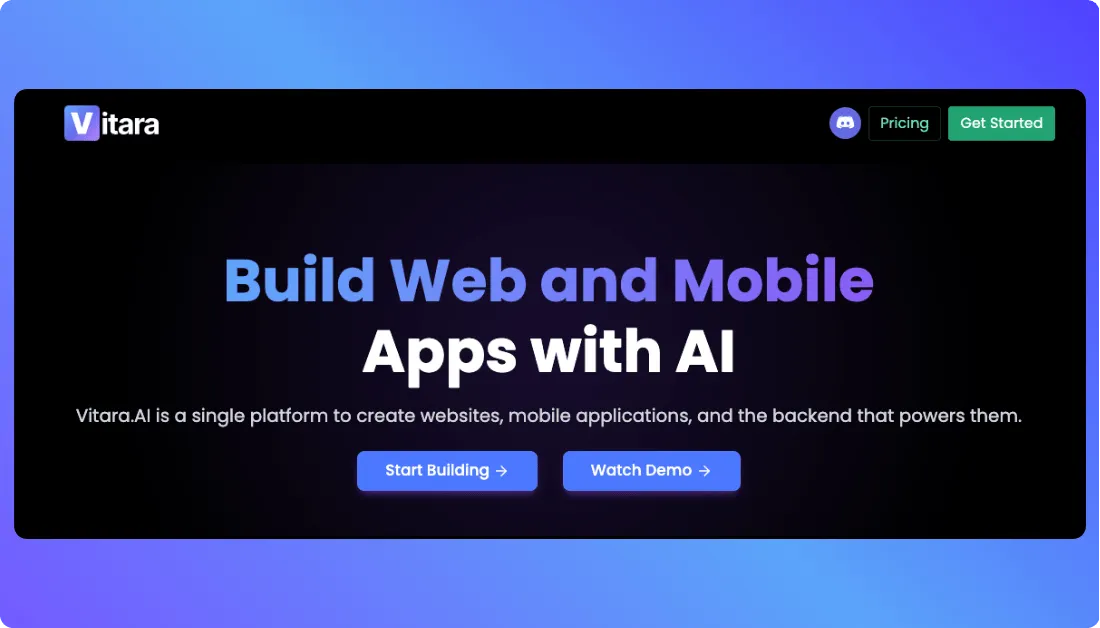
Vitara.ai is the strongest fit on this list when a manufacturing website needs to do more than present information.
You can describe the site in plain English and use AI to generate a working application instead of stopping at a static page layout.
That matters when the sales process is more complicated.
A precision machining company, for example, may want product-family pages, material and tolerance fields, certification information, and an RFQ form that stores enquiries in a database.
A standard builder can create the pages.
Vitara gives you more room to build the workflow behind them.
Its platform supports React-based frontend development, Supabase-backed applications, GitHub workflows, code editing, and source-code download on paid plans. That gives technical teams a path to keep customizing the project after the first AI-generated version.
It can also help if the site later expands into customer portals, dealer tools, dashboards, or other app-like functionality.
Key Manufacturing Features
- Prompt-based website and web app creation
- Custom RFQ and enquiry workflows
- Database-backed product structures
- React-based frontend development
- GitHub integration and code control
- Code editing, download, and custom domains on paid plans
Pricing
- Starter: Free with limited credits
- Build: $20/month with 100 monthly credits
- Scale: $50/month with 250 monthly credits
Vitara’s Build plan currently includes code editing, source-code downloading, and custom-domain support.
The trade-off is simplicity.
If you only need five polished pages and a contact form, Wix or Hostinger may feel easier.
Vitara makes more sense when you expect the site to become more custom over time.
Verdict: Best for manufacturers that want AI speed now without giving up custom RFQ, catalog, portal, or backend functionality later.
Create quote forms, product databases, enquiry flows, dashboards, and custom manufacturing workflows with full-stack AI development.
Build with Vitara.ai →
Best No-Code AI Website Builders for Manufacturers
If your priority is launching a professional manufacturing site quickly without managing code, these two are easier places to start.
2. Wix AI
⭐Best for
Small and midsize manufacturers that want a polished no-code website with easy editing and built-in business tools.
Wix AI makes sense when the website is mainly there to explain the business and capture leads.
You can start with a prompt, let Wix generate the first version, and then use its drag-and-drop editor to refine pages, content, images, and layout.
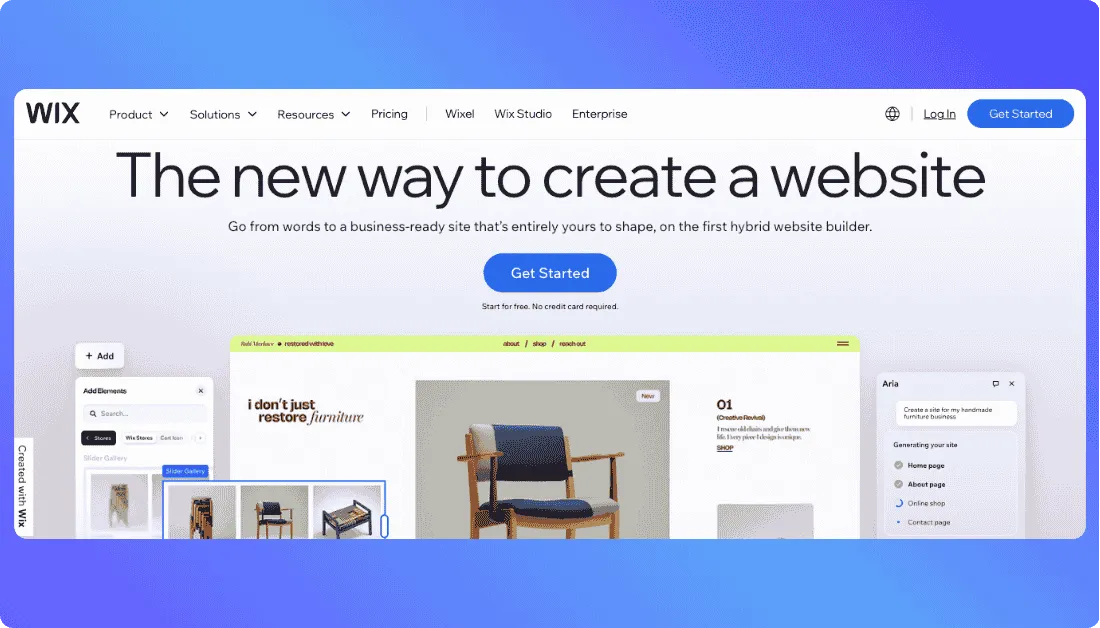
That works well for capability pages, equipment galleries, product sections, case studies, certification pages, and standard enquiry forms.
Wix also keeps hosting, SEO, marketing tools, ecommerce, and other business features inside one ecosystem. Its current pricing includes a free tier, while paid plans add more storage and business functionality.
For a fabrication shop or regional equipment manufacturer, that may be enough.
You can also organize downloadable brochures, certification documents, and trust-building case studies around the same visual system.
The site can have separate pages for processes, industries served, quality standards, and completed projects without needing a developer for every update.
That is useful when marketing teams need to keep technical content current without rebuilding the site.
If you are comparing other options
our guide to Wix alternatives shows where it fits.
Key Manufacturing Features
- AI-generated site structure
- Drag-and-drop editing
- Product and capability pages
- Forms and lead capture
- Built-in SEO tools
- Hosting and business features
Pricing
- Free plan available
- Paid pricing varies by market and plan
The limitation appears when the manufacturer needs highly customized business logic.
Verdict: Best for manufacturers that want an easy-to-manage website without a complex custom backend.
3. Hostinger AI Website Builder
⭐Best for
Smaller manufacturers that want an affordable all-in-one AI website builder with hosting included.
Hostinger is appealing when budget and speed matter more than deep design control.
You describe the website, let AI create the first version, and then refine it with AI or drag-and-drop editing.
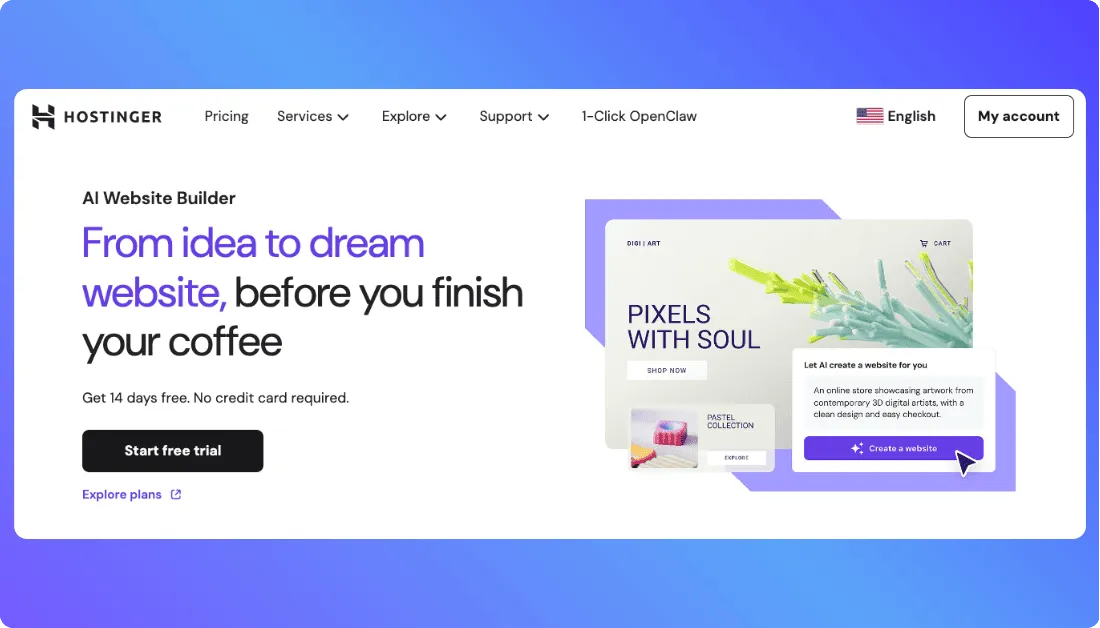
For a small manufacturer, that can cover capability pages, product sections, contact forms, blogs, and basic ecommerce.
Hostinger also bundles hosting, domain support, email, SEO tools, templates, and marketing features. Its current US promotional pricing starts at $2.99 per month for Premium, with higher tiers adding more AI credits and business functionality.
Its AI Builder now supports both websites and web apps.
Paid plans also allow code download and third-party API integration, which gives businesses more flexibility than a fully closed template builder.
Still, manufacturers planning a complex RFQ engine, customer portal, or heavily customized product database should compare more development-oriented options.
For more context
see our guide to Hostinger Horizons and Hostinger Horizons pricing.
Key Manufacturing Features
- Prompt-based site creation
- Drag-and-drop editing
- Forms and ecommerce
- Built-in hosting and SEO
- Code download on paid plans
- Third-party API integration
Pricing
- Premium: From $2.99/month promotional
- Unlimited: From $3.99/month promotional
- Cloud Startup: From $7.99/month promotional
Long-term promotional rates renew at higher prices.
Verdict: Best for smaller manufacturers that want an affordable, all-in-one site without needing a heavily customized workflow.
Best AI Website Builder for Technical and Design-Heavy Manufacturing Sites
Some manufacturing websites need dozens of capability, product, application, and resource pages.
That is where stronger design and content-management control starts to matter.
4. Webflow AI
⭐Best for
Manufacturing marketing teams that need strong design control, structured technical content, and room to manage a larger website.
Webflow AI is a good fit when your manufacturing website is becoming a serious content platform rather than a simple company brochure.
You can describe the website you want, and its AI site builder can generate the initial structure, content, and visual theme.
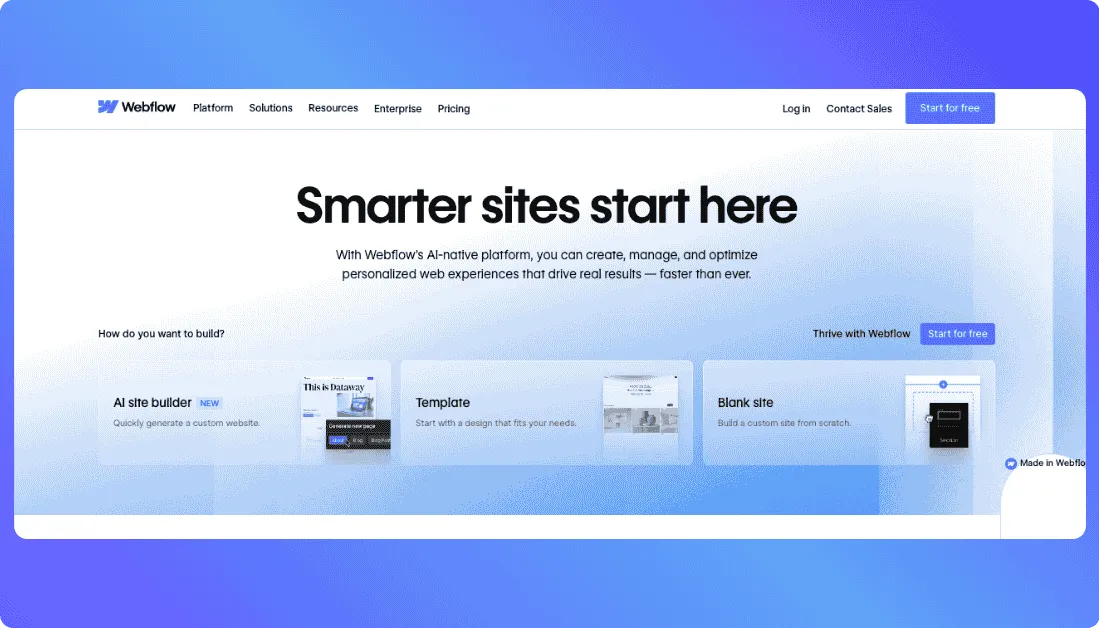
On qualifying paid plans, Webflow AI can initially generate up to five pages, and you can add more after the site is created.
That works well for manufacturers that need separate pages for processes, products, industries, equipment, certifications, and technical resources.
The bigger advantage is what happens after those first pages are generated.
Webflow gives teams more detailed control over layouts, reusable components, CMS content, forms, SEO, and custom code than many beginner-focused website builders.
A manufacturer with 50 product families, for example, could use CMS collections instead of manually designing a separate layout for every product.
The same structure could work for case studies, industry pages, equipment listings, or technical resources.
Webflow AI can also help generate CMS items, page copy, code components, and SEO or AEO recommendations depending on the plan.
That makes it useful when marketing teams expect the site to keep growing.
If Webflow is already on your shortlist
our breakdown of Webflow pricing explains its cost structure, while these Webflow alternatives show how it compares with other platforms.
Key Manufacturing Features
- AI-generated multi-page website structure
- CMS for products, case studies, and resources
- Detailed visual design control
- Forms and file-upload support on qualifying plans
- Custom code and reusable components
- Built-in SEO and AI-assisted AEO tools
Pricing
- Starter: Free
- Basic Site plan: $15/month when billed yearly
- Premium Site plan: $25/month when billed yearly
- Higher Team and Enterprise plans are available
Webflow’s current pricing separates Site and Workspace features, so manufacturers should check both before choosing a plan.
The trade-off is the learning curve.
Webflow gives you more control, but someone who only wants to edit a few pages may find Wix or Hostinger easier.
Verdict: Best for manufacturers that need a design-heavy, content-rich website with strong control over technical pages and long-term content management.
Best AI Website Builder for Source-Code Control
Not every manufacturer wants its website permanently tied to one hosted platform.
If exporting and self-hosting the finished site matters, Mobirise takes a different approach.
5. Mobirise AI
⭐Best for
Manufacturers that want AI-assisted website creation with the option to export and host the source code themselves.
Mobirise is especially relevant here because it has a manufacturing-specific AI website workflow.
Its manufacturing guidance recommends sections for products, services, quality assurance, case studies, testimonials, resources, and contact information.
That is much closer to what an industrial buyer expects than a generic five-page small-business template.
You can start with an AI-generated design, adjust the content and layout, and then either publish through Mobirise or export the complete source code.
For a manufacturer with an internal IT team or preferred hosting provider, that flexibility can matter.
The exported site can also be edited further with custom scripts and CSS instead of keeping every future change inside the original builder.
Its manufacturing templates already account for product showcases, specifications, case studies, quality information, and inquiry forms.
That makes Mobirise particularly useful for brochure-style industrial websites where ownership matters more than complex application logic.
Key Manufacturing Features
- Manufacturing-specific AI website generation
- Product showcase sections
- Technical and resource pages
- Standard enquiry forms
- Full source-code export
- Self-hosting and custom-domain options
Pricing
- Base: $199
- Grow: $249
- Both currently include AI generations, premium themes and extensions, site export, and custom-domain support at different usage levels.
Mobirise is less compelling when the website needs a complex database, custom RFQ engine, customer portal, or deeply connected backend workflow.
That is where a full-stack builder becomes more practical.
Verdict: Best for manufacturers that want a straightforward AI-generated website while keeping strong control over the exported code and hosting.
Which AI Website Builder Fits Your Manufacturing Workflow?
The “best” manufacturing company website builder depends less on the homepage it generates and more on what you need the website to do after launch.
Here is the simpler way to choose.
| Your Situation | Go With | Why |
|---|---|---|
| Need custom RFQs, databases, portals, or backend workflows | Vitara.ai | Gives you more flexibility to build beyond a standard marketing site |
| Want an easy no-code manufacturing website | Wix AI | Simple editing with built-in business and marketing tools |
| Need a budget-friendly all-in-one option | Hostinger AI | Combines AI website creation, hosting, and essential website tools |
| Have lots of technical and marketing content | Webflow AI | Strong CMS, design control, and structured content management |
| Want to export and self-host your website | Mobirise AI | Provides complete source-code export and flexible hosting options |
For a small manufacturer that mainly needs credibility and lead generation, Wix or Hostinger may be enough.
Webflow makes more sense when technical content and design requirements start growing.
Mobirise is attractive when ownership and self-hosting are priorities.
Vitara stands out when the website itself needs to become part of the manufacturing sales workflow rather than simply describing it.
What Should an AI Manufacturing Website Builder Be Able to Create?
A manufacturing website has to answer more questions than a typical small-business site.
Buyers want to know what you make, what processes you support, and whether you can handle their requirements.
These are the areas I would check first.
Product and Capability Pages
Your builder should make it easy to create separate pages for products, equipment, processes, materials, and industries served.
A CNC machining company, for example, may need pages for milling, turning, prototyping, supported materials, tolerances, and production capacity.
Those pages help buyers understand whether you are a realistic fit before submitting an RFQ.
Product Catalogs and Technical Specifications
Industrial buyers often need more than product images.
Your website may need specification tables, downloadable PDFs, datasheets, technical drawings, model numbers, or searchable product categories.
If your catalog is large, look for CMS, database, or structured-content support rather than manually building every product page.
Manufacturers with catalog-heavy requirements can also look at how AI ecommerce website builders manage structured product information.
Request-for-Quote Forms
This is one of the biggest differences between a manufacturing website and a normal company site.
An RFQ may need fields for:
- Manufacturing process
- Material
- Quantity
- Dimensions or specifications
- Required delivery date
- Project details
For sensitive files such as CAD drawings, manufacturers should also think carefully about access control and data handling.
The principles covered in secure vibe coding become especially important once AI-generated sites start handling business data.
Trust and Compliance Signals
Industrial buyers want proof that you can deliver consistently.
Your manufacturing website builder should make it easy to highlight ISO certifications, quality procedures, industries served, facility information, equipment, and relevant case studies.
Do not bury those details inside an About page.
Make them part of the buying journey.
CRM, API, and Lead Routing
A good RFQ should not simply disappear into someone’s inbox.
As requirements grow, manufacturers may want enquiries routed into a CRM, database, sales workflow, or another internal system.
That is where low-code automation or a full-stack AI builder can become more useful than a basic website editor.
What to Check Before You Commit
Before paying for any AI website builder for manufacturers, run it against your actual requirements.
- Test your real site structure: Ask the AI to create your actual products, capabilities, industries, and certification pages instead of using a generic “manufacturing company” prompt.
- Test the RFQ before the homepage: A beautiful design does not help much if buyers cannot submit the information your sales team needs.
- Check technical content management: Make sure your team can update products, specifications, PDFs, certifications, and case studies without rebuilding pages.
- Understand ownership and lock-in: Check source-code access, export options, hosting restrictions, custom domains, APIs, and integration flexibility.
- Calculate the real cost: Look beyond the entry subscription. AI credits, extra users, hosting, integrations, and custom development can change the final cost.
The cheapest builder is not always the cheapest system to maintain.
Go beyond static pages with custom catalogs, RFQ logic, backend workflows, portals, and source code you can edit or download.
Try Vitara.ai Free →
Final Takeaway
There is no single best website builder for every manufacturing company.
Vitara.ai makes the most sense when you expect the site to grow into custom RFQs, databases, portals, or connected workflows.
Wix AI is easier for manufacturers that mainly need a polished no-code marketing site.
Hostinger is attractive when affordability and an all-in-one setup matter most.
Webflow works well for content-heavy industrial websites, while Mobirise is worth considering when source-code export and self-hosting are priorities.
The key is to look past the first AI-generated homepage.
Choose the builder that can still support your manufacturing sales process after the website starts getting real enquiries.
Frequently Asked Questions
What is the best AI website builder for manufacturing companies?
Vitara.ai is the strongest option for manufacturers that need custom RFQ flows, product databases, integrations, or app-like functionality. Wix and Hostinger are easier for simpler websites, Webflow offers stronger design and content control, while Mobirise suits manufacturers that prioritize source-code export.
Can AI create a manufacturing website with an RFQ form?
Yes. Most modern AI website builders can create forms, but the level of customization varies. Basic builders handle standard enquiry forms, while more flexible platforms can support conditional fields, databases, integrations, and customized RFQ workflows.
What pages should a manufacturing company website include?
Most manufacturing websites should include Home, About, Capabilities, Products, Industries Served, Quality or Certifications, Case Studies, Resources, and Contact or Request a Quote pages.
The exact structure should reflect how buyers evaluate your company.
Can an AI website builder handle product catalogs and technical specifications?
Yes, provided the platform supports structured content, CMS collections, databases, or flexible product pages.
For a small catalog, standard pages may be enough.
Large catalogs with many specifications usually need stronger content-management or database capabilities.
Should manufacturers use an AI website builder or custom development?
Use an AI website builder when you need to launch quickly and your requirements are relatively standard.
Consider a more flexible full-stack approach when the project needs custom quoting, customer portals, CRM or ERP integrations, proprietary workflows, or other functionality beyond a normal marketing website.
What’s New?