7 Best AppSheet Alternatives in 2026: Compared by Use Case, Pricing & Control
Google AppSheet works well for building data-driven business apps, especially when teams already use Google Sheets and Google Workspace. But it does not fit every application or every stage of growth.
Businesses often start looking for AppSheet alternatives when they need:
- More control over app design and user experience
- Native mobile development for iOS and Android
- Flexible databases, APIs, and backend logic
- Source-code access for further development or developer handoff
This shift is happening as the low-code market itself expands. Gartner forecasts the worldwide low-code development technologies market to reach $58.2 billion by 2029, growing at a 14.1% CAGR. Gartner identifies agentic AI and citizen development among the factors driving that growth. This matters because businesses now have more choices than traditional drag-and-drop no-code platforms.
The best AppSheet alternative therefore depends on what a team wants to build. A company creating an internal inventory app has different requirements from a startup building a customer-facing SaaS product or an enterprise connecting applications to Microsoft systems.
This guide compares seven leading Google AppSheet alternatives based on their build approach, data support, mobile capabilities, source-code access, pricing, and the use cases they handle best.

Build full-stack web and mobile applications from prompts with React, Node.js, APIs, authentication, and editable source code.
Start Building with Vitara.ai →
TL;DR: Best AppSheet Alternatives
There is no single AppSheet replacement that works best for every project. The strongest choice depends on whether the priority is full-stack development, spreadsheet-driven apps, enterprise data, portals, native mobile development, or internal tools.
Here are three AppSheet alternatives that stand out for distinctly different requirements:
Vitara.ai: Best for teams that want to build full-stack web and mobile applications with AI while keeping access to editable and downloadable source code. Its Build plan starts at $20/month and includes 100 monthly credits, code editing, code download, and custom-domain support.
Glide: Best for businesses that want to turn existing data into polished internal apps without managing a traditional codebase. Glide’s current Basic plan starts at $25/month, while Plus starts at $50/month for apps shared with teams or public users.
Caspio: Best for database-heavy business applications where data scale, unlimited users, automation, and compliance requirements matter. Its Team plan currently starts at $300/month, or $270/month with annual billing.
Here is how all seven options compare at a glance.
| AppSheet Alternative | Best For | Build Approach | Data / Backend | Mobile Support | Source-Code Export | Starting Paid Price* |
|---|---|---|---|---|---|---|
| Vitara.ai | AI-built full-stack apps with code ownership | Prompt-based AI development | Full-stack backend, database, APIs and authentication | Web + React Native support | Yes | $20/month |
| Glide | Internal tools and data-driven business apps | No-code + AI | Glide data and connected business data sources | Responsive web/mobile apps | No | $25/month |
| Caspio | Data-heavy and compliance-sensitive business apps | Low-code + AI | SQL-based cloud database | Web/mobile-responsive apps | No traditional source-code export | $300/month |
| Softr | Client portals, partner portals and internal tools | No-code + AI | Softr Database + connected data sources | Responsive web apps; PWA options | No | $19/month annually |
| Microsoft Power Apps | Microsoft 365 and Azure organizations | Low-code + AI | Dataverse + enterprise connectors | Mobile business apps | No traditional full-code export | $20/user/month annually |
| FlutterFlow | Native iOS and Android applications | Visual low-code + AI | Firebase, Supabase and APIs | Native iOS & Android | Yes | $39/month |
| Retool | Developer-led internal tools | AI + low-code + custom code | Databases, APIs and Retool Database | Web + native mobile apps | No full application source-code export | $10/builder/month annually |
Pricing checked October 30, 2026. Starting prices do not tell the full cost story because these platforms use different models, including per-user, per-builder, flat subscription, and credit-based pricing.
For context, AppSheet itself starts at $5 per user per month for Starter. Core costs $10 per user per month and is included with most paid Google Workspace plans, while Enterprise Plus costs $20 per user per month. This means switching platforms is not automatically cheaper. The better reason to consider an alternative is usually a mismatch in app design, deployment, data architecture, development control, or scaling model.
If you are specifically comparing platforms for internal business software rather than customer-facing products,
this Retool review provides another useful look at dashboards, admin panels, databases, APIs, permissions, and operational workflows.
Why People Look for AppSheet Alternatives
Businesses usually look for AppSheet alternatives when their applications need more design freedom, a different pricing model, deeper development control, or capabilities beyond data-driven business workflows.
AppSheet remains a practical choice for many Google Workspace users. It connects with Google Sheets, Forms, Drive, databases, and other business systems while allowing teams to create apps without traditional coding. However, requirements often change as an application gains more users, more complex workflows, or a broader customer-facing role.
1. They Need More UI and Design Control
AppSheet provides themes, branding options, dashboards, forms, tables, maps, and other standard views. These tools work well for operational applications such as inspection forms, inventory trackers, and field-service apps.
The limitations become more noticeable when a business needs a highly customized interface. For example, a customer-facing application may require unique navigation, detailed responsive layouts, animations, or a design that closely follows an existing brand system.
This is also a practical concern among AppSheet users. In a 2026 Reddit discussion about replacing AppSheet, one user described the interface as dated and clunky despite using custom navigation icons. Other users have raised similar concerns around modernizing the visual experience.
For teams that still want a visual builder but need more flexibility than spreadsheet-first tools typically provide,
this guide to Bubble alternatives compares several platforms with different approaches to UI control, backend logic, and code ownership.
2. Per-User Pricing Can Become Important at Scale
AppSheet uses a user-based pricing model for most private applications. Starter costs $5 per user per month, Core costs $10 per user per month, and Enterprise Plus costs $20 per user per month. Core is also included with many paid Google Workspace plans.
This model can remain affordable for small internal teams. However, costs require closer attention when an application expands across hundreds of employees, contractors, customers, or other external users.
Google also counts signed-in and guest or external users for licensing purposes. As a result, businesses comparing an AppSheet replacement should evaluate total deployment cost rather than comparing only entry-level subscription prices.
3. Their Applications Need More Than Spreadsheet-Style Workflows
Many AppSheet projects begin with spreadsheets, forms, or simple business databases. Over time, some applications need custom APIs, complex backend logic, advanced authentication, or deeper control over how data moves between systems.
At that point, teams may prefer a low-code app builder or AI development platform that provides more control over the application architecture.
For example, a company building a customer-facing SaaS product may need its own frontend, backend, database, authentication system, and API layer. That requirement differs significantly from building an internal approval or inventory app.
If you want to compare this approach with other prompt-driven development tools,
this guide to vibe coding tools covers platforms that use AI to generate applications while offering different levels of developer control.
4. They Want Native Mobile Apps or Source-Code Control
Some businesses also need applications that can move beyond a closed no-code environment.
A team may want to publish a native iOS or Android app, connect development to GitHub, edit the underlying code, or let developers continue building the product outside the original platform.
Source-code access also affects long-term flexibility. It allows development teams to modify the application architecture, add custom integrations, and reduce dependence on a single app-building platform.
These requirements do not make AppSheet a poor choice. They simply indicate that a different Google AppSheet alternative may fit better when the project moves from a no-code business workflow toward a more customized software product.
7 Best AppSheet Alternatives in 2026
The best AppSheet alternatives solve different problems. Some provide a simpler way to turn spreadsheets into business apps, while others give teams more control over code, databases, APIs, and mobile deployment.
We compared each platform using the same criteria: build experience, data and backend support, customization, deployment options, source-code access, and pricing. This makes it easier to see where each alternative improves on AppSheet and where AppSheet may still be the better fit.
1. Vitara.ai — Best for AI-Powered Full-Stack Apps With Code Ownership
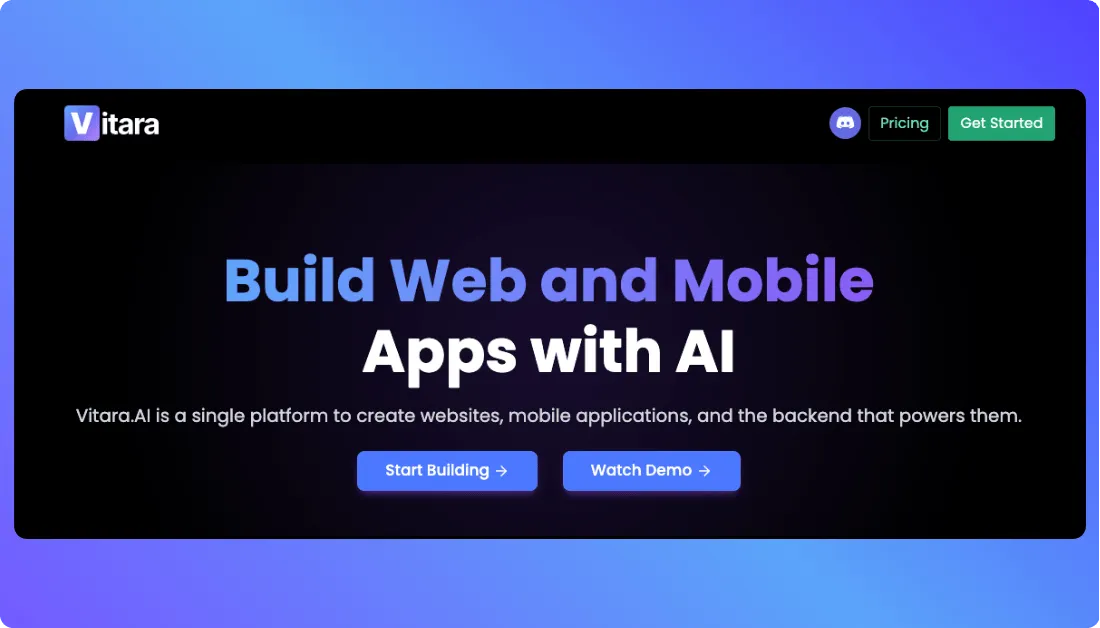
Vitara.ai is an AI app builder designed for teams that want to create full-stack applications from natural-language prompts while retaining access to the generated code.
Instead of starting with a spreadsheet and configuring views around it, teams can describe the application they want to build. Vitara generates the frontend, backend, database-related functionality, and application logic needed to turn that description into working software.
The platform uses React for web frontends and Node.js for backend development, with support for React Native when mobile development is required. Paid users can also edit and download generated source code and continue development through GitHub or another development environment.
This makes Vitara different from a traditional no-code app builder. It is better suited to projects that may start with AI-assisted development but later need developers to modify the architecture, add custom integrations, or continue development outside the original platform.
Why Vitara.ai Is a Strong AppSheet Alternative
Vitara.ai is a stronger AppSheet alternative when code ownership and full-stack flexibility matter more than tight integration with spreadsheet-based workflows.
For example, a startup building a customer portal may need authentication, a database, API connections, custom business logic, and a branded frontend. Vitara can generate these parts as one application while giving the team access to the underlying code.
AppSheet still makes more sense for a simple Google Workspace workflow, such as an inspection form connected to Google Sheets. Using a full-stack AI builder for that type of app may add unnecessary complexity.
Pros
- Builds full-stack applications from natural-language prompts.
- Provides editable and downloadable source code on paid plans.
- Supports React, Node.js, and React Native development.
- Works with GitHub, making developer handoff and version control easier.
- Supports custom domains and integrated deployment.
Cons
- Has a smaller ecosystem than mature platforms such as AppSheet or Microsoft Power Apps.
- Credit limits can affect teams that make frequent AI-generated changes.
- May provide more development flexibility than a simple spreadsheet-based internal app requires.
Vitara.ai Pricing
Vitara.ai offers a free plan with limited usage for testing the platform.
- Starter: Free with limited usage
- Build: $20/month with 100 monthly credits
- Scale: $50/month with 250 monthly credits
- Custom: Custom pricing for higher requirements
The Build plan includes code editing, source-code download, and custom-domain support. Since the plans use credits, teams should compare expected AI usage as well as the monthly subscription price.
What Users Have to Say About Vitara.ai
Vitara.ai does not yet have the same volume of established third-party reviews as older AppSheet competitors such as Glide or Caspio.
That makes hands-on evaluation especially important. Teams considering Vitara.ai should use the free plan to test a representative workflow, inspect the generated code, and confirm that its development model fits the project before relying only on first-party product claims.
Generate frontend, backend, database logic, and APIs with AI, then edit the source, connect GitHub, or hand the project to developers.
Build with Vitara.ai →
2. Glide — Best for Spreadsheet-Driven Internal Business Apps
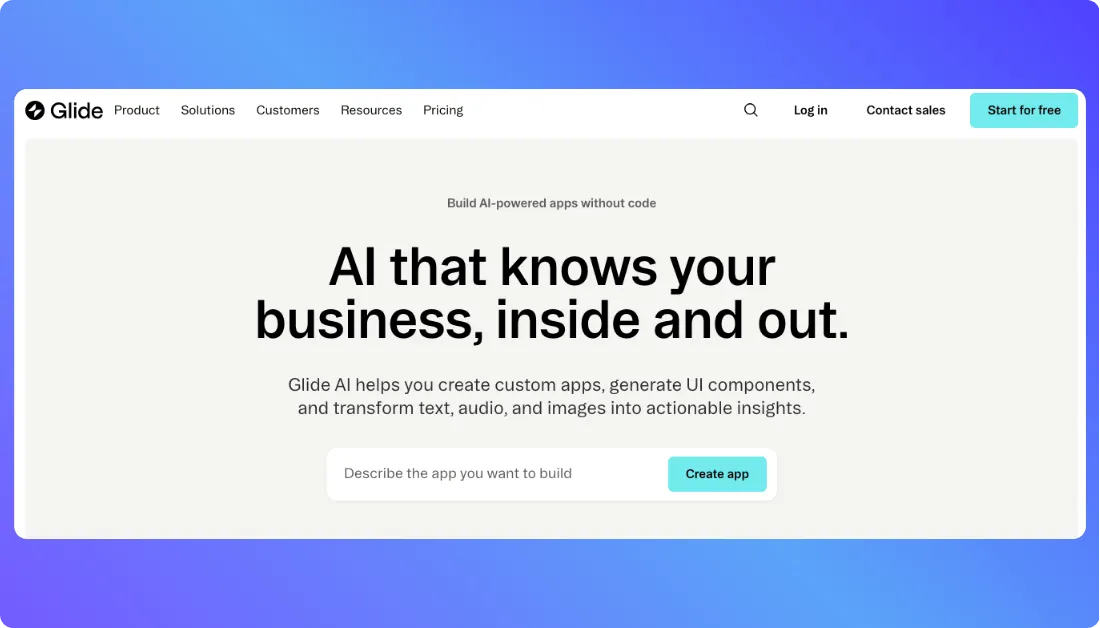
Glide is a no-code and AI-powered business app platform that turns spreadsheets and other business data into responsive applications.
Its strongest use case overlaps directly with AppSheet: operational applications built around existing data. Businesses can connect sources such as Google Sheets, Excel, Airtable, Glide Tables, and supported SQL databases instead of rebuilding their data model from scratch.
Glide says teams at 100,000+ businesses use its platform. The company now positions Glide around turning spreadsheets into apps and AI agents for business operations, which makes it particularly relevant for teams considering an AppSheet replacement.
For example, a company running inventory in Excel can use that existing data to build an inventory app that employees access from desktop or mobile devices. Changes can then sync between the application and its connected data source.
For a closer look at how Glide handles spreadsheets,
AI features, publishing, pricing, and business workflows, read the complete Glide review.
Why Glide Is a Strong AppSheet Alternative
Glide stands out when a business wants the convenience of a data-driven Google Sheets app builder but places greater emphasis on visual presentation and a simpler app-building experience.
It also supports Glide Tables and Big Tables alongside external sources. Glide says its Enterprise Big Tables can support up to 10 million rows, giving larger applications a path beyond standard spreadsheet storage.
However, external data has its own usage considerations. Syncing Google Sheets, Airtable, Excel, APIs, and some third-party services can consume Glide Updates, so businesses should estimate update activity when comparing plans.
Pros
- Connects directly with Google Sheets, Excel, Airtable, and other business data.
- Provides polished responsive interfaces for desktop and mobile users.
- Supports workflows, integrations, AI features, and role-based access.
- Offers built-in tables for teams that want to move beyond spreadsheets.
- Fits internal tools, inventory systems, portals, field apps, and dashboards.
Cons
- Does not provide traditional full application source-code export.
- External data syncing and integrations can consume plan Updates.
- Highly customized logic or unconventional interfaces may exceed the flexibility of a no-code platform.
Glide Pricing
Glide updated its pricing structure in September 2026.
- Free: For exploring the platform; no published apps
- Basic: $25/month
- Plus: Starts at $50/month
- Pro: Starts at $125/month
- Enterprise: Custom pricing
Plus is the more relevant starting point for many business applications because it supports apps shared with teams or public users. Pro adds unlimited published apps and workflows, premium integrations, and stronger organizational controls.
What Users Have to Say About Glide
Glide currently holds a 4.7/5 rating from more than 800 reviews on G2 in the drag-and-drop app builder category. Recent review summaries commonly highlight its easy setup and data-entry experience.
This feedback supports Glide’s main advantage over AppSheet: businesses can still build around existing data without giving up an approachable visual experience. Its main trade-off is that teams remain within Glide’s platform rather than receiving a portable application codebase.
Still comparing Glide with tools that provide more control over workflows,
code, or backend development? Explore these Glide alternatives before choosing a platform.
3. Caspio — Best for Data-Heavy and Compliance-Sensitive Business Apps
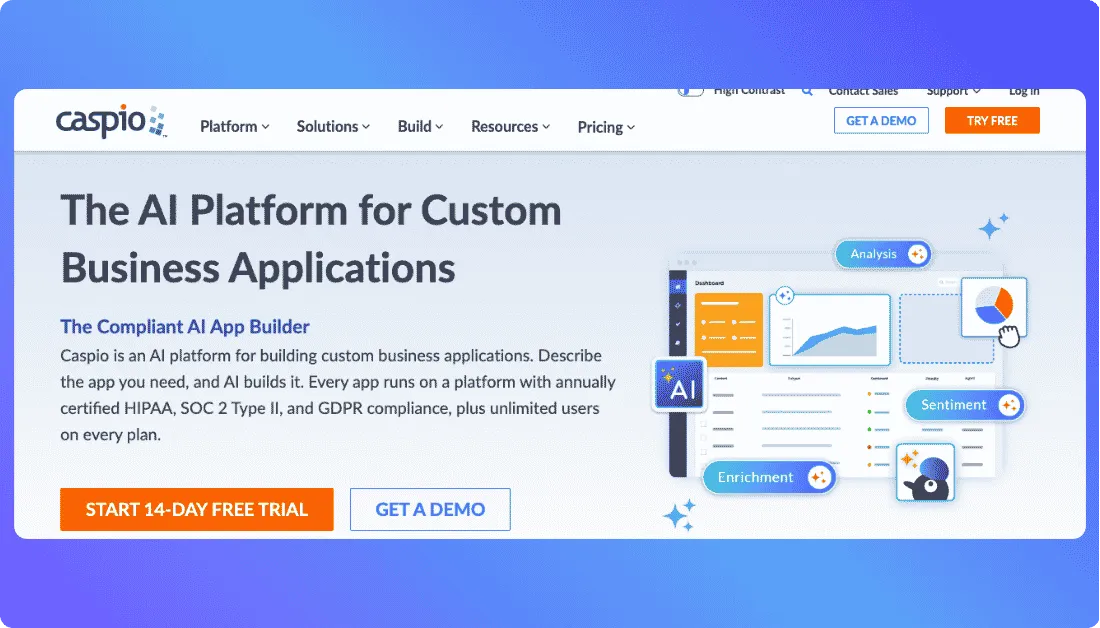
Caspio is a low-code and AI application platform built around a SQL Server data core. It suits organizations that need structured databases, role-based access, automation, and stronger governance than a spreadsheet-centered app may provide.
Caspio says 15,000+ organizations across more than 150 countries use its platform. Every plan includes unlimited users, while its infrastructure supports HIPAA, SOC 2 Type II, and GDPR requirements. These capabilities make Caspio particularly relevant for healthcare, government, financial services, and other data-sensitive applications.
Why Caspio Is a Strong AppSheet Alternative
Caspio is a stronger AppSheet alternative when the application depends on large relational datasets, detailed permissions, auditability, or many end users.
For example, a healthcare organization can build a patient portal with role- and record-level access while keeping the application and data on the same governed platform. AppSheet may remain simpler for lightweight workflows already centered on Google Workspace.
Pros
- SQL-based data core with role- and record-level security
- Unlimited users on every plan
- HIPAA, SOC 2 Type II, and GDPR compliance support
- REST API, webhooks, Zapier, Make, and n8n integrations
- AI-assisted app building and workflow capabilities
Cons
- Higher starting price than most AppSheet competitors
- Advanced database workflows can require more setup
- Frontend customization may take additional work for highly polished interfaces
Caspio Pricing
Caspio plans start at $300 per month and include unlimited users, AI capabilities, and 24/7 support. The platform does not offer a permanent free plan, but businesses can use a 14-day free trial before purchasing.
What Users Have to Say About Caspio
Caspio currently has a 4.5/5 rating from 175 reviews on G2. User feedback often values its database depth and support, while some reviewers note that advanced workflows and frontend formatting can require a learning period.
4. Softr — Best for Client Portals and Business Apps
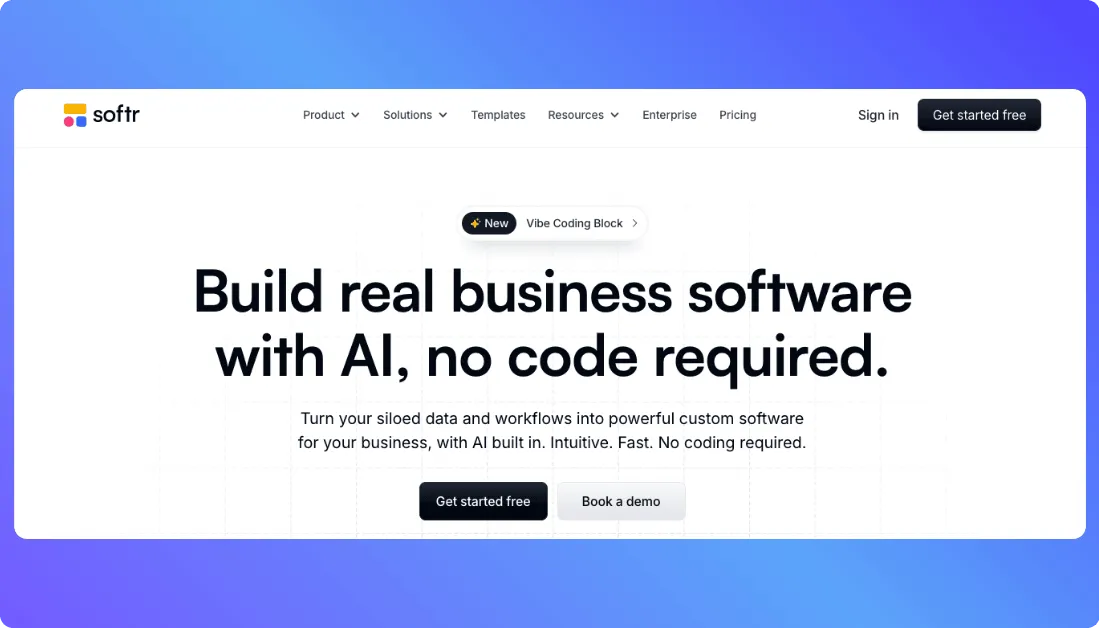
Softr is an AI-powered no-code platform for building client portals, internal tools, CRMs, inventory systems, and other business applications.
Its AI Co-Builder can generate an app, database, and business logic from a written description. Teams can then continue editing the application visually without maintaining generated source code. Softr reports more than 1 million builders worldwide, showing its broad adoption among business users who want to create software without traditional development.
Why Softr Is a Strong AppSheet Alternative
Softr fits businesses that need a more polished client or partner portal while keeping the building process accessible to non-developers.
For example, a service company can create a portal where clients sign in, view their own records, submit requests, and access documents based on assigned permissions. This type of external-facing experience is one of Softr’s strongest use cases.
If Softr is one of your top AppSheet replacements,
this detailed Softr review covers its portal-building workflow, data sources, AI features, pricing, and limitations.
Pros
- Builds apps from prompts with AI Co-Builder
- Supports portals, internal tools, CRMs, and operational apps
- Includes databases, workflows, forms, and user permissions
- Allows teams to continue editing visually after AI generation
- Supports multiple business data sources and integrations
Cons
- Does not provide full application source-code export
- Native app development is not its primary focus
- Advanced governance and usage capacity require higher plans
Softr Pricing
With annual billing, Softr currently offers:
- Free: $0
- Basic: $19/month
- Pro: $99/month
- Business: $329/month
- Enterprise: Custom pricing
All plans include unlimited apps, databases, workflows, forms, and building blocks. Higher tiers mainly increase usage limits, governance controls, and advanced capabilities.
Still comparing Softr plans before deciding whether it fits your AppSheet replacement strategy?
Read the complete breakdown here: Softr Pricing Explained.
What Users Have to Say About Softr
Softr has a 4.7/5 rating from 749 reviews on G2. Recent verified reviews frequently mention ease of setup and usability, which supports Softr’s positioning as an accessible alternative for teams that do not want to manage application code.
If Softr’s portal-first workflow is close to your needs but you want more backend flexibility,
code control, or scalability, compare these Softr alternatives.
5. Microsoft Power Apps — Best for Microsoft 365 and Azure Organizations
Microsoft Power Apps is a low-code platform for building business applications connected to Microsoft 365, Dataverse, Dynamics 365, SQL Server, and other cloud or on-premises systems.
Power Apps supports canvas and model-driven apps, while Copilot can create an app and its data model from natural-language instructions. Canvas apps can connect to more than 200 data sources, making the platform useful when business information already sits across Microsoft and third-party systems.
Why Microsoft Power Apps Is a Strong AppSheet Alternative
Power Apps is one of the strongest Google AppSheet alternatives for organizations already using Microsoft 365, SharePoint, Teams, Azure, or Dataverse.
For example, a company can build an approval app that reads employee data from SharePoint, stores structured records in Dataverse, and triggers workflows through Power Automate. This reduces the need to move data into a separate ecosystem.
Power Apps also supports mobile business applications. Microsoft now offers both the Power Apps mobile player and standalone branded native apps, although its newer native-app experience is still in preview.
Pros
- Deep integration with Microsoft 365, Azure, Dataverse, and Power Automate
- Supports more than 200 data sources for canvas apps
- Includes AI-assisted app and data-model generation
- Provides enterprise security, governance, and custom connectors
- Supports browser, tablet, and mobile business apps
Cons
- Licensing can become difficult to understand as apps use premium connectors and multiple services
- Large or complex apps may require more technical knowledge
- Less suitable when teams want a portable application codebase
Microsoft Power Apps Pricing
The Power Apps Developer Plan is free for development and testing, but it does not provide production licensing.
Power Apps Premium costs $20 per user per month when paid yearly. Microsoft also offers a $12 per-user rate for organizations purchasing at least 2,000 licenses.
What Users Have to Say About Microsoft Power Apps
Power Apps has a 4.3/5 rating from 569 reviews on G2. Reviewers frequently value its Microsoft integrations and ability to build internal applications quickly. Common concerns include licensing complexity and slower performance with large or complex datasets.
6. FlutterFlow — Best for Native Mobile Apps With Source-Code Export
FlutterFlow is a visual low-code app builder for creating mobile, web, and desktop applications with Flutter.
The platform combines drag-and-drop development with custom Dart code, APIs, Firebase, and Supabase integrations. FlutterFlow says more than 3.3 million users now build with the platform, showing its growing adoption among startups, developers, and product teams.
Why FlutterFlow Is a Strong AppSheet Alternative
FlutterFlow is a better AppSheet replacement when native mobile development, detailed UI control, and source-code access are priorities.
Teams can visually build an application and still download the generated Flutter code. For example, a startup can create an iOS and Android MVP in FlutterFlow, publish it to app stores, and later move the exported Flutter project into a traditional development workflow.
That gives development teams more control than platforms where the complete application remains inside the vendor’s environment.
Pros
- Builds mobile, web, and desktop applications
- Supports Firebase, Supabase, and external APIs
- Allows custom Dart code and Flutter widgets
- Provides downloadable Flutter source code
- Supports one-click app-store deployment on paid plans
Cons
- Has a steeper learning curve than simple no-code builders
- Complex application logic may still require coding knowledge
- GitHub collaboration requires a higher plan than Basic
FlutterFlow Pricing
FlutterFlow currently offers:
- Free: $0 for building and testing
- Basic: $39/month
- Growth: $80/month for the first seat
- Business: $150/month for the first seat
- Enterprise: Custom pricing
The Basic plan includes source-code and APK downloads, custom-domain web publishing, and one-click app-store deployment. Growth adds GitHub integration and team collaboration.
What Users Have to Say About FlutterFlow
FlutterFlow holds a 4.5/5 rating from 30 reviews on G2. Users frequently praise its rapid app development, visual interface, and ability to combine low-code development with custom code. Reviewers also mention the learning curve and challenges that can appear as applications become more complex.
7. Retool — Best for Developer-Led Internal Tools
Retool is an AI-powered application platform designed mainly for internal tools, admin panels, operational apps, and workflows that connect to existing databases and APIs.
Its newer AI-native app builder can generate working applications from natural-language prompts. Retool writes React and TypeScript code behind these apps, while developers can inspect and edit the code when deeper customization is required.
Retool also supports native iOS and Android applications for mobile workforces. Teams can connect these apps to existing databases and APIs rather than rebuilding their business data inside a separate spreadsheet system.
Why Retool Is a Strong AppSheet Alternative
Retool is a strong AppSheet alternative when developers need to build internal software around existing databases, APIs, and business systems.
For example, a support team can create an internal console that combines customer records from PostgreSQL, subscription data from Stripe, and support information from other systems. Developers can then add custom logic while administrators control access through permissions and governance tools.
Retool says more than 10,000 teams use its platform. One published customer case reports that DoorDash saved $6 million and more than 36,000 hours by using Retool for internal operations. These examples show why the platform is better suited to complex internal software than simple spreadsheet-driven apps.
If Retool is one of your top choices,
this Lovable vs Retool comparison is useful for understanding the difference between building internal tools around existing systems and generating a new customer-facing application from prompts.
Pros
- Connects directly to databases, APIs, and business systems
- Combines AI generation with visual editing and custom code
- Supports web and native mobile applications
- Provides workflows, permissions, and enterprise governance
- Offers cloud and self-hosted deployment options
Cons
- More technical than Glide, Softr, or AppSheet for non-developers
- Does not provide traditional full application source-code export
- Advanced permissions, source control, and governance require higher plans
Retool Pricing
Retool offers a free plan for up to five users. With annual billing:
- Team: $10/month per builder and $5/month per internal user
- Business: $50/month per builder and $15/month per internal user
- Enterprise: Custom pricing
The separate builder and user charges matter when estimating costs for larger teams.
What Users Have to Say About Retool
Retool currently has a 4.6/5 rating from 360 G2 reviews. Recent reviewers commonly highlight its ability to build applications quickly and connect business data, while its technical flexibility makes it more suitable for teams comfortable working with software concepts.
If you want to compare those approaches more closely,
the Emergent vs Base44 comparison shows how newer AI app builders approach prompt-based application generation, backend development, hosting, and customization.
Create branded customer portals, SaaS products, internal systems, or mobile apps without locking your project inside a closed no-code environment.
Try Vitara.ai Free →
Which AppSheet Alternative Is the Best?
The best AppSheet alternative depends on what the application needs to do.
Vitara.ai is the strongest fit when teams want AI-assisted full-stack development with editable and downloadable source code. Glide suits data-driven internal apps, while Caspio fits database-heavy and compliance-sensitive applications.
Softr works well for client and partner portals. Microsoft Power Apps makes more sense for organizations already using Microsoft 365 and Azure, while FlutterFlow stands out for native mobile development. Retool is better suited to developer-led internal software connected to databases and APIs.
Before replacing AppSheet, teams should rebuild one important workflow in their top two choices. Testing real data, permissions, mobile behavior, integrations, and total cost gives a more reliable answer than comparing feature lists alone.
AppSheet Alternatives: FAQs
What Is the Best AppSheet Alternative?
There is no universal replacement. Vitara.ai is a strong choice for full-stack applications with source-code ownership, while Glide fits spreadsheet-driven internal apps. Caspio suits enterprise databases, FlutterFlow fits native mobile apps, and Retool works well for developer-led internal tools.
The right choice depends on the application's data, users, deployment model, and required level of development control.
What Is the Best Free AppSheet Alternative?
Several AppSheet competitors offer free plans for testing. Retool provides a free plan for up to five users, Softr includes a free plan for small apps, and FlutterFlow allows users to build and test up to two projects at no cost.
However, free plans usually limit publishing, users, AI usage, code export, or production features. AppSheet itself also allows prototypes with up to 10 test users at no cost.
Is Glide Better Than AppSheet?
Glide can be better when a business wants a visually polished internal application connected to spreadsheets or other business data.
AppSheet may still be the better choice for teams deeply integrated with Google Workspace or for operational workflows that already work well within Google's ecosystem. The decision should therefore depend on design requirements, data sources, pricing, and workflow complexity rather than interface quality alone.
Which AppSheet Alternative Is Best for Native Mobile Apps?
FlutterFlow is one of the strongest choices when native iOS and Android development is the main requirement. It creates Flutter applications and supports app-store deployment, APIs, Firebase, Supabase, and custom code.
Its paid plans also allow teams to download the complete Flutter codebase, which provides more development control after the initial application is built.
Which AppSheet Alternatives Let You Export the Source Code?
Vitara.ai and FlutterFlow are the clearest options in this list for teams that want downloadable application code.
Vitara.ai allows paid users to edit and download generated code for its React, Node.js, and React Native development workflow. FlutterFlow allows paid users to download the complete generated Flutter project. This can make both platforms better suited to teams that want developer handoff or greater long-term control over the software.