5 Best Squarespace Alternatives in 2026 for Better Design, Pricing and Flexibility
Looking for a better option than Squarespace for building your website?
Then this is the right place to start.
In this post, I’m listing the 5 best Squarespace alternatives that stand out for flexibility, ease of use, design control, ecommerce features, and overall value.

These platforms solve some of the most common issues people run into with Squarespace, such as:
- The templates look polished, but customization can feel limited once you want more control
- Pricing can start to feel expensive when you compare features across other builders
- Some users outgrow it when they need stronger ecommerce tools or more advanced integrations
- Design changes are not always as flexible as they seem at first, especially for custom layouts
It works well for simple sites, but it may not be the best fit if you want to build faster, scale more easily, or create something beyond a standard website
Let’s get into it.
Side by Side Comparison of the Best Squarespace Alternatives
Before I get into the detailed reviews, let me give you a quick look at my top 3 picks.
These are the platforms that stood out the most when I compared them against Squarespace on the areas that matter most.
- My #1 pick is Vitara → It gives you an AI powered way to build websites, web apps, and full stack products, with code editing, code download, and custom domain support on paid plans.
- My #2 pick is Wix → It offers an easy website builder experience with AI site creation, drag and drop editing, ecommerce tools, and a large template library.
- My #3 pick is Webflow → It is the strongest option for design control, custom layouts, CMS driven websites, and advanced visual building without relying on rigid templates.
| Feature | Vitara ⭐ | Wix | Webflow |
|---|---|---|---|
| Best fit | AI powered website and product building | Easy all around website building | Custom design focused websites |
| Core approach | Prompt based full stack builder | Website builder with AI and drag and drop editing | Visual web design and CMS platform |
| AI website creation | Yes ✅ | Yes ✅ | Limited compared to the other two ⚠️ |
| Design flexibility | High ✅ | Good ⚠️ | Very high ✅ |
| Code access | Edit and download code ✅ | Limited compared to builder first platforms ❌ | More design control, but not positioned the same way as Vitara ✅ |
| Ecommerce support | Growing product builder focus ⚠️ | Yes ✅ | Yes ⚠️ |
| Template driven setup | Less template dependent ✅ | Strong template support ✅ | More custom build focused ⚠️ |
| Free option | Free tier ✅ | Free plan ✅ | Free starter option ✅ |
| Starting price | $20 per month ✅ | Plans start at $17.77 per month ⚠️ | Site plans start at $14 per month ⚠️ |
Now, here is how these three stack up against each other on the features that Squarespace users usually care about most. Vitara is the best fit if you want AI powered flexibility and room to build beyond a standard website. Wix makes the most sense if you want a familiar builder with strong built in business tools. Webflow is the better pick if your top priority is design freedom and custom layout control.
How I Evaluated These Alternatives
To find Squarespace alternatives that are actually worth switching to, I evaluated each platform on:
- How easy it is to build and launch a professional website without wasting time on setup
- How much design freedom it gives once you want to move beyond basic templates
- The strength of its built in tools for SEO, ecommerce, integrations, and day to day site management
- Whether the pricing feels fair for what you actually get at each stage of growth
- How well it supports different goals, whether that means creating a business website, online store, portfolio, or something more custom
I’ll share my honest take on each platform, where it works well, where it feels limited, and which type of user it makes the most sense for compared to Squarespace.
In Depth Review of the 5 Best Squarespace Alternatives
Now, let’s look at each alternative in detail.
I’ve used the same evaluation approach for every platform so it’s easier to compare them side by side.
For each one, I’ll cover who it’s best for, what makes it a stronger option than Squarespace, where it feels limited, and what you can expect to pay.
1. Vitara.ai
⭐ Best For:
Founders, creators, and teams that want to move beyond a basic website builder and create websites, web apps, or even full stack products with AI assistance.
The first Squarespace alternative on my list is Vitara.ai.

If you want a platform that gives you more flexibility than Squarespace and helps you build faster with AI, Vitara is the strongest option I’d look at first. It is built for people who do not want to stay limited to standard templates forever.
What makes Vitara stand out is that it is not trying to be just another drag and drop website builder. It is an AI powered full stack development platform that lets you build websites and mobile apps using natural language prompts. That makes it a very different kind of Squarespace alternative from the start.
If your goal is a simple brochure style website, Squarespace can still do that well. But once you want more control, faster iteration, or a path toward something larger, Vitara starts to make a lot more sense. You can begin with a website idea and grow into something much more custom without switching platforms.
Another big plus is code ownership. Vitara says users can edit and download code, and its pricing page also highlights custom domains and faster AI processing on paid plans. That gives you more freedom than a traditional closed website builder setup where moving beyond the platform can feel restrictive.
I also like that it has a free tier, so you can test the workflow before paying. If you need more room, the paid plans scale up from there instead of forcing a heavy starting cost.
What I liked:
- Built for websites, web apps, and mobile apps, not just simple pages
- AI prompt based workflow makes it faster to go from idea to working project
- Paid plans include code editing and code download
- Supports custom domains on paid plans
- Free tier is available for testing the platform before upgrading
- Better fit than Squarespace for users who may want to build something more scalable later
Where it falls short:
- It is not the best fit for someone who only wants a traditional template based website builder experience
- The platform is more product focused, so beginners looking for a classic website editor may face a learning curve
- Usage is tied to credits and plan limits, so heavy builders will need to watch how much they use
Pricing plans:
- Free: $0 with limited daily and monthly prompt credits
- Build: $20 per month
- Scale: $50 per month
- Custom: Contact sales for tailored requirements
2. Wix
⭐ Best For:
Beginners, small businesses, and creators who want an easy website builder with more flexibility, more built in business tools, and a wider template selection than Squarespace.
The next Squarespace alternative on my list is Wix.
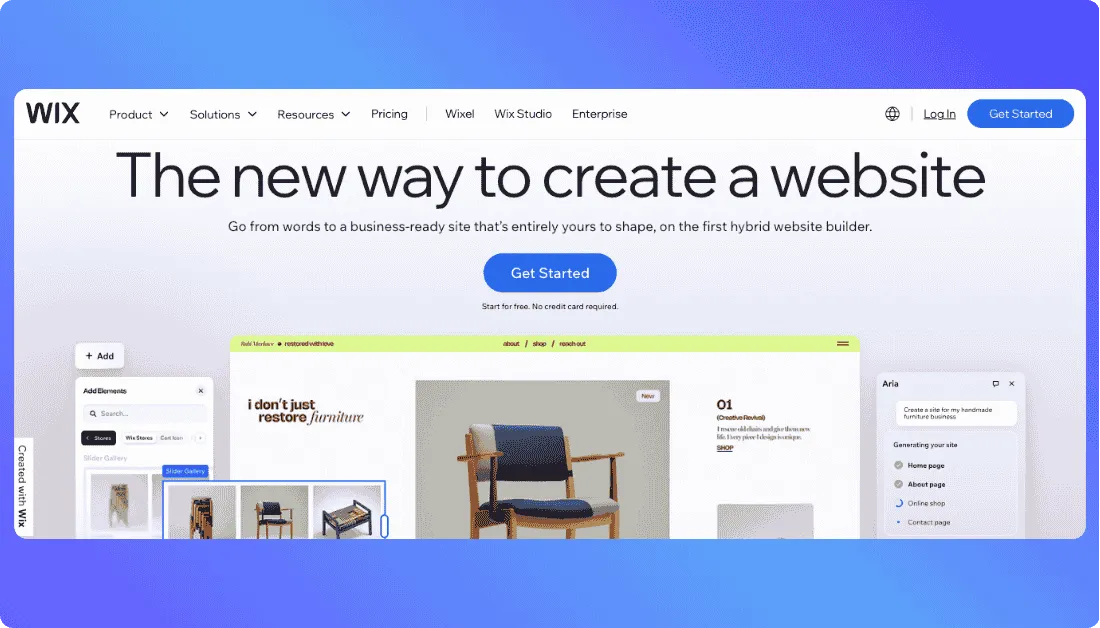
If you want something that feels easier to shape around your needs without leaving the comfort of a website builder, Wix is one of the strongest Squarespace competitors to consider. It gives you AI site creation, drag and drop editing, built in business tools, and a huge template library in one platform.
I found Wix more flexible than Squarespace for users who want more hands on control over layout and design. Wix describes its editor as offering pixel level control on a fluid canvas, and it also gives users an AI website builder if they want to start faster. That mix makes it appealing for people who want ease without feeling boxed in by fixed template structure.
Template choice is another area where Wix stands out. Its site says users can choose from 900 plus templates on the main builder page, while the template library page highlights 2000 plus free website templates. Either way, the main takeaway is clear: there is a lot more variety here than what many people expect from a standard website builder.
Wix also packs in more business tools than many people realize. It includes ecommerce, scheduling, blogging, SEO tools, CRM, analytics, automations, payments, and marketing features inside the same ecosystem. That makes it a practical choice for businesses that want more than just a nice looking website.
The tradeoff is that Wix can start to feel feature heavy. If you only want a clean design first website experience, Squarespace may still feel more polished out of the box. Wix gives you more room to customize, but that also means there is more to manage as your site grows. That is the price of having more flexibility. This last point is my judgment based on Wix’s broader feature set and positioning.
Also Read:
Compare Squarespace with other leading app builders:
Top Wix Alternatives
What I liked:
- AI website builder for faster setup
- Drag and drop editing with pixel level control
- Large template selection across many website types
- Built in ecommerce, scheduling, blog, CRM, analytics, and marketing tools
- Free plan available for testing before upgrading
- Premium plans include a custom domain, hosting, AI creation tools, and support, with a free domain for one year on eligible annual plans
Where it falls short:
- The platform can feel more crowded because it includes so many tools in one dashboard; that is an inference from the breadth of features Wix offers
- People who prefer a more curated and design first builder may find Wix less streamlined; this is a comparative judgment based on product positioning rather than a direct Wix claim
- Pricing climbs as you move into ecommerce and advanced business features
Pricing plans:
- Free: website creation starts free
- Light: $17 per month
- Core: $29 per month
- Business: $39 per month
- Business Elite: $159 per month
3. Webflow
⭐ Best For:
Designers, agencies, and teams that want full control over layout, animations, and responsive design without relying on rigid templates.
The next Squarespace alternative on my list is Webflow.
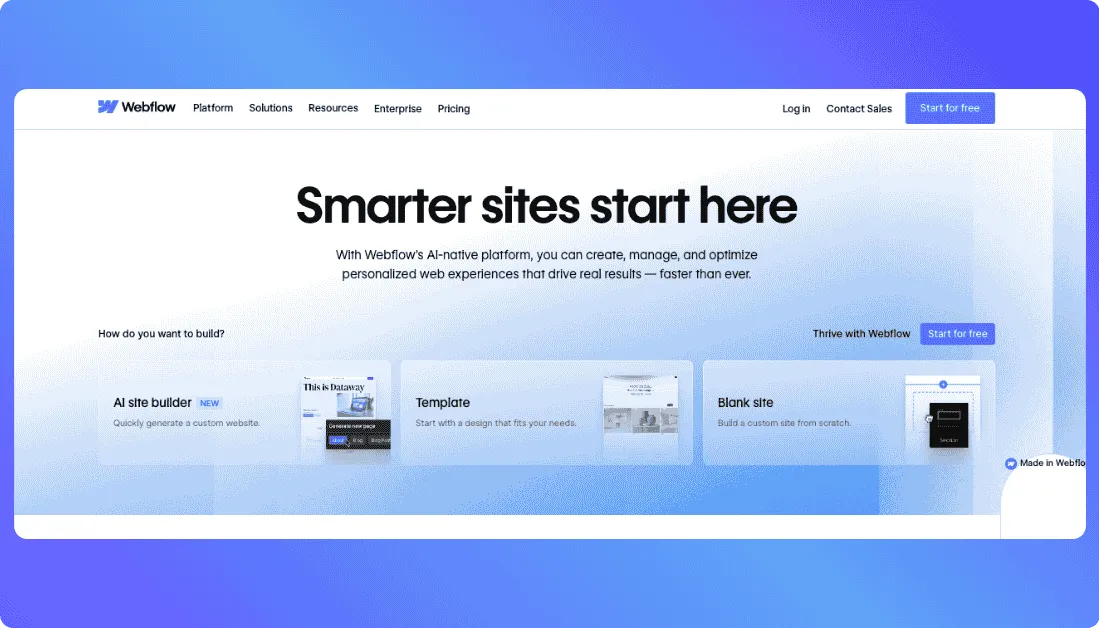
If design flexibility is your top priority, Webflow is easily one of the strongest options available. It is built for people who want to move beyond template based builders and create fully custom websites with precision.
I found Webflow much more powerful than Squarespace when it comes to layout control and responsiveness.
You can design pages exactly the way you want, adjust spacing, structure, and breakpoints manually, and create complex interactions without writing code.
That level of control is hard to match with traditional website builders.
Webflow Designer
Webflow also includes a built in CMS that works well for blogs, landing pages, and dynamic content. You can create custom content structures and reuse them across your site, which makes it easier to manage larger projects.
Another strong point is animations and interactions.
You can add scroll effects, hover animations, and transitions visually. These features are usually not possible in Squarespace without external tools or heavy workarounds.
That said, Webflow is not built for beginners.
The interface feels closer to a design tool than a simple website builder. If you are new to web design, it can take time to understand how everything works. That is the tradeoff for having more control.
Also Read:
Looking for something better than Squarespace? Start here:
Best Webflow Alternatives
What I liked:
- Full design control without being locked into templates
- Advanced animations and interactions built directly into the platform
- Strong CMS for blogs, landing pages, and dynamic content
- Clean, production ready code output behind the scenes
- Great fit for agencies and client projects
Where it falls short:
- Steeper learning curve compared to Squarespace or Wix
- Not ideal for users who want a quick and simple website setup
- Pricing can increase quickly as you scale projects or add CMS features
- Ecommerce features are not as strong as Shopify
Pricing plans (billed annually):
- Free: $0 for learning and basic projects
- Basic: $14 per month
- CMS: $23 per month
- Business: $39 per month
- Ecommerce plans start from $29 per month
4. WordPress
⭐ Best For:
Businesses, bloggers, and growing brands that want deeper customization, stronger content flexibility, and more long term control than Squarespace can offer.
Another strong Squarespace alternative is WordPress.
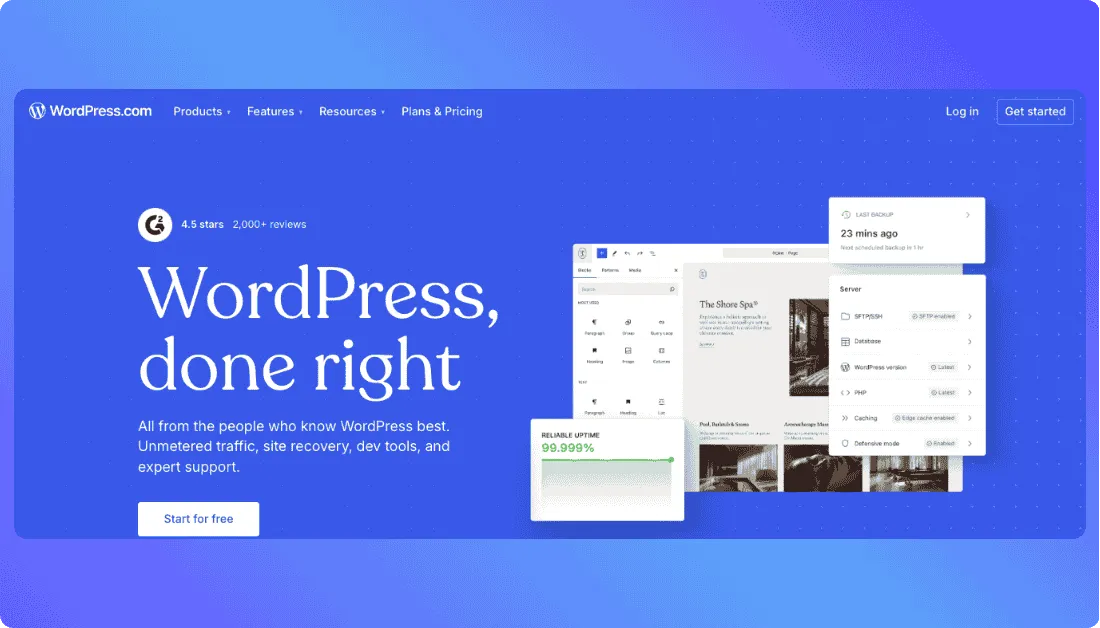
If you want the freedom to shape your site around your exact needs instead of adjusting your needs around a builder, WordPress is one of the best options out there. It gives you far more room to customize your website, expand features, and grow your content over time.
I found WordPress much stronger than Squarespace for users who care about flexibility and scale.
You can start with a simple site and keep adding features as your needs grow. With access to thousands of plugins, you can extend your website in almost any direction. Whether you want advanced SEO tools, booking systems, ecommerce features, memberships, or custom integrations, WordPress makes it possible.
Theme variety is another big advantage.
You are not locked into a limited set of templates. There are thousands of free and premium themes available, which means your site can evolve over time instead of staying tied to one design style. This gives you more creative control compared to Squarespace’s structured template system.
WordPress also works especially well for content heavy websites.
Blogs, guides, multi page business sites, and publishing platforms feel more natural here. If your strategy involves building traffic through content, WordPress gives you the tools and flexibility to scale without hitting platform limits.
The tradeoff is that WordPress is not as simple as Squarespace.
More control means more decisions. You will deal with themes, plugins, settings, and structure. That flexibility is powerful, but it can feel overwhelming if you just want a quick and polished site without much setup.
What I liked:
- Much more flexibility for long term growth
- Huge plugin ecosystem for adding features
- Thousands of themes for design freedom
- Strong fit for blogs and content driven websites
- Can scale from a simple site to a complex platform
Where it falls short:
- Not as beginner friendly as Squarespace
- Setup and customization take more time
- Too many choices can feel overwhelming at first
- Advanced features often require higher plans
Pricing plans:
- Free: $0
- Personal: $4 per month
- Premium: $8 per month
- Business: $25 per month
- Commerce: $45 per month
5. Hostinger
⭐ Best For:
Beginners, small businesses, and budget focused users who want an affordable website builder with AI tools, hosting, and domain features in one place.
Another solid Squarespace alternative is Hostinger.

If your biggest issue with Squarespace is pricing, Hostinger is one of the easiest alternatives to consider. It gives you a simple website builder, AI powered setup tools, hosting, and core business features at a much lower entry point.
I found Hostinger especially useful for people who want to launch quickly without dealing with too many moving parts.
You can start with its AI website builder, generate a site based on your business type, and then customize it with a drag and drop editor. That makes it a practical option for users who want speed and simplicity more than deep design experimentation.
Hostinger also does a good job of keeping everything in one package.
You are not just paying for a builder. You also get hosting, domain support, SSL, and access to AI tools for things like website generation, content help, and basic automation. That bundled approach makes it appealing for small businesses that want a clear and low cost way to get online.
Another plus is ecommerce support on higher plans.
You can sell physical and digital products, manage subscriptions, and track visitors without needing extra tools. That gives Hostinger an edge for users who want to start selling without jumping into a more complex setup.
The tradeoff is that Hostinger does not give the same design freedom as Webflow or the same long term flexibility as WordPress.
It is built more for ease and affordability than for highly custom projects. So if you want a very design driven website or something that may grow into a more advanced product, it can start to feel limited.
What I liked:
- Very affordable compared to Squarespace
- AI website builder speeds up setup
- Hosting, domain, and SSL bundled together
- Simple drag and drop experience for beginners
- Ecommerce support available on higher plans
Where it falls short:
- Less design freedom than Webflow
- Not as scalable or customizable as WordPress
- Better for standard websites than advanced projects
- Some advanced features require higher plans
Pricing plans (billed annually):
- Explorer: $6.99 per month
- Starter: $13.99 per month
- Hobbyist: $39.99 per month
- Hustler: $79.99 per month

Final Verdict: Which Squarespace Alternative Is Right for You?
Those are the 5 best Squarespace alternatives I reviewed and compared for this list.
Each platform here gives you something Squarespace does not do as well. But if I had to pick one that stands out the most overall, it would be Vitara.
Here is why:
- Built for more than simple websites, including web apps and full stack products
- AI powered workflow helps you move from idea to launch much faster
- Offers more flexibility than a traditional template based builder
- Works well for founders, creators, and teams that want room to grow
- Feels like a better long term choice if you do not want to outgrow your platform too quickly
If you want a simple summary, choose Vitara for AI powered building and future flexibility, Wix for ease of use, Webflow for design freedom, WordPress for content and customization, and Hostinger for affordability.
Also Read Other Tools Alternatives
Top Builder.io Alternatives
Best Weweb Alternatives
Best Base44 Alternatives
Frequently Asked Questions
Is Squarespace free?
Squarespace does not offer a permanent free plan. You can try it through a limited free trial, but after that you need a paid subscription. Pricing usually starts around $16 per month when billed annually, depending on the plan and features you choose.
What is the best free alternative to Squarespace?
Wix and WordPress are the most useful free alternatives. Wix offers a free plan with a website builder and hosting, while WordPress gives you a free plan for basic sites and blogging. Vitara also provides a free tier that lets you test AI based website building before upgrading.
Is there an easier alternative to Squarespace?
Yes. Wix and Hostinger are generally easier for beginners. Wix gives you drag and drop flexibility with guided setup, while Hostinger focuses on quick AI powered website creation with fewer steps. Both feel more beginner friendly compared to platforms like Webflow or WordPress.
Why are people switching from Squarespace?
Common reasons include limited design flexibility, higher pricing compared to other builders, and difficulty scaling beyond simple websites. Many users also look for better ecommerce features, more customization, or faster ways to build using AI tools.
Which Squarespace alternative is best for ecommerce?
Wix is a strong choice for small to mid sized ecommerce stores with built in selling tools. Hostinger also supports ecommerce on higher plans for simpler stores. If you need more advanced ecommerce features, Shopify is often considered a stronger ecommerce focused platform.
Can I build more than just a website with these alternatives?
Yes. Vitara stands out here because it allows you to build websites, web apps, and more advanced products using AI. WordPress can also scale into complex platforms with plugins and customization, while Webflow supports advanced website design and CMS driven projects.
Which Squarespace alternative is best for design control?
Webflow offers the highest level of design control. It allows you to create custom layouts, animations, and responsive designs without being limited by templates. It is a better choice than Squarespace if design precision is your top priority.
Can I switch from Squarespace to another platform?
Yes, but the process depends on the platform you choose. You can move content like pages, images, and blog posts, but design and layout usually need to be rebuilt. Some platforms offer import tools, but most migrations still involve some manual work.
What’s New?