Top 5 Wix Alternatives for Building Better Websites in 2026
Wix is a popular website builder for beginners and small businesses.
It lets you build a site, launch a blog, sell products, and manage bookings from one place. Plus, the platform has an easy drag-and-drop editor, a large template library, and plenty of built-in features.
But I reviewed it alongside other website builders. I also studied leading comparison articles and looked closely at the issues people keep running into.

And I kept seeing the same friction points come up:
- Limited template flexibility once your site is live
- Pricing gets expensive as you scale
- Ecommerce tools can feel restrictive for growing stores
- Too many apps can complicate the setup
- Design freedom can feel messy for beginners
- SEO and performance control are limited for advanced users
Wix is not a bad website builder. But depending on your goals, those trade-offs add up.
This guide covers 5 Wix alternatives I’d actually recommend.
Each one is organized by what it does well, where it falls short, and who it fits.
TL;DR: Quick Verdict of Wix Alternatives
If you’re short on time, here are the five Wix alternatives that stood out the most in my research.
| Tool | Best For | Starting Price |
|---|---|---|
| Squarespace | Design first websites, portfolios, and service businesses that want polished templates and built in marketing tools | $16 per month |
| Vitara.ai | Building web apps and full stack products from prompts without manual setup | Free |
| Hostinger Website Builder | Beginners who want a cheaper Wix alternative with AI setup tools and fast launch | ₹249 per month |
| WordPress.com | Blogs, content heavy sites, and businesses that want SEO flexibility and room to grow | Free |
| Webflow | Designers, freelancers, and advanced users who want more visual control than Wix | Free to start |
Why Look for Wix Alternatives?
To be fair, Wix’s all-in-one approach is real. You can build a site, run a blog, take bookings, and even sell products from one dashboard, which is a big reason so many beginners start there.
The platform is also easy to get started with, especially if you want a drag-and-drop builder without dealing with hosting or setup work.
But the friction points I listed above tend to compound over time.
- If you want to redesign your site later, Wix doesn’t let you switch templates on an existing site. You have to create a new site instead. Source: Wix
- If you’re growing a business site, costs can climb once you move to Premium plans for things like a custom domain, removing Wix branding, and extra business features. Source: Wix
- In r/smallbusiness, one user said Wix had “grown clunky and expensive” and started looking for a better builder with stronger editing and ecommerce options. Source: Reddit
- In r/web_design, another user said, “Wix kinda sucks,” adding that it wasn’t fully responsive and that the templates were not great. Source: Reddit
The tools below address one or more of these gaps directly.
5 Best Wix Alternatives in 2026
Now let’s look at each tool in detail, starting with the one I found most different from a traditional website builder.
Squarespace
Vitara.ai
Hostinger Website Builder
WordPress.com
Webflow
1. Squarespace
G2 Rating:4.5/5 ⭐ (1,700+ reviews) on G2.
⭐ Best For:
Creators, service businesses, and small brands that want a polished website builder with stronger design consistency than Wix.
Squarespace is built for people who care about how their site looks without wanting to micromanage every design detail. The templates are clean, the editor feels more guided than Wix, and the overall experience is better suited to portfolios, service websites, personal brands, and content-driven sites.
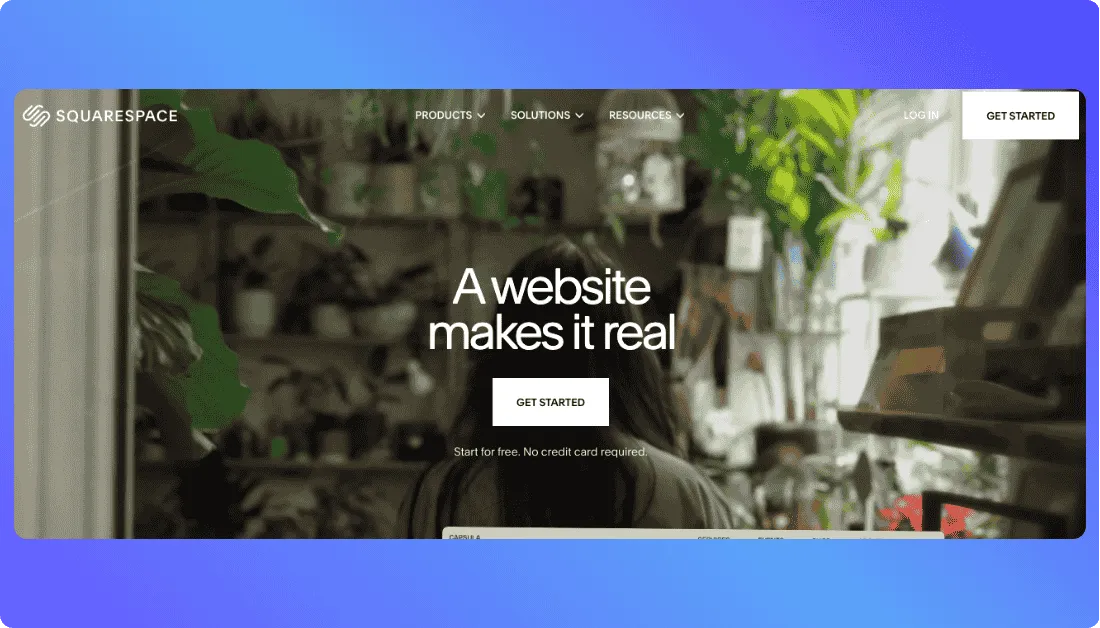
That’s the main reason it works so well as a Wix alternative. Wix gives you more drag-and-drop freedom, but Squarespace does a better job keeping your site visually consistent. For many users, that means faster decisions, fewer layout headaches, and a more professional end result.
It also packs in a lot of built-in tools. You get blogging, scheduling, ecommerce, email marketing, analytics, and SEO features inside the same ecosystem, so you do not have to stitch together as many third-party apps just to run a modern business site.
The trade-off is flexibility. Squarespace is easier to keep polished, but it is less freeform than Wix in some areas. If you like moving every element anywhere on the page, Wix still gives you more raw editor freedom.
Pricing can also climb once you need commerce features, lower transaction fees, or more advanced business tools. So while the entry point is fair, the real monthly cost rises as your site becomes more serious.
Key Features of Squarespace
- Professionally designed, mobile-optimized templates for websites, portfolios, blogs, and stores
- Built-in blogging, analytics, and SEO tools in the core platform
- Native ecommerce features for selling products, memberships, and subscriptions
- Integrated email marketing with campaign templates and performance tracking
- Scheduling, invoicing, and service-business tools inside the Squarespace ecosystem
- Custom code support and third-party integrations on higher plans
- 14-day free trial and 24/7 customer support
What could be better:
- Less freeform design control than Wix if you want pixel-level drag-and-drop freedom
- Commerce and advanced business features require higher-tier plans
- Transaction fees apply on lower selling tiers, depending on plan and product type
- Template structure is polished, but that can feel restrictive if you want a highly custom layout
Pricing
- Basic – $16/mo billed annually – website basics, mobile-optimized site, analytics, free custom domain for one year
- Core – $23/mo billed annually – no commerce transaction fee, custom code, third-party integrations, unlimited contributors
- Plus – $39/mo billed annually – lower payment processing on domestic cards and stronger commerce features
- Advanced – $99/mo billed annually – lowest payment rates and the most advanced ecommerce setup
14-day free trial available.
Also Read:
Looking for something better than Wix? Start here:
Best Squarespace Alternatives
Squarespace vs Wix
Squarespace wins on template polish, design consistency, and built-in business tools for creators and service brands. Wix wins on drag-and-drop freedom and beginner-friendly flexibility. If you want your site to look refined with less manual tweaking, Squarespace is usually the stronger pick.
2. Vitara.ai
Starting Price: Free plan available. Paid plans start at $20/month.
⭐ Best For:
Founders, solo builders, and teams that want to create web apps or more custom digital products from prompts instead of building everything manually.
Vitara.ai is not a standard drag-and-drop website builder. It’s an AI-powered full-stack development platform that lets you build websites, web apps, mobile apps, and the backend behind them using natural language prompts. That makes it a very different kind of Wix alternative.

You can describe what you want, and Vitara generates both frontend and backend code. It also handles things like UI, APIs, databases, authentication, and deployment workflows inside a browser-based environment. If Wix starts to feel limiting because you want more than a brochure site, this is where Vitara becomes interesting.
What stands out most is that Vitara says the code is fully editable and downloadable. So you are not stuck inside a closed visual builder forever. That gives it an edge for people who want speed now but still want real code ownership later.
Where it gets tricky is that Vitara is solving a different problem than Wix. Wix is easier for simple business websites, portfolios, and basic online stores. Vitara is better when you want custom app logic, backend functionality, or a more product-like build process. It also uses a credit-based usage model, so heavier usage can push you toward paid plans fairly quickly.
Key Features of Vitara.ai
- Build web and mobile apps with AI prompts
- Generates both frontend and backend code from a single prompt
- Browser-based development with zero setup
- React frontend support out of the box
- Supabase backend with authentication, real-time subscriptions, and automatic APIs
- GitHub integration for version control and deployment workflows
- Code is editable and downloadable on paid plans
What could be better:
- It is not as simple as Wix for basic small-business websites or landing pages
- The free plan is limited to 5 credits per day and 20 total one-time credits
- Custom domain support starts on the Build plan, not the free plan
- If you only need a standard brochure site, Vitara may be more tool than you need
Pricing
- Starter – Free – 5 credits per day, 20 total one-time credits, prompt-based building
- Build – $20/month – 100 monthly credits, code editing and download, custom domain support, faster AI processing
- Scale – $50/month – 250 monthly credits and higher usage limits for heavier work
- Custom – Contact sales for tailored plans
Free plan available. Paid plans can be upgraded or downgraded anytime.
Vitara.ai vs Wix
Vitara gives you something Wix does not: prompt-based full-stack app creation with editable code, backend support, and a more developer-friendly path once your project grows. Wix is still easier for quick marketing sites, portfolios, and simple business pages. Vitara makes more sense when you want to build something closer to a real product than a standard website.
3. Hostinger Website Builder
G2 Rating:4.4/5 ⭐ (780+ reviews) on G2.
⭐ Best For:
Beginners, solo founders, and small businesses that want a cheaper Wix alternative with AI site generation, simple editing, and fast setup.
Hostinger Website Builder is built for one thing: helping non-technical users launch a website quickly without spending much. It combines an AI website builder, drag-and-drop editor, templates, hosting, and basic business tools in one place.

That’s what makes it such a practical Wix alternative. You can generate a site with AI, customize it with a visual editor, and publish without dealing with plugins, hosting setup, or a steep learning curve.
For users who mainly want a business website, portfolio, landing page, or small online store, the value is easy to see. Hostinger includes AI writing and design tools, built-in SEO and marketing features, ecommerce support, and 24/7 help inside a much lower-cost package than many bigger builders.
The trade-off is flexibility. Hostinger is much simpler than Wix, but that also means it gives you less room for highly custom layouts or more advanced site structures.
The entry plan starts low, but long-term pricing depends on the billing term, and the higher-value ecommerce features sit on the Business Website Builder plan. So the “cheap Wix alternative” angle is real, but the best experience usually starts once you move beyond the most basic tier.
Key Features of Hostinger Website Builder
- AI Website Builder for generating a site from prompts and business details
- Drag-and-drop editor with 300+ templates and mobile-friendly design
- Built-in AI writing and design tools for faster page creation
- Ecommerce features for selling products online, including store setup tools
- Built-in SEO and marketing tools, including AI SEO assistance on ecommerce builds
- Hosting, SSL, and domain-related perks bundled into the platform experience
- 24/7 support and a 14-day free trial for testing the builder
What could be better:
- Less design freedom than Wix for highly customized layouts
- Serious ecommerce features are tied to the Business Website Builder plan
- The lowest entry pricing depends on longer-term billing commitments
- Better for simple websites than large, content-heavy, or highly custom projects
Pricing
- Premium Website Builder – ₹149/mo – AI website builder, drag-and-drop editor, domain, SSL, and core site features
- Business Website Builder – ₹249/mo – AI tools, ecommerce features, up to 1,000 products, and stronger growth features
- Higher hosting bundles – pricing varies – include additional AI builder credits and broader hosting resources
14-day free trial available.
Hostinger Website Builder vs Wix
Hostinger wins on affordability, speed, and simplicity. Wix wins on app ecosystem, editor flexibility, and broader built-in depth for users who want more ways to customize their site. If your main goal is to get a clean website live fast without paying much, Hostinger is the easier value pick.
4. WordPress.com
G2 Rating:4.4/5 ⭐ (2,680+ reviews) on G2.
⭐ Best For:
Bloggers, publishers, and growing businesses that want stronger content management, plugin flexibility, and more SEO control than Wix. WordPress.com also supports importing content from Wix and other platforms, which makes switching less painful.
WordPress.com is built for people who care about publishing, structure, and long-term flexibility. If your site revolves around blog content, landing pages, newsletters, memberships, or a growing content library, it gives you more room to expand than Wix usually does. G2 reviews consistently highlight ease of use and flexibility, especially for non-technical users who still want more control over their site over time.
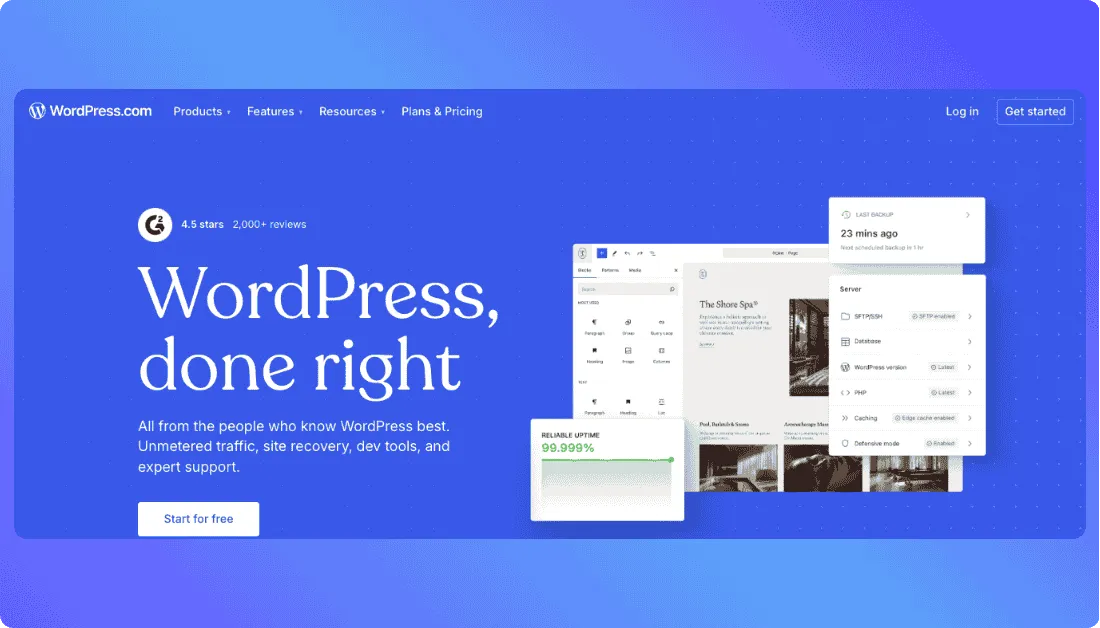
That’s why it works so well as a Wix alternative. You still get hosted website management, but you also get access to themes, plugins, custom CSS on paid plans, and a much stronger content ecosystem. For users who feel boxed in by Wix once their site grows, that difference matters.
It also does a lot more than simple blogging. WordPress.com supports newsletters, monetization options, memberships, ecommerce on higher plans, and access to more than 50,000 plugins on paid plans. That opens the door to more serious site customization without forcing you into a fully self-managed WordPress setup.
The trade-off is flexibility versus simplicity. WordPress.com gives you more room to grow, but it can feel less beginner-friendly than Wix if you want a purely visual, drag-and-drop experience from day one.
The other thing to watch is plan separation. The free plan is useful for testing, but the features most businesses actually want, like deeper customization, plugins, and full ecommerce, sit on paid tiers. So the real monthly cost rises once you want WordPress.com to behave like a full business platform.
Key Features of WordPress.com
- Managed hosting included on all plans, including the free plan.
- Access to WordPress themes, patterns, and drag-and-drop layouts for faster page building.
- Plugin installation on all paid plans, with access to 50,000+ plugins from the WordPress.org directory.
- Built-in newsletter, audience, and content distribution features through the WordPress.com ecosystem.
- Monetization options including memberships, premium content, affiliate links, and ads.
- Ecommerce support on Commerce, including subscriptions, bookings, discount codes, tax and shipping automation, and WooCommerce extensions.
- Import tools for moving content from Wix, Squarespace, Medium, and other platforms.
What could be better:
- Less visually intuitive than Wix if you want pure drag-and-drop simplicity
- Advanced customization is tied to paid plans rather than the free tier.
- Ecommerce is locked behind the Commerce plan.
- The platform is easier than self-hosted WordPress, but it still has more moving parts than Wix for beginners. G2 reviews repeatedly mention that advanced customization can feel limited or more complex unless you upgrade.
Pricing
- Free – $0/mo – managed hosting included, basic site setup, and a good way to test the platform.
- Personal – starts at $4/mo on longer billing terms, with the standard annual option listed at $9/mo billed yearly.
- Business – starts at $17.50/mo on longer billing terms, with the standard annual option listed at $40/mo billed yearly.
- Commerce – pricing varies by billing term, and it adds full ecommerce features such as subscriptions, bookings, abandoned-cart emails, and WooCommerce-optimized extensions.
Free plan available. WordPress.com also offers a refund window on paid plans.
WordPress.com vs Wix
WordPress.com wins on blogging depth, plugin flexibility, content management, and long-term SEO control. Wix wins on beginner simplicity and faster visual setup. If your site is content-heavy or you expect it to grow into something more complex, WordPress.com is usually the better long-term bet.
5. Webflow
G2 Rating:4.4/5 ⭐ (975 reviews) on G2.
⭐ Best For:
Designers, agencies, and advanced users who want far more visual control than Wix without hand-coding every page. G2 reviewers describe it as a strong fit for building polished, flexible web experiences quickly.
Webflow is built for users who want custom-looking websites without relying completely on developers. It gives you a visual builder, CMS, hosting, and design system tools in one platform, but it feels much closer to working with real front-end structure than a typical beginner site builder.
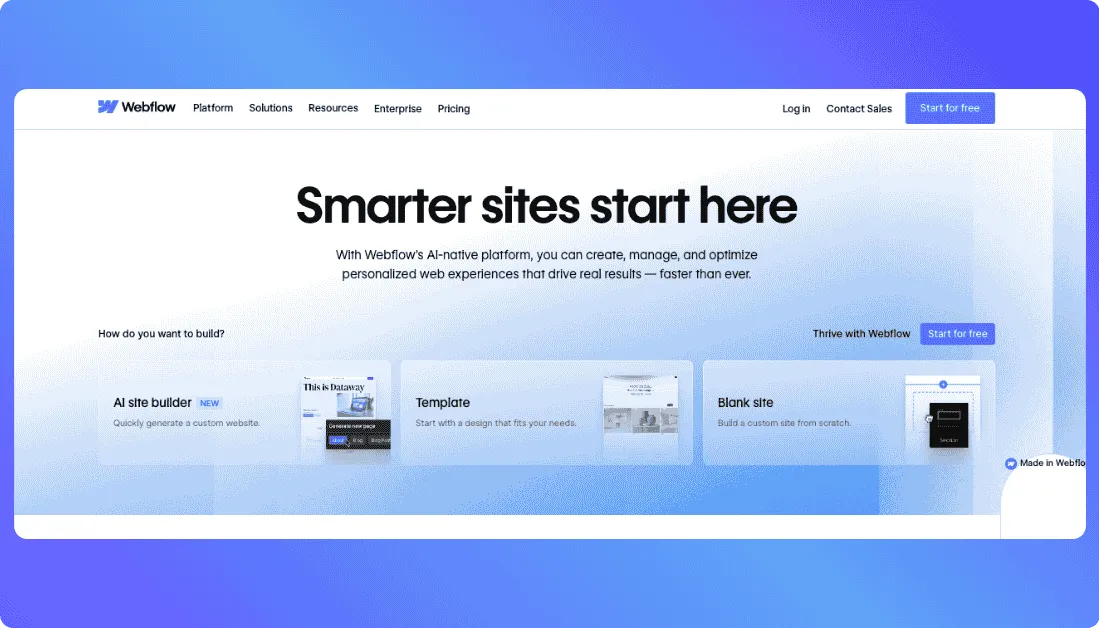
That’s what makes it a compelling Wix alternative. Wix is easier when you just want to drag blocks around and publish fast. Webflow is better when you care about cleaner design systems, reusable components, structured CMS content, and more precise layout control.
It also keeps getting more AI support inside the platform. Webflow’s pricing page highlights AI tools for generating pages, sections, CMS collections, copy, and even code components and web apps using your design system, which pushes it beyond a standard template builder.
The trade-off is the learning curve. Webflow is far more capable than Wix for custom web design, but it also asks more from you. Beginners often need more time to understand layout structure, classes, CMS collections, and how site plans and workspace plans fit together.
Pricing can also get layered fast. There’s a free Starter option, but once you need a custom domain, CMS features, more bandwidth, or ecommerce, you move into separate paid site plans. That makes Webflow powerful, but not always cheap.
Key Features of Webflow
- Visual builder designed for custom, responsive websites without traditional coding.
- CMS support for structured content and dynamic pages.
- Clean HTML and CSS code export for handoff to development teams on eligible plans.
- AI site builder tools for generating pages, sections, copy, CMS collections, and code components.
- Ecommerce plans with product support, CMS limits, and lower transaction fees on higher tiers.
- APIs for managing CMS content programmatically and connecting external systems.
- Strong fit for agencies and client work thanks to workspace options and site transfer support.
What could be better:
- Steeper learning curve than Wix for beginners
- Site plans and workspace plans can feel confusing at first.
- CMS and ecommerce features require higher paid plans.
- Great for custom websites, but overkill if you just need a simple brochure site
Pricing
- Starter – Free – 2 staging sites on webflow.io domains for getting started.
- Basic – $18/mo – for simpler static sites with a custom domain.
- CMS – $29/mo – built for content-driven sites that need the CMS.
- Business – starts at $49/mo – more bandwidth and scale for higher-traffic projects.
Free plan available. Ecommerce plans start at $29/mo billed yearly and go up to $212/mo billed yearly depending on store size and transaction-fee needs.
Webflow vs Wix
Webflow wins on advanced design control, CMS structure, and agency-grade website building. Wix wins on ease of use and faster setup for beginners. If you want a more professional, scalable design workflow and do not mind a learning curve, Webflow is the stronger platform.
Also Read:
If Wix isn’t a perfect fit, explore these options:
Best Webflow Alternatives
Wix vs Alternatives: Comparison of Top 3 Wix Alternatives
| Feature | Wix | Squarespace | Vitara.ai | Hostinger Website Builder |
|---|---|---|---|---|
| Starting Price | Custom pricing varies by plan | $16 per month | Free, then $20 per month | ₹149 per month |
| Best For | Beginners who want an all in one website builder | Design first websites, portfolios, and service brands | Prompt based web app and full stack product creation | Fast, affordable websites for beginners and small businesses |
| Editor Style | Drag and drop website builder | Guided visual builder with polished templates | AI prompt based builder with editable code | Drag and drop builder with AI setup |
| Templates / Design | Broad template marketplace | Strong template quality and visual consistency | Less template driven, more app generation focused | 300 plus designer made templates |
| AI Features | Built in AI site help | AI Website Builder and Design Intelligence | AI builds UI, APIs, databases, and auth from prompts | AI website generation and AI SEO tools |
| Ecommerce | Built in ecommerce on business plans | Built in ecommerce and service selling tools | Not a traditional store builder first | Ecommerce available on Business Website Builder |
| Code / Backend Control | Limited compared to developer first tools | Some custom code support on higher plans | Editable and downloadable code with backend generation | Best for simple site builds, not deep custom backend work |
| Best Fit Over Wix | — | Better design consistency | Better for app like products | Better value for budget conscious users |
Pick the Best Alternative to Wix for Your Needs
Wix is a capable website builder for beginners and small businesses.
If your goal is to launch a simple site fast, use built-in templates, and manage everything from one dashboard, it can still work well, especially for users who do not want to deal with hosting, plugins, or technical setup. Wix also offers a free way to get started, plus paid plans for custom domains and business features.
But if you need more from your platform, better design consistency, lower-cost site building, stronger long-term flexibility, or a faster way to create something closer to a web app, there are better options now.

For most users who want a cleaner, more polished website, Squarespace is the safest pick. Hostinger makes sense if budget and speed are the priority. Vitara.ai is the right choice if you want to go beyond a traditional website builder and generate web apps or more custom products from prompts instead of building everything manually. Vitara says you can start free and scale up as needed, which makes it a practical option for testing prompt-based app building without a big upfront commitment.
The best way to decide? Do not rely on feature tables alone. Test the actual workflow with your real use case.
Try Vitara.ai free, describe the product you want to build, and see how far you can get with prompt-based creation before touching any manual setup.
Also Read other Tools Alternatives:
Top Weweb Alternatives
Top Retool Alternatives
Best Base44 Alternatives
FAQs About Wix Alternatives
What is the best alternative to Wix?
It depends on what you want to build. If you want a polished business website with better design consistency, Squarespace is one of the strongest picks. If your priority is affordability and speed, Hostinger Website Builder makes more sense. If you want to create something more advanced than a typical website, like a web app or product with backend logic, Vitara.ai stands out.
Is Wix good for beginners?
Yes, Wix is good for beginners. It gives you a drag-and-drop editor, ready-made templates, built-in hosting, and plenty of features in one place. The issue usually shows up later, when users want more flexibility, cleaner design systems, stronger SEO control, or a setup that scales better with their needs.
How much does Wix cost?
Wix has a free plan, but most serious users end up on a paid plan if they want a custom domain, no Wix branding, ecommerce features, or more storage and business tools. The exact cost depends on the plan you choose, which is one reason many people start comparing Wix alternatives once their site grows.
What is the difference between Wix and Vitara.ai?
Wix is a traditional website builder made for creating websites, landing pages, blogs, and simple stores with a visual editor. Vitara.ai is different. It uses prompts to generate web apps, frontend interfaces, backend logic, and code. So if you just need a standard business site, Wix is easier. If you want to build something more custom without doing all the manual development work yourself, Vitara.ai is the more interesting option.
Which Wix alternative is best for ecommerce?
If you only look at the tools in this list, Hostinger works well for small stores and simple ecommerce websites. Squarespace is also a good fit for design-focused brands that want to sell products or services. The right choice depends on whether you care more about store depth, design, or budget.
Which Wix alternative is best for bloggers and SEO?
WordPress.com is usually the best fit for blogging, content-heavy websites, and users who want more long-term SEO flexibility. It gives you a stronger content ecosystem, more room to grow, and better customization options once your site becomes more than a simple brochure website.
Can I switch from Wix to another platform?
Yes, you can move from Wix to another platform, but the process depends on where you are moving and how your site was built. Content, blog posts, images, and product data may need to be exported, recreated, or imported manually in some cases. That is why it helps to choose your next platform based on your long-term needs, not just what feels easiest today.
What’s New?