Lovable vs Bolt vs v0: Which AI App Builder is Better to Try in 2026?
AI is changing the way we build software. What used to take weeks of wiring up frontend, backend, auth, and deployment can now happen in hours with tools like Lovable, Bolt, and v0. They all promise faster app creation with AI doing the heavy lifting. But once you start using them, you realize they’re built very differently.

In this guide, I’ll break down Lovable vs Bolt vs v0 across features, real-world use cases, integrations, and pricing so you can figure out which one actually fits your workflow, your skill level, and the kind of apps you want to ship.
Lovable vs. Bolt vs. v0 Quick Comparison Summary
If you just want the fast answer before we dive deep, here’s how Lovable, Bolt, and v0 stack up side by side. This gives you a clear snapshot of what each tool actually produces:
| Feature | Lovable | Bolt | v0 (by Vercel) |
|---|---|---|---|
| AI Output Type | Complete full stack app with UI, backend, and database | Full stack app with editable code | Frontend UI components built in React |
| Visual Editing | Yes, drag and edit interface | No visual builder | No visual builder |
| Code Access | Full code export and editing | Full code access inside browser IDE | Generates production ready React code |
| Database Setup | Built in Supabase integration | Built in database option | External database required |
| Deployment Flow | Publish directly from platform | One click deploy | Deploy via Vercel |
| Hosting Included | Yes | Yes | Via Vercel hosting |
| Security Checks | Built in review before publishing | Optional or manual checks | Enterprise grade compliance including SOC 2 |
| Data Controls | Business tier data privacy options | Limited privacy controls | Enterprise isolation available |
| Live Collaboration | Real time project updates | Real time coding environment | No live multi user editing |
| SSO Support | Available | Available | Available |
Feature Comparison: Lovable vs. Bolt vs. v0
Building Mode
Each platform approaches app creation differently. The real difference shows up in what they generate from your prompt and how much of the stack they handle for you.
Lovable turns prompts or designs into deployable full-stack apps:
- Generates a complete application from a plain English description, including frontend, backend, database, and authentication.
- Connects directly with Supabase to handle data storage and user auth without manual setup.
- Lets you modify the UI through a visual editing layer or jump straight into the code when needed.
- Keeps your project synced with GitHub so you maintain version control from day one.
- Designed for founders and teams who want to go from idea to live MVP without stitching tools together.
Bolt creates full-stack applications from prompts:
- Spins up a live Node.js development environment directly in your browser.
- Produces frontend and backend code together, so you can see the full structure instantly.
- Gives you a real-time preview as you edit, similar to working inside a lightweight IDE.
- Focuses heavily on developer control, meaning you shape and refine the architecture as you go.
v0 generates UI components from prompts or screenshots:
- Creates React components based on text descriptions or design references.
- Works especially well with Next.js, Tailwind, and shadcn-style UI systems.
- Outputs clean, production-ready frontend code that you plug into your existing project.
- Does not generate backend logic or database layers, so infrastructure remains your responsibility.
- Best suited for developers who already have an established backend and just need to speed up UI development.
Editing Experience
How you edit and refine your app matters more than people think. Some tools feel like chatting with an AI. Others feel like sitting inside a browser-based IDE. The workflow can completely change how fast you ship.
Lovable
- Lets you edit your app through a visual interface where you can click on elements and adjust them without rewriting prompts.
- Keeps a conversational AI panel open so you can request structural changes, new features, or UI tweaks in plain English.
- Allows direct code access whenever you want deeper control over logic or styling.
- Syncs changes to GitHub automatically, which makes collaboration and version tracking straightforward.
- Reduces context switching because design edits, backend updates, and deployment all happen inside one environment.
Bolt
- Runs inside a browser-based development environment that feels close to VS Code.
- Shows live previews instantly as you modify frontend or backend code.
- Encourages hands-on editing of the generated code rather than visual drag-and-drop changes.
- Uses AI to assist inside the coding workflow, helping you refine functions, fix errors, or scaffold new routes.
- Feels more natural for developers who prefer editing logic directly instead of manipulating visual layers.
v0
- Focuses purely on generating UI components through prompts or screenshots.
- Provides clean React code that you copy into your local project or deploy through Vercel.
- Does not include a visual page builder or backend editor.
- Best used as a component generator rather than a full editing environment.
- Works smoothly when paired with your own IDE, Git workflow, and backend setup.
Deployment & Hosting
How your project gets live matters just as much as how it’s built. Some tools give you a one-click push, others expect you to connect your own hosting.
Lovable
- Lets you publish your app directly from the platform without leaving the interface.
- Handles build and hosting with a backend already configured so you don’t worry about servers.
- Automatically provisions domain URLs and SSL certificates when you go live.
- Keeps deployment history tied to your GitHub commits, making rollbacks and tracking easier.
- Makes scaling smooth because the underlying infrastructure adjusts as traffic grows.
Bolt
- Offers one-click deployment to popular hosting providers like Vercel or Netlify.
- Exports your project so you can continue development locally and push from your own Git repo.
- Makes it easy to test changes instantly with preview URLs generated for each update.
- Keeps the deployment experience familiar to developers used to traditional workflows.
- Doesn’t lock you into one provider, giving you freedom to manage hosting as you see fit.
v0
- Pushes components and pages straight to Vercel with minimal setup.
- Works best when you already use Vercel or similar CI/CD pipelines.
- Focuses on frontend deployments backend hosting is something you handle separately.
- Generates deployment-ready code that fits neatly into existing pipelines.
- Lets you manage domains, SSL, and environment configuration through your hosting provider dashboard.
Backend & Database Support
Not all tools treat the backend the same. Some build it for you. Some expect you to supply it.
Lovable
- Automatically integrates Supabase for data storage, authentication, and APIs.
- Sets up database schemas based on your prompt or app design.
- Lets you interact with the backend without writing server setup code.
- Handles CRUD operations, auth flows, and API endpoints out of the box.
- Makes backend editing feel as easy as changing frontend components.
Bolt
- Generates backend logic alongside frontend code in the same editable environment.
- Gives you a Node.js server scaffold with routing, APIs, and database connectors.
- Supports working with various databases through ORM tools like Prisma.
- Encourages you to customize data models and business logic directly in code.
- Makes the backend feel less segmented and more like a single project ecosystem.
v0
- Does not create backend logic for you, it expects you to plug in your own server or database.
- Focuses purely on UI generation; backend decisions and infrastructure are up to you.
- Works seamlessly with backend APIs you already control.
- Lets you connect to external services like Firebase, Supabase, or custom APIs.
- Keeps frontend clean and leaves server control fully in your hands.
Collaboration & Team Workflow
When you’re working with a team, tools need to support shared edits, version tracking, and clarity across roles.
Lovable
- Syncs projects to GitHub, making collaboration simple and trackable.
- Lets designers, devs, and PMs see the same project state without context switching.
- Provides real-time shared views so everyone sees changes as they happen.
- Keeps conversations, revisions, and deployments in one place.
- Makes on-boarding teammates smooth with visual cues and editable code.
Bolt
- Encourages collaboration through familiar version control workflows.
- Works in a browser IDE, so teams don’t have to install local deps just to start.
- Lets developers prototype and refine features simultaneously.
- Makes sharing progress as simple as sending a URL with live previews.
- Keeps team minds in the code rather than shifting between tools.
v0
- Integrates easily into existing Git workflows where teams already collaborate.
- Lets frontend teams pull UI components and remix them without confusion.
- Keeps everyone aligned by producing clean, reusable code that fits common standards.
- Supports preview deployments so teams can see what’s live at every commit.
- Focuses on the code collaboration layer rather than in-tool live editing.
Security & Compliance
Security isn’t exciting. Until it is. The moment you collect user data, handle auth, or ship something public, this becomes non-negotiable.
Lovable
- Runs on managed infrastructure with built-in authentication powered by Supabase.
- Handles database security rules and environment configuration behind the scenes.
- Offers business-tier privacy controls, including data usage limits.
- Requires review checks before publishing to reduce accidental exposure.
- Makes it easier for non-technical founders to avoid common security mistakes.
Bolt
- Gives you full control over backend logic, which also means full responsibility.
- Lets you configure authentication, API validation, and database access manually.
- Depends on how you structure your Node.js environment for security best practices.
- Supports environment variables and secure deployment workflows.
- Better suited for developers who understand how to harden APIs and manage access control.
v0
- Focuses on frontend generation, so backend security depends entirely on your stack.
- Works within Vercel’s enterprise-grade infrastructure when deployed there.
- Supports secure deployment pipelines through your existing CI/CD system.
- Doesn’t abstract security decisions, which keeps control in developer hands.
- Ideal for teams that already follow strong backend security standards.
Pricing & Cost Structure
AI builders can look affordable at first. The real question is how pricing scales as your project grows.
Lovable
- Uses a credit-based system tied to AI generations and usage.
- Includes hosting and backend provisioning in higher tiers.
- Free plans allow experimentation but limit advanced functionality.
- Predictable pricing works well for MVP builders and early-stage startups.
- Can become more expensive as app complexity and AI usage increase.
Bolt
- Also uses usage-based pricing tied to compute and AI interactions.
- Hosting costs depend on where you deploy your project.
- Lets you export code and move off-platform if needed.
- Works well for developers who want flexibility without full lock-in.
- Pricing feels closer to developer tooling rather than no-code subscriptions.
v0
- Offers limited free generations with paid tiers for extended usage.
- Pricing mainly reflects AI component generation rather than hosting.
- Deployment costs depend on your Vercel plan.
- More affordable if you only need UI acceleration.
- Cost remains lower if you already manage backend and infrastructure elsewhere.
Learning Curve & Skill Requirements
This is where things get real. Not everyone using these tools has the same technical background.
Lovable
- Friendly for non-technical founders who can describe what they want in plain English.
- Visual editing reduces the need to touch code early on.
- Still flexible enough for developers to refine logic later.
- Short learning curve if your goal is building and shipping quickly.
- Great entry point into full-stack AI app development.
Bolt
- Feels natural if you already know JavaScript and backend basics.
- Less hand-holding compared to visual-first platforms.
- You’ll need to understand routing, data flow, and APIs.
- Faster for developers, steeper for beginners.
- Best for builders who enjoy working inside code.
v0
- Extremely easy for frontend developers familiar with React.
- Minimal friction if you already use Next.js and Tailwind.
- Not beginner-friendly for non-developers.
- Designed for speeding up UI work, not teaching full-stack concepts.
- Ideal for engineers who want to eliminate repetitive component writing.
Ideal Use Cases
Now let’s talk real scenarios. Because the “best” tool depends on what you’re actually building.
Lovable
- Launching an MVP SaaS product without hiring a backend engineer.
- Building internal tools with authentication and database support.
- Rapidly validating startup ideas with live deployments.
- Creating client demos that need real functionality, not mock screens.
- Founders who want speed without managing infrastructure.
Bolt
- Prototyping full-stack web apps with custom business logic.
- Experimenting with new product ideas inside a live coding environment.
- Developers who want AI acceleration without losing architectural control.
- Building tools that require custom backend routes and logic.
- Teams comfortable managing hosting and deployment pipelines.
v0
- Generating production-ready UI components fast.
- Building landing pages and dashboards inside existing React projects.
- Speeding up frontend sprints for startups or agencies.
- Creating consistent UI patterns across projects.
- Developers who already have backend APIs and just need clean interfaces.
Real-Life Use Cases of Lovable, Bolt, and v0
Below are practical scenarios where Lovable, Bolt, or v0 clearly make the most sense.
Use Lovable if you:
- Want to build a full-stack SaaS MVP from a single prompt without setting up servers manually
- Need authentication, database, and frontend working together out of the box
- Prefer visual editing combined with AI-assisted feature generation
- Are a non-technical founder validating a startup idea quickly
- Want to launch internal tools with real user login and data storage
- Need to move from concept to deployed product in days, not weeks
- Don’t want to manage backend configuration or infrastructure decisions
- Are testing product ideas before investing in a full engineering team
- Value speed and simplicity over deep architectural customization
Also Read: Lovable Alternatives
Use Bolt if you:
- Want AI to scaffold a full-stack app but still control the code structure
- Prefer working inside a browser-based development environment
- Need custom backend logic, routes, or database models
- Are comfortable editing JavaScript and managing deployment pipelines
- Want rapid prototypes that feel close to traditional coding workflows
- Are building experimental products where iteration speed matters
- Need flexibility to export code and host anywhere
- Like seeing live previews as you refine both frontend and backend
- Care about architectural control more than visual drag-and-drop tools
Also Read: Bolt Alternatives
Use v0 if you:
- Primarily need production-ready React UI components
- Already have a backend and just want to accelerate frontend work
- Work with Next.js, Tailwind, or modern component-based design systems
- Need clean code snippets that plug directly into your existing repo
- Are part of a frontend team focused on design consistency
- Want to generate landing pages, dashboards, or reusable interface blocks
- Care about shipping polished UI quickly without rebuilding layouts from scratch
- Prefer integrating with Vercel for streamlined deployments
- Value speed in UI generation while keeping backend decisions in your hands
Also Read: V0 Alternatives
Want an Alternative to Bolt.new, v0, and Lovable?
If you’re exploring something beyond Bolt, v0, or Lovable, Vitara.ai is one of the strongest alternatives right now, especially if you want full-stack power with serious flexibility.
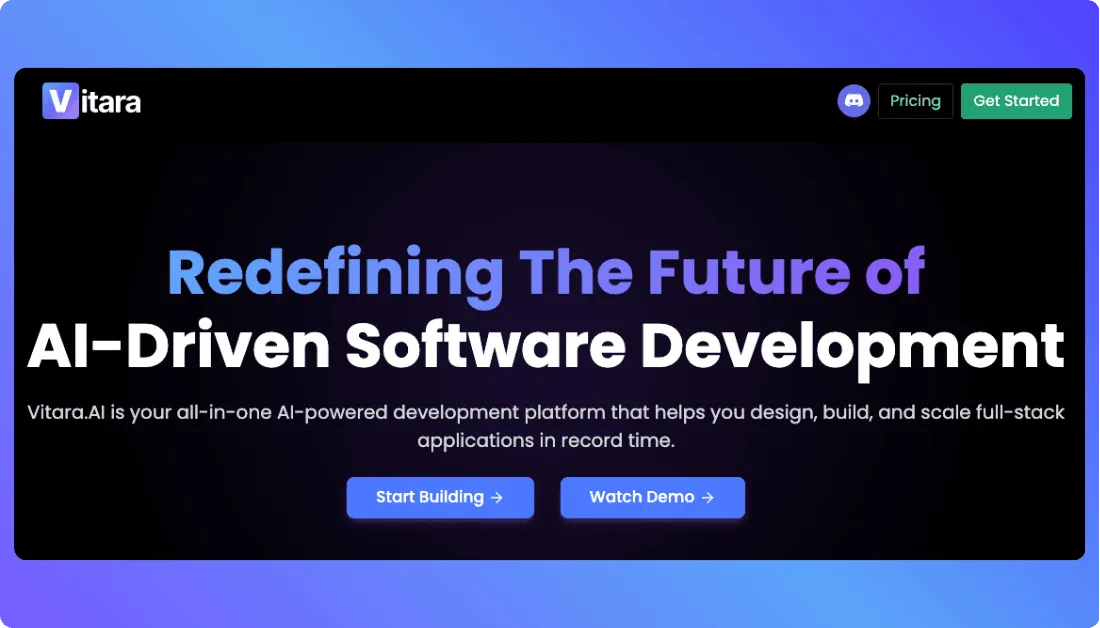
Here’s why Vitara.ai stands out:
- Generates complete full-stack applications from natural language prompts, including frontend and backend logic.
- Gives you full access to clean, exportable code so you’re never locked into a closed system.
- Runs in a browser-based AI development environment, so you can start building instantly without local setup.
- Supports modern stacks like React, Next.js, and database integrations out of the box.
- Allows you to refine, extend, and customize your app without fighting platform limitations.
- Works well for both solo builders and teams who want AI speed without sacrificing architectural control.

Recommend To Also Read This:
Final Thoughts
Lovable, Bolt, and v0 aren’t competing in the exact same lane, even though they look similar at first glance. One simplifies the full stack for you, one gives developers AI-powered control, and one focuses purely on accelerating frontend work.
The right choice depends on how you build. If you want speed with minimal setup, go one way. If you want code-level control, go another. And if UI is your main bottleneck, there’s a clear winner.
Frequently Asked Questions
Which is better for building a full-stack SaaS app: Lovable, Bolt, or v0?
If you want a full-stack app generated with frontend, backend, and database included, Lovable and Bolt are stronger choices than v0. Lovable leans toward simplicity and fast deployment, while Bolt gives developers more control over the code structure. v0 focuses only on frontend components, so you’ll need to handle the backend yourself.
Is v0 only for frontend development?
Yes, v0 is primarily designed for generating React UI components. It works best if you already have a backend or API in place. If you’re searching for an AI tool that builds the entire application stack, v0 won’t cover that on its own.
Can non-technical founders use Lovable or Bolt?
Lovable is generally more beginner-friendly because it abstracts much of the backend setup and offers visual editing. Bolt feels more natural for developers who are comfortable editing code and managing project structure. Non-technical users may find Bolt slightly more hands-on than expected.
Which tool is best for rapid MVP development?
For launching an MVP quickly with working authentication and database support, Lovable usually gets you there fastest. Bolt is excellent for rapid prototyping too, especially if you want custom logic. v0 helps speed up UI work but doesn’t generate a full backend for MVPs.
Do these platforms lock you into their ecosystem?
All three allow code access, but the level of flexibility differs. Bolt and v0 feel more export-friendly for developers who want full control. Lovable also supports code export and GitHub sync, though its backend setup is more tightly integrated with its default stack.
Which one is best for React and Next.js developers?
v0 is particularly strong for React and Next.js workflows because it generates clean, reusable components. Bolt also supports React-based stacks but focuses on full-stack scaffolding. Lovable handles React under the hood while abstracting much of the complexity away.
How do pricing models compare between Lovable, Bolt, and v0?
Most of these tools use usage-based or credit-based pricing tied to AI generation and compute. Lovable often bundles backend and hosting features in higher tiers. Bolt’s cost depends partly on deployment choices. v0 pricing mostly relates to UI generation and Vercel usage.
Which AI app builder is best in 2026?
There isn’t a single “best” option. The right tool depends on your goal. If you want a full-stack AI app builder for startups, Lovable is a strong pick. If you’re a developer who wants AI-assisted coding with control, Bolt fits better. If your focus is fast, production-ready UI components, v0 is hard to beat.
What’s New?