5 Best CodeGPT Alternatives and Competitors for Developers in 2026
Let’s be real. The first time you try CodeGPT, it kind of blows your mind. You write a few lines, hit enter, and boom, the code just appears. It feels like having a junior dev on standby, ready to whip up snippets at lightning speed. Super handy. Super cool. But once you start using it for real work, not just playing around or debugging toy problems, things get a little frustrating. You hit those awkward moments where suggestions miss the context, customization feels like a guessing game, and you realize you’re depending on a tool that doesn’t always understand you.

If you’ve been there, stuck between loving the idea of CodeGPT and needing something more practical or powerful, you’re not alone. I’ve spent serious time exploring the best alternatives out there. Whether you’re after deeper integrations, stronger language support, better privacy, or just a different vibe altogether, this guide pulls together the top CodeGPT alternatives worth checking out in 2026.
What is CodeGPT?
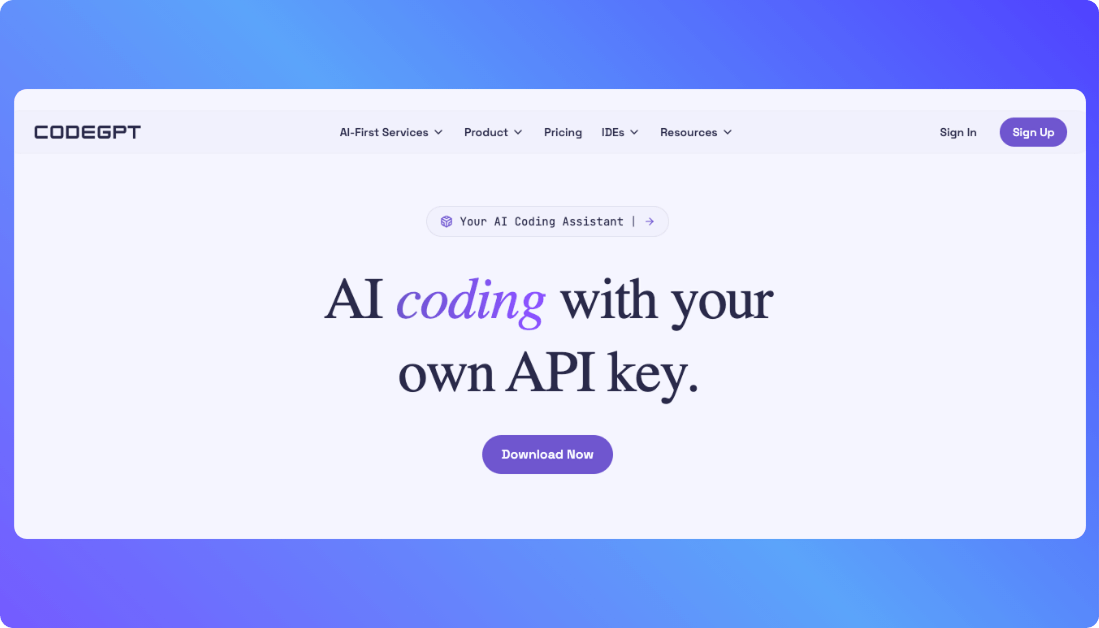
CodeGPT is an AI-powered coding assistant that helps developers write, edit, and understand code faster using natural language prompts. It integrates with popular IDEs to offer real-time code suggestions, explanations, and even debugging help. Think of it as a smart coding sidekick built to speed up your workflow.
Reasons You Might Be Ready to Try CodeGPT Competitors
Sometimes a tool feels right at first, but once you dig in, it doesn’t quite keep up with your real-world workflow. If you’ve hit that point with CodeGPT, you’re not the only one.
Here are a few common reasons developers start exploring other options:
- Limited context awareness
Code suggestions can feel off when the model doesn’t fully understand your codebase or project structure. - Lack of language or framework support
Not every stack plays well with CodeGPT. Some alternatives offer broader or deeper support for specific languages. - Privacy and data control concerns
If you’re working on sensitive projects, you might want more transparency or local processing options. - Missing advanced features
Some tools offer better debugging help, test generation, or project-level code analysis. - Cost doesn’t match the value
Whether you’re solo or scaling a team, pricing can become a sticking point if the return isn’t clear. - Workflow friction
If you’re spending too much time fixing or re-prompting, it might be time to try something that fits your coding style better.
How I Evaluated the Best CodeGPT Alternatives
To give you a list that’s actually useful, I didn’t just chase the flashiest tools or biggest names. I focused on what really matters when you’re writing code that has to work, scale, and make sense long-term. Here’s what I paid attention to:

1. Code Quality and Accuracy
Are the suggestions helpful, or are you constantly rewriting them? I looked for tools that understand context and write clean, usable code you can trust.
2. Editor and IDE Integration
Does it play well with popular tools like VS Code, JetBrains, or browser-based environments? Smooth integration can save hours of friction.
3. Language and Framework Support
Whether you’re into Python, TypeScript, Go, or something more niche, I looked for options that support more than just the basics.
4. Developer Experience
Is it fast, intuitive, and fun to use? Or does it slow you down with clunky prompts and generic results? The best tools should feel like an extension of your brain.
5. Privacy and Local Options
Some developers want full control over where their code goes. I prioritized tools that respect that, especially for sensitive or enterprise work.
6. Pricing That Makes Sense
Whether you’re a solo dev or running a team, you shouldn’t have to guess what it’ll cost. Transparent, fair pricing was a must.
A Quick Comparison of the Top CodeGPT Alternatives
For those of you who just want the highlights, here’s a quick rundown of the tools we’ll be covering.
| Tool | Best For | Key Strength | Starting Price |
|---|---|---|---|
| GitHub Copilot | Pair programming and real time code suggestions | Deep IDE integration with context aware completions | $10 per month |
| Tabnine | Fast autocomplete and private team models | Strong privacy controls and multi language support | Free with Pro at $12 per month |
| Replit Ghostwriter | Coding in the browser with AI help | Built in cloud IDE with instant AI coding support | $10 per month |
| Codeium | Free alternative with solid features | Unlimited usage with fast inline suggestions | Free |
| Ask Codi | Natural language to code and explanations | Multiple developer focused AI tools in one suite | Starts at $9 per month |
The 5 Best CodeGPT Alternatives for Building Real Applications
CodeGPT competitors i have mentioned below are built for developers shipping real software, not just experimenting. Let’s explore:
1. GitHub Copilot

GitHub Copilot is one of the most popular CodeGPT alternatives for a reason. Instead of working like a chat-based helper, it lives directly inside your editor and writes code alongside you as you type. It feels less like asking questions and more like pair programming with an AI that understands your project context.
Key Features:
- Inline code suggestions: Generates functions, classes, and boilerplate in real time as you code.
- IDE-native experience: Works seamlessly inside VS Code, JetBrains IDEs, and Neovim.
- Multi-language support: Handles everything from JavaScript and Python to Go and Java.
- Context awareness: Uses surrounding files and comments to produce more relevant suggestions.
Pros and Cons of Using GitHub Copilot
Pros:
- Feels natural and fast inside your existing workflow.
- Excellent for reducing repetitive coding and boilerplate.
- Strong support for modern frameworks and libraries.
Cons:
- Less conversational than chat-based tools like CodeGPT.
- Limited control over how suggestions are generated.
- Requires an active internet connection.
Pricing:
- Free for students and open-source maintainers.
- Individual plan starts at $10 per month.
- Business plans start at $19 per user per month.
Best for:
Developers and teams who spend most of their time inside an IDE and want AI help without breaking flow.
CodeGPT alternative for:
Real-time coding assistance, large codebases, and production-focused development.
2. Tabnine

Tabnine takes a more controlled, developer-first approach to AI coding. While CodeGPT focuses heavily on chat-style interactions, Tabnine stays laser-focused on code completion and accuracy. It’s designed for developers who want AI help without feeling like they’ve handed over the steering wheel.
Key Features:
- Context-aware autocompletion: Predicts and completes code based on your current file and patterns you use.
- Wide IDE support: Works smoothly with VS Code, IntelliJ, PyCharm, WebStorm, and more.
- Local and private models: Offers options to run models locally or in a secure private environment.
- Team training: Can learn from your own codebase to give more consistent suggestions.
Pros and Cons of Using Tabnine
Pros:
- Strong focus on privacy and data ownership.
- Fast, lightweight suggestions that don’t interrupt your flow.
- Works well for teams that care about consistent coding style.
Cons:
- Less helpful for high-level explanations or architectural questions.
- Doesn’t feel as conversational as CodeGPT.
- Advanced features are locked behind paid plans.
Pricing:
- Free plan with basic code completions.
- Pro plan starts at $12 per user per month.
- Enterprise pricing available for teams needing private deployments.
Best for:
Teams and developers who want predictable, secure AI code completion without relying on cloud-only models.
CodeGPT alternative for:
Privacy-focused development, enterprise teams, and developers who prefer autocomplete over chat-based coding.
3. Replit Ghostwriter

Replit Ghostwriter is built for speed and accessibility, especially if you’re someone who prefers coding in the cloud. Unlike CodeGPT, which requires an IDE plugin and often assumes a local dev setup, Ghostwriter is baked right into Replit’s online IDE. That means zero setup and instant access to AI help, anywhere, on any machine.
Key Features:
- In-browser AI assistance: Code, debug, and refactor directly in your browser without needing to install anything.
- Multi-language support: Works with Python, JavaScript, HTML, and more.
- Explain and fix tools: Highlight confusing or broken code and ask Ghostwriter to break it down or fix it.
- Instant hosting: Build and deploy web apps in one place with built-in servers.
Pros and Cons of Using Replit Ghostwriter
Pros:
- No setup, just open your browser and start coding.
- Great for beginners, students, and fast prototyping.
- One-click deployment built into the platform.
Cons:
- Limited customization compared to desktop IDEs.
- Performance can vary depending on internet connection.
- Not ideal for large or enterprise-scale codebases.
Pricing:
- Ghostwriter starts at $10 per month, included with Replit’s Hacker plan.
Best for:
Students, indie hackers, or anyone who wants a fast, browser-based dev environment with solid AI support.
CodeGPT alternative for:
Quick experiments, browser-first workflows, and beginner-friendly AI coding help.
Also Read: Top Replit Alternatives
4. Codeium

If you’re hunting for a completely free alternative to CodeGPT that doesn’t skimp on features, Codeium is a solid pick. It delivers fast, relevant code suggestions across dozens of languages, all without asking for your credit card. Despite the zero price tag, it still holds its own in performance and usability.
Key Features:
- Free and unlimited usage: No trial limits or usage caps.
- Supports 70+ languages: Covers everything from mainstream to niche programming languages.
- Fast inline suggestions: Real-time completions with low latency inside popular IDEs.
- IDE extensions: Available for VS Code, JetBrains, Jupyter, and more.
Pros and Cons of Using Codeium
Pros:
- Completely free for individual developers.
- Fast and responsive autocomplete experience.
- Minimal setup with good IDE integration.
Cons:
- Lacks advanced chat or reasoning capabilities.
- Doesn’t offer private or self-hosted options yet.
- May not match enterprise-level tools in customization or team features.
Pricing:
- 100% free for personal use.
- Team and enterprise plans are in development.
Best for:
Solo developers, students, and anyone who wants an AI coding assistant without the cost.
CodeGPT alternative for:
Free coding assistance, fast completions, and language variety without commitment.
5. AskCodi

AskCodi brings a more conversational and task-focused approach to AI coding help. Unlike tools that only offer code completion, AskCodi includes multiple utilities built around natural language, from generating code and SQL queries to writing tests, documentation, and even regex. It’s designed to feel like a smart assistant that actually understands what you’re trying to build.
Key Features:
- Multiple AI modules: Tools for writing functions, test cases, SQL, and documentation
- Natural language to code: Generate code in plain English without needing to be overly specific
- VS Code integration: Works right inside your IDE for a smooth development experience
- Team features: Built-in tools for collaborative coding and shared workflows
Pros and Cons of Using AskCodi
Pros:
- Intuitive and beginner-friendly interface
- Handles a wide range of tasks beyond just writing code
- Great for explaining and documenting code on the fly
Cons:
- Suggestions can sometimes be too generic for complex logic
- Not as fast or fluid as tools focused solely on code completion
- Occasional context misses in larger projects
Pricing:
- Free tier available with limited usage
- Pro plan starts at $9 per month
- Team and enterprise pricing available on request
Best for:
Developers who want a multi-purpose assistant that can help across the coding process, not just write lines of code
CodeGPT alternative for:
Natural language coding, documentation support, and developers who prefer a chat-style workflow inside their IDE
How to Choose the Right CodeGPT Alternative for You
Feeling a bit overwhelmed by all the options? Totally fair. The best choice really depends on what kind of work you’re doing and what matters most in your workflow. Here’s a simple breakdown to help you figure it out:
- If you’re a student or beginner
Go with Codeium. It’s completely free, works with most popular languages, and gives you solid suggestions without any complicated setup. - If you’re a privacy-conscious developer or working on sensitive projects
Tabnine is your best bet. It offers private and even local models, giving you more control over your data. - If you’re coding entirely in the browser or want a no-install setup
Choose Replit Ghostwriter. It’s made for fast prototyping and lets you build, test, and deploy everything from your browser. - If you’re a full-time developer working in a professional IDE
GitHub Copilot will feel like a natural fit. It integrates tightly with your tools, speeds up repetitive tasks, and adapts to your coding style. - If you want a multi-purpose AI assistant that can write code, tests, and documentation
AskCodi is the all-in-one toolbox you’ll appreciate. It’s built for developers who want a more conversational, task-based workflow.

Recommend To Also Read:
Final Thoughts
Finding the right CodeGPT alternative really comes down to how you like to work and what you’re building. Some tools shine when you’re deep in the codebase every day, while others are better for speed, simplicity, or privacy. The good news is, there’s no shortage of solid options. Whether you want fast autocompletion, chat-based help, or full-on AI pair programming, you’ve got choices.
And if you’re thinking, “Honestly, I don’t want to code at all,” that’s valid too. You can skip the hassle entirely with no-code tools like Vitara or Lovable. They’re built for people who want to launch apps or automate workflows without touching a single line of code. Whatever your path, there’s a tool out there that fits. You just have to pick the one that works best for you.
FAQs About CodeGPT Alternatives
Why should I consider switching from CodeGPT if it's already helping me code faster?
CodeGPT works well for quick snippets and basic help, but it can struggle with larger projects and long-term development. When you start dealing with bigger codebases, team workflows, or stricter privacy needs, its limitations become more noticeable. Many alternatives focus on deeper context, better IDE integration, or features that support real production work.
How do I know which CodeGPT alternative is right for my workflow or project?
The right choice depends on how and where you code. If you live inside an IDE, GitHub Copilot fits naturally. If you want a free option, Codeium is a solid place to start. Replit Ghostwriter works best for browser-based development, while Tabnine is a strong option for teams that care about privacy. AskCodi is useful if you want help with code, tests, and documentation in one place.
Are all these CodeGPT alternatives AI-powered like CodeGPT, or do they work differently?
Most of these tools use AI, but they apply it in different ways. Some focus on real-time code completion, others lean into natural language prompts or task-based tools. The experience can feel very different depending on whether the AI works quietly in the background or interacts with you more directly.
Do any of these alternatives support full-stack development, not just frontend code suggestions?
Yes, several of them do. Replit Ghostwriter supports backend development and live deployment inside its environment. AskCodi helps generate backend logic, database queries, and test cases. While they are not full no-code platforms, they give developers meaningful support across both frontend and backend work.
Can these tools integrate with my existing setup, like my IDE or version control system?
Most of them are designed to fit into existing workflows. GitHub Copilot, Tabnine, and Codeium all offer native integrations for popular IDEs like VS Code and JetBrains tools. They work alongside your current version control setup without requiring major changes.
Are there any free plans or trials so I can test these tools before paying?
Yes, there are plenty of options to try before committing. Codeium is completely free for individual developers. GitHub Copilot and Replit Ghostwriter offer trials, while Tabnine and AskCodi include free tiers with limited usage. You can experiment with multiple tools before deciding which one feels right.
Which of these alternatives can scale with a growing development team or business?
Tabnine and GitHub Copilot both offer team and enterprise plans designed for larger organizations. These include features like centralized billing, shared settings, and stronger privacy controls. AskCodi also supports team workflows, making it easier to scale without changing tools later.
What’s New?