Base44 Alternatives: 7 AI App Builders You Should Try in 2026
Base44 is an AI app builder that helps people turn prompts into working software without dealing with the usual setup mess.
As promoted, it lets you describe what you want to build, and the platform generates the frontend, backend, database, and deployment flow in one place.
That kind of speed makes it appealing for founders, solo builders, and small teams who want to move from idea to product fast.
I reviewed how Base44 works, looked at what it offers, and compared it with other tools people are now considering for real app development.
The fast setup is impressive, and the all in one workflow can feel convenient at first. But a few things make builders start looking elsewhere:
- You get speed, but not always the level of code control growing projects need.
- Pricing can feel expensive once prompts, fixes, and repeated iterations start piling up.
- Production workflows can become harder when teams want more flexibility, integrations, or ownership.
- The platform works well for quick builds, but it may not suit every serious long term product setup.
- Some builders also want options that fit better with their own stack, workflow, or development style.
So I reviewed the market and compared the best Base44 alternatives side by side.
Here is what I found.
TL;DR: Which Base44 Alternatives Should You Pick
- Vitara – Best if you want AI speed with real code ownership. You can generate full stack apps and still keep control as your project grows.
- Lovable – Best for beginners and fast MVPs. You describe your idea and it builds quickly, but it becomes limited when deeper backend control is needed.
- Replit – Best for developers who want flexibility. It offers a full coding environment with AI support, so you can build, test, and scale without being locked into one system.
Quick comparison table of Base44 alternatives
Here is a quick comparison highlights who each tool suits best, how much code control you get, and what it takes to get started.
| Tool | Best For | Key Strength | Starting Price |
|---|---|---|---|
| Vitara | Teams that want AI speed plus full code control | AI generated full stack apps with Git friendly export | From $20 per month (Build plan) |
| Lovable | Non technical founders shipping MVPs quickly | Natural language to full stack app with simple visual edits | From $25 per month (Pro plan) |
| Bolt.new | Developers who prefer working directly with code | AI powered IDE that creates real repositories you can extend | From $25 per month (Pro plan) |
| Replit | Builders who want an always ready cloud workspace | Hosted development environment with AI assistant and deployments | From $20 per month (Core on annual billing) |
| Cursor | Professional developers wanting an AI first code editor | VS Code style editor with deep AI pair programming | From $20 per month (Pro or Teams) |
| v0 by Vercel | Developers and teams building React and Next.js web apps | AI app generation with GitHub sync and direct Vercel deployment | From $30 per user/month (Plus plan) |
| Emergent | Founders and teams building full-stack web and mobile apps with AI agents | Agent-driven app development with built-in coding, hosting, and GitHub integration | From $20 per month (Standard, billed annually) |

Build full-stack apps from simple prompts, export your code, connect GitHub, and keep full control as your product grows.
Start Building with Vitara →
What Makes Base44 Different
Base44 takes a bold approach to app development by combining AI-driven coding with an all-in-one toolkit. It generates both frontend and backend code from simple prompts, letting users build full-stack applications without touching every line of code.
Everything is built in cloud hosting, database setup, API connections, and deployment. This means you can go from idea to live product in hours, not weeks. Its clean, developer-friendly interface blends low-code flexibility with the power to add custom logic when needed.
Startups and small teams love Base44 because it cuts out the usual DevOps hassle. With features like auto-generated database schemas and built-in team collaboration tools, it’s designed to move fast. If your goal is rapid prototyping with minimal overhead, Base44 delivers a solid head start.
Also Read:
Our Criteria for Ranking the Top Base44 Alternatives
Choosing the best Base44 alternatives is not just about ticking feature boxes. The focus stays on how real teams build, ship, and maintain AI-powered apps over time. These criteria help separate shiny demos from tools that actually support serious product work.
Real-world AI app development fit
Each platform must handle real AI app workflows, not just toy examples. Tools that support full-stack generation, prompt workflows, and modern frameworks rank higher as practical Base44 replacements.
Code quality, control, and export
We look at how clean and editable the generated code is. Platforms that support Git workflows, safe refactors, and easy export or self-hosting score better for long-term ownership.
Experience for developers and non-developers
Great tools respect both engineers and non-technical founders. Clear onboarding, strong docs, and helpful in-product guidance raise the score for teams that mix devs, designers, and product leaders.
Performance, reliability, and scalability
A good Base44 alternative must handle real traffic, not just one demo app. We value platforms with solid uptime, predictable performance, and clear paths to scale from MVP to production.
Integrations and ecosystem strength
Modern apps depend on databases, auth, analytics, and third-party APIs. Tools with rich integration libraries and active ecosystems reduce glue code and make it easier to ship faster.
Security, governance, and compliance
Growing teams need control, not chaos. Role-based access, environment separation, audit logs, and governance features help technical leaders keep AI app development safe and compliant.
Pricing transparency and value
Credits, seats, and usage tiers only help if you understand them. We rank platforms higher when pricing is clear, scales with usage, and makes sense for startups, agencies, and product teams.
Community feedback and product velocity
A strong Base44 alternative should keep improving. We pay attention to release cadence, visible roadmaps, support quality, and user feedback to see which tools are truly evolving, not standing still.
Reasons Why users start exploring Base44 alternatives
Reddit threads give a raw view of where Base44 shines and where it scares people off. When you read enough of them, a few clear reasons emerge for why builders start looking at alternatives.
Production apps breaking after Base44 updates
Some users report live apps failing after Base44 pushes changes behind the scenes. They mention Stripe integrations breaking, sign-ups failing silently, and outages that hit paying customers. For anyone running real revenue, that kind of instability makes Base44 feel risky as a long-term home.
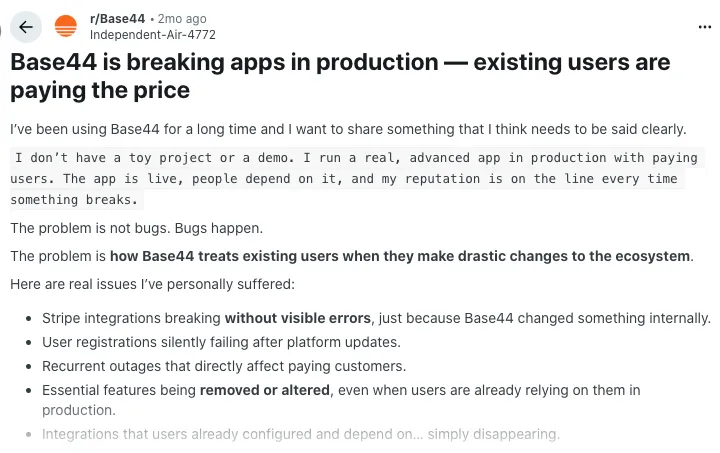
Source of information: Reddit
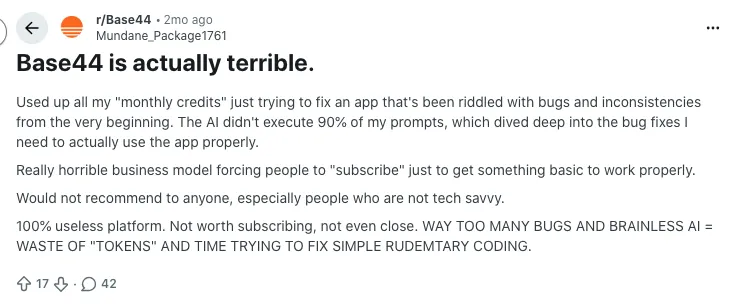
Credits burned while fighting bugs instead of shipping features
A recurring theme is people burning through monthly credits just trying to fix buggy behavior. One user says most prompts to fix issues either fail or introduce new problems, so they keep retrying and paying. The feeling is simple and painful: you pay to wrestle with the platform rather than ship features.
Source of information: Reddit
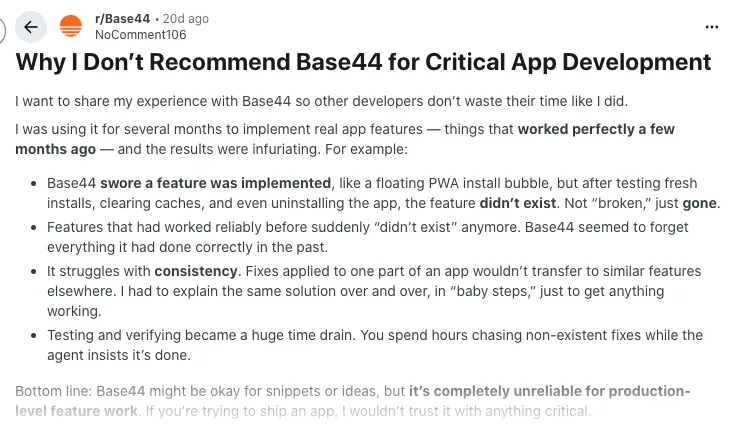
Fine for prototypes, unreliable for serious production work
Several posts draw a line between “toy projects” and “critical apps.” Users say Base44 can be fun for snippets and ideas, but they would not trust it for core features in production. They describe stress, launch delays, and a sense that the platform is not reliable enough when stakes are high.
Source of information: Reddit
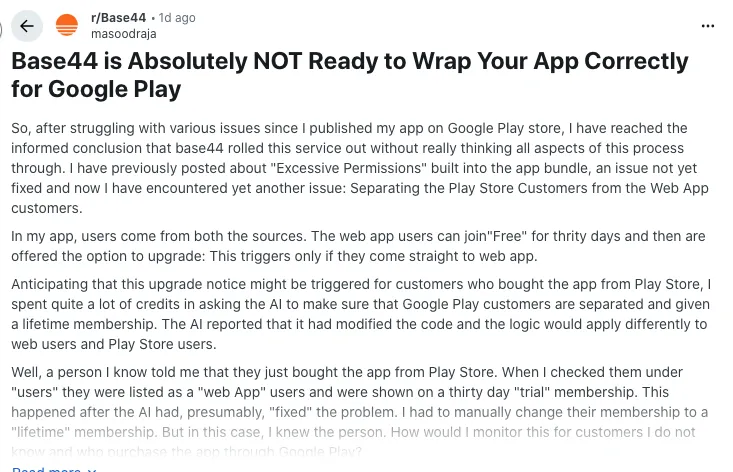
Mobile wrapping headaches and excessive permissions
Builders trying to ship Android apps from Base44 often run into ugly surprises. One detailed thread talks about “excessive permissions” baked into the app bundle and problems separating Play Store users from regular web users. The poster’s conclusion is blunt: Base44’s mobile wrapping does not feel ready for production.
Source of information: Reddit
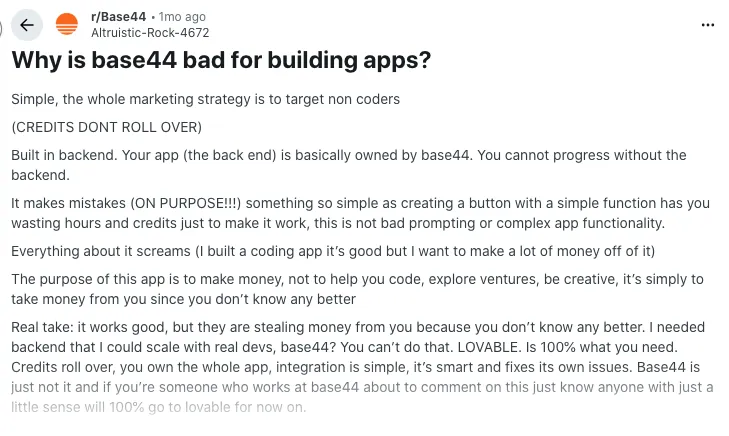
Concerns about ownership, backend control, and value for money
Some users question whether they truly “own” their app when so much of the backend is locked inside Base44. They complain about credits that do not roll over and AI mistakes that waste both time and money. That combination of opacity and cost pushes people to look for alternatives with clearer ownership and more predictable value.
Source of information: Reddit
Best Base44 Competitors
Base44 is a strong choice for fast app development, but it’s not the only one. As AI-powered and low-code tools evolve, several platforms now offer unique features, better flexibility, or more control than Base44.
In this section, we’ll explore the top Base44 competitors and highlight what makes each one stand out. Whether you’re looking for full code ownership, faster AI generation, or advanced deployment options, there’s a tool here that could fit your needs better.
1. Vitara
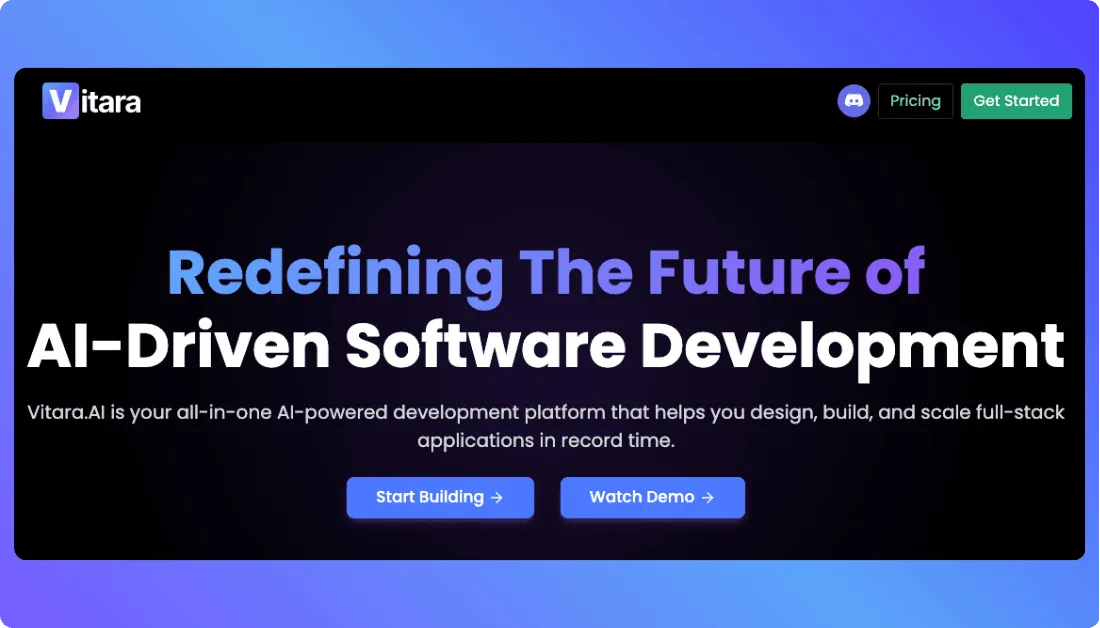
Vitara is quickly positioning itself as a powerful Base44 alternative, especially for teams focused on building AI-native applications. It offers a streamlined, AI-first approach that makes it easy to build, customize, and deploy full-stack apps with almost zero setup time.
What makes Vitara stand out is its ability to generate complete web applications from simple instructions while giving developers full code access. It blends AI speed with traditional development flexibility, helping teams scale faster without being locked into rigid frameworks.
Key features:
- AI-powered full-stack app generation (frontend, backend, database, and hosting).
- Full code export and GitHub integration for version control.
- Built-in database, authentication, and deployment.
- Modular architecture with support for custom logic and APIs.
- Ideal for startups, internal tools, and rapid MVP development.
Pricing:
Vitara offers three main plans, plus a free tier, to fit different stages of use. Each plan comes with its own limits, perks, and room to grow.
- Starter (Free Plan)
This plan lets you try out Vitara’s core features without commitment. You get 5 messages per day, 20 messages in total (one-time only), and AI prompt-based building tools. Perfect for exploring how Vitara works. - Build ($20/month)
Upgrade to this if you want more freedom. You get extended usage (100 messages/month), ability to edit and download code, private (secure) projects, and faster AI responses. Good for solo creators who need more output. - Scale ($50/month)
Built for teams or pros who need fewer limits. Includes all Build features, but higher monthly message limits (250 messages), and generally more power to work without restriction. Designed for those scaling apps or multiple projects. - Custom Plan
If none of the standard plans meet your needs, you can talk to Vitara’s sales team about a custom subscription. This is useful for enterprise usage, very large projects, or special requirements.
Vitara helps you create full-stack apps with editable code, GitHub integration, custom logic, APIs, and flexible deployment options.
Build with Vitara →
2. Lovable AI
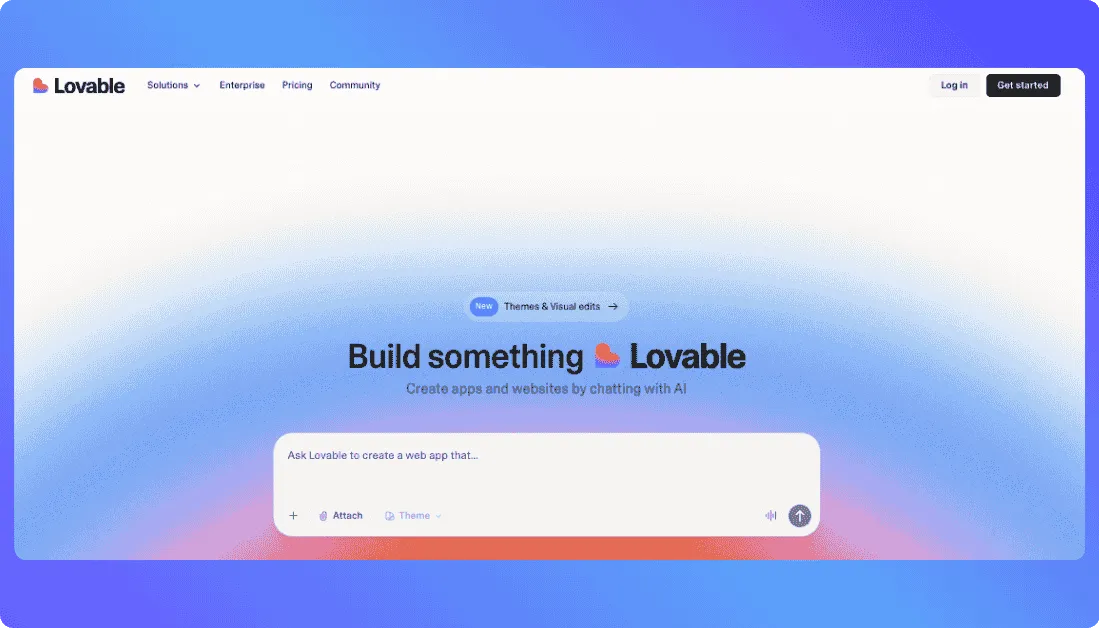
Lovable AI focuses on turning natural language prompts into fully functional web applications. It’s designed for speed, making it a solid Base44 alternative for founders and developers who want to build and deploy MVPs in record time.
Unlike lovable alternatives that rely on complex configurations or steep learning curves, Lovable simplifies the process. You describe your idea, and it generates a working app with backend, frontend, and hosting in just a few minutes.
Key features:
- Natural language-driven app generation
- Full-stack output with backend logic and database setup
- Integrated cloud deployment with no manual configuration
- Minimal learning curve for non-technical users
- Optimized for rapid prototyping and early-stage product launches
Pricing:
Lovable keeps pricing tied to credits, so you only pay more when you build more. You can start free, then move into Pro, Business, or Enterprise as your team and usage grow.
- Free
The Free plan lets you try Lovable without risk. You can create projects, use AI to generate apps, and work with a small pool of credits to understand the build experience. It is ideal for testing workflows and seeing if Lovable fits your stack before paying. - Pro ($25/month)
Pro is built for individuals or small teams shipping real apps. You get 100 monthly credits plus daily credits, with rollover when you do not use everything. The plan adds unlimited lovable.app domains, support for custom domains, the ability to remove the Lovable badge, and basic roles and permissions. It suits solo founders and small teams moving from experiments to production. - Business ($50/month)
Business targets growing teams that need more control and internal distribution. You keep all Pro features and add internal publishing, SSO, a shared team workspace, personal projects, and reusable design templates. Extra admin controls and a security center help larger groups keep projects organized and compliant. - Enterprise (Custom pricing)
Enterprise is for organizations that want Lovable as a core internal platform. It includes advanced governance, deeper integration help, and dedicated support. You can align Lovable with your design systems, security requirements, and user management flows, making it easier to roll out across multiple teams.
3. Bolt.new
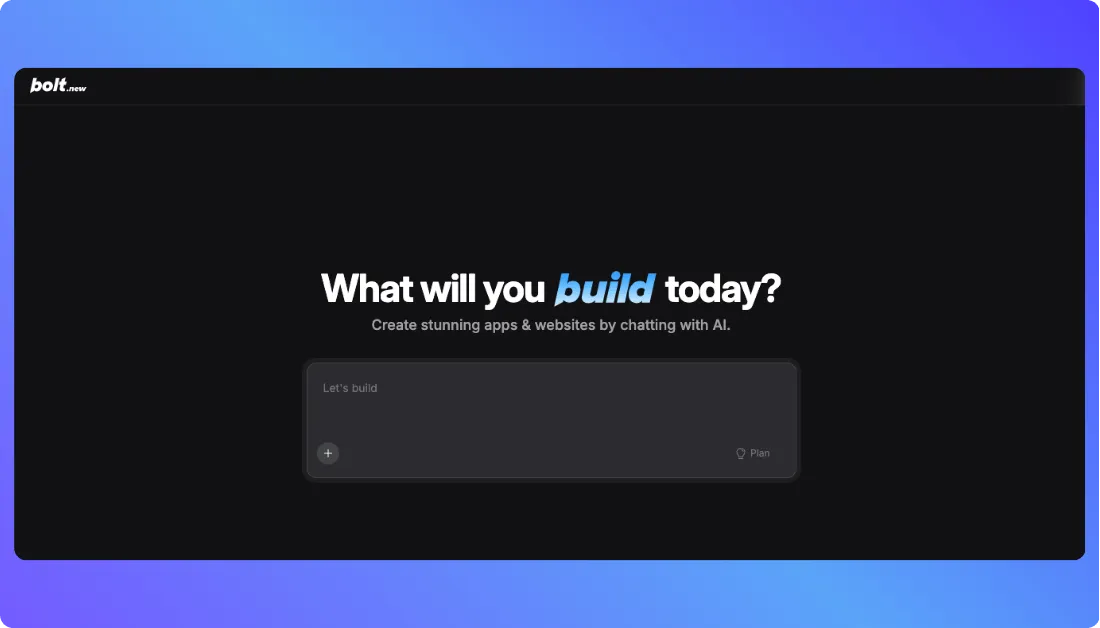
Bolt.new is gaining attention as a strong Base44 competitor, especially for developers who want fast builds without giving up code control. It uses AI prompts to scaffold full applications and gives you access to clean, editable code from the start.
Unlike tools that keep you locked into their ecosystem, Bolt.new focuses on ownership. Every project creates a full GitHub repository that you can export, modify, and deploy on your own terms.
Key features:
- Natural language to code generation with clean architecture
- Instant GitHub repo creation for each project
- Exportable codebase with no vendor lock-in
- Ideal for developers who value flexibility and speed
- Supports popular frameworks and backend customization
Pricing:
Bolt.new uses a token-based model. Each plan gives you a monthly token pool plus hosting and platform features. You can start free and upgrade as your apps and traffic grow.
- Free Plan
The Free plan lets you test Bolt.new without paying. You get public and private projects, a limited monthly token pool, and basic hosting with Bolt branding. It is ideal for learning the workflow and building small experiments before going live. - Pro ($25/month)
Pro is built for developers who want to ship real products. You get a much larger monthly token allowance, no strict daily caps, hosting without Bolt branding, and support for custom domains. It suits solo builders or small teams working on active, user-facing apps. - Teams ($30/user/month)
Teams focuses on collaboration and shared standards. You keep all Pro features and add a shared workspace, centralized billing, and better access control. It works well for startups or dev squads that want one place to manage projects, design systems, and prompts. - Enterprise (Custom pricing)
Enterprise is for larger groups that need more control and support. It includes advanced security options, priority assistance, and room to match internal compliance or governance rules. Choose this tier when Bolt.new becomes a core part of your engineering stack.
Also Read:
4. Replit
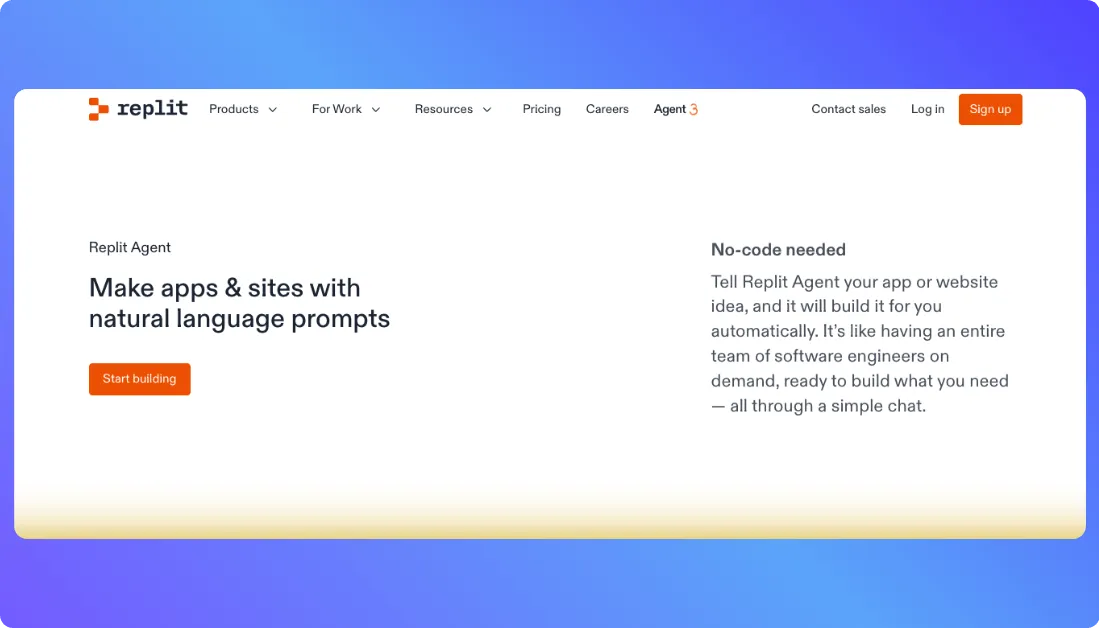
Replit is one of the most established platforms in the cloud-based development space. While it’s not purpose-built as an AI app generator like Base44, its Ghostwriter AI assistant adds powerful coding support that rivals many modern tools.
Replit combines an in-browser IDE with real-time collaboration, making it a practical alternative for developers who want full control over their code while still benefiting from AI-driven help. It’s especially popular among educators, indie hackers, and teams building in public.
Key features:
- In-browser IDE with AI-powered Ghostwriter assistant
- Real-time collaboration and multi-user coding sessions
- Built-in hosting, database, and deployment tools
- Supports over 50 programming languages
- Ideal for full-code development with AI support
Pricing:
Replit uses a credit-based model. Each paid plan includes monthly usage credits, plus different levels of compute, AI access, and collaboration. You can start free, then upgrade as your apps and team grow.
- Starter (Free)
The Starter plan is for exploring what’s possible. You get free daily Agent credits, some free credits for AI integrations, and the ability to publish one app. Agent intelligence is limited, so this plan suits learning, experiments, and small public projects. - Replit Core ($18/month)
Core is made for personal projects and simple apps. You get $25 in monthly usage credits, up to five collaborators, unlimited workspaces, autonomous long builds, and the option to remove the “Made with Replit” badge. This plan works well for indie hackers and solo developers who want reliable hosting plus full AI help. - Replit Pro ($90/month)
Teams brings Replit to your whole group. It includes everything in Core, plus $40 in monthly usage credits per user, 50 viewer seats, centralized billing, role-based access control, and private deployments. This plan fits startups, classrooms, and dev teams that need shared infrastructure and permissions. - Enterprise (Custom pricing)
Enterprise is for organizations that need stronger security and governance. You get everything in Teams, along with custom viewer seats, SSO/SAML, SCIM, advanced privacy controls, design system support, data warehouse connections, and dedicated support. It is the right choice when Replit becomes a core, compliance-sensitive part of your stack.
Note: Replit has decreased its pricing from $20 to 18 for Core plan and $100 to $90 on Pro plan.
5. Cursor
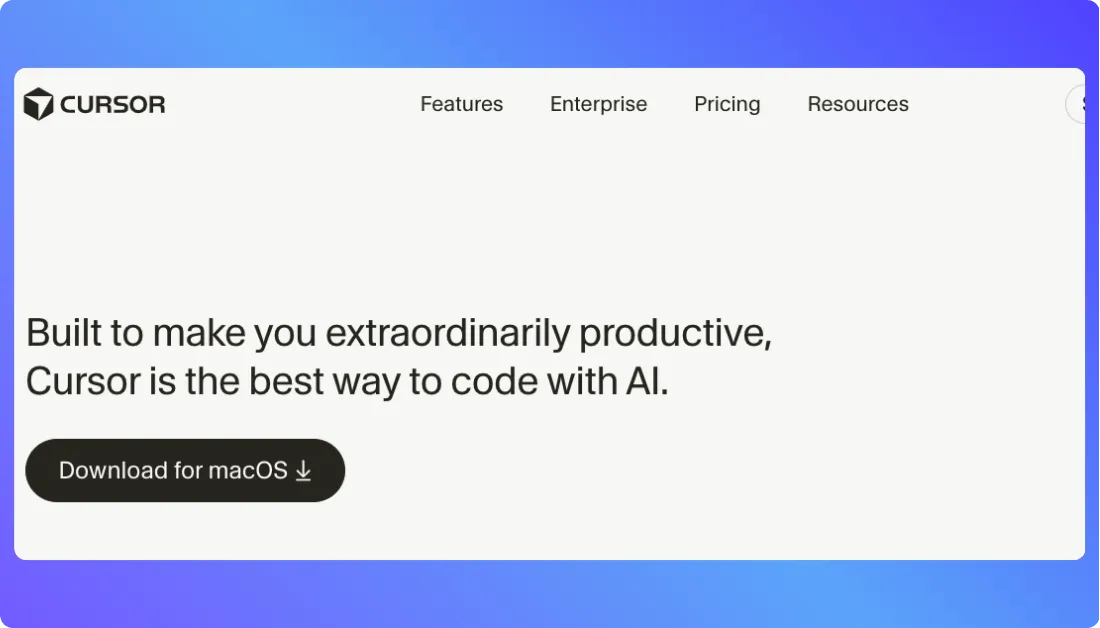
Cursor is a modern AI-first code editor built on top of VS Code. It focuses heavily on developer productivity, offering deep code understanding and smart suggestions across your entire project. While it’s not a full-stack builder like Base44, it’s a strong choice for teams that want AI-powered assistance inside a familiar coding environment.
Cursor integrates directly with your local files and version control system, giving you complete freedom over how and where your code runs. It’s best suited for experienced developers who want to accelerate their workflow without giving up precision.
Key features:
- AI-powered code editor with context-aware suggestions
- Built on VS Code for a familiar and fast experience
- Works with local files, Git, and custom environments
- Ideal for professional developers seeking speed and control
- Constantly improving with real-world usage feedback
Pricing:
Cursor uses simple per-seat plans with different AI usage levels. Individuals can start free, then move up as they need more context, speed, and model access. Teams get extra controls for shared workflows and governance.
- Hobby (Free)
Hobby lets you try Cursor with no credit card. You get limited Agent requests and limited tab completions, which is enough to feel how the AI pair-programmer fits into your workflow. This tier is best for light use, side projects, or early testing before going all in. - Pro ($20/month)
Pro is built for regular coding with AI. You get extended Agent limits, unlimited tab completions, access to Cloud Agents, and maximum context windows for larger codebases. This plan fits solo developers who want Cursor as their daily editor with serious AI support. - Pro+ ($60/month)
Pro+ targets heavy individual users who push AI hard. It includes everything in Pro but gives roughly 3x the usage on OpenAI, Claude, and Gemini models inside Cursor. This is a better fit if you live in the editor all day and constantly send large or complex requests. - Ultra ($200/month)
Ultra is for power users who want predictable, high-volume usage. You get everything in Pro plus around 20x the model usage, plus priority access to new features. This plan is designed for developers who run many large sessions, experiment with big codebases, or manage multiple projects in Cursor. - Teams ($40/user/month)
Teams is Cursor for groups. It includes everything in Pro, then adds shared chats, commands, and rules, centralized team billing, usage analytics, org-wide privacy controls, role-based access, and SAML/OIDC SSO. This plan fits engineering teams that need visibility and governance across multiple developers. - Enterprise (Custom pricing)
Enterprise builds on Teams for larger organizations. It adds pooled usage, invoice or PO billing, SCIM seat management, an AI code-tracking API with audit logs, granular model controls, and priority support. Choose this when Cursor becomes a core, compliance-sensitive part of your development stack.
Looking for more tools similar to Cursor?
6. v0 by Vercel
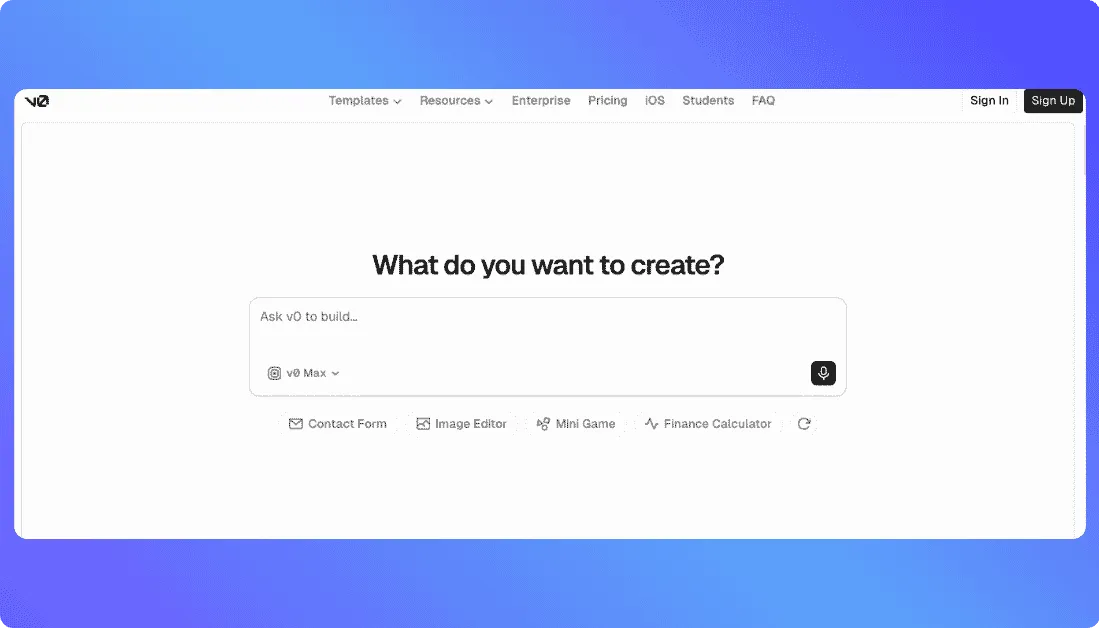
v0 by Vercel is a strong Base44 alternative for developers, designers, and product teams that want to turn prompts into polished web applications while staying close to a modern coding workflow. You can describe the interface or app you want, let v0 generate the working application, refine the design visually, and then continue development through GitHub.
Where Base44 focuses on keeping much of the app-building experience inside one platform, v0 fits naturally into the Vercel and GitHub ecosystem. You can sync projects with a GitHub repository, work with real code, create preview deployments, and publish directly to Vercel. That makes it particularly useful for teams building React and Next.js-based products that want AI-assisted development without moving too far away from familiar developer workflows.
Key features:
- AI-powered generation for full-stack web applications
- GitHub sync for managing and extending generated code
- Visual Design Mode for refining interfaces without rewriting every component
- Direct deployment to Vercel
- Support for external APIs and app integrations
- Preview deployments for testing changes before production
- Well suited to React, Next.js, SaaS products, dashboards, and frontend-heavy applications
Pricing:
v0 uses a credit-based pricing model, so your usage depends on how much AI generation and iteration you do. You can start for free, while paid plans increase monthly credits, model access, collaboration features, and business controls.
- Free ($0/month)
The Free plan gives you $5 in monthly credits and up to seven messages per day. You can use Design Mode, sync projects with GitHub, and deploy apps to Vercel. It’s a practical way to test v0, create UI concepts, or build smaller personal projects before paying. - Plus ($30/user/month)
Plus is aimed at individuals and teams using v0 regularly. Each user gets $30 in included monthly credits, access to all supported models, extra daily credits when they log in, shared chats, team collaboration, and centralized billing. It fits founders and developers actively building and iterating on web products. - Business ($100/user/month)
Business keeps the core Plus features but adds controls better suited to organizations. It includes training opt-out by default and higher-level team features while retaining $30 in monthly credits per user. This tier makes more sense when several people use v0 as part of an established development workflow. - Enterprise (Custom pricing)
Enterprise is designed for larger organizations with stricter security and governance requirements. It includes features such as SAML SSO, role-based access control, stronger data protections, priority access, and support SLAs.
You Should Also Know:
7. Emergent
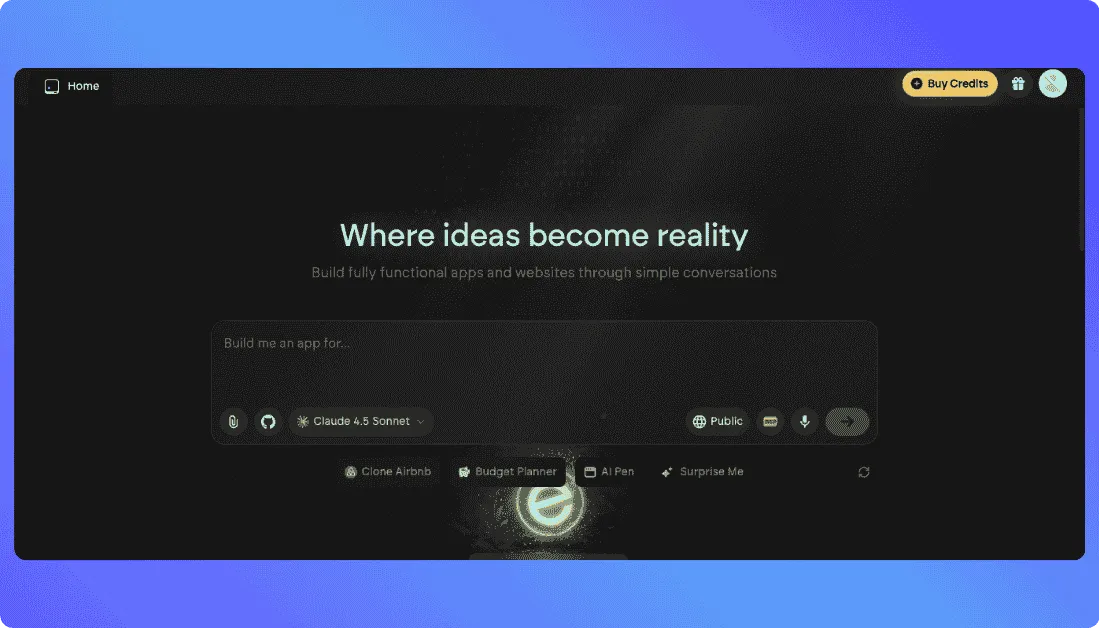
Emergent is a good Base44 alternative for founders, product teams, and developers who want to build full-stack web and mobile apps through natural language. Instead of setting up the frontend, backend, hosting, and AI integrations separately, you describe what you want to build and Emergent handles much of the coding and deployment workflow for you.
The biggest difference is how far Emergent tries to take the project. It’s built around conversational, agent-driven development, so you can move from an idea to a working application without manually creating every component. Paid plans also add GitHub integration, private project hosting, and more credits, which makes Emergent more suitable when your prototype starts turning into a serious product.
Key features:
- AI-powered full-stack web and mobile app development
- Natural language app building through conversational prompts
- Built-in support for coding, design, and deployment
- GitHub integration on paid plans
- Private project hosting
- One-click LLM integration
- Support for custom AI agents on the Pro plan
- Suitable for SaaS tools, dashboards, internal apps, e-commerce products, and multi-user applications
Pricing:
Emergent uses a credit-based pricing model. The amount you spend depends largely on how often you generate, refine, and test your applications. You can start for free, while paid plans provide more credits and stronger development and team features.
- Free ($0/month)
The Free plan includes 10 monthly credits and access to the core platform features. You can build web and mobile experiences, use supported AI models, and test one-click LLM integrations. It works well if you want to understand how Emergent’s prompt-to-app workflow feels before committing to a paid plan. - Standard ($20/month, billed annually)
Standard includes 100 credits per month, private project hosting, GitHub integration, additional credit purchases, and task forking. This is the more practical starting point for founders or developers building real projects that need version control and private development. - Pro ($200/month, billed annually)
Pro is aimed at heavier users and teams building more complex applications. It includes 750 monthly credits, a 1M context window, Ultra Thinking, system prompt editing, custom AI agents, high-performance computing, and priority customer support. - Business (Custom pricing)
Business adds team-focused features such as role-based access control, SSO, shared workspaces, and real-time co-editing. It fits companies where several people need to build and manage applications together. - Enterprise (Custom pricing)
Enterprise adds controls for larger organizations, including user-level credit limits, audit logs, self-hosted database support, VPC deployment, usage analytics, user groups, and priority SLA support.
Want to see how Emergent compares to other tools?
Best Emergent Alternatives
Emergent vs Base44
Emergent vs Vitara.ai
Choose Vitara when you need AI-powered app generation, frontend, backend, database, hosting, and code access in one workflow.
Try Vitara Today →
Final Thoughts
The AI app development space is growing fast, and Base44 has played a big role in making app building more accessible. Its all-in-one platform has helped many teams move quickly from idea to live product. But as development needs evolve, more teams are finding that a one-size-fits-all solution may not be enough.
For those looking beyond Base44, Vitara stands out as the best alternative. It offers a strong mix of AI speed, full code ownership, and flexible deployment, making it a better fit for teams that want to move fast without giving up control. With tools like Vitara, the future of AI-powered development is looking more open, customizable, and developer-friendly.
Frequently Asked Questions
What is Base44 and how does it work?
Base44 is an AI-powered app-building platform that generates full-stack applications from simple prompts. It includes built-in hosting, database setup, and deployment, helping users build apps quickly without deep coding knowledge.
Why would someone look for Base44 alternatives?
Users often explore alternatives due to limitations such as restricted export control, workflow limitations, scaling challenges, or pricing that doesn't fit growing development needs.
What makes Vitara a strong alternative to Base44?
Vitara offers AI-driven full-stack generation with complete code ownership, GitHub integration, modular flexibility, and scalable pricing making it ideal for teams needing both speed and control.
Is Lovable AI suitable for beginners?
Yes. Lovable AI focuses on natural language-based app creation, making it easy for non-technical users to build and deploy MVPs quickly.
How does Bolt.new differ from Base44?
Bolt.new emphasizes clean, editable code and full GitHub repo export for every project. It’s great for developers who want flexibility and no vendor lock-in.
Which Base44 alternative offers the best code export options?
Vitara and Bolt.new both offer excellent code export capabilities. They generate full, editable repositories with no vendor lock-in.
Are there free plans available for these alternatives?
Yes. Vitara, Lovable, Bolt.new, Replit, and Cursor all offer free tiers with varying levels of features, making them accessible to beginners and indie builders.
Which platform is best for scaling MVPs into production-ready applications?
Vitara stands out for scaling thanks to full code access, GitHub integration, modular architecture, and flexible deployment making it ideal for growing teams transitioning from MVP to full product.
What’s New?