Key Features That Make Vitara Perfect for Building Florist Websites

End-to-End Florist Website
Build your flower shop pages, product catalog, ordering flows, delivery options, forms, and backend functionality together instead of connecting separate tools for every part of the website.
-
Complete Website Generation
Create product pages, collections, forms, galleries, and ecommerce features from your requirements.
-
Built-In Backend
Handle orders, customer data, form submissions, and website logic without setting up the backend separately.
-
Connected Florist Experience
Keep products, orders, delivery information, customer details, and website actions connected within the same application.
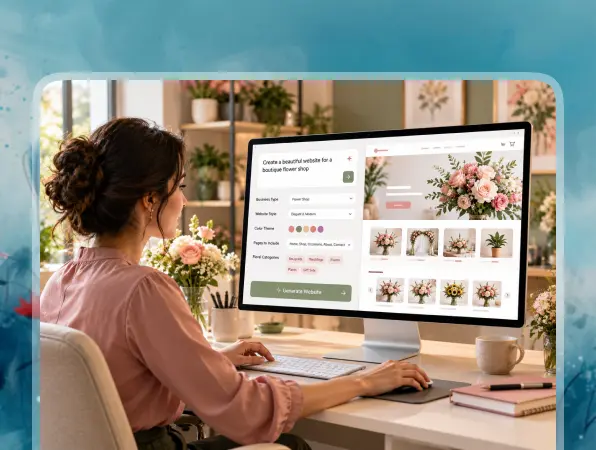
Prompt-Based Website Building
Turn written instructions into working florist pages, forms, and ecommerce functionality without manually building every section from the beginning.
-
Build with Natural Language
Describe your flower collections, pages, forms, or customer workflows using clear text prompts.
-
Generate Functional Features
Vitara turns your instructions into working storefront pages, forms, checkout flows, and connected backend logic.
-
Refine with More Prompts
Change layouts, update content, or add new features by describing what you want to modify.

Dynamic Floral Catalog
Create clear, visual product collections that help customers find flowers for specific occasions, styles, budgets, or seasonal needs.
-
Occasion-Based Collections
Organize flowers for birthdays, anniversaries, sympathy, weddings, holidays, and other common occasions.
-
Detailed Product Pages
Show photos, descriptions, pricing, sizes, add-ons, and other useful arrangement details.
-
Easy Product Updates
Change products, images, pricing, or availability when your flower inventory or seasonal offerings change.
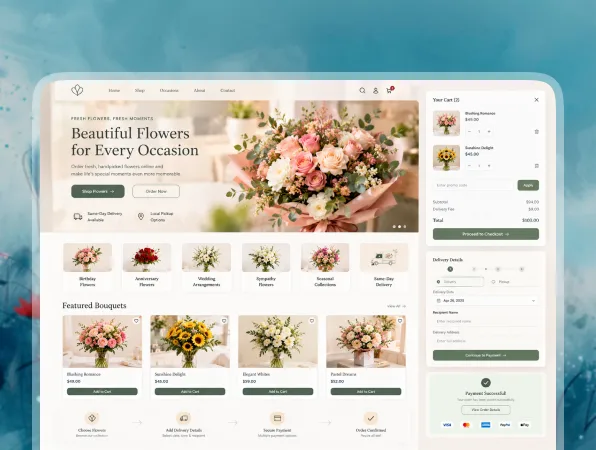
Online Ordering and Payments
Let customers choose arrangements, personalize their order, and complete checkout directly through your florist website.
-
Shopping Cart
Allow customers to combine flowers, gifts, cards, and other add-ons in one order.
-
Online Checkout
Create a clear checkout flow for delivery, pickup, customer details, and order confirmation.
-
Payment Workflows
Connect payment services so customers can complete flower purchases online.
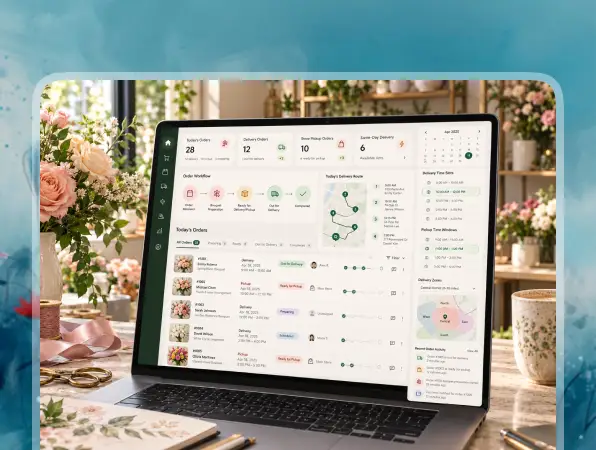
Delivery and Pickup Workflows
Build fulfillment options around the way local flower shops manage deliveries, pickup orders, service areas, and same-day requests.
-
Delivery Scheduling
Let customers choose an available date for flower delivery during checkout.
-
Local Delivery Rules
Set delivery zones, fees, availability, and same-day order cutoffs based on your business.
-
Pickup Options
Give nearby customers the option to collect completed orders directly from your flower shop.

Instant Florist Customization
Update products, delivery rules, seasonal collections, and website content as your flower shop changes throughout the year.
-
Update Products Anytime
Change flower photos, descriptions, pricing, sizes, add-ons, or availability when needed.
-
Refresh Seasonal Collections
Switch featured arrangements for Valentine’s Day, Mother’s Day, weddings, holidays, or seasonal flowers.
-
Add Features with Prompts
Create new pages, forms, integrations, or customer workflows by describing the functionality you need.