Features You Can Instantly Add to Your Restaurant Website with Vitara

Online Ordering

Let customers choose menu items and place food orders directly through your website.

Pickup Orders

Allow customers to order ahead and select pickup from your restaurant.

Delivery Orders

Create ordering flows for customers who want meals delivered to their location.

Online Payments

Connect payment providers so customers can pay while placing their orders.

Order Confirmation

Show or send clear confirmation after customers complete an online order.

Table Reservations

Let guests request or book a table directly from your restaurant website.

Reservation Forms

Collect preferred dates, times, party sizes, and customer contact details.

Special Requests

Let guests share seating preferences, accessibility needs, allergies, or celebration notes.

Private Event Booking

Collect inquiries for private dinners, parties, celebrations, and group bookings.

Catering Inquiries

Add forms for customers who want catering for events or larger orders.

Opening Hours

Display current opening, closing, and service hours where customers can find them easily.

Location & Maps

Show your restaurant address, directions, and map information for easier navigation.

Contact Information

Give customers quick access to your phone number, email address, and other contact options.

Multiple Locations

Create separate location details, menus, hours, and contact information for different branches.

About the Restaurant

Share your restaurant story, cuisine, chef, concept, or approach to food.

Special Offers

Promote discounts, meal deals, seasonal offers, and limited-time restaurant promotions.

Loyalty Program

Create rewards or benefits that encourage customers to return and order again.

Email Signup

Collect customer email addresses for restaurant news, offers, and event updates.

Customer Reviews

Display guest feedback and testimonials to help new customers learn about the restaurant.

Gift Cards

Add digital gift card options customers can purchase for friends or family.

Event Calendar

Show upcoming dinners, live music, tastings, classes, and other restaurant events.

Seasonal Menus

Promote holiday dishes, limited menus, and seasonal food or drink selections.

Chef Specials

Highlight new dishes, daily specials, or limited-time items from the kitchen.

Event Registration

Let customers register or submit their details for restaurant events online.

Menu Management

Add, remove, or update dishes, descriptions, prices, and categories as needed.

Order Dashboard

Review and manage incoming online orders from one central dashboard.

Reservation Management

Keep booking requests, guest details, and reservation information organized in one place.

Restaurant Analytics

Track website activity, customer actions, online orders, and other useful performance data.

POS & API Integration

Connect restaurant systems, payment tools, delivery services, or other business applications through APIs.

How to Use the Restaurant Website Builder

1

Give the Prompt

Describe your restaurant, cuisine, branding, menu, location, and the features you want, such as online ordering, reservations, delivery, or customer forms.

2

Generate

Vitara turns your prompt into a working restaurant website with pages, menus, forms, backend functionality, and the customer flows you requested.

3

Review

Check your menu, restaurant details, ordering flow, reservation forms, photos, and design. Use additional prompts to update layouts, content, or functionality.

4

Publish

Publish your restaurant website, connect your domain, and give customers one place to browse the menu, reserve tables, order food, and find your location.

Key Features That Make Vitara Perfect for Building Restaurant Websites
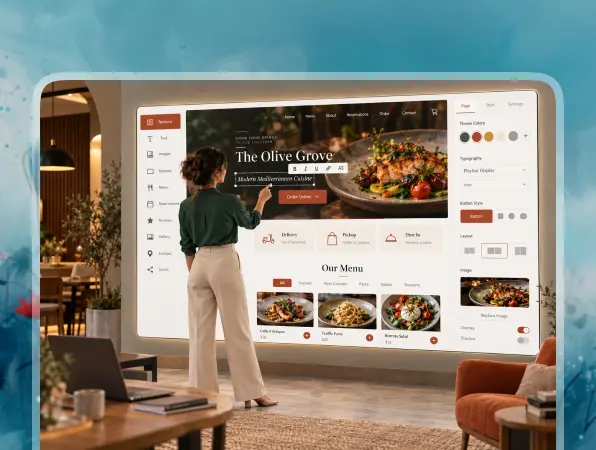
End-to-End Restaurant Website

End-to-End Restaurant Website

Build your restaurant pages, menus, forms, customer interactions, and backend functionality together instead of connecting separate tools for each part of the website.

  • Complete Website Generation

    Create restaurant pages, menus, forms, galleries, and customer-facing features from your requirements.

  • Built-In Backend

    Handle form submissions, customer data, orders, and website logic without setting up the backend separately.

  • Connected Restaurant Experience

    Keep menus, reservations, orders, customer actions, and website data connected in one application.
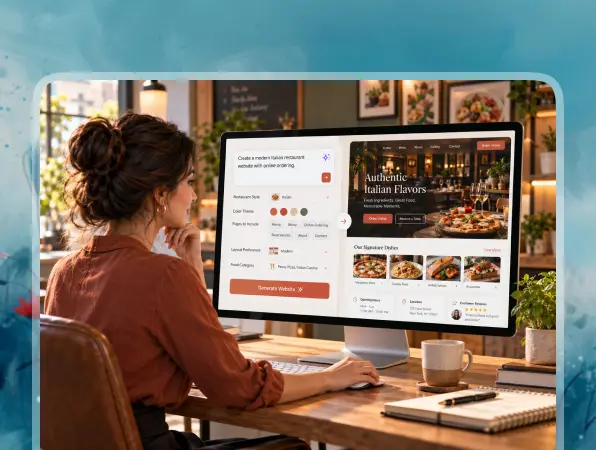
Prompt-Based Website Building

Prompt-Based Website Building

Turn simple written instructions into working restaurant pages, features, and functionality without manually building every component from the beginning.

  • Build with Natural Language

    Describe your restaurant, pages, design, and required features using clear text prompts.

  • Generate Functional Features

    Vitara turns your instructions into working menus, forms, interactions, and connected website functionality.

  • Refine with More Prompts

    Change layouts, update content, or add new restaurant features by describing what you need.
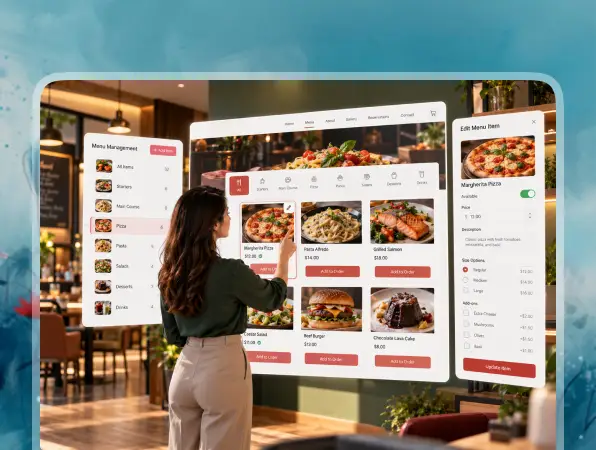
Dynamic Online Menu

Dynamic Online Menu

Create an easy-to-browse digital menu that customers can view on desktop or mobile before visiting, ordering, or making a reservation.

  • Menu Categories

    Organize dishes into starters, mains, desserts, drinks, specials, and other clear sections.

  • Dish Information

    Add prices, descriptions, food photos, ingredients, and dietary information to individual menu items.

  • Update Items Anytime

    Change dishes, prices, descriptions, or availability when your restaurant menu changes.
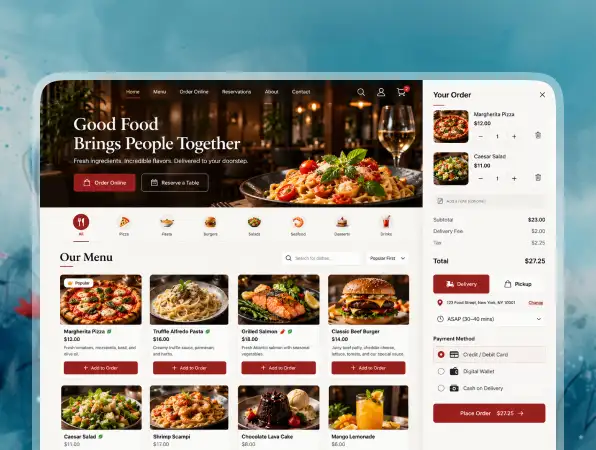
Online Ordering and Payments

Online Ordering and Payments

Create direct ordering flows that let customers choose food, select fulfillment options, and complete their order through your restaurant website.

  • Direct Online Orders

    Let customers select menu items and place orders without leaving your website.

  • Pickup and Delivery

    Create separate ordering options for restaurant pickup, local delivery, or other fulfillment methods.

  • Payment Workflows

    Connect payment services so customers can complete checkout as part of the ordering process.
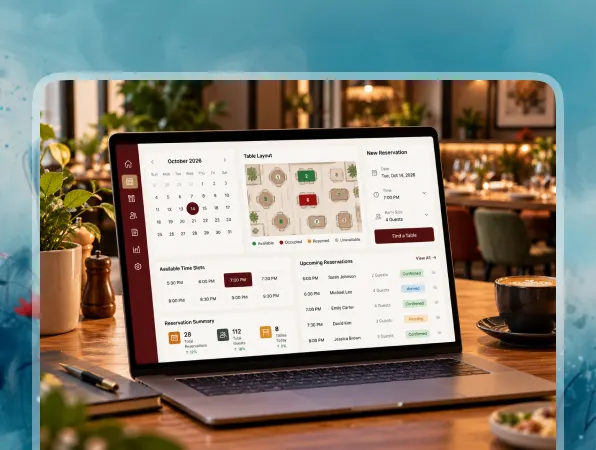
Built-In Reservation Tools

Built-In Reservation Tools

Give customers a simple way to request tables online while keeping their booking details organized for your restaurant team.

  • Reservation Forms

    Collect preferred dates, times, party sizes, and contact details from guests.

  • Guest Details

    Capture special requests, accessibility needs, celebrations, or other information before the visit.

  • Booking Management

    Keep reservation requests and guest information organized in one place for easier management.
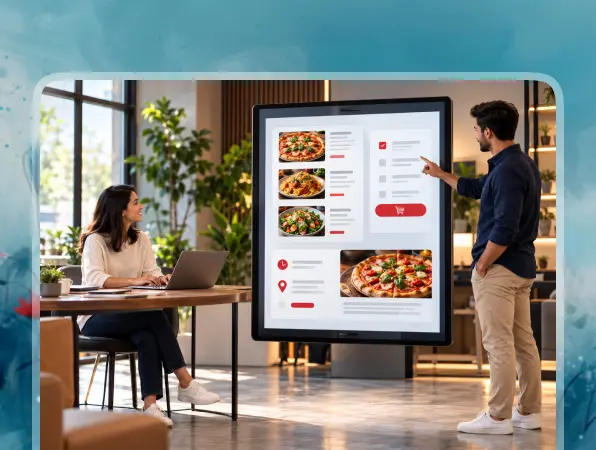
Instant Restaurant Customization

Instant Restaurant Customization

Update your website as your menu, opening hours, promotions, locations, or customer needs change.

  • Update Menus Quickly

    Change dishes, prices, descriptions, categories, or food images whenever your menu changes.

  • Edit Restaurant Details

    Update opening hours, addresses, contact information, offers, and other restaurant details.

  • Adjust Features Anytime

    Add new pages, forms, integrations, or customer features using additional prompts.
FAQ About Restaurant Website Builder Vitara

A restaurant website builder helps restaurants create and manage websites with features such as digital menus, online ordering, reservations, opening hours, location details, contact information, and food galleries.

Yes. With Vitara, you can describe the restaurant website you want using text prompts. You can specify your cuisine, pages, menu, branding, reservation flow, ordering features, and other requirements, then refine the website with more prompts.

A restaurant website should make the information customers need most easy to find. Common sections include the menu, opening hours, address, contact details, reservations, online ordering, food photos, events, and information about the restaurant.

Yes. You can build a digital menu with categories, dish names, descriptions, prices, images, ingredients, and dietary labels. You can also update menu items when prices or dishes change.

Yes. You can build online ordering flows that let customers choose menu items and submit orders through your website. Depending on your setup, you can also create separate options for pickup and delivery.

Yes. You can add reservation forms that collect the guest's preferred date, time, party size, contact details, and special requests. This gives customers an easier way to request a table without calling the restaurant.

Yes. Payment providers can be connected to ordering or other checkout workflows. This allows customers to pay online when placing food orders, purchasing gift cards, or completing other transactions supported by your website.

Yes. APIs can connect your website with external restaurant systems and business tools. The exact connection depends on whether the service provides an API and what functionality you want to exchange between the systems.

Yes. You can update restaurant information as your business changes. Edit dishes, prices, opening hours, promotions, location details, images, or other content so customers can see current information.

Yes. You can connect a custom domain for your restaurant website and export the generated source code when you need more control over development, deployment, or future customization.

Know what’s trending in AI-powered web app development

Best Website Builders for Musicians

5 Best Website Builders for Musicians I Tested in 2026

10 minutes read
Best AI Tools for Bookkeepers

5 Best AI Tools for Bookkeepers in 2026 (Tested)

10 minutes read
Best One-Page Website Builders

5 Best One-Page Website Builders I Tested in 2026

10 minutes read