5 Best Balsamiq Alternatives in 2026 (Tried and Tested)
Balsamiq is a solid low-fidelity wireframing tool.
It gives you drag-and-drop UI components, a sketchy hand-drawn aesthetic, and fast concept-to-screen speed.
But it is not the right fit for every team.
If you have been dealing with no high-fidelity output, zero developer handoff, or the lack of built-in AI and prototyping tools, you are not alone. These are the exact reasons I started testing other options. 
My point is not that Balsamiq is bad. It just might not be the right one for you.
So, if your use case does not align with what Balsamiq does best, it is worth exploring other options.
I have tested multiple wireframing and prototyping tools to see how they stack up against Balsamiq, focusing on AI features, design fidelity, collaboration, developer handoff, and overall value for money.
Here are the 5 Balsamiq alternatives that stood out.
TL;DR: Which Balsamiq Alternative Should You Pick?
- Vitara.AI – Choose if you want to go beyond wireframing and build real full stack apps with AI. Best for founders, product builders, and teams that want prompt to code, GitHub integration, and faster shipping.
- Lovable – Choose if your main goal is turning prototypes into production ready code. A strong fit for product teams that want functional prototypes, usability testing, and a smoother handoff to engineering.
- Figma – Choose if you need high fidelity design, strong collaboration, and proper developer handoff. Best for design teams that want to move from wireframes to polished UI in one place.
Why Are Users Looking for Balsamiq Alternatives?
After checking real user feedback on G2 and Reddit, a few common reasons stand out. Balsamiq is still useful for quick wireframes, but many users start looking for alternatives when they need more design flexibility, better collaboration, or a tool that fits modern product workflows more naturally. These points come from actual user experience, not assumptions.
1. Limited for Detailed or High Fidelity Design Work
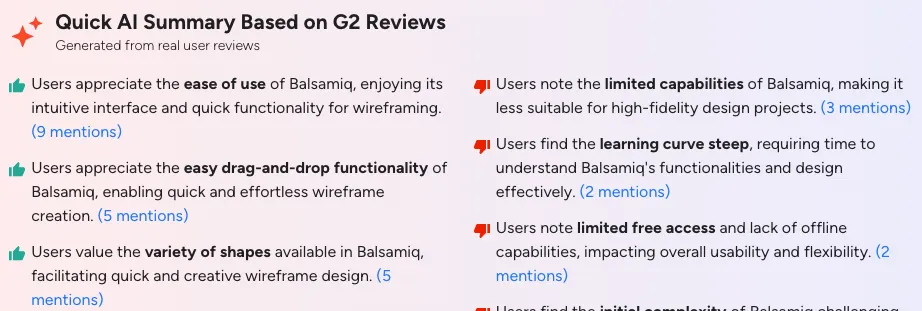
Many users like Balsamiq for rough wireframes, but they also feel it becomes limiting when projects need more polished screens or detailed UI work. G2 review summaries highlight “limited capabilities” as one of the recurring disadvantages, especially for projects that need higher fidelity output.
Source of Information: G2
2. Users Outgrow It When Collaboration Becomes More Important
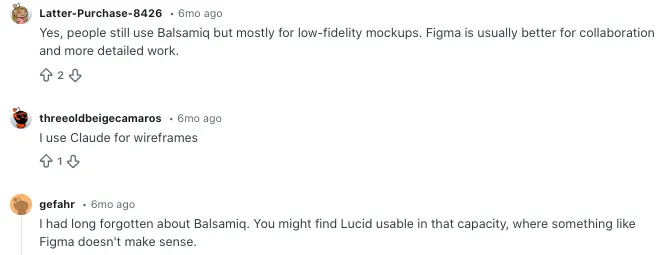
On Reddit, product and UX users often describe Balsamiq as useful for low fidelity mockups, but say they move to other tools when collaboration, shared editing, and detailed design become more important. That shows a clear pattern. Balsamiq works well early on, but teams often switch as workflows grow.
Source of Information: Reddit
3. Some Users Feel It Has Fewer Features Than They Need
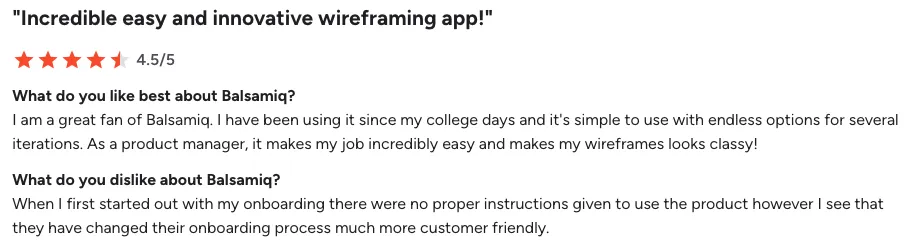
Another recurring issue on G2 is that Balsamiq’s simplicity can start to feel restrictive. Users mention limits in capabilities, free access, and drawing flexibility. That matters for teams that want one tool for wireframing, iteration, and more advanced product design work.
Source of Information: G2
4. Designers Prefer Tools That Can Move from Wireframes to Full Design
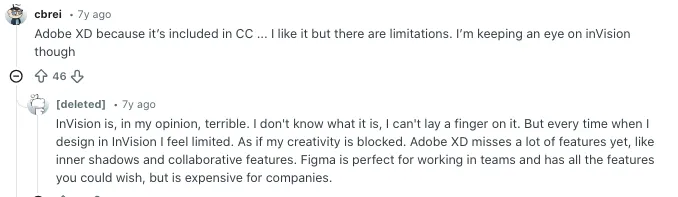
A Reddit discussion around wireframing tools shows that some users moved from Balsamiq to tools like Figma because it was easier to go from low fidelity ideas to more detailed layouts in the same workflow. That is a big reason users search for Balsamiq alternatives today. They want fewer tool switches and more room to grow inside one platform.
Source of Information: Reddit
Side-by-Side Comparison: 5 Best Balsamiq Alternatives in 2026
| Tool | Best For | Starting Price | Free Plan | AI Features | Developer Handoff |
|---|---|---|---|---|---|
| Vitara.AI | Full stack app building with vibe coding | Free tier available | Yes | Yes – core feature | Yes – real code output |
| Lovable | Prototype to production code | Free (5 credits per day) | Yes | Yes | Yes – GitHub sync |
| Figma | High fidelity design and team collaboration | $12 per editor per month | Yes (limited) | Yes | Yes – Dev Mode |
| Whimsical | Wireframes, flowcharts, and documentation | Free; $10 per user per month | Yes | Yes (ChatGPT powered) | No |
| Uizard | AI wireframes for non designers | Free; from $12 per month | Yes | Yes – core feature | Basic |
5 Best Balsamiq Alternatives
1. Vitara AI
2. Lovable
3. Figma
4. Whimsical
5. Uizard
1. Vitara.AI – Best Balsamiq Alternative for AI-Powered Full-Stack Development
Vitara.AI is by far the most powerful and forward-thinking Balsamiq alternative for teams that want to actually build what they wireframe.

Product teams, solo founders, and vibe coding professionals who need to go from idea to deployed application fast, without a large engineering team, will find Vitara.AI in a category of its own.
What stood out about Vitara.AI is the depth of what it produces. While Balsamiq gives you a grayscale sketch, Vitara.AI gives you a complete, production-ready application. You describe your app in natural language, and Vitara.AI generates a React frontend, a Supabase backend with authentication and real-time APIs, and connects everything to GitHub all from a single prompt.
That is a completely different paradigm from Balsamiq’s drag-and-drop component library.
In addition to all of this, Vitara.AI also has advanced vibe coding capabilities built directly into the platform. Overall, Vitara.AI works both as a wireframing replacement and as a complete platform for building and deploying full-stack web and mobile applications.
Why Vitara.AI is better than Balsamiq:
Builds real applications, not just sketches. With Vitara.AI, you are not producing a static wireframe that someone else has to interpret. You are producing actual working software. The gap between prototype and production is almost entirely eliminated. Teams report building complete features up to 12x faster than traditional development workflows.
Vibe coding for everyone. Vitara.AI is built around vibe coding the practice of describing what you want to build conversationally and having AI generate the actual implementation. Product managers, founders, and non-technical builders can turn product ideas into deployed apps without needing a design background or engineering skills. Balsamiq still requires you to manually drag and drop every element.
Full-stack output out of the box. Every project Vitara.AI generates includes a React frontend with Tailwind-styled components and a Supabase backend for authentication, database, and real-time features. Balsamiq exports a PDF. That is the comparison.
Prompt-based iteration. Made a change request? Just describe it. “Make the navigation sticky,” “add a user profile card,” “connect the form to the database” Vitara.AI handles each request and regenerates the relevant parts of your codebase. No redrawing wireframes. No back-and-forth with developers.
GitHub integration from day one. All generated code connects directly to GitHub, giving teams version control, collaboration, and continuous deployment workflows automatically.
Zero configuration needed. Open Vitara.AI in your browser, describe your app, and start building immediately. No setup. No installations. No “build a design system before you can start.”
Vitara.AI Pros:
- Generates production-ready React frontend and Supabase backend from a single text prompt
- Builds full-stack web and mobile applications, not just static wireframes
- Vibe coding engine handles 90% of repetitive development work automatically
- Prompt-based iteration lets you make changes without touching any code manually
- GitHub integration for version control and deployment built in from day one
- Zero configuration start building directly in the browser
- Free tier available with no credit card required
Vitara.AI Cons:
- Not the right tool if you only need ultra-quick lo-fi sketches for a five-minute meeting
- Complex backend logic may need more detailed prompts from non-technical users
Pricing:
- Starter plan is free and includes 5 credits per day along with 20 one time credits
- Build plan costs $20 per month and gives 100 monthly credits plus code export access
- Scale plan is priced at $50 per month and includes 250 monthly credits
- Custom pricing is also available for larger teams with broader needs
2. Lovable – Best for Turning Prototypes Directly Into Production Code
Lovable is the best Balsamiq alternative for product teams that need a functional, testable prototype and want that prototype to become production code without starting over.
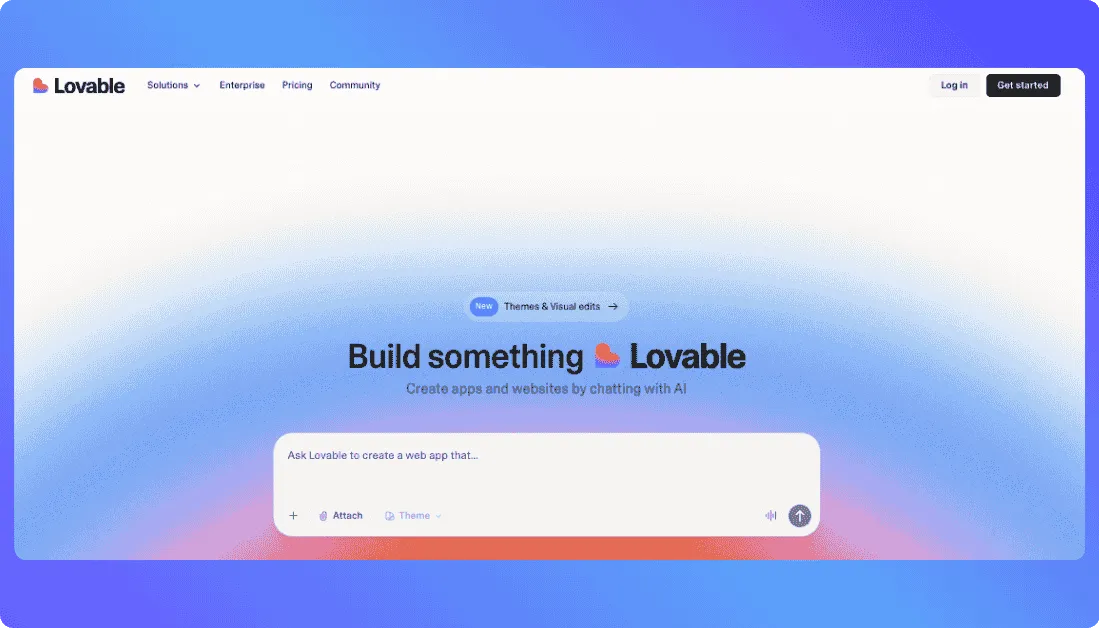
Product managers and designers who are tired of handing a static Balsamiq wireframe to developers and watching weeks disappear in translation will find Lovable genuinely changes how they work.
What stood out about Lovable is how it fills the gap Balsamiq leaves wide open the step between “approved wireframe” and “working product.” With Lovable, you describe what you want to build, and you get a fully interactive prototype your engineering team can pull from GitHub and continue building directly. No interpretation. No translation meetings. No redrawing in another tool.
In addition to all this, Lovable also reads context from your Jira tickets, Confluence docs, Notion pages, and Linear issues so the prototypes it builds are grounded in your actual product requirements, not abstract boxes and arrows.
Why Lovable is better than Balsamiq:
Prototypes that actually work. Lovable produces functional, clickable, navigable prototypes not linked static screens. The Thinkific product team used Lovable to run usability testing that achieved a 94% task completion rate. That kind of result is only possible when the prototype closely mirrors real production behavior. Balsamiq wireframes never get close to that.
PMs and designers build independently. Product managers and designers spin up fully working prototypes without involving engineers. Teams report running significantly more usability testing cycles in the same period compared to building on top of Balsamiq wireframes.
GitHub sync for direct handoff. When your prototype is validated, your engineering team pulls the repository on GitHub and keeps building from there. The prototype is the starting codebase. Balsamiq gives you a PDF to squint at.
Context-aware building. Lovable pulls from your Jira, Confluence, Linear, and Notion to build prototypes based on your actual product context. You are not starting from a blank canvas every time.
Real data support. Connect to Supabase for live authentication and database schemas. When stakeholders test your prototype, they interact with real flows not placeholder boxes.
Visual editing on top of AI. Describe changes in natural language or edit visually on canvas. Apply brand themes, generate custom images with AI, and refine UI details all within the same workspace.
Lovable Pros:
- Turns prototypes directly into GitHub-synced production-ready code
- Product managers and designers build working prototypes independently, no engineering support needed
- Reads context from Jira, Confluence, Notion, and Linear automatically
- Supports real data connections through Supabase
- Combined natural language and visual canvas editing workflow
- Free tier with 5 daily credits for public projects
- Significantly accelerates the path from validated prototype to shipped product
Lovable Cons:
- Not ideal for ultra-quick concept sketching setup takes longer than Balsamiq for five-minute ideas
- Usage-based pricing for backend features makes total cost harder to predict on complex projects
Lovable Pricing:
- Free plan is available for users who want to try Lovable before upgrading
- Pro plan costs $25 per month and includes monthly credits, daily credits, custom domains, and extra credit options
- Business plan costs $50 per month and adds team features like SSO, workspace controls, and stronger security options
- Enterprise plan comes with custom pricing for larger businesses that need advanced support, governance, and onboarding
Also Read: Best Lovable Alternatives
3. Figma – Best for High-Fidelity Design, Team Collaboration, and Developer Handoff
Figma is the natural upgrade from Balsamiq for professional design teams that need high-fidelity output, design systems, and smooth developer handoff all in one place.
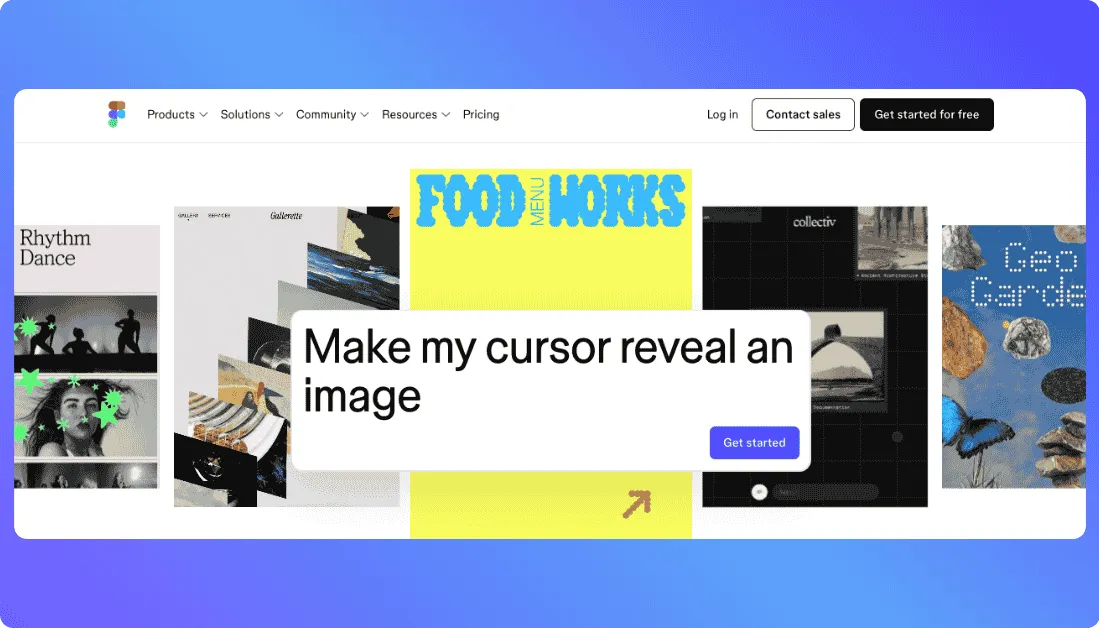
Design teams, UX leads, and product organizations that produce polished UI at scale will find Figma covers everything Balsamiq does and then significantly more.
What stood out about Figma is how it handles the complete journey from rough wireframe to developer-ready design file all inside a single canvas. You start with a low-fidelity layout using Figma’s community wireframe kits, then gradually refine the same file into pixel-perfect designs. No context switching. No re-creating work in a separate tool.
In addition to all this, Figma has also shipped powerful AI features including First Draft for AI-generated layout concepts and Figma Make for converting design files into interactive prototypes and developer-ready code.
Why Figma is better than Balsamiq:
High-fidelity and lo-fi in one file. You start rough and refine in place. Balsamiq locks you into lo-fi forever. With Figma, your early concept sketch and your final polished design live in the same file, connected by the same component logic.
Real-time multiplayer collaboration. Multiple team members designers, PMs, engineers, stakeholders work in the same Figma file simultaneously, with live cursors and instant updates. Balsamiq’s collaboration is functional but nowhere near this level of responsiveness.
Design systems that scale. Figma’s shared component libraries, team libraries, and design tokens keep your visual language consistent across every screen, every designer, and every project. Balsamiq has basic reusable symbols. The difference is significant.
Developer handoff is built in. Figma’s Dev Mode gives engineers direct access to CSS values, spacing specs, code snippets, and asset exports. Developers do not need to guess anything. Balsamiq exports a static image.
AI-powered layout and code generation. First Draft generates initial layout concepts from text prompts. Figma Make creates complete prototypes and developer-ready code from design files. Balsamiq’s AI features are limited to basic credit-based actions.
Massive integration ecosystem. Figma connects with Jira, Confluence, Slack, Maze, Zeplin, ProtoPie, and hundreds of other tools through plugins and native integrations. Balsamiq connects with Slack and Trello.
Figma Pros:
- High-fidelity and low-fidelity design in a single file, no context switching needed
- Real-time multiplayer editing with live cursors across the whole team
- Shared design systems and component libraries that scale with your organization
- Dev Mode gives developers CSS specs, code snippets, and asset exports directly
- AI features for layout generation, prototype creation, and code output
- Free Starter plan with no credit card required
- 300+ plugin and native tool integrations
Figma Cons:
- Steeper learning curve than Balsamiq non-designers can find it intimidating at first
- Per-seat pricing scales quickly for larger teams
- Can feel like overkill for simple, fast concept sketches before a morning standup
Figma Pricing:
- Starter plan is free and works well for individuals getting started with basic design and collaboration features
- Professional plan starts at $16 per full seat per month when billed annually and is a strong fit for small teams that need unlimited files, projects, and team libraries
- Organization plan starts at $55 per full seat per month billed annually and is built for businesses that need unlimited teams, shared libraries, and centralized admin controls
- Enterprise plan starts at $90 per full seat per month billed annually and is meant for larger businesses that need stronger security, scalable design systems, and advanced admin management
4. Whimsical – Best for Combining Wireframes, Flowcharts, and Product Docs
Whimsical is the best Balsamiq alternative for product teams that want their wireframes living right next to their user flows, mind maps, and product documentation not in a separate tool.
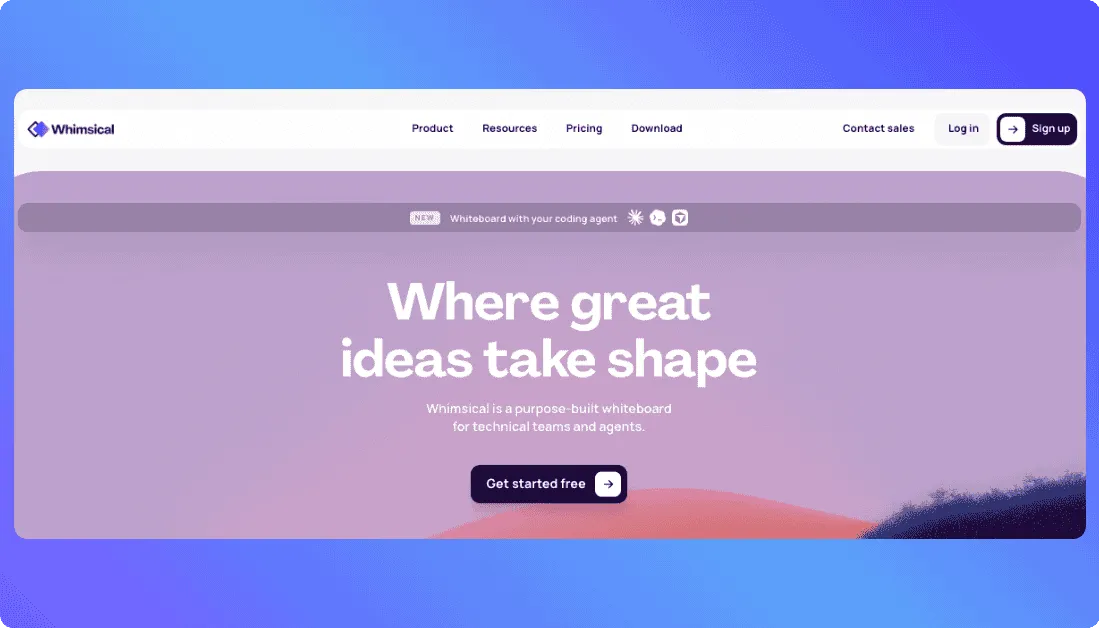
Product managers, startup teams, and UX researchers who spend as much time thinking about product structure as sketching screens will find Whimsical dramatically reduces the tool sprawl that Balsamiq creates.
What stood out about Whimsical is the connected context it offers. In Whimsical, your user flow diagram sits on the same canvas as the screen wireframes it references. Your brainstorming session stays linked to the mockups it generated. Your product requirements doc lives next to the flows that explain it. That kind of unified workspace is something Balsamiq has never attempted to build.
In addition to all this, Whimsical also has a ChatGPT integration for automated diagram generation describe a user flow in plain text and Whimsical generates the diagram for you. For product teams doing rapid ideation, this alone is a meaningful time-saver.
Why Whimsical is better than Balsamiq:
All-in-one product thinking workspace. Wireframes, flowcharts, mind maps, sticky notes, and docs all live in one place. Teams that use Balsamiq typically maintain separate tools for user flows and information architecture. Whimsical eliminates that fragmentation entirely.
Cleaner, more modern interface. Whimsical’s UI is fresher and more intuitive than Balsamiq’s hand-drawn aesthetic. You produce wireframes that look more polished while still being fast to create a middle ground Balsamiq does not offer.
Real interactive prototyping. Whimsical supports clickable prototypes and simulated user interactions that go meaningfully beyond Balsamiq’s basic screen linking. You can demonstrate actual flows rather than static slides.
AI-powered diagram generation. Describe a user flow or system architecture in plain text and Whimsical’s ChatGPT integration generates the diagram automatically. Balsamiq has no equivalent.
Smooth real-time collaboration. Live multi-user editing with contextual comments that stay attached to the relevant design elements more fluid than Balsamiq, especially for distributed teams.
More predictable pricing. Whimsical’s Pro plan at $10/user/month is straightforward for teams with a consistent number of contributors. Far easier to budget than Balsamiq’s per-project model that multiplies across multiple spaces.
Whimsical Pros:
- Wireframes, flowcharts, mind maps, and docs all on one canvas
- Modern, clean interface faster to learn than Figma, more polished than Balsamiq
- ChatGPT integration generates user flow diagrams from text automatically
- Clickable prototypes with real interaction simulation
- Real-time collaboration with contextual comments
- Generous free tier available
- Per-user pricing at $10/month is simple and predictable for growing teams
Whimsical Cons:
- Not robust enough for complex, multi-screen app prototypes that need detailed fidelity
- No developer handoff features not suitable as a bridge to engineering
- Less suitable for production-quality design work compared to Figma
Whimsical Pricing:
- Free plan costs $0 per editor per month and includes basic collaboration, limited boards, and 100 AI actions per editor
- Pro plan costs $10 per editor per month and adds unlimited team boards, private teams, more guests, and 500 AI actions per editor each month
- Business plan costs $15 per editor per month and includes unlimited teams, SSO, larger file uploads, and 1,000 AI actions per editor each month
- Enterprise plan starts at $20 per editor per month and adds advanced security controls, SCIM, priority support, and 2,000 AI actions per editor each month
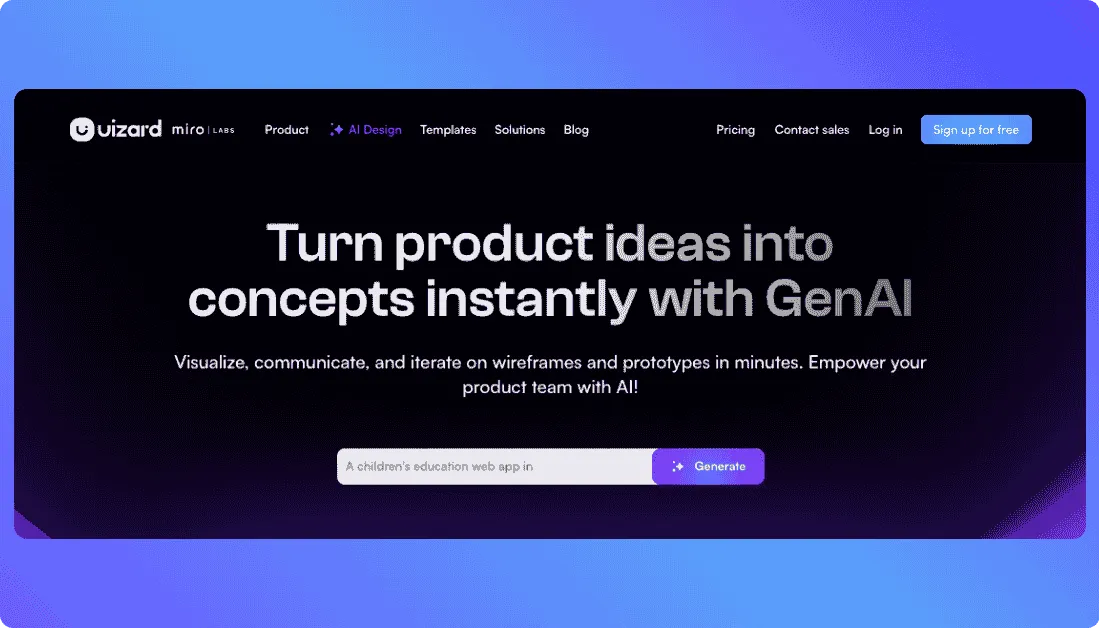
5. Uizard – Best for AI-Generated Wireframes and Non-Designers
Uizard is the best Balsamiq alternative if your team is not made up of trained designers and you need professional-looking wireframes and mockups generated in minutes not manually built from scratch.
Founders, product managers, and early-stage startup teams who need to visualize ideas fast without learning a component library will find Uizard’s AI-first workflow genuinely impressive.
What stood out about Uizard is the speed. You type a description, upload a screenshot, or photograph a rough paper sketch and Uizard generates a clean, editable wireframe or mockup automatically. Balsamiq has added some AI credits to its cloud plans recently, but Uizard’s AI is the core of the entire product. That difference in maturity shows immediately.
In addition to all this, Uizard also lets you choose between low-fidelity wireframes and high-fidelity mockups from the same prompt. Balsamiq is locked into lo-fi. With Uizard, your whole design workflow from early concept to polished mockup lives in one AI-powered tool.
Why Uizard is better than Balsamiq:
AI wireframe generation from text prompts. Type “design a mobile onboarding screen for a fitness app with email login and social sign-in” and Uizard generates an editable wireframe matching that description. No dragging, no dropping, no building from scratch. Balsamiq still requires you to manually assemble every element.
Screenshot to wireframe in seconds. Take a screenshot of any existing app or website and Uizard converts it into an editable wireframe. This is enormous for teams doing competitive analysis or trying to replicate proven UI patterns without starting from zero.
Paper sketch to digital wireframe. Draw something rough on paper, photograph it, upload it to Uizard, and watch it transform into a clean digital wireframe. A genuinely useful feature for product managers who think better on paper before moving to a screen.
Both lo-fi and hi-fi from one tool. Uizard lets you choose between low-fidelity wireframes and high-fidelity mockups. Balsamiq is permanently locked into lo-fi. With Uizard, you get concept sketches and polished mockups without switching tools.
Clickable interactive prototypes. Uizard supports real clickable prototypes with page transitions that you can share directly with stakeholders for user testing. Goes well beyond what Balsamiq’s basic screen linking offers.
Real-time collaboration built in. Live multi-user editing for teams spread across time zones, with a workflow significantly smoother than Balsamiq’s collaboration model.
Uizard Pros:
- AI generates wireframes from text descriptions, screenshots, and hand-drawn paper sketches
- Both lo-fi wireframe and hi-fi mockup output from the same tool
- Screenshot-to-wireframe conversion for competitive analysis and UI pattern replication
- Sketch-to-digital feature for paper-first thinkers
- Clickable interactive prototypes shareable directly with stakeholders
- Real-time collaboration for distributed teams
- Free plan available; paid plans start at $12/month
Uizard Cons:
- Less precise control over component hierarchies and spacing than Figma can frustrate experienced UX designers
- Not suitable for production-quality design or developer handoff at the level Figma provides
- AI output sometimes needs manual refinement for complex or highly specific layouts
Uizard Pricing:
- Free plan costs $0 and is best for basic use, with limited projects and a small number of AI generations each month.
- Pro plan starts at $12 per creator per month when billed annually, or $19 per creator per month when billed monthly.
- Business plan costs $39 per creator per month when billed annually and is built for teams that need more projects, faster AI generation, and stronger collaboration features.
- Enterprise plan comes with custom pricing for larger businesses that need advanced support, security, and team management.

Which Balsamiq Alternative Should You Choose?
I have shared with you the 5 best Balsamiq alternatives on the market in 2026.
When it comes to replacing Balsamiq for real product development, the answer depends entirely on what is slowing your team down.
If you want to build actual full-stack applications from prompts, the answer is definitely Vitara.AI. A vibe coding engine that produces React frontends and Supabase backends. An AI development platform that eliminates repetitive coding work entirely. Prompt-based iteration. GitHub integration from day one. Zero configuration. The best part? You can start on the free tier right now without a credit card.
If you are still deciding which alternative to try first, just start a free project on Vitara.AI, see if it builds what you need, and then decide if it is for you.
- Choose Vitara.AI if you are a founder, product builder, or vibe coding professional who needs to ship real web and mobile applications without a large engineering team. It is the most complete departure from Balsamiq’s limitations not just for wireframing, but for the entire journey from idea to deployed product.
- Choose Lovable if your team validates prototypes before building and needs those prototypes to become production code. PMs and designers who want to run usability testing on functional prototypes and hand them directly to engineers belong here.
- Choose Figma if you are running a professional design team that produces high-fidelity UI, manages design systems, and needs smooth developer handoff. It is the industry standard for good reason.
- Choose Whimsical if your team spends as much time on product thinking as on wireframing. User flows, mind maps, brainstorming sessions, and wireframes should all live in the same connected workspace.
- Choose Uizard if your team is not full of trained designers and speed of ideation is the priority. The AI generates wireframes and mockups from text, screenshots, and sketches faster than any manual tool.
Also Read Other Tools Alternatives
Top Builder.io Alternatives
Best Rocket.new Alternatives
Best Softr Alternatives
Top Webflow Alternatives
Top Wix Alternatives
Frequently Asked Questions
Is there a free Balsamiq alternative?
Yes. All five tools on this list offer free plans or free tiers. Figma's Starter plan, Whimsical's free tier, Uizard's free plan, Lovable's 5 daily credits, and Vitara.AI's free tier all let you get started without a credit card. You have nothing to lose pick the one that fits your workflow and try it today.
What is the best Balsamiq alternative for non-designers?
Uizard and Vitara.AI are both excellent for non-designers. Uizard generates wireframes from text descriptions and uploaded screenshots without any manual design work. Vitara.AI builds entire functional applications from plain language prompts, making it especially powerful for product managers, founders, and solo builders who want to ship real products without a design background or engineering skills.
Can any Balsamiq alternative generate actual production code?
Yes. Vitara.AI generates production-ready React frontend and Supabase backend code from natural language prompts. Lovable generates full-stack code that syncs to GitHub and is ready for your engineering team to build on. Figma's newer AI features produce developer-ready code from design files through Dev Mode and Figma Make.
What are the main limitations of Balsamiq in 2026?
Balsamiq's biggest limitations in 2026 are its lo-fi-only output, the absence of real interactive prototyping, no developer handoff features, limited collaboration for distributed teams, minimal AI capabilities compared to modern tools, and a per-project pricing model that gets expensive fast as teams scale.
What’s New?