Glide AI Review – Build Full-Stack Apps With Spreadsheets and Prompts

Glide AI has quickly become one of the most talked-about AI no-code app builders in 2026. Whether you’re a founder trying to launch an MVP without hiring a full dev team, an operations manager building internal tools from Google Sheets, or a freelancer experimenting with AI-powered workflows, Glide makes a bold promise: connect your spreadsheet, describe what you want, and watch a working full-stack app take shape in minutes.
But once you move past the marketing, a few real questions come up. What exactly is Glide AI? How does it turn spreadsheets and prompts into real applications? What’s changed with its latest AI features? After the recent pricing updates, is it actually worth paying for?

This in-depth Glide AI review breaks down the platform from a builder’s perspective. You’ll get hands-on insights, a close look at the newest AI capabilities, updated pricing details, and practical use cases so you can decide if Glide fits your workflow or if another no-code app builder makes more sense for your goals.
What Is Glide AI?
Glide AI is an AI-powered no-code app builder that turns spreadsheets and plain-English prompts into fully functional web apps. Instead of writing code or arranging visual blocks for hours, you start with your data and describe what you want to build. Glide handles the structure, logic, and interface for you.
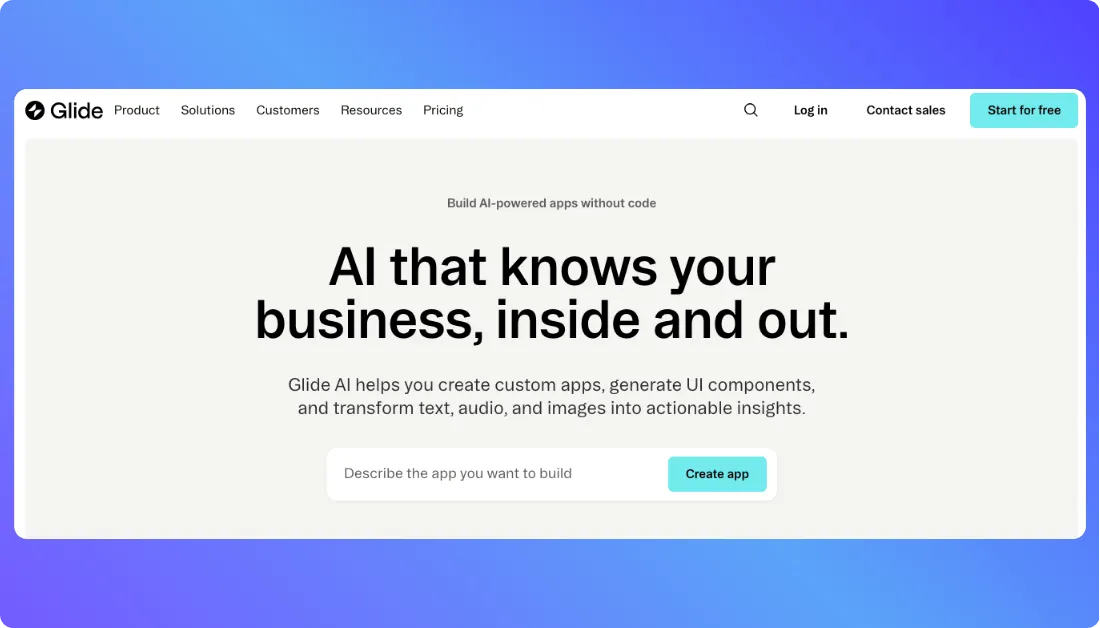
Unlike traditional no-code platforms that rely heavily on drag-and-drop editors, Glide puts your data at the center. Your spreadsheet becomes the backbone of the application. From there, AI helps shape layouts, workflows, and user experiences based on simple instructions.
When you describe your idea, for example, “Build a CRM with leads, deal stages, and follow-up reminders,” Glide automatically creates:
- Frontend: Responsive web interface with prebuilt components and mobile-friendly layouts
- Backend & Database: Glide Tables or connected sources like Google Sheets and Excel
- Data relationships: Linked records, computed fields, and structured columns
- User authentication: Sign-in flows and role-based access control
- Live preview: Instant visual updates as you modify data or layout
Glide does not export raw source code like traditional development platforms. Instead, it delivers a managed full-stack web app powered by its own infrastructure. That approach appeals to founders, operators, and internal teams who want production-ready apps without managing servers or deployment setups.
Key highlights:
- No heavy coding required, everything starts with your spreadsheet and a prompt
- Full-stack app generation including database, logic, and UI
- Designed for non-technical builders and fast-moving teams
- Supports CRUD operations, relational data, authentication, and permissions
- AI-assisted layout suggestions and workflow creation
- Clean visual builder focused on data-first app development
In simple terms, Glide AI lets you create apps from Google Sheets without coding, while still giving you the structure and capability of a real full-stack application.
Glide AI App Builder Reviews by Real Users on Forums and Rating Websites
Here’s a grounded look at what actual builders and users are saying about Glide. This is straight from review sites and community forums. I’ve grouped feedback into positive and negative impressions so you can see both sides clearly.
✅ Positive Reviews & User Experiences
- Strong Ratings on G2
Verified users on G2 give Glide a 4.7 out of 5 star rating across nearly 800 reviews, praising how accessible app building becomes without writing code and how smoothly it integrates with tools like Google Sheets. Reviewers consistently highlight ease of use, intuitive UI, and the power of building real apps quickly.


Source of Information: G2
- Non-Developers Build Real Tools
In a G2 review, a user shared that Glide helped them turn business data into a compact and mobile app, supporting teamwork and simplifying internal processes without code. - Community Success Stories on Reddit
On Reddit’s r/glideapps, many creators share wins from using Glide in the real world:
- One builder reported launching an internal operations tool that runs fast, handles data smoothly, and saved hours of manual work, with users actually enjoying the product experience.
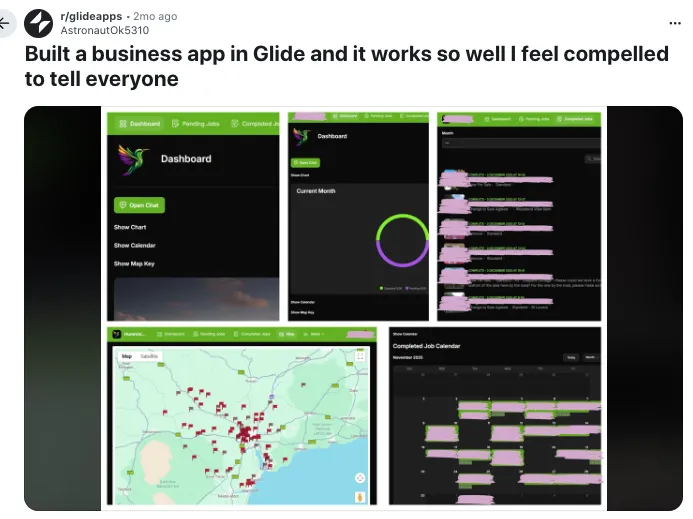
Source of Information: Reddit
- Another user on Reddit built a customer ordering app for their business in just a few days, praising how quickly it came together and how well it works for real customers.
These kinds of posts show how Glide empowers people who might not have traditional dev skills to ship functional apps that solve real problems.
❌ Negative Reviews & Common Frustrations
- Mixed Ratings on Trustpilot
Trustpilot paints a more mixed picture with an overall score around 3.2 out of 5. Some users sing Glide’s capabilities and speed, but others express frustration with pricing and limitations.

Source of Information: Trustpilot
- Concerns About Pricing and Publishing
A few Trustpilot reviewers said they spent time building an app using the Free plan, only to discover that you can’t publish without upgrading to a paid subscription, which felt like a bait-and-switch experience to them.

- Support and Billing Complaints
There are reports of users being billed after cancelling accounts and difficulty resolving issues with support.

- Limitations Highlighted by Community Users
In some Reddit threads, users note that while Glide is great for rapid prototyping, it can feel restrictive as an app grows more complex. One builder mentioned migrating to other tools when their app needed to scale or handle features beyond what Glide currently supports.

Source of Information: Reddit
Summary of Real-User Feedback
What users love:
- Easy, intuitive interface for building apps without code
- Fast prototyping and deployment
- Great for internal tools, dashboards, and business workflows
- Strong community and support resources
What users struggle with:
- Pricing structure can be confusing or expensive for some plans
- Publishing limitations on lower tiers
- Occasional support and billing complaints
- Not always ideal for highly complex or large-scale public apps
How Glide AI Works (Step-by-Step)
Here’s the core workflow behind building a full-stack app with spreadsheets and prompts inside Glide. It’s simple on the surface, but there’s real structure underneath.
Step 1: Describe your app idea
You log into Glide and land inside the app builder. Instead of staring at a blank canvas, you start with your data or a prompt.
You can connect a spreadsheet or use Glide Tables, then type something like:
“Build a client portal with project tracking, file uploads, and user-specific dashboards.”
Glide reads your data structure, understands your request, and creates an initial app layout based on your columns and relationships.
Step 2: Automatic app structure generation
Once your data is connected, Glide instantly creates:
- Screens and navigation based on your tables
- Prebuilt UI components like lists, detail views, forms, and charts
- Data relationships between tables
- Computed columns and basic logic
- User sign-in and role-based visibility rules
You immediately see a live preview of your app. As you tweak fields or layouts, the preview updates in real time. No compiling. No waiting.
Step 3: Customize with AI and visual builder
Now you refine it.
You can type requests such as:
- “Add filters to sort projects by status.”
- “Create a Kanban-style layout for tasks.”
- “Only show this section to admin users.”
- “Add a form to collect customer feedback.”
Glide adjusts layouts, visibility rules, and actions instantly. You can also use the visual editor to rearrange components, tweak styles, and modify workflows without touching code.
This mix of prompt-based edits and visual customization makes iteration fast. You test an idea, adjust it, and see the result immediately.
Step 4: Share and publish your app
When your app looks ready, you can:
- Publish it as a live web app
- Share it via link or QR code
- Connect a custom domain
- Manage user access and permissions
Glide hosts the infrastructure for you, so you don’t deal with servers or deployments. Your spreadsheet stays synced, and your app updates automatically as data changes.
Glide AI Pricing (Updated for March 2026)
Glide’s pricing is structured around users, features, and how you plan to publish your app. Here’s a clear breakdown based on the latest pricing page.
Free Plan – $0
- Build and test apps with core features
- Limited rows, updates, and storage
- Glide branding on published apps
- Community support
- Great for learning, experimenting, or building a small internal tool
If you just want to explore how to build apps from Google Sheets without coding, this plan is enough to get started.
Maker Plan – Starting around $49/month
- Higher row limits and data capacity
- Custom domain support
- Remove Glide branding
- Access to more advanced components and logic
- Suitable for small business apps or client portals
This is where most serious solo builders land once they move beyond testing.
Business Plan – Starting around $99/month
- Everything in Maker
- Advanced user roles and permissions
- Increased performance limits
- Better collaboration controls
- Designed for growing teams building internal tools or customer-facing apps
If you’re building a full-stack web app for operations, sales teams, or field staff, this tier usually makes more sense.
Enterprise – Custom Pricing
- Dedicated account management
- SSO and advanced security controls
- Higher scalability limits
- Custom agreements and onboarding support
This option targets larger organizations that need tighter security, governance, and deployment control.
Pricing Summary
Glide is affordable if you’re building focused tools with clear limits. Costs rise as your data grows, user count increases, or you need advanced permissions. For small teams replacing spreadsheets with a structured app, the value is strong. For high-scale public apps with heavy usage, you’ll want to calculate row limits and update thresholds carefully before committing.
Limitations of Glide AI
Glide makes building apps from spreadsheets surprisingly simple, but it’s not perfect and you should know where the edges are before you commit.
- Limited flexibility for highly complex apps with custom backend logic or advanced workflows
- No access to raw source code, which means you can’t fully export and host it independently
- Performance can slow down if your app handles large datasets or heavy real-time updates
- Native app store publishing is not built in, since Glide apps run as web apps
- Pricing can increase quickly as row counts, users, and feature needs grow
- Advanced customization options are restricted compared to traditional development
Glide Alternatives to Try in 2026
Glide is powerful for building full-stack apps from spreadsheets, but it’s not the only AI app builder worth considering. If you’re exploring other tools that offer different levels of control, code access, or workflow depth, these platforms stand out in 2026.
1. Vitara.ai – best for AI-guided workflow apps
If you like the idea of AI generating your app but want more structure around workflows and logic, Vitara.ai gives you that middle ground between automation and control.

Vitara.ai focuses on clarity in how processes are built and managed.
- AI-generated app layouts from simple prompts
- Structured workflow builder with visual logic steps
- Support for multi-step processes and conditional paths
- Editable components after initial generation
- Strong option for teams building operational systems
Vitara.ai works well if you want AI to handle the heavy lifting while still keeping tight control over how workflows behave behind the scenes.
2. Lovable – best for full code export and developer control
Lovable takes a very different approach compared to Glide. Instead of building on spreadsheets, it generates real, editable source code from natural language instructions.
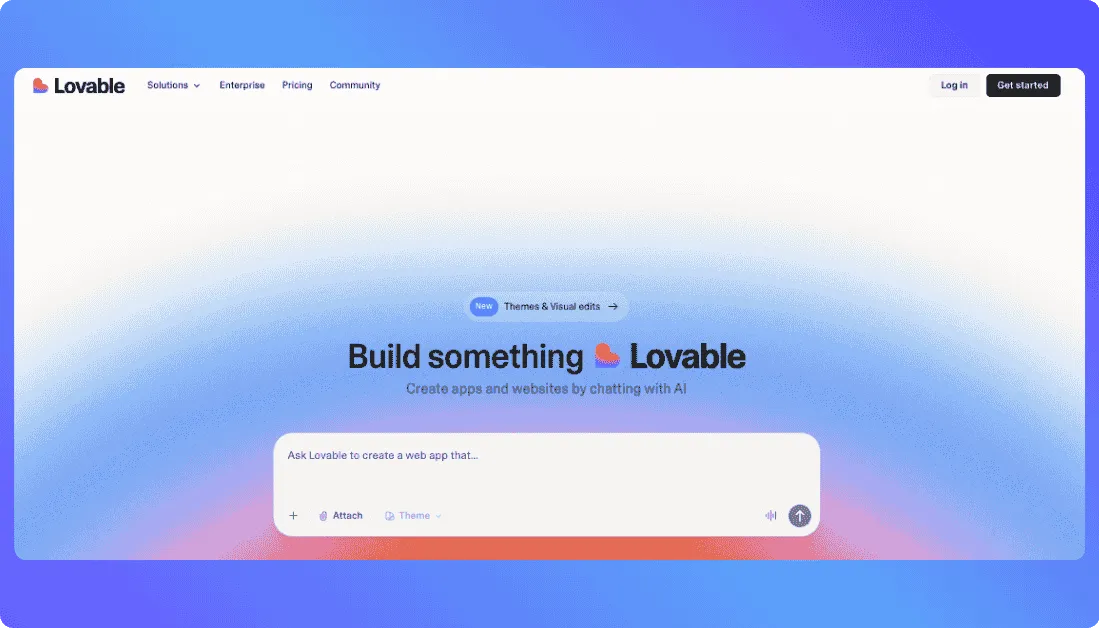
It’s built for people who want AI speed but still care about owning their codebase.
- Generates complete full-stack applications
- Frontend, backend, and database scaffolding included
- GitHub sync and local development support
- Live preview during iteration
- Strong fit for technical founders and developers
Lovable makes sense if you want to move fast with AI but don’t want to stay inside a managed no-code environment.
Also Read:
3. Emergent – best for structured AI software creation
Emergent focuses on building software from high-level descriptions while giving you a clear, logic-first structure to refine and adjust the system.

It feels more methodical and process-driven.
- AI-generated internal tools and systems
- Logic-centered building approach
- Simple interface for adjusting flows and rules
- Great for internal automation and operational apps
- Designed for predictable, structured output
Emergent suits users who prefer a step-by-step AI-assisted build process rather than a spreadsheet-first approach like Glide.
Also Read: Emergent Alternatives

Final Thoughts
Glide AI makes it incredibly easy to build full-stack apps from spreadsheets without writing a single line of code. If you already live in Google Sheets or Excel, the transition feels natural. You describe what you want, shape the layout, and your app starts working almost instantly.
It’s not built for deeply complex, developer-heavy products, and that’s okay. Glide shines when you need internal tools, client portals, or structured business apps fast. If speed, simplicity, and data-first building matter to you, Glide is absolutely worth trying.
Frequently Asked Questions
What is Glide AI used for?
Glide AI is used to build full-stack web apps from spreadsheets without coding. Teams use it for internal tools, CRMs, inventory systems, client portals, dashboards, and lightweight SaaS products. If your data already lives in Google Sheets or Excel, Glide turns it into a working app quickly.
Does Glide only create apps from spreadsheets, or can it build apps using prompts as well?
Glide primarily builds apps from structured data like Google Sheets, Excel files, or Glide Tables. Your spreadsheet acts as the foundation of the app.
That said, Glide also supports AI-powered prompts to help generate layouts, suggest fields, create computed columns, and configure workflows. So it’s not prompt-only like some AI code generators. It’s more accurate to say Glide combines spreadsheets plus prompts to speed up app creation.
Can I publish a Glide app to the App Store or Google Play?
Glide apps are progressive web apps (PWAs), which means they run in a browser but feel like native apps. You can share them via link, add them to a home screen, or connect a custom domain.
Direct native publishing to Apple App Store or Google Play is not built into Glide by default, so if full native distribution is your goal, you may need additional tools.
Is Glide good for building SaaS products?
Glide can work for simple SaaS tools, especially MVPs or niche business solutions. It handles user authentication, roles, and data management well.
For highly complex SaaS platforms with heavy backend logic or custom infrastructure, traditional development or a code-first AI builder might be more suitable.
Do I need coding skills to use Glide AI?
No, you don’t need to know how to code. Glide is designed for non-developers, founders, operators, and small teams who want to build apps visually.
What’s New?