Windsurf Pricing Explained: Full Breakdown of Plans, Credits, and Real Costs

I have spent some time building a few web apps inside Windsurf, and the whole experience still feels a bit surreal. You describe what you want, and the editor jumps in like a hyper-efficient coding partner that never blinks. It is fast, confident, and surprisingly capable, and it is easy to get swept up in the momentum of watching an idea turn into working code right in front of you.
Then you start thinking about using it for something real. Something that needs to live, breathe, and run every day. That is when the pricing conversation shows up, and it hits a little different. Testing an AI tool for fun is one thing. Budgeting for it long term, especially when you are pushing out full production apps, is a whole separate reality.

After building with it for a while, I figured out how the costs actually play out. In this guide, I am going to walk you through the Windsurf pricing structure step by step. I will break down the subscription tiers, demystify the message and integration credit system, and call out the long term costs people usually overlook when they are caught up in the excitement of AI generated apps. By the time you reach the end, you will have a grounded and honest picture of what it really costs to build and run an app on Windsurf.
What is Windsurf?

Windsurf is an AI powered coding environment that feels like a mix of an IDE and a tireless senior engineer sitting beside you. You type your intent, and it helps write code, refactor files, debug issues, and guide your workflow in a way that feels surprisingly natural. It is built to speed up real development work rather than just generate snippets, which is why so many devs reach for it when they want to build something fast and keep momentum.
Also You Should Know: Windsurf Alternatives
Windsurf pricing explained: Plans, Pricing and Credits
Windsurf’s pricing isn’t buried under confusing jargon or hidden fees. It’s built around a handful of clear subscription tiers and a monthly pool of prompt credits you spend whenever you ask the AI to generate or transform code. Once you understand the options, the real cost picture becomes a lot easier to anticipate.
Windsurf subscription tiers: Free, Pro, Teams, Enterprise
Here is a pricing table summary for you to see how each plan compares.
| Plan | Monthly Cost | Monthly Credits | Key Features | Best For |
|---|---|---|---|---|
| Free | $0 | 25 credits | Unlimited tab completions, app previews | Trying out Windsurf, early experimenting |
| Pro | $15 | 500 credits | Premium models, ability to buy extra credits | Solo developers, freelancers, side project builders |
| Teams | $30 per user | 500 credits per user | Centralized billing, admin dashboard, analytics, priority support | Small teams that need shared oversight |
| Enterprise | Contact sales | 1,000 credits per user | Role based access control, SSO, dedicated support, volume options | Larger organizations with security and scale needs |
Let me explain these plans for you:
- The Free plan is great when you just want to see how Windsurf feels in your hands. You can build small tests, poke at the AI, and get a sense of its workflow without paying a cent.
- Pro makes sense once you are building regularly. The higher credit pool and access to stronger models give you enough breathing room to write real features, refactor code, and keep momentum on personal projects.
- Teams comes into play when more than one developer is involved. Centralized billing and admin controls make it easier to manage usage across a group, especially when you are shipping features together.
- Enterprise is built for companies that need scale, structure, and support. The higher credit limits, security controls, and dedicated help give teams the confidence to use Windsurf in production environments without worrying about hitting walls.
The Windsurf credit system explained
Windsurf uses a prompt credit system, which means you spend credits only when you send a message to a premium AI model. You are not charged for every tiny action inside the editor, only for the actual prompt you write. Once you understand how credits move, the whole pricing model becomes much easier to manage.
Credits are spent per prompt, not per internal operation
When you ask Windsurf’s AI to generate code, rewrite something, or analyze a file, the system looks only at the prompt you send. Even if the AI performs many steps behind the scenes, you pay for the message you wrote, not the internal actions. This is why the cost feels predictable once you get a feel for your workflow.
Model choice affects how many credits you use
Some models consume a fixed number of credits per prompt. Others charge based on token usage, which counts both your input and the AI’s output. Users often mention that larger models give stronger results but burn credits faster, while smaller models feel more budget friendly for quick tasks. With time, you figure out which models match your working style.
Credits refresh every month
Your subscription comes with a monthly credit allowance that resets at the start of each billing cycle. If you run out early, you can buy add on credits, and those stay in your account until you use them. They do not expire at the end of the month.
What happens when you reach zero
If your monthly credits hit zero, premium models stop responding. You can still switch to free models, which keeps your workflow moving, but the quality and depth of responses will be different. You can also refill credits manually or enable automatic refills so you never have to stop in the middle of a task.
Credit rollovers and daily credits explained
Windsurf handles credits in a simple way once you see how the two buckets work. Your monthly credits arrive at the start of each billing cycle, and these do not roll over. If you do not use them by the end of the month, they disappear. This keeps each plan tied to a predictable monthly usage level.
Add on credits behave differently. When you buy extra credits, they stay in your account until you spend them. Nothing expires at the end of the month, which makes these add ons useful when your workload jumps for a short period.
Some plans also include a small pool of daily free credits, which refresh every twenty four hours. These are meant for light interactions or quick tests. If you do not use your daily credits, they do not stack or build into a larger balance.
Think of it like this: monthly credits are your main supply, add on credits are your safety net, and daily credits are a small boost for quick tasks. Once you understand how each one behaves, managing your usage feels much more predictable.
What real users say about Windsurf’s credits and pricing
When you pull actual comments from developers and users, the reactions about Windsurf’s pricing and credits are honest and varied. They cut straight to how people actually experience the system in daily use.
Some Windsurf users think the $15 plan and its 500 monthly credits are a fair deal. One developer said they used around 400 credits in a month without any daily or weekly limits and still felt like it was “very good value” for what they were getting.
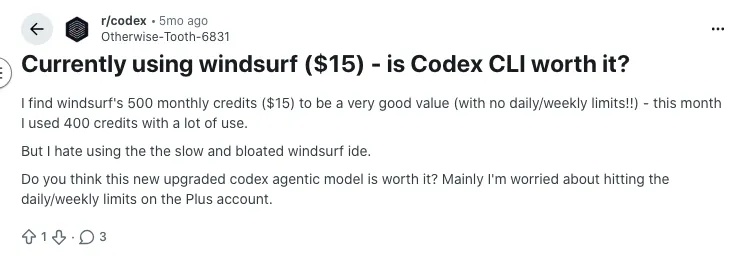
Source of Information: Reddit
Not everyone agrees, though. A thread on Reddit got pretty direct about the limits, with a user complaining that 500 prompts disappear way faster than expected and calling the pricing on the $15 plan “almost unusable” because they ran out before the month ended.
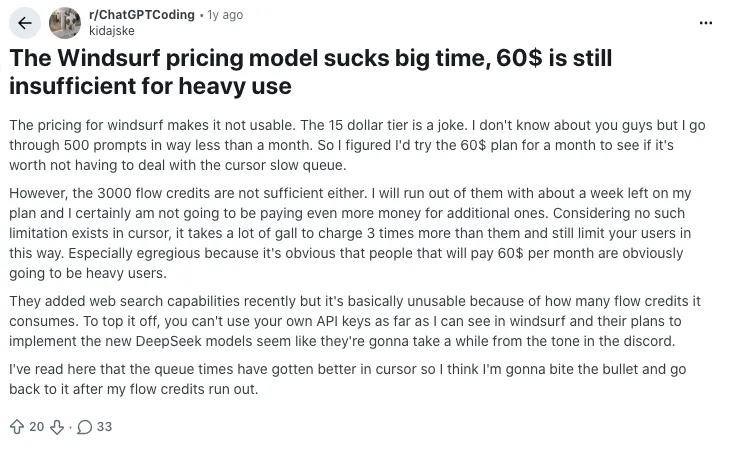
Source of Information: Reddit
Some conversations also focus on how credits disappear when the AI doesn’t behave as expected. In one Reddit thread about older credit systems (before Windsurf simplified things), people talked about credits burning through quickly when the model kept looping or failing.
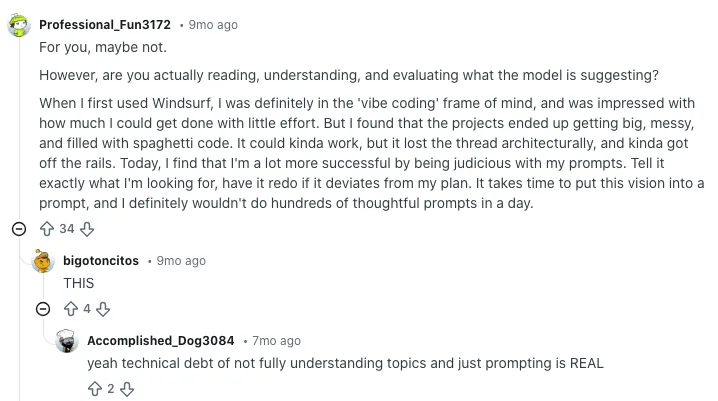
Source of Information: Reddit
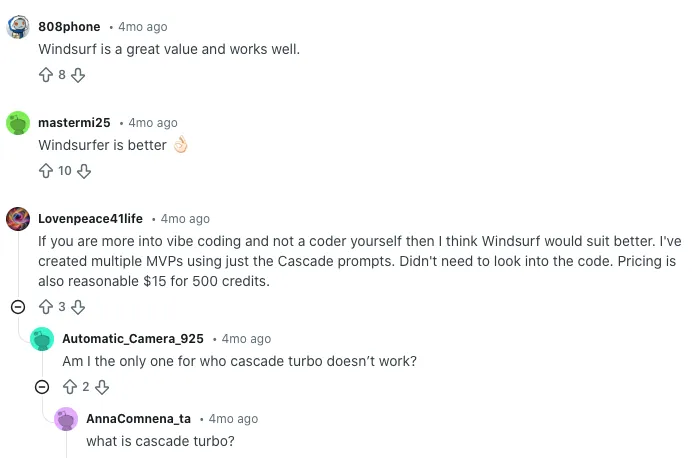
There’s a more positive take too, especially when people compare alternatives. Some users point out that Windsurf’s pricing feels cheaper or better value than other tools with similar credit systems, especially for solo devs who don’t hit high monthly usage.
Source of Information: Reddit
When each Windsurf plan actually works best
Free plan: This tier makes sense when you want to get a feel for the editor and test small ideas without stressing about credits. It gives you enough space to understand how the workflow fits your style before paying for anything.
Pro plan: A solid match for solo developers who build consistently. If you are working on personal tools, side projects, or early product ideas, the larger credit pool and stronger model access give you room to iterate without feeling squeezed.
Teams plan: This one shines when more than one person is involved. It works well for small groups that want shared billing, simple admin controls, and predictable monthly credit usage across the whole team.
Enterprise plan: Built for companies that expect steady development, higher traffic, or stricter security needs. The larger credit allowance and deeper account controls make it a better fit for production work that has to stay stable even as usage grows.
Comparative Analysis: Windsurf Pricing vs Cursor vs GitHub Copilot
To paint a clearer picture of where Windsurf sits in the AI coding landscape, here is a simple side by side look at how it compares with Cursor and GitHub Copilot in terms of pricing, features, and who each tool serves best.
| Feature / Tool | Windsurf | Cursor | GitHub Copilot |
|---|---|---|---|
| Pricing | Free tier; paid plans from $15 per month | Free tier; paid plans from roughly $20 per month | $10 per month for individuals; $19 per month for business |
| Core Features | AI powered code generation, deep refactoring tools, project wide reasoning, previews | AI code generation with strong file context handling, inline edits, agent style commands | Inline code suggestions, chat for explanations, simple code generation |
| Best For | Developers who want an AI assistant that understands full projects and can drive end to end coding tasks | Builders who want tighter control of code and strong local context tools | Quick completions and everyday coding assistance inside existing editors |
| Model Usage | Prompt credit system with premium and free model options | Mostly unlimited usage depending on plan with no credit system | Unlimited usage with no credit system |
| Team Features | Shared billing, admin controls, analytics | Team plans with shared collaboration features | Organization level controls and policy settings |
| Workflow Strengths | Strong at scaffolding, multi file reasoning, and guiding development flow | Great for iterative editing, debugging, and precise control | Best at fast autocomplete and simple code help |

You Should Know Other Vibe Coding Tools Pricing:
Final Thoughts: Is Windsurf pricing worth it for your project?
Windsurf’s pricing feels fair once you understand how the credit system fits your workflow. If you build regularly and like having an AI that can reason across full projects, the value becomes obvious pretty quickly. The cost mainly depends on how often you lean on premium models.
For lighter use, the free or Pro plan gives you plenty of room to explore without feeling pressured. If you are shipping real features or working with a team, the higher tiers make more sense because they keep your workflow smooth. In the end, it comes down to how much you want an AI partner that stays involved in every part of your build.
What’s New?