What is Buildglare? A Complete Guide to AI Builder

Ever had a website idea stuck in your head but no clue how to code it? Maybe you needed a landing page for your business or a quick MVP for your startup, but hiring developers felt too expensive and learning to code wasn’t realistic.
That’s exactly where Buildglare AI steps in and changes the game.
Entrepreneurs, designers, and startups are using Buildglare to launch fast, cut development costs, and test ideas without the traditional tech overhead. It’s part of a growing shift toward AI-first development, where speed and simplicity meet real functionality.

Whether you’re non-technical, short on time, or just tired of complex dev stacks, Buildglare offers a smarter, faster way to build online.
Let’s explore what it is, how it works, and whether it’s the right tool for your next project.
What is Buildglare AI?
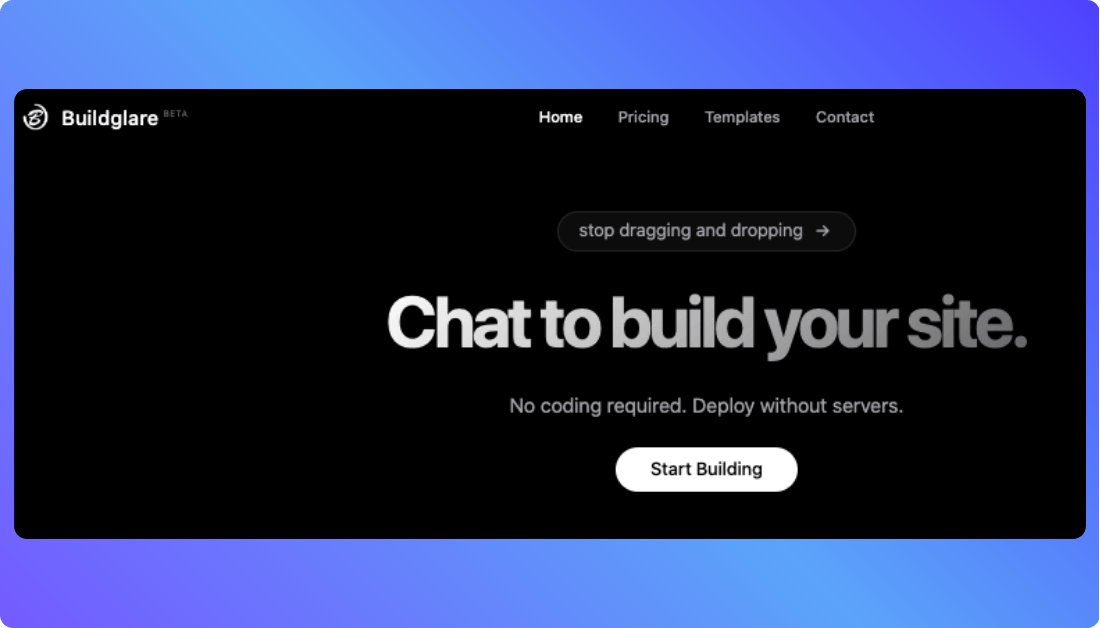
Buildglare is an AI-powered no-code platform that lets you create full websites, pages, and even back-end logic just by having a conversation. You tell it what you want, and it builds it for you. No design tools. No drag-and-drop builders. Just plain English.
From simple portfolios to fully functional web apps, Buildglare delivers production-ready code in minutes. It builds UI components, routes, forms, CMS functionality, and even handles deployment at the edge without you touching a single line of code.
You Should Know other Vibe Coding Tools:
Key Features of Buildglare AI App Builder
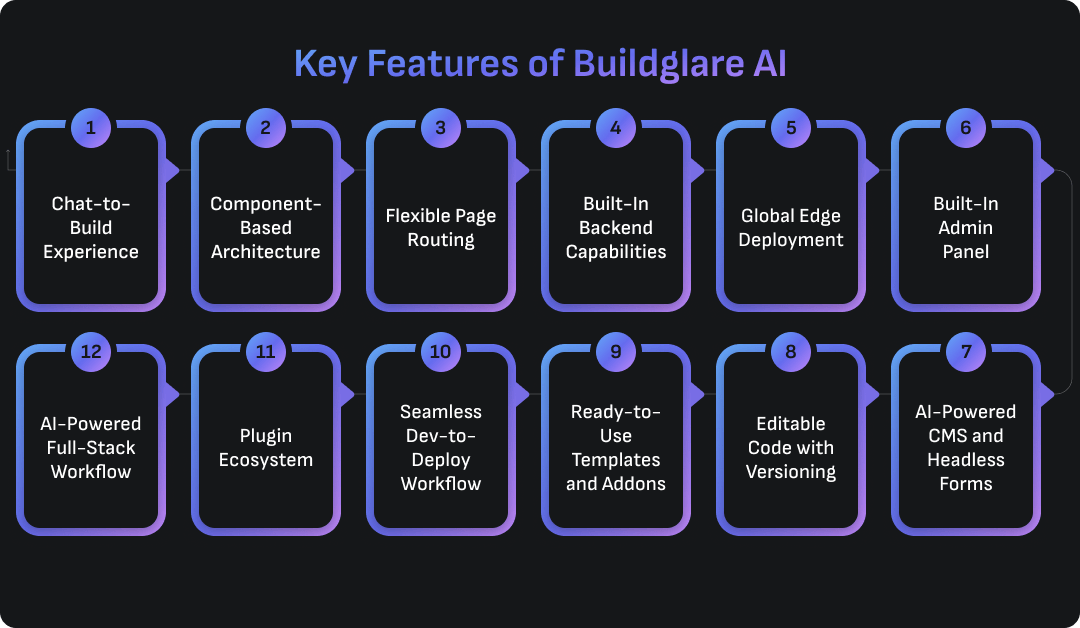
Buildglare isn’t just another no-code tool. It’s a smart, AI-driven platform that removes complexity from building and deploying modern websites. Below are the core features that make Buildglare stand out.
1. Chat-to-Build Experience
At the heart of Buildglare is a conversational interface. You describe what you want like “Add a contact form to my homepage” and it builds it instantly. The AI understands natural language and turns it into production-ready websites, no design tools or technical knowledge needed.
2. Component-Based Architecture
Build once and use everywhere. Create modular components like headers, footers, or custom blocks. Then reuse them across multiple pages. This keeps your design consistent and your site easier to manage.
3. Flexible Page Routing
Need a simple about page? Or a full blog with dynamic URLs? Buildglare supports both. You can create clean, SEO-friendly routes like /about or dynamic ones like /blog/* for scalable content structures.
4. Built-In Backend Capabilities
Buildglare now includes AI-generated backend support. You can create custom APIs and manage databases using SQLite or Cloudflare D1. Handle forms, user input, and business logic directly from the interface or by chatting with the AI.
5. Global Edge Deployment
Your site is deployed instantly via Cloudflare’s edge network. That means your pages load fast no matter where your users are. No traditional hosting setup needed.
6. Built-In Admin Panel
Every Buildglare site comes with a customizable admin panel. Use it to edit pages, manage form data, control CMS content, and more. No need for a separate dashboard or third-party tools.
7. AI-Powered CMS and Headless Forms
Use the Headless CMS to manage blogs, products, or custom data types. Buildglare also includes form handling with real-time email notifications. You can trigger actions, store data, and even integrate external services.
8. Editable Code with Versioning
If you want more control, you can open the editor and tweak the code directly. Buildglare supports editing HTML, CSS, and JavaScript within the builder. It also supports version control so your changes stay safe.
9. Ready-to-Use Templates and Addons
Start from a curated set of templates designed for landing pages, SaaS apps, portfolios, and more. Addons like forms, CMS, or admin panels are just one click away.
10. Seamless Dev-to-Deploy Workflow
Everything you build is live within seconds. No compiling. No deployment scripts. Just chat, create, and deploy.
11. Plugin Ecosystem
Add prebuilt plugins for common tasks like form processing, analytics, or user authentication. Want more? Connect external APIs or bring your own logic.
12. AI-Powered Full-Stack Workflow
Frontend meets backend, powered by AI.
Build pages, generate logic, handle user data, and deploy all guided by AI. It’s full-stack development without the steep learning curve.
More Vibe Coding Tools You Might Like:
Pros and Cons of Buildglare AI
Buildglare AI offers a fresh take on web development. It strips away the complexity of code and replaces it with intelligent automation. But like any platform, it’s not perfect for every use case.
Here’s a look at the real pros and cons of using Buildglare, so you can decide if it’s right for your project.
✅ Pros of Buildglare AI
True No-Code, AI-First Experience
You don’t need to learn code, use drag-and-drop tools, or manage hosting. You simply describe what you want in natural language, and Buildglare builds it.
End-to-End Full-Stack Development
Buildglare doesn’t just handle front-end pages. It lets you create backend logic, APIs, CMS structures, and even deploy all in one place.
Ultra-Fast Global Deployment
Websites are deployed instantly via Cloudflare’s edge network. This ensures fast page loads and minimal latency for global audiences.
Modular, Reusable Components
You can build components once and reuse them across your site. This saves time and keeps your design system consistent.
Dynamic Routing Support
From static pages like /about to dynamic paths like /blog/*, Buildglare handles flexible route creation with ease.
Built-In Admin Panel and CMS
Manage your site, content, forms, and data directly from the built-in admin dashboard. No third-party tools required.
Editable Code for Advanced Users
While it’s no-code by default, developers can dive into the code to customize HTML, CSS, and JavaScript if needed.
Templates and Addons for Quick Starts
Use pre-built templates and install addons like forms, CMS, and logic modules to speed up development.
Serverless Infrastructure
No need to configure servers or deployment pipelines. Buildglare handles it all behind the scenes with scalable serverless technology.
Active Development and Community Growth
Though still early, Buildglare is evolving rapidly. New features, integrations, and community tools are being added regularly.
❌ Cons of Buildglare AI
Learning Curve for Complex Builds
While simple projects are easy, building full web apps with logic and dynamic content may still require technical thinking and structured planning.
Limited Styling Controls
Currently, pixel-perfect design control is limited. Fine-tuning layout and spacing may require manual tweaks or direct code edits.
Smaller Ecosystem (for now)
Buildglare has fewer ready-made templates, plugins, and third-party integrations compared to older no-code platforms like Webflow or Bubble.
Less Ideal for Team Collaboration
The platform focuses on individual use. Features like multi-user collaboration, version control, or branching are still evolving.
Code Export and Portability Limitations
While you can edit code inside Buildglare, exporting full projects for external hosting or migration isn’t as seamless as some open-source tools.
AI Can Misinterpret Complex Prompts
The chat-to-build interface is powerful but not perfect. Vague or overly complex instructions can produce unexpected results, requiring revision.
Buildglare: Pricing Explained
Here’s a clear breakdown of the pricing model for Buildglare. What you pay for, how it works, and how to choose the right plan for your project.
What You Pay For
Buildglare uses a usage-based pricing system. You adjust sliders to match your needs and pay only for what you use.
- Message credits: These are used when the AI generates pages or components. For example, 800 message credits cost $17.21.
- Sites: This is the number of hosted websites. For example, 3 sites cost $3.
- Worker requests: Each page access or component load counts as a request. One million worker requests cost $0.76.
- A sample configuration of 800 credits, 3 sites, and 1 million requests totals around $21.21 per month.
How It Works in Practice
- When choosing your plan, you use sliders to select message credits, number of sites, and worker requests. The price updates in real-time.
- Hosting is included. Your site is served globally using edge infrastructure for fast performance.
- A “request” is triggered every time a component or page loads. For example, a page with a header, body, and footer counts as three requests per visit.
- You can upgrade or downgrade your plan at any time. Downgrades take effect at the start of the next billing cycle.
- If you cancel, your custom domain remains active until the current billing cycle ends.
Why This Pricing Model is Good
- Transparent and flexible: You pay only for what you use.
- Scalable: Whether you run one site or many, you can scale usage and costs accordingly.
- Edge hosting included: No separate hosting fees to manage.
- Traffic-based pricing: If you know your site traffic, you can estimate costs with precision.
Things to Watch Out For When Chossing Plan
- Message credits can add up: Frequent use of the AI to build pages will increase costs.
- Worker requests grow with traffic: Sites with many components or high traffic will need more request capacity.
- Estimated costs may vary: Your monthly cost may go higher depending on how much you build or how much traffic you get.
- No clearly stated free tier: While there may be minimal usage allowances or trials, most serious use cases will require a paid plan.

Tips to Choose the Right Pricing Plan of Buildglare AI
- Estimate how many pages or components you’ll generate and set your message credits accordingly.
- Start with fewer sites and scale up as needed.
- Monitor how many components each page uses to estimate your request needs.
- Plan for growth if you intend to scale traffic or add dynamic content later.
- Compare your time saved to your monthly cost. Often the ROI is worth the spend.
Best Alternative to Buildglare AI
If you’re looking for a strong alternative to Buildglare AI, Vitara AI is the top choice. It brings full-stack app development into a prompt-driven, browser-based environment. You get real code, real control, and a frictionless way to go from idea to deployment.
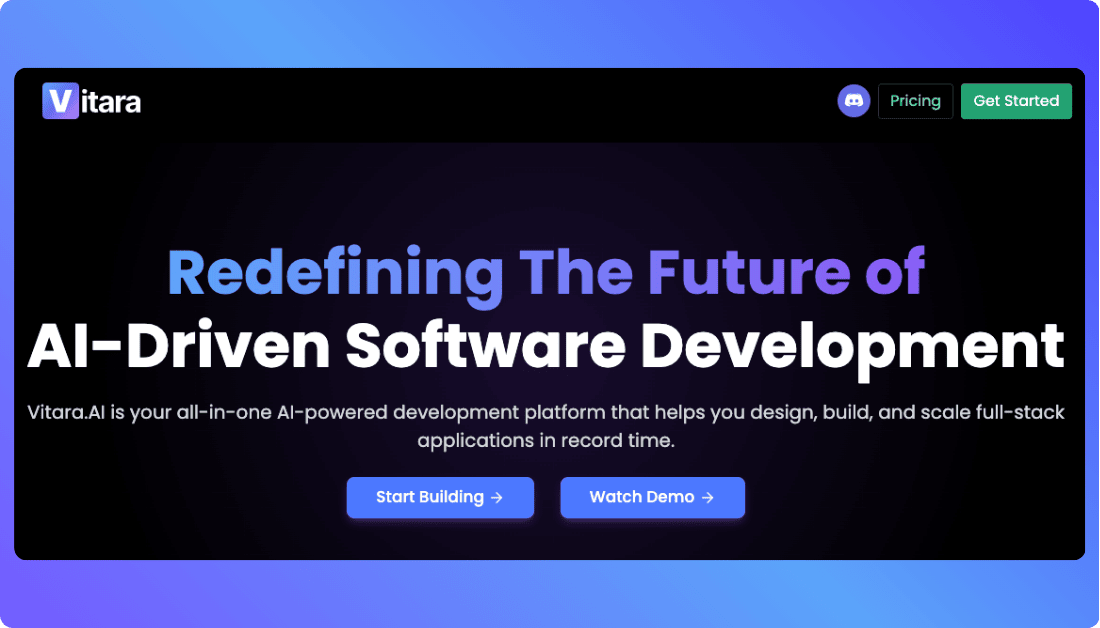
Why Vitara AI Is a Top Choice
Here’s why Vitara AI stands out as a serious competitor to Buildglare:
- You describe your app in plain English and Vitara builds both the frontend and backend
- It generates actual, editable code, so you’re never locked into the platform
- Everything runs in the browser no setup or installation required
- You can export the full codebase and manage it using Git or your preferred tools
- It’s designed for both non-technical creators and developers who want flexibility
Key Features of Vitara AI
Below are some of Vitara’s most powerful features that make it a standout Buildglare alternative:
- Natural language to full-stack app: Create UI, backend logic, and database structures through simple prompts
- Instant editing and customization: Modify features and UI on the fly after generation
- Code ownership: All code is exportable, editable, and production-ready
- Zero setup, in-browser IDE: Start building right away without installing anything
- Developer-friendly: Supports team collaboration, Git integration, and version control
- Free tier access: Start exploring the platform before committing to paid plans
When to Choose Vitara AI Over Buildglare AI
Choose Vitara AI when:
- You need full-stack flexibility, with editable code and scalable backend logic
- You’re planning a serious web app or SaaS product that may grow over time
- You want complete control over deployment, source code, and architecture
Choose Buildglare AI when:
- You want to launch quickly with minimal setup or complexity
- Your project is more focused on websites or small-scale apps
- You prefer an AI-first, no-code experience with built-in hosting
Recommend To Also Read This:
Hostinger Horizons Alternatives and Competitors
Appsmith Alternatives and Competitors
Codev Alternatives and Competitors
Final Thoughts: Who Should Use Buildglare AI?
Buildglare AI is a great fit for creators, solo entrepreneurs, and early-stage startups who want to build and launch quickly without writing code. If you’re looking to turn an idea into a live website or web app with minimal setup, Buildglare makes that process simple and fast through its natural-language interface.
It’s best suited for lightweight projects, marketing sites, MVPs, and portfolios where speed and ease matter more than deep customization. If you want a tool that handles both front-end and basic back-end tasks without overwhelming you with complexity, Buildglare is a solid choice.
Frequently Asked Questions
What is Buildglare AI?
Buildglare is an AI-powered no-code platform that lets you create full websites, pages, and even back-end logic just by having a conversation. You tell it what you want, and it builds it for you. No design tools. No drag-and-drop builders. Just plain English
Who should use Buildglare AI?
Buildglare AI is ideal for:
- Solopreneurs launching their first product
- Startups that want MVPs fast
- Non-technical creators who want to avoid coding
- Developers who want to skip repetitive UI building
What are the key features of Buildglare AI?
Here’s what makes Buildglare AI stand out:
- Prompt-to-UI: Chat your way to live web pages
- Built-in backend logic: No need to code APIs or workflows
- Edge deployment: Apps go live globally, fast
- Integrated admin panel: Manage users, roles, and access from day one
What are the pros and cons of using Buildglare?
Pros:
- Truly no-code. You can build full apps without touching code.
- Deployable on the edge for fast global access.
- Handles both frontend and backend in one system.
Cons:
- Limited design control for pixel-specific layouts.
- Smaller community compared to big platforms.
- Steeper learning curve if you're used to drag-and-drop builders.
Can I export the code from Buildglare?
Currently, Buildglare AI does not offer full code export for all project types.
Is Buildglare AI good for building mobile apps?
Buildglare AI is good for creating mobile-friendly web apps, but it doesn’t support building native iOS or Android apps.
What are the best alternatives to Buildglare AI?
Vitara AI is the top alternative to Buildglare, offering a more structured, UI-first approach with advanced customization and team collaboration features.
Is Buildglare AI suitable for large-scale or production apps?
Buildglare AI can handle MVPs and early-stage products with ease. Its edge deployment, built-in admin panel, and full-stack logic make it appealing. But for enterprise-grade projects, consider these aspects:
- Customization needs: Some enterprise workflows may need custom APIs or logic not supported yet.
- Scalability: While edge deployment is fast, monitoring, performance tuning, and devops flexibility are limited.
- Team collaboration: Buildglare is more solo-friendly than team-oriented right now.
What’s New?