Top 5 Builder.io Alternatives for Websites & Web-Apps in 2026 [Tested]
![Top 5 Builder.io Alternatives for Websites & Web-Apps in 2026 [Tested]](https://vitara.ai/wp-content/uploads/2026/04/Builder-io-Alternatives.webp)
I spent the last few weeks comparing Builder.io alternatives side by side.
Not just skimming feature pages, but actually reviewing editor workflows, comparing pricing models, and studying real user feedback across review sites and competitor comparisons.
If you are reading this, you probably already know what Builder.io does.
It is a visual development platform with headless CMS capabilities, drag-and-drop page building, and developer-friendly component control. It works well for teams building modern digital experiences.

But a few things keep coming up when teams start looking elsewhere:
- Pricing that gets expensive as teams scale
- Limits around code ownership and flexibility
- A learning curve for non-technical users
- Lastly, not every team needs this much platform complexity
That is enough to make marketers, developers, and content teams explore what else is available.
This guide covers the 5 best Builder.io alternatives I found for 2026.
I compared them on visual editing, CMS flexibility, developer control, collaboration features, pricing fit, and how well they support modern website workflows.
So, let’s get into it.
TL;DR: Which Builder.io Alternative Should You Pick?
Are you in a hurry? Want a quick pick from the best? Here are the top 3 alternatives to Builder.io.
- Vitara.ai – Best for teams that want a faster, more flexible way to build and manage modern digital experiences without getting buried in complexity.
- Webflow – Best for marketing teams that want strong visual control, clean site-building workflows, and an easier path from design to launch.
- Framer – Best for teams that care about polished design, quick publishing, and a smoother visual editing experience for high-impact websites.
A Quick Comparison of Top Builder.io Alternatives [Table Comparison]
| Tool | Visual Editor | Headless CMS | Code Export | Free Plan | Starting Price |
|---|---|---|---|---|---|
| Vitara.ai | Yes | Yes | Yes | Yes | Custom pricing |
| Webflow | Yes | Limited | No | Yes | $14 per month |
| Framer | Yes | Limited | No | Yes | $15 per month |
| Lovable | Yes | No | Yes | Yes | Free / Paid |
| Sanity | No | Yes | Yes | Yes | Free / Paid |
Why Its Existing Users Are Looking for Builder.io Alternatives?
After digging through user reviews, community threads, and real-world feedback, a few consistent pain points keep showing up. These aren’t edge cases — they come from teams actively using Builder.io in production.
1. Pricing That Scales Faster Than Expected
Builder.io works great at the start, but costs can climb quickly as your team, traffic, or usage grows. Many teams mention that what felt affordable early on becomes harder to justify at scale, especially for startups and mid-sized companies.
Source of Information: G2
2. Limited Code Ownership and Flexibility
Developers often want deeper control over the codebase, especially in complex projects. Some users feel constrained by how Builder.io abstracts parts of the workflow, making it harder to fully customize or extend beyond certain limits.
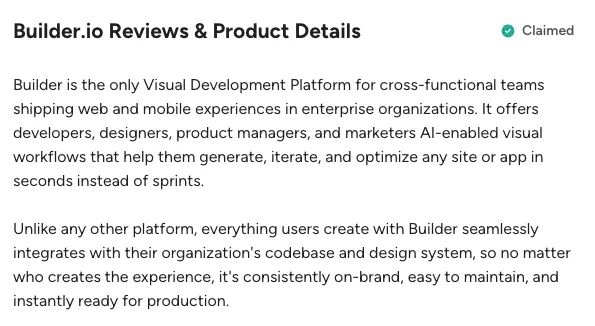
3. Steep Learning Curve for Non-Technical Teams
While Builder.io markets itself as visual and user-friendly, several users point out that it still requires a decent technical understanding. For marketers or content teams, getting comfortable with components and structure can take time.
Source of Information: G2
4. Performance and Debugging Challenges
As projects grow, debugging issues or optimizing performance inside Builder.io can become tricky. Some teams report that troubleshooting isn’t always straightforward, especially when mixing visual editing with custom code.
5. Overkill for Simpler Use Cases
Builder.io is powerful, no doubt. But not every team needs that level of complexity. For simpler marketing sites or landing pages, users sometimes feel they’re using a tool that’s heavier than necessary.
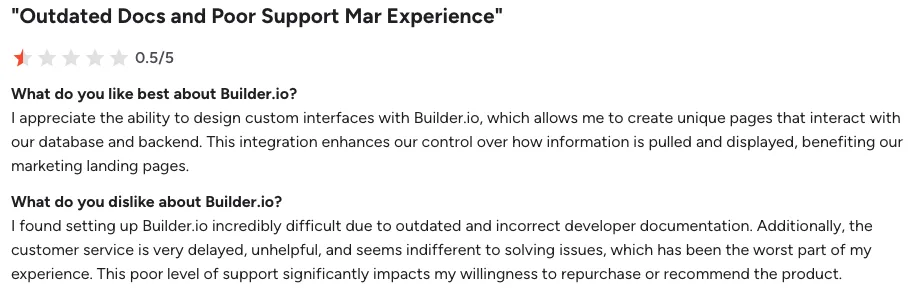
Source of information: G2
How I Selected These Alternatives
I evaluated each tool based on what actually matters when you are choosing a Builder.io alternative for modern website building and visual content workflows.
Evaluation Criteria
- Visual editing quality and ease of use
- Headless CMS flexibility and content modeling depth
- Code control and developer workflow support
- Component reusability and design system fit
- Integrations with frameworks, APIs, and third-party tools
- Pricing structure and long-term cost at scale
- Free plan or free trial availability
- Real user reviews on G2, Reddit, and other public sources
Every tool on this list is a genuine Builder.io alternative that overlaps with Builder.io’s core use case: helping teams build, manage, and publish digital experiences with more speed and control.
5 Best Builder.io Alternatives in 2026
Here is my honest breakdown of each tool. I have covered each one with its key features, pros, and cons based on product research, market positioning, and user feedback.
1. Vitara.ai
2. Webflow
3. Framer
4. Lovable
5. Sanity
1. Vitara.ai
Best for: Teams that want to build full-stack web and mobile apps with AI prompts, while keeping real code ownership and backend support.

If I need a Builder.io alternative that goes beyond visual page building and helps teams create full-stack products faster, Vitara.ai is one of the first tools I would look at.
Vitara.ai is an AI-powered development platform built for websites, mobile apps, and the backend that powers them.
You can go from idea to frontend, backend, authentication, APIs, and deployment in one place, which makes it more appealing for teams that want more than a content editing layer.
What stands out most is that Vitara generates real, editable code.
It works through prompt-based development, but it doesn’t lock you into a closed system. You can edit, download, and deploy your code, which gives you more long-term flexibility compared to many visual builders.
It also comes with a React frontend, built-in backend support, and a browser-based setup that removes most of the usual development overhead. For startups or lean teams, that can cut down a lot of time before launch.
The trade-off is that Vitara.ai solves a broader full-stack problem, not just the visual CMS use case Builder.io is known for.
That means it fits better for teams building products or apps, not just managing marketing pages.
Key Features of Vitara.ai
- Full-Stack App Building: Generate frontend and backend apps using natural language prompts.
- Editable Real Code: Download, inspect, and modify the generated source code anytime.
- AI-Powered Development: Automates routing, APIs, and repetitive development tasks.
- Browser-Based Setup: No installation needed — start building directly in the browser.
- Built-in Backend Support: Includes database, authentication, and APIs in one workflow.
Pricing:
- Starter: Free (5 credits/day + 20 one-time credits)
- Build: $20/month (100 monthly credits + code export)
- Scale: $50/month (250 monthly credits)
- Custom Plans: Available for larger teams
2. Webflow
Best for: Marketing teams that want strong visual control, built-in CMS features, and a cleaner path from design to launch.
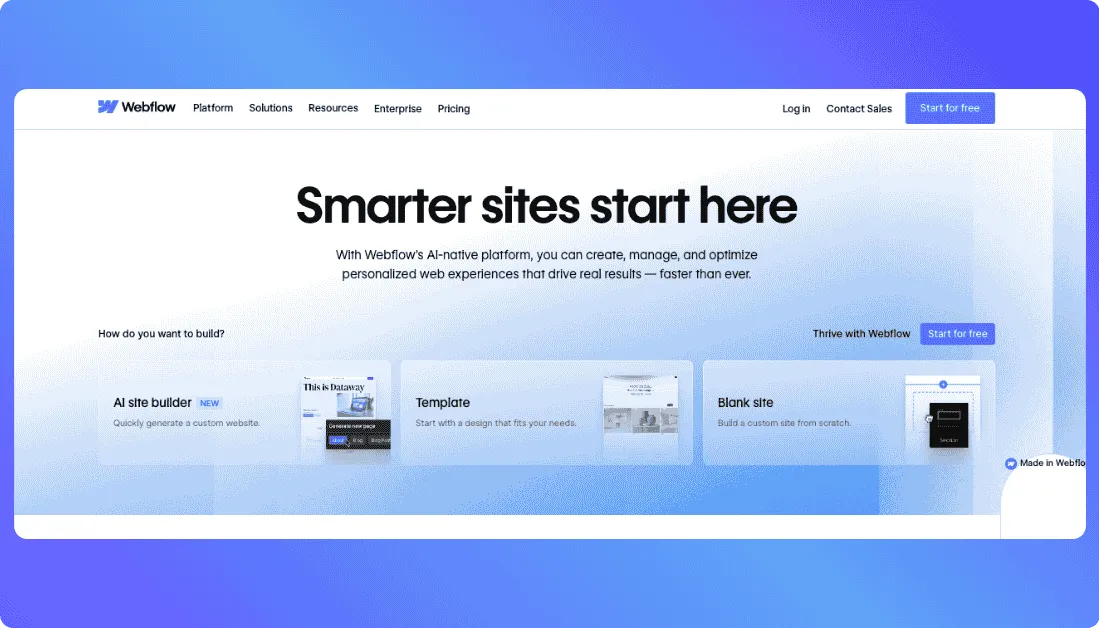
If I need a Builder.io alternative for marketing sites, landing pages, and content-driven websites, Webflow is one of the first tools I would look at.
Webflow is built for teams that want to design and publish responsive websites visually, while still keeping access to custom code, APIs, and structured CMS content. Its official site positions it as a visual website builder with a flexible CMS, top-tier hosting, React import/export options, and support for custom code and APIs.
You can move from page design to content management and publishing inside one platform, which makes it a strong fit for marketing teams that do not want every website update to depend on developers. Webflow also supports real-time collaboration on the same page, site-specific access, and publishing permissions for teams.
What stands out most is how complete the website workflow feels.
Instead of stitching together a separate design tool, CMS, hosting layer, and collaboration setup, Webflow brings those pieces together in one place. That can save a lot of time for teams shipping campaign pages, blogs, and branded websites on a regular basis. Webflow also highlights 99.99% uptime, a global CDN, and edge routing for hosting and delivery.
It also gives you room to grow. The CMS site plan includes 20 CMS collections and 2,000 CMS items, while the Business plan expands that to 40 CMS collections and up to 20,000 CMS items depending on usage.
The trade-off is that Webflow is still more website-focused than app-focused, and code export is tied to workspace plans rather than standard site plans. That means it can feel less flexible if your team wants a more code-first setup or deeper product-style workflows beyond websites.
Key Features of Webflow
- Visual Website Builder: Design and build responsive websites visually with the power of HTML, CSS, and JavaScript under the hood.
- Flexible CMS: Manage structured content with CMS collections, CMS items, and content management APIs.
- Built-in Hosting: Includes hosting with a global CDN, edge routing, and 99.99% uptime.
- Team Collaboration: Supports real-time collaboration, publishing permissions, and site-specific access.
- Custom Code and APIs: Lets teams extend projects with custom code and MACH-certified APIs.
Pricing:
- Starter: Free for staging on a Webflow subdomain.
- Basic Site Plan: $14/month billed yearly.
- CMS Site Plan: $23/month billed yearly.
- Business Site Plan: $39/month billed yearly.
3. Framer
Best for: Design-led teams that want to publish polished websites fast without a messy handoff process.
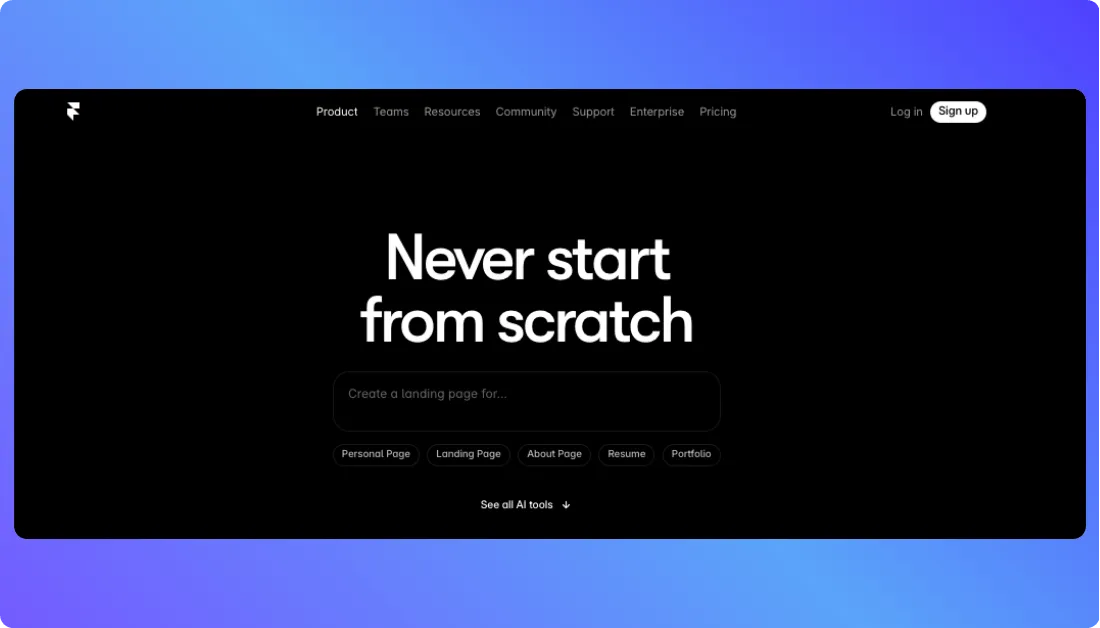
If I need a Builder.io alternative that feels more design-first and faster for high-impact websites, Framer is one of the first tools I would look at.
Framer positions itself as a no-code website builder with full design freedom, built-in CMS support, SEO controls, real-time collaboration, and fast hosting. Its official site also highlights that teams can create fully custom sites and optimize every page with built-in SEO settings and metadata.
You can go from design to a live site without the usual handoff friction, which is a big reason Framer appeals to startups, creative teams, and brand-focused companies. The platform also emphasizes that designers can ship updates directly, which lines up with the way many teams want to work now.
What stands out most is how fast the publishing experience feels.
Framer leans hard into speed, design freedom, and in-house control. On its homepage, customer stories from teams like Miro, Cradle, and Perplexity focus on shipping faster, avoiding dev handoffs, and keeping design control inside the team. That makes Framer especially appealing for launch pages, startup websites, and modern brand sites.
It also has a surprisingly usable free plan. Framer says free projects include 10 CMS collections, 1,000 pages, 5 MB file uploads, one free locale to try, and collaboration support for up to three editors in workspaces without a subscription.
The trade-off is that Framer is still more focused on fast website creation than deeper developer workflows or full composable CMS setups. So while it is excellent for visual publishing, it may not be the best fit for teams that want heavier backend control or more enterprise-style content architecture. That is an inference based on how Framer presents its core product on its official site.
Key Features of Framer
- Design-First Website Builder: Build fully custom websites with strong visual control and no-code editing.
- Built-in CMS: Free projects include access to 10 CMS collections and up to 1,000 pages.
- Built-in SEO: Optimize pages with SEO settings, metadata, and performance-focused hosting.
- Real-Time Collaboration: Workspaces without a subscription support collaboration with up to three editors.
- Fast Hosting: Framer highlights fast and secure hosting on its paid plans.
Pricing:
- Free: Includes 10 CMS collections, 1,000 pages, and up to three editors in unsubscribed workspaces.
- Basic: $10/month billed annually.
- Additional Editors: $20 per editor per month on Basic.
4. Lovable
Best for: Teams that want to build apps and websites by chatting with AI, then refine and ship them fast with shared team access.
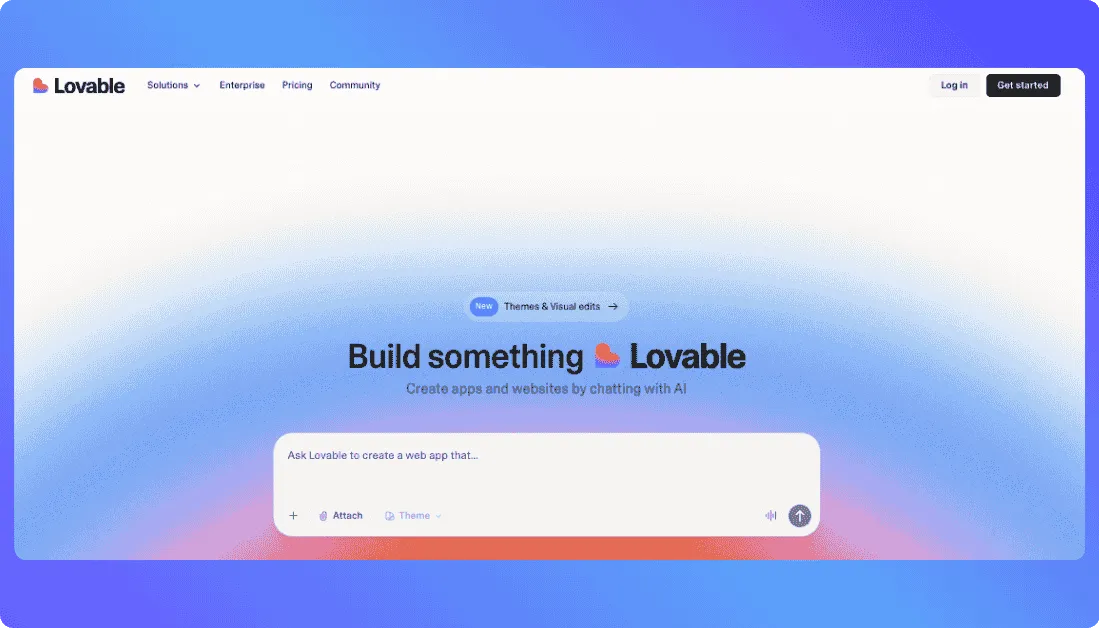
If I need a Builder.io alternative that leans more into AI-powered creation than traditional visual editing, Lovable is one of the first tools I would look at.
Lovable positions itself as an AI app builder for apps and websites, built around a simple workflow: describe what you want, watch it come to life, then refine and ship it. Its official site makes that pitch pretty clear, and it also highlights templates, community-built projects, and one-click deployment.
You can move from an idea to a working prototype through chat, which makes it appealing for founders, product teams, and non-technical builders who want to move faster without starting from a blank canvas. Lovable also says its paid plans are shared across unlimited users, which is a nice angle for teams that want collaboration without stacking per-seat costs the usual way.
What stands out most is how lightweight the starting experience feels.
Instead of asking you to set up a full content model, component system, or visual CMS workflow first, Lovable starts with the build itself. That can be useful for teams that care more about speed, prototypes, and shipping working apps than managing a structured content operation from day one. That comparison to Builder.io is an inference based on how each product presents its core use case.
It also offers user roles and permissions on Pro, then adds SSO, team workspace controls, and a security center on Business. For growing teams, that gives it more depth than a lot of lightweight AI builders.
The trade-off is that Lovable is solving a broader AI app-building problem, not a pure visual CMS problem.
Also Read: Top Lovable Alternatives
That means it can be a better fit for fast prototypes, internal tools, and lightweight app builds than for teams that specifically want structured content modeling, editorial governance, and composable CMS architecture.
Key Features of Lovable
- AI App and Website Builder: Create apps and websites by chatting with AI.
- Prototype to Deployment Workflow: Go from idea to working prototype, then refine and ship with one-click publishing.
- Templates and Community Projects: Start with templates or explore projects built by other users.
- Team Access Controls: Paid plans include user roles, permissions, team workspace options, and security features.
Pricing:
- Free: Start for free.
- Pro: $25/month billed annually, shared across unlimited users.
- Business: $50/month billed annually, shared across unlimited users.
- Enterprise: Custom pricing.
5. Sanity
Best for: Teams that care more about structured content, developer flexibility, and scalable content operations than drag-and-drop page building.

If I need a Builder.io alternative for content-heavy websites or composable architecture, Sanity is one of the first tools I would look at.
Sanity presents itself as a content operating system with products like Sanity Studio, Content Lake, Live CDN, Media Library, Content Releases, and an App SDK. That makes it a very different kind of alternative compared to tools that focus mostly on visual page building.
You can build custom editorial workflows, model content the way your business actually works, and deliver that content across websites, apps, and other digital products. That flexibility is a big reason Sanity shows up so often in conversations around Builder.io alternatives, especially for developer-led teams. This last point is an inference based on Sanity’s product structure and market positioning.
What stands out most is how customizable the platform is.
Sanity Studio is built around customizable workflows, preview in context, and multiplayer editing for teams. Pair that with Content Lake and Live CDN, and you get a setup that feels much stronger for structured content operations than many visual-first builders.
It also has a pretty accessible pricing model. Sanity offers a free plan, a Growth plan at $15 per seat per month, and custom enterprise pricing. New projects also get temporary access to additional paid features, and early-stage startups may qualify for a year of free Growth access through its startup program.
The trade-off is that Sanity is not the best choice if you want a highly visual, marketer-first page builder out of the box.
It is better suited for teams that are comfortable with schemas, developer setup, and structured content design than teams that just want to drag, drop, and publish pages quickly.
Key Features of Sanity
- Sanity Studio: A modern content studio with customizable workflows.
- Content Lake: Structured content backend for managing and delivering content across channels.
- Live CDN: Fast content delivery built into the Sanity platform.
- Preview in Context: Lets teams preview content in the right publishing context.
- Multiplayer Editing: Supports team collaboration inside the content workflow.
- App SDK and Content Releases: Extend the platform and manage planned content releases with more control.
Pricing:
- Free: $0 forever.
- Growth: $15 per seat/month.
- Enterprise: Custom pricing.
- Paid Feature Trial: New projects get limited-time access to additional paid features.
Builder.io vs Top Alternatives: Feature Comparison
Here is how the top five alternatives compare on the features that matter most for modern website building and visual content workflows.
| Feature | Builder.io | Vitara.ai | Webflow | Framer | Lovable | Sanity |
|---|---|---|---|---|---|---|
| Visual Editor | Yes | Yes | Yes | Yes | Yes | No |
| Headless CMS | Yes | No | Limited | Limited | No | Yes |
| Code Export | Limited | Yes | No | No | Yes | Yes |
| AI Powered Building | Yes | Yes | Yes | Yes | Yes | No |
| Team Collaboration | Yes | Yes | Yes | Yes | Yes | Yes |
| Custom Components | Yes | Limited | Limited | Limited | Limited | Yes |
| Built in Hosting | No | Yes | Yes | Yes | Yes | No |
| Best Use Case | Visual CMS | Full stack apps | Marketing sites | Design led sites | AI app building | Structured content |
| Starting Price | Custom | Free / $20 per month | $14 per month | $10 per month | Free / $25 per month | Free / $15 per seat |
How to Choose the Right Builder.io Alternative
The right choice depends on what matters most for your website workflow and content setup.
If you want to build full-stack apps with AI and keep code ownership, Vitara.ai gives you prompt-based development, editable code, and plans that start free, then move to $20/month and $50/month tiers.
If you want a visual website builder with CMS, hosting, and a smoother marketing workflow, Webflow is the strongest pick. Its site plans start at $14/month for Basic and $23/month for CMS.
If design speed matters most, Framer is the better fit. It focuses on no-code website building, built-in SEO, CMS support, real-time collaboration, and a free plan, with paid plans starting at $10/month.
If you want to build apps and websites by chatting with AI, Lovable is the simplest option. It offers a free plan, a Pro plan at $25/month, and a Business plan at $50/month.
If you need structured content, developer flexibility, and a composable backend, Sanity is the best choice. It offers a free plan, a Growth plan at $15 per user/month, and custom enterprise pricing.

Recommend to Also Read:
Ready to Build Better Web-Apps? Here is What I Recommend
That is a wrap. By now, you should have a clear idea of the best Builder.io alternatives for modern website building and web-app development.
No matter what you are looking for, whether it is better visual control, more flexible code ownership, faster publishing, or a smoother content workflow, these tools cover the full range.
But building pages alone is only half the picture. You also need to make sure the platform gives you enough flexibility, scalability, and control as your product grows.
I would recommend starting with Vitara.ai. It gives you a faster way to build web-apps with AI, supports editable code, includes frontend and backend workflows, and removes a lot of the setup work that usually slows teams down. And if you also want more ownership over what you build, Vitara.ai gives you that from the start.
Start with Vitara.ai. Build faster with AI, work with real code, and launch modern web-apps without the usual development overhead.
Frequently Asked Questions
What is the best Builder.io alternative for modern web-app development?
Vitara.ai is the strongest pick if you want to move beyond visual page building and create full web-apps faster. It gives you AI-assisted development, editable code, backend support, and a workflow that feels more flexible for teams building actual products.
Which Builder.io alternative is best for websites and landing pages?
Webflow is one of the best options for websites, landing pages, and marketing-focused builds. It gives you a visual builder, CMS features, hosting, and a smoother publishing workflow for content and growth teams.
Are there free Builder.io alternatives?
Yes. Vitara.ai, Webflow, Framer, Lovable, and Sanity all offer free plans or free starting options. The catch is that each one puts limits on usage, features, collaboration, or publishing, so the paid plans make more sense once your team starts scaling.
Which Builder.io alternative is best for designers?
Framer is the best fit for design-led teams. It is built for fast publishing, polished site design, and a smoother handoff-free workflow, which makes it a strong choice for startups, agencies, and brand teams.
Which Builder.io alternative is best for developers?
Sanity is one of the best choices for developers who care about structured content, API-first workflows, and customization. Vitara.ai is also a strong option if your focus is full-stack app building with code ownership.
Which Builder.io alternative is best for AI-powered app building?
Lovable and Vitara.ai are the strongest options here. Lovable is better if you want a simple chat-based app-building experience, while Vitara.ai is better if you also want editable code, backend support, and more control over what gets built.
How do I switch from Builder.io to another tool?
Start by reviewing your current pages, components, and content models. Then export or rebuild the content inside your new platform, map your design system, and test the publishing workflow before fully switching. The exact process depends on whether you are moving to a visual website builder, a structured CMS, or an AI app-building platform.
What’s New?