Base44 vs Lovable vs Bolt: Which AI App Builder Is Best in 2026?
Planning to build a project with Base44, Lovable, or Bolt but not sure which one to pick? In this guide, we’ll compare these three vibe coding tools and help you understand which one is right for you.
This comparison breaks down how each platform performs in real-world use. It highlights strengths, weaknesses, pricing, ease of use, and build quality. Long-tail questions like which AI builder is fastest, which tool offers better code, and which vibe coding platform works best for landing pages are answered with clear examples.

By the end, readers will know exactly where Base44 wins, where Lovable performs better, and when Bolt becomes the smarter choice. The goal is simple. Help anyone choose the best AI building platform for their app idea without guesswork or confusion.
Base44 vs Lovable vs Bolt: Quick Comparison Summary
If you want the fast answer before the deeper review, here’s how Base44, Lovable, and Bolt compare side by side. This quick snapshot shows what each platform actually delivers and how they differ in real use.
| Feature | Base44 | Lovable | Bolt |
|---|---|---|---|
| AI Output Type | Generates functional layouts and simple app flows | Produces full app structures with polished UI | Creates full stack apps with readable and editable code |
| Visual Editing | Limited visual adjustments | Yes, strong drag and edit interface | No traditional builder; edits happen in code |
| Code Access | Partial code visibility | Full code export and editing | Full code access inside browser IDE |
| Database Setup | Basic backend support | Built in Supabase integration | Built in database options designed for developers |
| Deployment Flow | Quick preview and deploy | Publish directly from platform | One click deploy from the editor |
| Hosting Included | Yes | Yes | Yes |
| Security Checks | Basic checks | Built in review before publishing | Manual or optional code checks |
| Data Controls | Limited privacy settings | Advanced data controls on higher tiers | Standard controls that vary by project setup |
| Live Collaboration | Not available | Real time collaboration | Real time pair programming experience |
| SSO Support | Not supported | Available | Available |
Feature Comparison: Base44 vs Lovable vs Bolt
Building Mode
Each platform approaches AI app creation differently. The real difference appears in what the tool generates from a single prompt and how much of the app stack it builds automatically. Here is a clear breakdown of how Base44, Lovable, and Bolt work during the building phase.
Base44
- Converts plain English prompts into clean layout structures instantly.
- Produces working UI pages that help you visualize the app quickly.
- Handles simple flows and navigation without complex setup.
- Keeps editing lightweight, relying mostly on prompt refinement.
- Does not build backend logic, databases, or authentication layers.
- Ideal for founders who want fast prototypes, landing page concepts, or early workflow mapping.
Lovable
- Generates a complete application with UI, backend, database, and user auth.
- Integrates directly with Supabase, removing all backend configuration work.
- Lets you edit screens visually or switch to full code mode anytime.
- Keeps your project synced with GitHub from the first generation.
- Eliminates the need to stitch tools together for hosting or deployment.
- Designed for founders who want to move from idea to live product in hours.
Bolt
- Spins up a full Node.js development environment directly in the browser.
- Generates frontend and backend code together so you see the full structure instantly.
- Offers real-time previews while you edit code or request new features through AI.
- Encourages hands-on customization of routes, APIs, components, and logic.
- Behaves like an AI-powered IDE rather than a no-code builder.
- Ideal for developers who want speed without sacrificing architectural freedom.
Editing Experience
How you refine and modify your app is just as important as how fast it’s generated. Each platform offers a different editing workflow, ranging from prompt-based adjustments to full code-level control. Below is a clear breakdown of how Base44, Lovable, and Bolt handle the editing stage.
Base44
- Refinements come from rewriting or improving your prompt.
- Offers basic visual adjustments but not a full drag-and-drop experience.
- Works best for quick layout tweaks rather than detailed UI control.
- Advanced editing options remain limited because Base44 prioritizes speed.
- Ideal for founders who prefer fast revisions without dealing with code.
Lovable
- Click and edit elements visually without rewriting prompts.
- Keep a conversational AI panel open to request new screens, features, or layout changes.
- Switch to full code editing anytime for deeper logic or styling adjustments.
- Syncs every update to GitHub, so version history stays organized.
- Reduces context switching because frontend, backend, and deployment tools live together.
Bolt
- Runs inside a browser IDE that behaves like a lightweight code editor.
- Shows live previews as you modify components or backend logic.
- Encourages direct code editing instead of drag-and-drop adjustments.
- Lets AI help with functions, routes, styling, or debugging right inside the editor.
- Fits teams that prefer traditional coding but want AI speed.
Also You Should Know:
Design and UI Output Quality
Design quality plays a major role in how professional your app feels. Each platform handles UI generation differently, and the gap becomes clear as soon as you compare screens side by side.
Base44
- Generates basic screens with predictable structure.
- Good for early prototypes, landing pages, and simple flows.
- Limited styling options and component control.
- Does not emphasize visual polish or custom themes.
- Works best when speed matters more than aesthetics.
Lovable
- Produces high-quality interfaces that look professionally designed.
- Components feel cohesive across pages, improving user experience.
- Visual editor allows pixel-level refinement when needed.
- Auto-generated screens follow clean spacing and hierarchy rules.
- Ideal for SaaS apps, dashboards, and polished landing pages.
Bolt
- Creates good starting UI, but not always ready for production.
- Gives full control through editable code, including Tailwind, React, and custom components.
- Users refine spacing, styling, and visual balance manually.
- Great for developers who want flexibility rather than automated design.
- Strong for technical teams customizing UI patterns for complex apps.
Backend Logic and Database Capabilities
Backend strength determines how far your app can go beyond UI. Some platforms automate the entire backend layer. Others rely on developers to build logic manually.
Base44
- Handles light logic such as screen navigation and basic interactions.
- Does not generate complex backend workflows, API routes, or authentication.
- Lacks built-in database creation or schema management.
- Works best for MVP prototypes that do not require real data or user accounts.
- Requires external tools if you want to add a real backend later.
- Suited for simple concepts like landing pages, form flows, and interface demos.
Lovable
- Automatically integrates Supabase for database, authentication, and API endpoints.
- Generates database tables and schemas directly from your prompt.
- Handles CRUD operations without requiring manual server setup.
- Provides built-in authentication flows like signup, login, and session handling.
- Allows backend edits through both UI-level and code-level access.
- Reduces backend complexity for founders who do not want to manage infrastructure.
Bolt
- Generates backend logic alongside the frontend inside a Node.js environment.
- Creates API routes, data models, and server logic that developers can refine.
- Supports ORMs like Prisma for database connectors and schema management.
- Allows custom database choices: PostgreSQL, MySQL, MongoDB, or hosted DBs.
- Helps developers build business logic through both manual coding and AI-assisted scaffolding.
- Works best for teams who want deep customization and long-term backend scalability.
Integrations and Ecosystem Support
The strength of an AI app builder depends on how well it connects with external tools, databases, APIs, and deployment platforms. Each platform supports integrations differently, and these differences shape how far your project can grow.
Base44
- Supports only basic external connections.
- Works best for simple API-based workflows.
- No native database or authentication provider integrations.
- Does not offer built-in connectors to common dev tools.
- Suited for quick demos that do not require ecosystem depth.
- Requires external platforms for backend, analytics, or advanced services.
Lovable
- Native Supabase integration for database, authentication, and storage.
- Works smoothly with GitHub for version control and code syncing.
- Provides connectors for common APIs and third-party services.
- Supports environment variables for clean API configuration.
- Handles backend, database, and deployment under one ecosystem.
- Reduces dependency on multiple external tools.
Bolt
- Supports any API through manual or AI-assisted code.
- Works with Prisma, ORMs, and major SQL or NoSQL databases.
- Integrates seamlessly with GitHub for code management.
- Compatible with Vercel, Netlify, Render, and other hosting providers.
- Allows custom SDKs, third-party libraries, and advanced API logic.
- Fits teams that rely on a wide set of dev tools and cloud services.
Scalability and Long-Term Growth
Scalability determines whether your app can mature from prototype to production. Each platform handles long-term growth differently, and these differences impact how far your product can evolve.
Base44
- Best suited for prototypes, demos, and UI-first experiments.
- Lacks advanced backend architecture needed for scaling.
- Limited design and integration options reduce flexibility over time.
- Works well for early-stage iteration but not for complex product roadmaps.
- Teams eventually migrate to full-stack tools after validation.
Lovable
- Handles multi-page apps and advanced flows without breaking structure.
- Supabase backend supports real database growth, auth, and API expansion.
- Generated code can be exported and extended by engineering teams.
- UI consistency makes scaling new features easier over time.
- Works well for SaaS products, internal tools, and MVPs transitioning to production.
Bolt
- Generates editable frontend and backend code that scales with your app.
- Lets developers modify architecture, data models, and server logic freely.
- Works with industry-standard tools like Prisma, SQL databases, and modern cloud hosting.
- Supports complex workflows, business logic, and enterprise-level integrations.
- Ideal for teams planning multi-year product expansion.
Also Read:
Real-Life Use Cases of Base44, Lovable, and Bolt
These real-world scenarios show exactly when each platform delivers the most value and which tool aligns best with your project needs.
Use Base44 if you:
- Want to generate UI layouts instantly from simple prompts.
- Need fast prototypes for investor demos or stakeholder reviews.
- Want to validate product ideas before committing to backend development.
- Prefer a tool that creates landing pages and simple app flows quickly.
- Need lightweight screens for user interviews or early UX testing.
- Are exploring multiple design concepts with quick iterations.
- Want a low-cost option for rapid experimentation.
- Don’t need backend logic, authentication, or data storage.
- Value speed and simplicity over deep customization.
Use Lovable if you:
- Want to build a full-stack SaaS MVP from a single prompt.
- Need authentication, database, and UI working together immediately.
- Prefer visual editing with AI-assisted feature generation.
- Are a non-technical founder who wants a working product fast.
- Need to launch internal tools with real user login and data handling.
- Want to go from idea to live deployment in days, not weeks.
- Don’t want to manage servers, backend configuration, or complex setups.
- Are validating product–market fit before hiring engineers.
- Need polished, production-ready UI with clean structure.
- Want GitHub-sync and full code export for long-term growth.
Use Bolt if you:
- Want AI to scaffold a full-stack app but still control the entire codebase.
- Prefer working inside a browser-based IDE similar to VS Code.
- Need custom backend logic, advanced routes, or complex workflows.
- Are comfortable editing JavaScript, APIs, and database models.
- Want rapid prototypes that feel close to traditional coding workflows.
- Are building experimental or technical products with heavy logic.
- Need flexible hosting, deployment pipelines, and no platform lock-in.
- Enjoy seeing live previews while refining frontend and backend.
- Care more about architecture and scalability than visual drag-and-drop builders.
- Want exportable, production-grade React and Node.js code.
Want an Alternative to Base44, Lovable, and Bolt?
If you’re exploring something beyond Base44, Lovable, or Bolt, Vitara AI is one of the strongest alternatives available today. It delivers full-stack power, fast generation, and deep flexibility without locking you into a restrictive system.
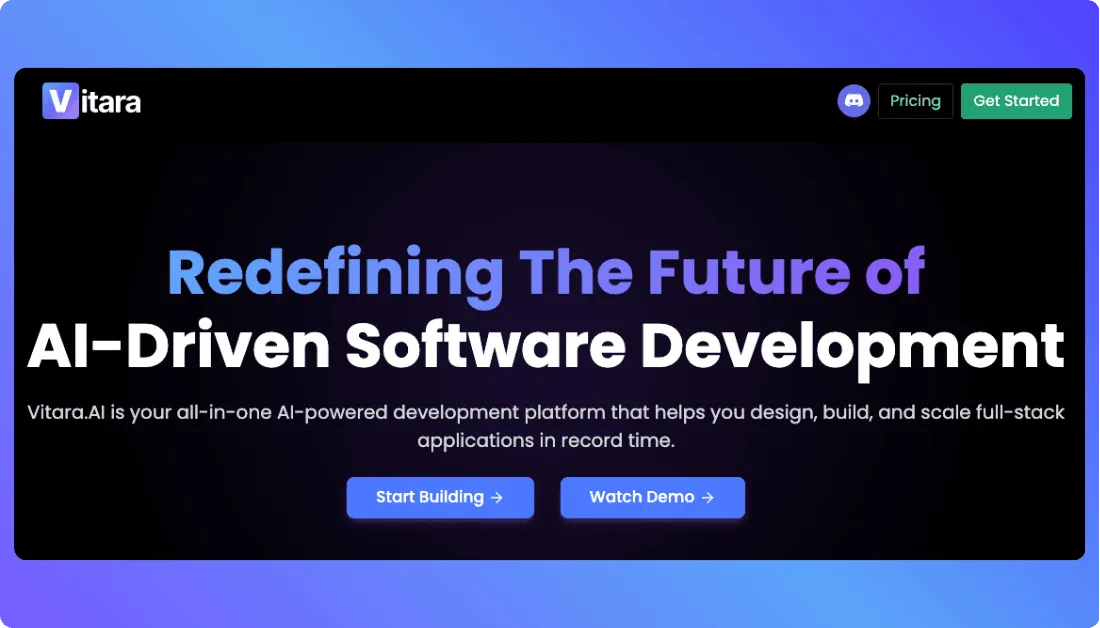
Here’s why Vitara stands out:
- Generates full-stack applications from natural language prompts, including UI, backend logic, and data workflows.
- Provides full access to clean, exportable code so you can host, modify, or scale without vendor limitations.
- Runs in a browser-based AI development environment, letting you build instantly with no local setup.
- Supports modern tech stacks like React, Next.js, and popular databases out of the box.
- Allows you to refine components, extend features, and customize architecture freely.
- Works well for solo founders, agencies, and engineering teams who want AI speed plus complete control.
- Handles complex workflows, multi-page apps, and real-world business logic with ease.
- Avoids the limitations of UI-only builders by giving you both automation and developer-grade flexibility.

Recommend To Also Read This:
Final Thoughts
Base44, Lovable, and Bolt each solve different problems for modern builders. Base44 gives unmatched speed for early prototypes. Lovable delivers a polished full-stack experience that helps founders launch real products fast. Bolt offers deep flexibility for developers who want full control over architecture and long-term scalability.
The best choice depends on what you want to build. If you need fast UI exploration, Base44 works well. If you want a production-ready MVP with minimal setup, Lovable stands out. If your project requires advanced logic and a customizable codebase, Bolt is the strongest option.
AI app builders are evolving quickly. The right tool today is the one that fits your workflow, your technical comfort level, and your product goals. Use this comparison to pick the platform that matches the stage you’re in and the direction you want your product to grow.
Frequently Asked Questions
What is the main difference between Base44, Lovable, and Bolt?
Base44 focuses on fast UI generation, Lovable builds full-stack apps with backend support, and Bolt offers full control through editable frontend and backend code. Each tool serves a different type of builder.
Which platform is best for building a full-stack MVP?
Lovable works best for full-stack MVPs because it generates UI, backend, authentication, and database structures automatically. It suits founders who want a ready-to-launch product quickly.
Is Base44 good for production apps?
Base44 is more suited for early-stage prototypes and rapid UI layouts. It helps validate ideas fast but lacks advanced backend and scalability features needed for production apps.
Does Bolt require coding skills?
Yes. Bolt provides a browser-based IDE and expects users to edit real code. It is ideal for developers or technical founders who want AI scaffolding but still prefer hands-on coding control.
Which tool offers the best design quality?
Lovable provides the most polished, consistent UI. Its generated screens look clean and production-ready, making it a strong option for SaaS products and customer-facing applications.
What is the best alternative to these platforms?
Vitara is a strong alternative because it generates full-stack applications, supports modern frameworks, and gives you complete control over exportable code without platform lock-in.
What’s New?