A complete guide to Base44 pricing in 2026

AI app builders like Base44 are everywhere right now, and honestly, I get the hype. I’ve built a few web apps with it myself, and watching an idea turn into a working full-stack project in minutes still feels a little surreal. You describe what you want, hit run, and suddenly you’re staring at something that would have taken days or weeks to code by hand. It’s wild.
But after that first burst of excitement fades and you start thinking about keeping the project alive long-term, the conversation shifts fast because pricing becomes the real deciding factor.
Building something cool on day one is easy. Budgeting for it, scaling it, and making sure it does not drain your credits or your monthly plan takes a bit more clarity than Base44 gives you upfront.

So I wrote this guide to share what I learned while using the platform. I’ll walk you through the Base44 pricing structure step by step, break down the subscription tiers in plain English, explain how message and integration credits actually work, and point out the ongoing costs people usually miss when they are caught up in the thrill of AI generated apps. By the time you reach the end, you’ll have a clear, honest picture of what it really costs to build and run an app on Base44 without any surprises waiting for you later.
What is Base44?
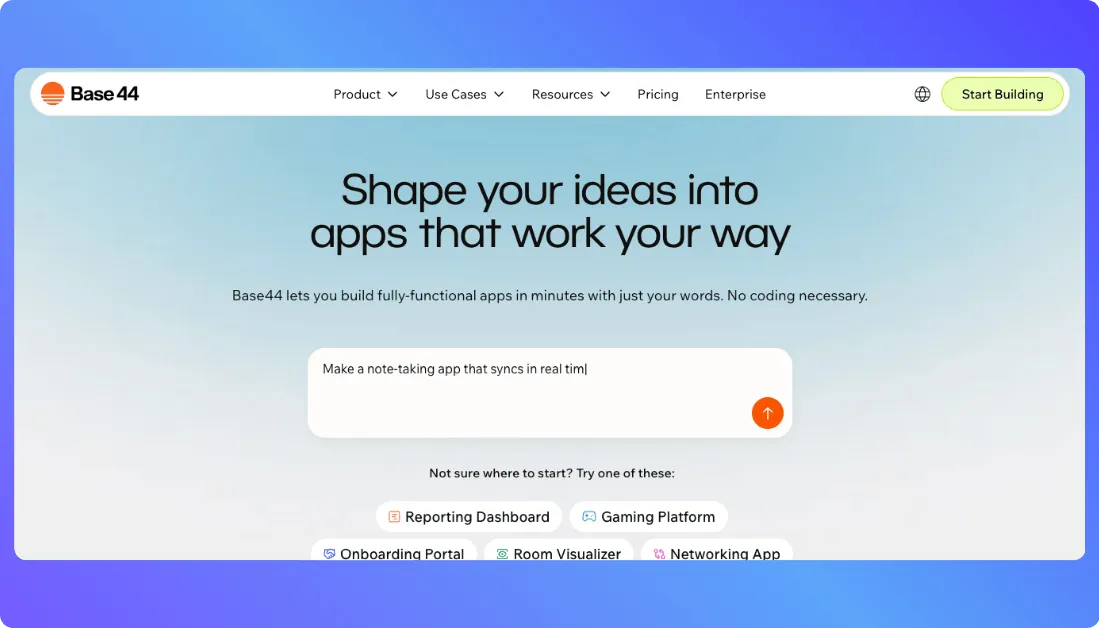
Base44 is an AI powered app builder that lets you create full stack applications by describing what you want in plain language. It handles the frontend, backend, database, and logic for you, which makes it a solid option for people who want to move fast without getting buried in setup work. If you have an idea and want to see it running quickly, Base44 makes that jump feel almost instant.
You Should Also Read: Base44 Alternatives
Base44 pricing explained: Plans, Pricing and Credits
Before we get into credits and how Base44 actually charges for usage, here is a quick look at how the platform structures its plans. The tiers grow with your needs, so you can start small, learn the system, and upgrade only when your app requires more power.
Base44 subscription tiers: Free, Starter, Builder, Pro and Elite
Here is a simple side by side table so you can see how each plan compares.
| Feature | Free | Starter | Builder | Pro | Elite |
|---|---|---|---|---|---|
| Monthly Cost | 0 dollars | 20 dollars or 16 dollars with annual billing | 50 dollars or 40 dollars with annual billing | 100 dollars or 80 dollars with annual billing | 200 dollars or 160 dollars with annual billing |
| Message Credits | 25 per month | 100 per month | 250 per month | 500 per month | 1200 per month |
| Integration Credits | 100 per month | 2000 per month | 10000 per month | 20000 per month | 50000 per month |
| Custom Domain | No | Yes | Yes | Yes | Yes |
| GitHub Integration | No | No | Yes | Yes | Yes |
| Support Level | Basic | Standard | Priority | Enhanced | Highest tier support |
| Best For | Testing and learning | Small personal projects | Solo founders and early products | Teams and growing apps | High traffic apps and production workloads |
It goes like this:
- The Free plan works well if you want to test how Base44 behaves and build small experiments without spending anything.
- Starter gives you enough credits to create helpful personal tools that you can use daily.
- Builder unlocks custom domains and GitHub sync, which makes it a solid choice when you are ready to ship real projects.
- Pro steps into team friendly territory with higher credit limits and better support for growing apps.
- Elite gives you the most room to scale, offering the highest credit limits and the strongest support for apps that handle real traffic.
The Base44 credit system explained
Now let’s talk about how Base44 tracks the work you do and the activity inside your app. The pricing tiers only tell part of the story. The other part, and the part most people get confused about at first, is the credit system. Base44 uses two types of credits: message credits and integration credits.
Message credits are what you spend when you interact with the AI to build or update your app. Every time you ask Base44 to generate a page, fix something, rewrite a section, or add a new feature, it deducts a message credit from your monthly balance. The complexity of your request affects how many credits you use, because the system has to understand what you already built and figure out how to apply your changes. If you make edits manually in the editor, those do not cost any credits.
Integration credits come into play when your app actually runs tasks that depend on outside services. Actions like calling an AI model, sending an email, uploading a file, analyzing an image, or anything similar will use integration credits each time the action occurs. These credits are tied to usage inside the live app, not the building process.
Here are a few helpful things I picked up from Base44’s documentation and user feedback:
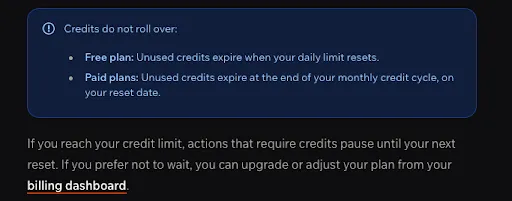
- Credits reset every billing period, and unused credits do not roll over.
- A short prompt can still use several message credits if the requested change touches multiple pages or involves deeper logic behind the scenes.
- Integration credits work the same across different services. One LLM call, one image analysis, one email send, or one file process each uses credits in the same straightforward way.
I recommend you to understand this system early. It makes it easier to plan your builds and avoid surprises.
Credit rollovers and daily credits explained
Base44 does not roll unused credits over into the next billing period. According to Base44’s official documentation, message and integration credits on paid plans reset each month on your billing anniversary and any unused credits expire at the end of that cycle. On the Free plan, unused credits expire when your daily limits reset. So if you don’t use all your credits, they don’t accumulate or carry forward beyond the current billing period.
What real users say about Base44’s credits and pricing
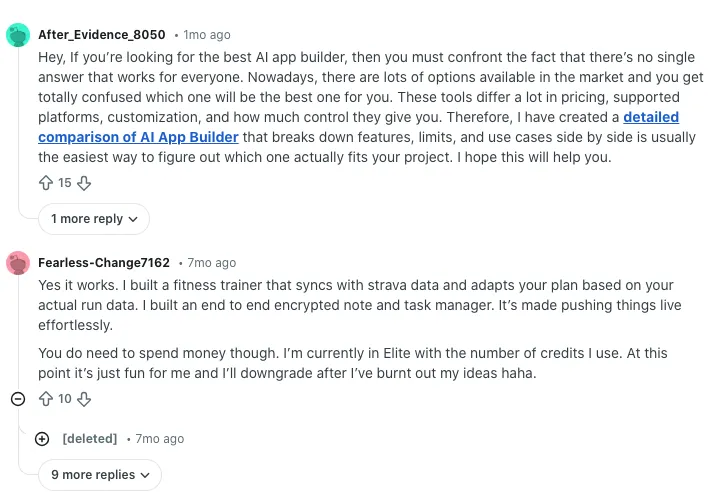
One common theme you’ll see in Reddit discussions is users being surprised by how fast their credits disappear when trying to get the AI to do exactly what they want. One builder shared that they had “used up over 30 credits asking the same task over and over again and Base44 still can’t get it done,” even when the task seemed simple.
Source of Information: Reddit
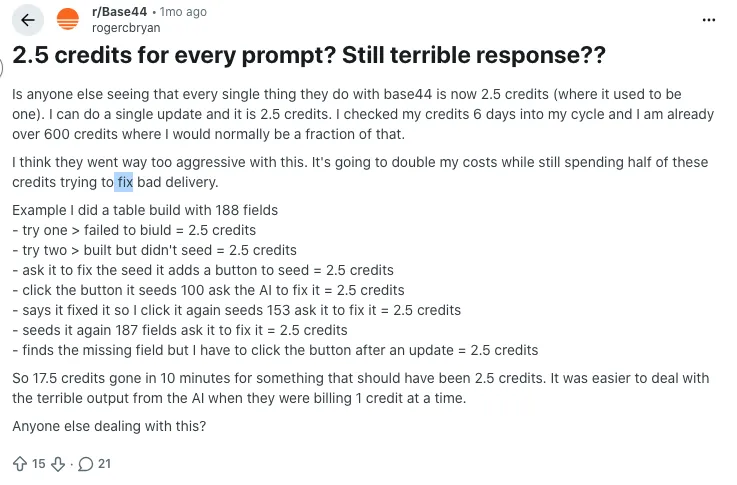
Another person pointed out that credits can melt away quickly because “every time you try a fix twice and it doesn’t work,” you end up spending more credits just trying to resolve the same issue.
Source of Information: Reddit
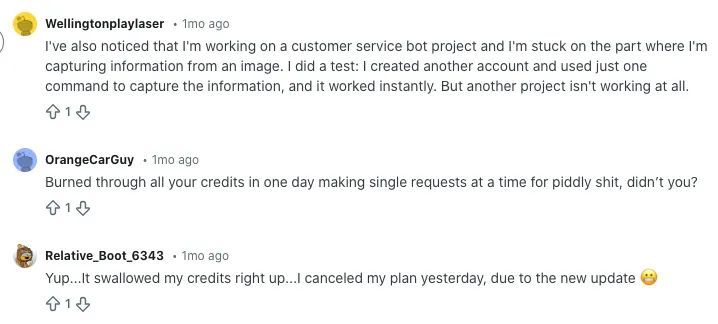
There are also comments about how credits get used up in ways users didn’t expect, like someone explaining that their credits “burned through all your credits in one day making single requests at a time for piddly stuff,” which highlights how real usage sometimes doesn’t match initial expectations.
Source of Information: Reddit
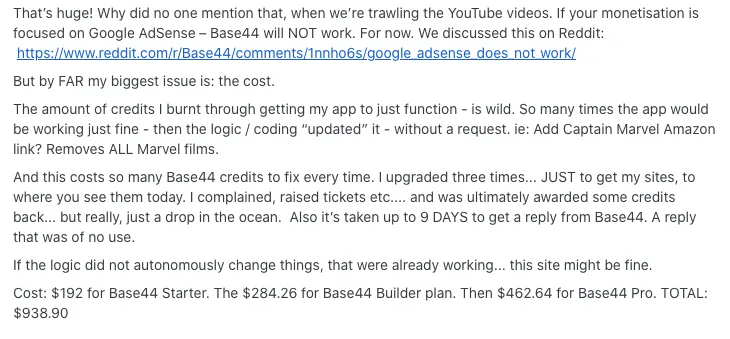
Here’s a Reddit thread where people are openly discussing Base44’s pricing and credit behavior:
Source of Information: Reddit
When each Base44 plan actually works best
Free plan: Ideal if you want to explore how Base44 works and test small ideas before committing to a paid tier. It gives you enough room to learn the workflow without any pressure.
Starter plan: A good fit for personal tools, simple dashboards, or early experiments you want to use consistently. It suits individual creators who need more credits than the Free plan offers but are not ready for heavier development.
Builder plan: Great for solo founders or anyone preparing to ship a real project. You can connect a custom domain, sync with GitHub, and work with enough credits to build and iterate comfortably.
Pro plan: Works well for small teams or growing apps that need more predictable credit capacity and better support. If your app starts attracting real users or requires more complex logic, Pro provides the breathing room you need.
Elite plan: Tailored for production level apps and teams expecting steady traffic or high usage. The larger credit pool and stronger support make it suitable for businesses running apps that need to stay stable under consistent load.
Comparative Analysis: Base44 Pricing vs. Competitors
To give you a clearer sense of where Base44 sits in the market, here’s a side by side look at how its pricing and core features compare with popular AI app builders like Lovable.dev, Bolt.new, and UI Bakery. This makes it easier to understand whether Base44 is fairly priced, where it shines, and where it still has some catching up to do.
| Feature / Tool | Base44 | Lovable.dev | Bolt.new | UI Bakery AI app generator |
|---|---|---|---|---|
| Pricing | Free; paid plans from 20 dollars per month | Free; from 25 dollars per month | Free; from 20 dollars per month | Free; from 10 dollars per month per developer |
| Core Features | AI generated full stack apps with backend, authentication, database, and logic | AI generated full stack apps | AI code generation with manual editing control | AI assisted app builder built on low code internal tools |
| Best For | Rapid prototyping, solo founders, small teams, and production apps needing backend automation | Fast prototyping and team collaboration | Developers who want more code level control | Businesses building internal dashboards and workflows |
| Deployment | One click deploy with built in backend | One click deploy | Built in deployment | Cloud hosting and self hosted options |
| Collaboration | Shared workspaces and team plans | Team plans with shared workspaces | Team projects | Role based access and team projects |
| Customization | Custom domains, GitHub sync, backend logic editing | Custom domains and remove branding | Full code export for manual customization | Custom themes and white labeling |

You Should Know Other Vibe Coding Tools Pricing:
Final Thoughts: Is Base44 pricing worth it for your project?
If you’re experimenting, learning, or validating an idea, Base44’s lower tier plans give you plenty of room to move without feeling boxed in. The moment you start shipping something real though, the credit system becomes a real factor, so choosing the right plan depends on how often you build, update, and how much traffic you expect your app to handle.
For production apps or anything meant for real users, the price starts making sense because you’re paying for the convenience of an AI that builds your frontend, backend, and logic in one place. If you want speed, low maintenance, and a smoother path from idea to deployed app, Base44 can be worth the cost as long as you keep an eye on how your credits flow each month.
What’s New?