Features You Can Instantly Add to Your Wedding Website with Vitara

Event Schedule

Share ceremony, reception, and other event timings with guests.

Venue Details

Show venue addresses, arrival instructions, and useful location information.

Dress Code

Explain what guests should wear for each wedding event.

Wedding FAQs

Answer common questions about timing, parking, children, gifts, and more.

Wedding Countdown

Show guests how much time remains until the celebration.

Online RSVP

Let guests confirm attendance directly through your wedding website.

Guest List

Keep invited guests, responses, and attendance details organized.

Meal Preferences

Collect meal choices, allergies, and dietary requirements during RSVP.

Plus-One Management

Control which guests can add a partner or companion.

Multi-Event RSVP

Track attendance separately for ceremonies, receptions, dinners, and parties.

Custom RSVP Forms

Collect extra guest details with fields that match your plans.

Interactive Maps

Help guests find wedding venues and other important locations.

Travel Information

Share airport, transport, parking, and local travel details.

Hotel & Accommodation

Recommend nearby hotels, room blocks, and places to stay.

Love Story

Share how you met, got engaged, or reached the big day.

Wedding Party

Introduce bridesmaids, groomsmen, family members, and close friends.

Custom Pages

Create extra pages for traditions, local tips, or special events.

Custom Domain

Give your wedding website a simple, memorable web address.

Photo Gallery

Display engagement photos, couple portraits, and wedding memories.

Video Gallery

Add proposal clips, engagement videos, or personal messages.

Guest Photo Uploads

Let guests share photos they capture during the celebration.

Gift Registry

Link guests directly to your preferred wedding registry.

Guest Messaging

Send reminders, schedule changes, and other important wedding updates.

Guest Announcements

Highlight last-minute information guests need before the event.

Password Protection

Limit access so only invited guests can view wedding details.

Private Event Pages

Keep selected events or information visible only to specific guests.

Controlled Guest Access

Show different details based on guest groups or invitations.

RSVP Dashboard

Review guest responses and attendance from one place.

Guest Data Management

Store contact details, meal choices, and other RSVP information.

Form Submission Tracking

Keep RSVP and custom form responses organized automatically.

Event Response Management

Track who is attending each wedding event without separate spreadsheets.

How to Use the Wedding Website Builder

1

Give the Prompt

Describe your wedding style, date, venue, events, guest needs, and the pages or features you want to include in your website.

2

Generate

Vitara turns your prompt into a working wedding website with the pages, forms, guest features, backend logic, and content structure you requested.

3

Review

Check your event details, RSVP flow, photos, schedule, travel information, and design. Use more prompts to adjust layouts, content, or functionality.

4

Publish

Publish your wedding website, connect your domain, and share the link with guests so they can view details, RSVP, and stay updated.

Key Features That Make Vitara Perfect for Building Wedding Websites
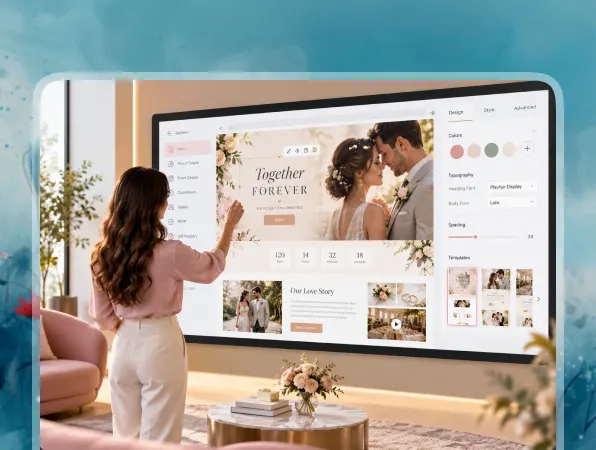
End-to-End Wedding Website

End-to-End Wedding Website

Build your wedding pages, guest forms, data handling, and interactive features together instead of connecting separate tools for every part of the site.

  • Complete Website Generation

    Create event pages, RSVP forms, guest information sections, galleries, and other wedding features from your requirements.

  • Built-In Backend

    Handle form submissions, guest data, and interactive website features without setting up the entire backend separately.

  • Connected Wedding Experience

    Keep RSVPs, guest details, event information, and website features connected in one application.

Prompt-Based Website Building

Prompt-Based Website Building

Turn written instructions into working wedding pages, forms, and website functionality without manually building every component from the beginning.

  • Build with Natural Language

    Describe your wedding website, pages, or features using clear text prompts.

  • Generate Functional Features

    Vitara turns your instructions into working layouts, forms, interactions, and connected website functionality.

  • Refine with More Prompts

    Change sections, add new features, or update the design by describing what you want.
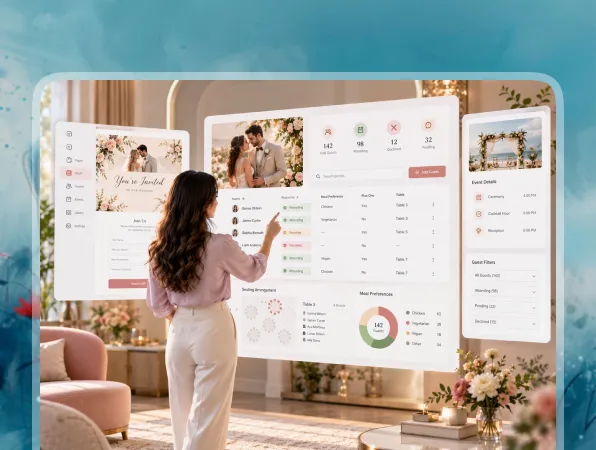
RSVP and Guest Management

RSVP and Guest Management

Collect guest responses and important details through your website, helping you manage attendance without relying on scattered messages or spreadsheets.

  • Online RSVP Forms

    Let guests confirm attendance directly through the wedding website.

  • Guest Information

    Collect meal choices, dietary needs, plus-one details, and other useful information.

  • Multi-Event Responses

    Track attendance separately for ceremonies, receptions, dinners, or other wedding events.
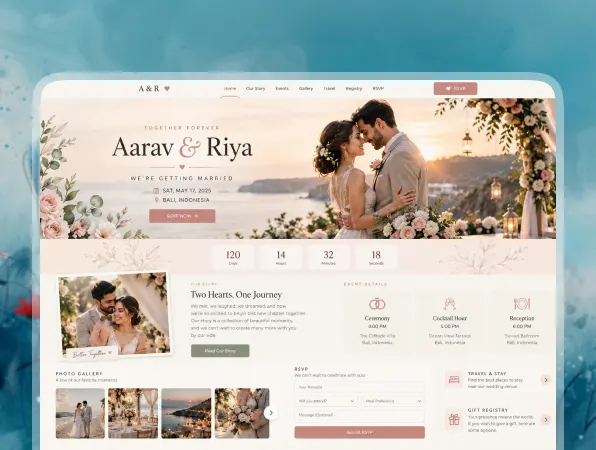
Wedding Details in One Place

Wedding Details in One Place

Give guests one reliable place to find dates, locations, schedules, travel information, and answers to common questions.

  • Event Schedule

    Share the date, time, and location for each wedding event.

  • Travel and Accommodation

    Provide hotel suggestions, transport details, directions, and arrival information for guests.

  • Guest FAQs

    Answer questions about dress code, parking, timings, children, gifts, or other practical details.
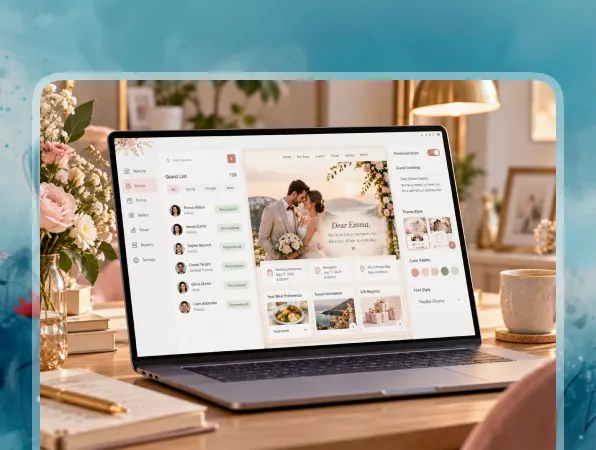
Personalized Wedding Experience

Personalized Wedding Experience

Create a website that reflects your story and wedding style rather than using the same generic information layout for every couple.

  • Love Story

    Share how you met, your engagement story, or other meaningful moments.

  • Photos and Videos

    Add engagement photos, couple portraits, videos, and memories for guests to view.

  • Custom Design

    Adjust colors, typography, layouts, and visual details to match your wedding style.
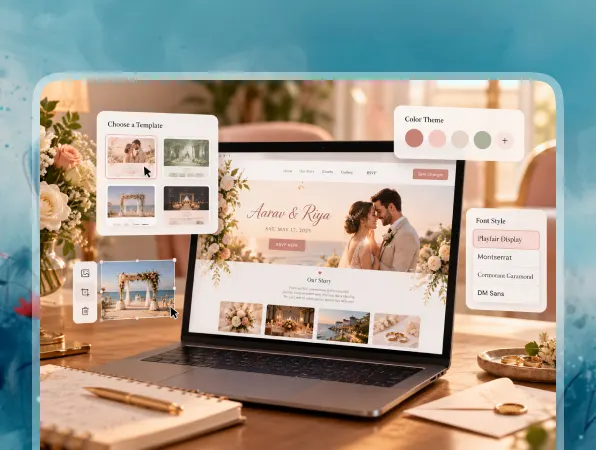
Instant Customization

Instant Customization

Update your wedding website as plans change, new information becomes available, or guests need extra details before the event.

  • Edit Details Anytime

    Change event times, venue information, travel notes, FAQs, or other content when needed.

  • Add New Sections

    Create extra pages, forms, or information sections as your wedding plans develop.

  • Preview Your Changes

    Review updates before publishing them for guests to see.

FAQ About Wedding Website Builder Vitara

A wedding website is a central place where couples can share important event information with guests. It can include the wedding date, venue, schedule, RSVP form, travel details, registry links, accommodation suggestions, photos, and answers to common questions.

Yes. With Vitara, you can describe the wedding website you want using text prompts. You can specify pages, event details, forms, design preferences, guest features, and workflows, then use additional prompts to refine the website.

Most wedding websites include the date, venue, event schedule, RSVP form, travel information, hotel suggestions, dress code, registry, FAQs, and photos. You can also add your story, wedding party details, maps, or extra pages based on what guests need. A good wedding website keeps the details guests check most often easy to find, especially the schedule, venue address, RSVP deadline, accommodation options, and dress code. This reduces repeated questions as the wedding date gets closer for everyone.

Yes. You can add an online RSVP form so guests can confirm attendance directly through the website. The form can also collect details such as plus-one information, meal choices, dietary requirements, or attendance for separate events.

Yes. You can create custom RSVP fields for meal selections, allergies, dietary restrictions, and other guest requirements. This keeps important information organized and makes it easier to review responses when planning catering.

Yes. You can create separate sections or pages for the ceremony, reception, rehearsal dinner, welcome party, after-party, or other events. RSVP workflows can also collect attendance for specific events when different guests receive different invitations.

Yes. You can add links to your preferred gift registry or create a dedicated registry section. This gives guests one clear place to find gifting information without searching through separate messages or invitations.

Yes. You can add password protection or controlled access when you want to keep wedding details private. This can be useful when the website includes guest-specific information, event locations, travel plans, or other details intended only for invited guests.

Yes. A custom domain gives your wedding website a simple, memorable web address that is easier to share with guests. It can also make the website feel more personal and consistent with the rest of your wedding communication.

Yes. You can update your wedding website when plans change. Edit event times, venue details, hotel information, FAQs, travel notes, photos, or other content, then publish the updated version so guests can access the latest information.

Know what’s trending in AI-powered web app development

Best AI Tools for Bookkeepers

5 Best AI Tools for Bookkeepers in 2026 (Tested)

10 minutes read
Best One-Page Website Builders

5 Best One-Page Website Builders I Tested in 2026

10 minutes read
Best Personal Website Builders

5 Best Personal Website Builders in 2026: Compared & Ranked

11 minutes read