Features You Can Instantly Add to Your Hotel Website with Vitara

Room Search

Help guests find rooms by date, price, occupancy, and room type.

Date Filters

Let guests check available stays for their preferred travel dates.

Amenity Filters

Filter rooms by WiFi, breakfast, parking, pool, or balcony.

Stay Type Filters

Match guests with rooms for business, family, or luxury stays.

Hero Galleries

Show full width sliders for rooms, lobby, and property views.

Room Photo Grids

Display clean visual layouts for each room and suite.

Video Highlights

Add hotel walkthroughs or guest experience videos.

Map Embeds

Show your hotel location and nearby attractions.

Amenity Showcases

Highlight pool, spa, gym, and dining areas.

Promo Banners

Highlight seasonal offers and limited time deals.

Lead Magnets

Collect emails with offers, guides, or stay packages.

Social Proof

Show guest reviews, ratings, and trust signals.

Contact Forms

Capture guest questions and booking requests.

Live Chat

Help visitors get quick answers before booking.

Email Notifications

Send booking confirmations and inquiry alerts.

Call Buttons

Allow guests to connect instantly with your hotel team.

Guest Portal

Give guests a dashboard for bookings and stay details.

Booking Documents

Share confirmations, invoices, and check in details.

Wishlist

Let guests save and compare rooms.

Price Alerts

Notify guests when room prices change.

Guest Profiles

Store preferences and stay history.

Room Inventory

Manage rooms, rates, and availability.

Staff Profiles

Show your hotel team and service staff.

Rate Notes

Track pricing rules, taxes, and discounts.

Task Reminders

Stay on top of follow ups and guest requests.

Pipeline View

Track inquiries from lead to confirmed booking.

Quote Builder

Create and send custom stay proposals.

Role Management

Control access for staff and managers.

Content Library

Reuse room and section layouts easily.

SEO Settings

Edit titles, meta descriptions, and slugs.

Redirect Manager

Fix broken links and protect SEO.

Form Routing

Send inquiries to the right team or CRM.

Webhooks

Trigger actions in external systems.

API Ready

Connect booking engines, PMS, or tools.

Smart Feature Hints

Auto suggest labels for new hotel features.

Featured Stay

Highlight premium rooms or special packages.

Best Value

Mark rooms or deals that offer strong value.

How to Use the Hotel Website Builder

See how Vitara takes your input prompts and turns it into a complete hotel website with room pages, booking forms, and guest inquiry tools ready to go live in minutes.

1

Give the Prompt

Share details about your hotel, rooms, amenities, location, and ideal guests so Vitara knows exactly what kind of site and stay experience to create for you.

2

Generate

Watch Vitara generate a full hotel website with room listings, amenity sections, inquiry forms, and direct booking flows from your prompt.

3

Review

Check your site layout, room details, booking steps, and guest contact flows. Make quick edits on the spot if you want to adjust anything.

4

Publish

Go live with your hotel website and start getting direct bookings, guest inquiries, and stay requests right away.

Key Features That Make Vitara Perfect for Building Hotel Websites
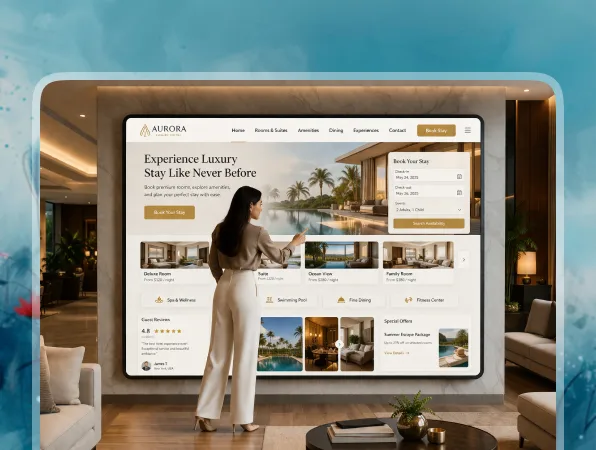
All-in-One Hotel Website Platform

Build your hotel website from frontend to backend, fully hosted and ready for guests to explore rooms and book stays.

  • Full Site Generation

    Create room pages, amenity sections, booking forms, contact pages, and backend logic in one go.

  • Hosting Included

    Skip servers, plugins, or complex setup. Your hotel website runs on built-in infrastructure.

  • Unified System

    Frontend, backend, forms, booking data, and guest inquiries connect out of the box.
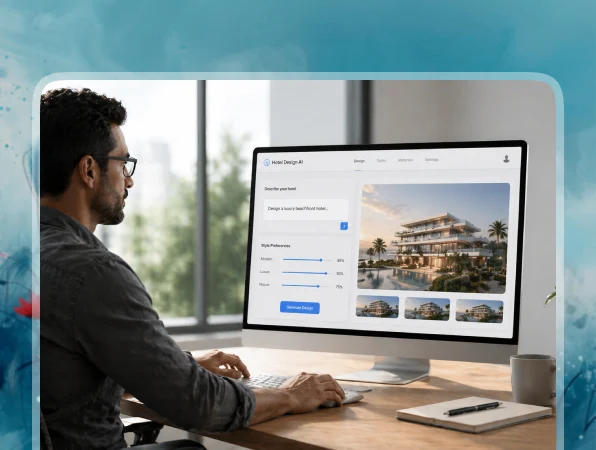
Build with Simple Prompts

Just describe the kind of hotel website you want and Vitara turns it into a working site for your property.

  • From Text to Hotel Website

    Write a prompt like “hotel website with room listings, direct booking form, amenities, and location map.”

  • AI Handles Layout and Logic

    No plain template feel. You get a custom structure built around rooms, guests, bookings, and hotel services.

  • Live-On-Screen Results

    Watch your hotel website take shape in real time as you refine your prompt.
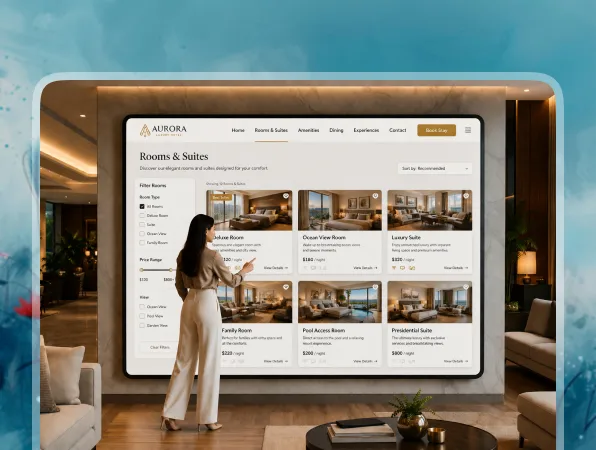
Smart Room and Stay Pages

Auto-generate room listings with clean layouts, filters, photos, and stay details.

  • Rich Room Details

    Each room page can include photos, price, occupancy, bed type, amenities, and booking details.

  • Filterable Services

    Let guests sort rooms by price, date, capacity, amenities, or stay type.

  • Easy Updates

    Add, edit, or pause rooms anytime with a quick prompt or simple manual change.
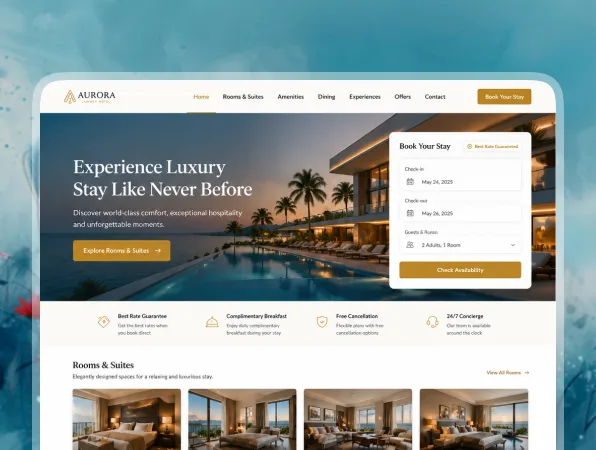
Bookings Built Right In

Let guests request dates, reserve rooms, or send stay inquiries directly from your website.

  • Room Booking Forms

    Guests can choose rooms, dates, number of guests, and special requests in one simple flow.

  • Instant Alerts

    Your team gets notified for every new booking request or guest inquiry.

  • Calendar-Friendly Flows

    Connect booking flows with calendars to reduce date conflicts and missed requests.
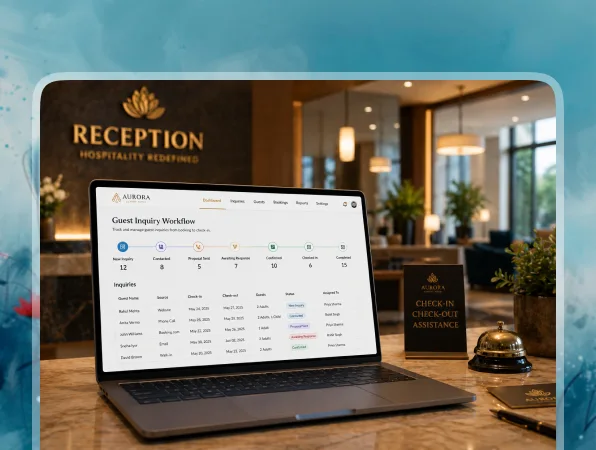
Automatic Guest Lead Capture

Turn website visitors into direct booking leads with smart forms and helpful follow ups.

  • Custom Inquiry Forms

    Forms adapt to your hotel needs, including group stays, events, long stays, and special packages.

  • Smart Lead Routing

    Send inquiries to the right front desk team, reservation manager, or sales inbox.

  • CRM-Friendly Setup

    Connect tools like HubSpot or Zapier so guest inquiries move into your existing workflow.
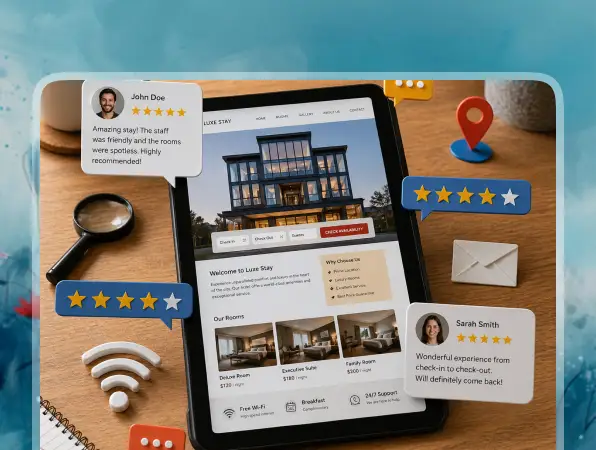
Instant Site Tuning

Tweak layouts, pages, and features without rebuilding your hotel website from scratch.

  • Change the Look in Seconds

    Swap hero sections, rearrange room blocks, or adjust styling by updating your prompt.

  • Edit Rooms Fast

    Update room copy, prices, photos, amenities, or filters whenever your offers change.

  • Real-Time Preview

    See every change live so you can fine tune the guest experience before publishing.
AQs About the Hotel Website Builder Vitara

Yes. You describe what you want in simple words, and Vitara generates the design, pages, forms, and backend logic for you. You can keep improving the hotel website with more prompts instead of writing code.

Absolutely. You can:
  • Adjust layouts and sections
  • Add or remove room pages
  • Update hotel photos, amenities, and offers
  • Change copy, CTAs, and booking forms
Advanced users can also edit the generated code.

It’s ideal for:
  • Boutique hotels
  • Resorts and luxury stays
  • Villas and vacation rentals
  • Bed and breakfast businesses
  • Small hotel groups
If your business depends on room details, guest inquiries, and direct bookings, it’s a strong fit.

Yes. Vitara can create backend logic that connects with external tools and APIs. You can also prompt it to prepare integration points for booking engines, CRMs, calendars, or payment tools. Advanced integrations may still need a developer, but Vitara sets up most of the structure.

That’s where AI driven website building helps. You can:
  • Update room rates
  • Add seasonal stay offers
  • Create weekend deal pages
  • Change room photos and amenities
  • Launch special package landing pages
You don’t need to rebuild the whole website every time something changes.

Yes. You can control SEO basics like page titles, meta descriptions, URLs, and headings for room pages, location pages, and offer pages. This helps your hotel website target searches like “boutique hotel in Miami,” “family resort near beach,” or “hotel with direct booking.”

You can. If you already have a hotel website, you can rebuild the structure with a prompt like “create a modern hotel website using my current pages, rooms, amenities, and booking forms.” Then you can move your copy, images, and room details into the new layout.

It does. A small hotel can create a clean website with room pages, an inquiry form, and direct booking flow. A larger hotel business can add multiple room types, offers, guest routing, CRM connections, and booking workflows. Vitara adjusts as your hotel grows.

Know what’s trending in AI-powered web app development

Retool Review

Retool Review 2026: Is It Worth It for Building Internal Tools?

7 minutes read
Wix Review

Wix Review 2026: Is Wix Worth It? Pros, Cons, Pricing & Verdict

6 minutes read
Balsamiq Review

Balsamiq Review 2026: Features, Pricing, Pros, Cons & Is It Worth It?

6 minutes read