Builder.io Pricing Explained: How Much Does Builder.io Cost?

AI website builders and visual development platforms like Builder.io are getting a lot of attention right now, and it’s easy to see why.
You can ship pages faster and give marketers control without relying on developers for every change.
It sounds great at first.
But once you move beyond testing and start using it for real projects, the pricing gets confusing fast.
Launching a page is easy.
Figuring out what you’ll actually pay as your team grows is where things get tricky.

This guide is here to simplify that.
We’ll break down Builder.io pricing in plain English, step by step.
You’ll learn how the plans work and how things like seats and usage affect your cost.
By the end, you’ll know exactly what Builder.io costs and which plan makes sense for you.
What is Builder.io?
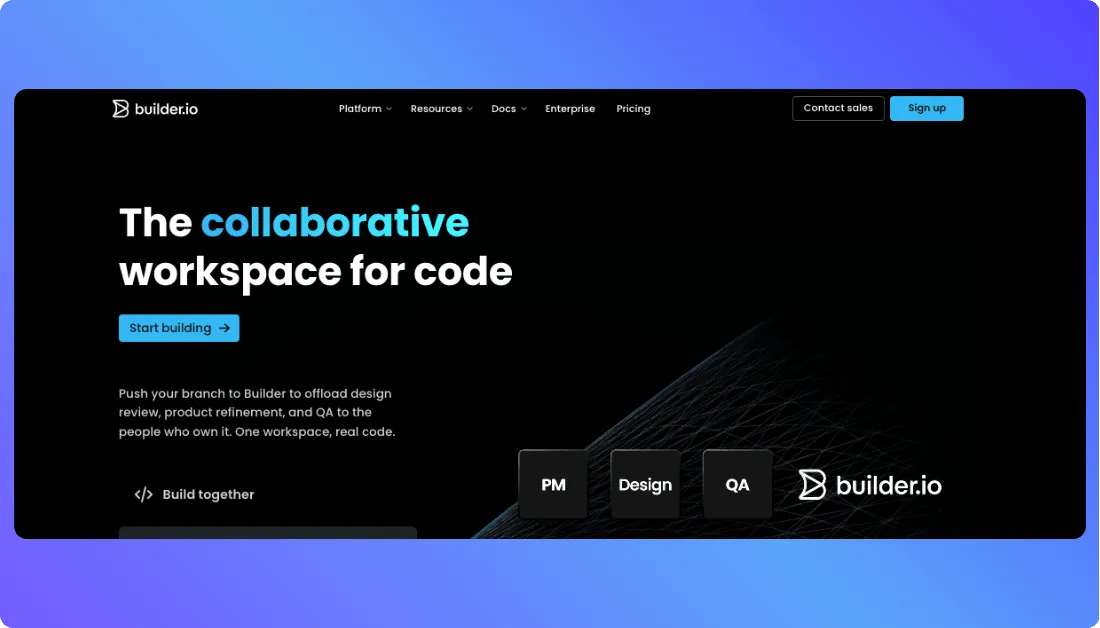
Builder.io is a visual development platform that helps teams build and manage digital experiences faster. It combines drag-and-drop editing with developer-friendly integration, so marketers can create pages visually while developers keep control of the codebase. In simple terms, it sits between no-code convenience and full custom development.
Understanding the core Builder.io pricing model
Builder.io pricing isn’t as simple as picking one plan and calling it a day.
The cost usually comes down to two things: the product you choose and the plan tier you pick.
First, Builder.io asks you to choose between products like Publish and Fusion.
Then it places you into a plan such as Free, Pro, Team, or Enterprise based on your needs.
That means your total cost isn’t only about the monthly price.
It also depends on things like user seats, collaboration features, governance tools, and usage limits.
Let’s break down the plan structure first.
Builder.io plan tiers: Free, Pro, Team, and Enterprise
Builder.io offers a few pricing tiers for different types of users, from solo builders testing things out to larger teams that need security, approvals, and tighter control.
Each plan comes with its own pricing, user limits, and feature access.
Here’s a quick breakdown of how they compare:
| Feature | Free Plan | Pro Plan | Team Plan | Enterprise Plan |
|---|---|---|---|---|
| Monthly Cost | $0 | $24 per user per month | $40 per user per month | Custom pricing |
| Best For | Testing and learning | Individuals and small teams | Growing teams | Large organizations |
| Users | Up to 5 | Up to 5 | Up to 20 | Custom |
| Collaboration | Basic | More team workflows | Advanced collaboration | Full governance controls |
| Admin and Security | Limited | Standard | More controls | SSO, RBAC, privacy options |
| Support | Standard | Standard | Priority support | Premium support and SLA |
The Free plan is best for getting familiar with the platform.
You can explore Builder.io, test workflows, and see how the product fits your setup without paying upfront.
The Pro plan makes more sense once you need serious day-to-day use.
It works well for freelancers, startups, and small teams that want more flexibility and fewer limitations.
The Team plan is built for companies that need stronger collaboration features.
That includes things like approvals, role management, comments, and better visibility across projects.
Enterprise is for larger organizations with stricter security and support needs.
That’s where you get custom limits, advanced admin controls, and pricing tailored to your setup.
The Builder.io credit system explained
This is the part that trips people up.
Builder.io doesn’t just charge for seats. It also uses Agent Credits for AI activity inside the platform.
In simple terms, Agent Credits are Builder’s usage currency for generative AI features.
They cover the cost of AI operations across the platform, not just one specific tool or prompt.
It also isn’t a flat one-prompt, one-credit system.
Builder uses a token-based model, so the cost changes based on the amount of input, the output generated, and the AI model you choose.
That matters because simple requests cost less, while bigger tasks burn through credits faster.
If you’re generating more code, feeding in more context, or using a higher-cost model, your credit usage goes up.
Here’s the practical version of how it works:
- Input tokens = your prompts, instructions, and code sent to the AI
- Output tokens = the response, generated content, or code Builder gives back
- Model selection = some AI models cost more than others per token
Builder also gives each plan a different credit allowance.
Free includes 25 daily / 75 monthly credits, while both Pro and Team include 500 monthly Agent Credits.
If you run out on Pro or Team, Builder offers on-demand Agent Credits at $25 per 500.
Enterprise gets custom credit limits instead.
Here’s a quick breakdown:
| Plan | Included Agent Credits | Extra Credits |
|---|---|---|
| Free | 25 daily / 75 monthly | Not available |
| Pro | 500 monthly | $25 per 500 |
| Team | 500 monthly | $25 per 500 |
| Enterprise | Custom | Custom |
That helps, but it still means you need to keep an eye on usage if several people are working in the same space.
So the real takeaway is pretty simple.
Builder.io pricing is part seat-based and part usage-based, and Agent Credits are the piece that makes your actual monthly cost less predictable.

What are credit rollovers and daily credits?
This part is easier than it sounds.
On Builder.io, daily credits are the small usage limit tied to the Free plan, while credit rollovers apply to paid plans like Pro, Team, and Enterprise.
So if you’re on Free, your credits refresh on a daily and monthly cap.
If you’re on a paid plan, unused credits can carry forward into the next month instead of disappearing right away.
Here’s how it works in plain English:
- Free plan daily credits: Builder shows 25 daily credits on the pricing page, with a 75 monthly cap per space.
- No rollover on Free: If you don’t use those Free credits, they do not carry over. They simply reset.
- Rollover on paid plans: Pro, Team, and Enterprise plans can roll over unused credits.
- There’s a cap: Builder says rollover is limited to your monthly allocation, with a hard ceiling of 2x your monthly amount.
- Why this matters: Rollover helps when your workload changes from month to month, so lighter months can help cover heavier build cycles later.
The practical takeaway is simple.
Free gives you a small daily allowance for testing, while paid plans give you more flexibility because unused credits can stack up to a limit.
Also Read:
Is Builder.io pricing worth it for your project?
Builder.io pricing is worth it if your team actually needs faster page building, shared editing, and tighter collaboration between developers and marketers. If you just want a cheap way to publish a few simple pages, it can feel expensive fast. But for teams managing content at scale, shipping often, and using the platform’s AI and workflow features regularly, the time it saves can easily justify the cost.
Also You Should Know Other Tools Pricing:
FAQs
Can you explain the overall Builder.io pricing structure?
Builder.io pricing starts with four plan tiers: Free, Pro, Team, and Enterprise.
For Fusion, the public pricing page shows $0, $24/user/month, $40/user/month, and custom pricing for Enterprise.
The total cost can also change based on user seats and Agent Credits.
So it’s not just a flat subscription if your team needs more usage over time.
How do Agent Credits affect Builder.io pricing?
Agent Credits are the usage layer in Builder.io’s pricing model.
They’re used for AI-powered actions, so your monthly cost is tied to both your plan and how heavily you use those features.
A few key things to know:
- Free includes 25 daily / 75 monthly credits
- Pro includes 500 monthly credits
- Team includes 500 monthly credits
- Extra credits on Pro and Team cost $25 per 500
What are the main differences between Builder.io Free, Pro, Team, and Enterprise plans?
The biggest differences come down to team size, collaboration features, support, and admin controls.
Free is for exploring, Pro is for smaller working teams, Team adds stronger collaboration, and Enterprise is built for scale and control.
Here’s the simple version:
- Free: up to 5 users, basic access
- Pro: up to 5 users, pay-as-you-go usage, rollovers, standard support
- Team: up to 20 users, comments, peer reviews, usage metrics, priority support
- Enterprise: custom seats, custom credits, SSO, RBAC, privacy mode, premium SLAs
Does Builder.io pricing only depend on seats, or are there extra usage-based costs too?
It depends on both.
Seats handle the per-user side, but Agent Credits add a usage-based layer on top.
That’s why two teams on the same plan can still end up with different costs.
A team doing more AI-heavy work may need extra credits, even if the seat count stays the same.
Why can Builder.io pricing feel hard to predict for growing teams?
The base price looks straightforward at first.
The tricky part shows up when your team gets larger or starts using more AI features.
A few things can push costs up:
- More users added to the space
- More Agent Credit usage
- Extra on-demand credits
- A move from Pro to Team or Enterprise for governance and support features
Is there a free plan available to try Builder.io before paying for a subscription?
Yes, Builder.io has a Free plan.
It’s meant for individuals who want to explore the platform before committing to a paid tier.
On the Fusion pricing page, that free tier includes:
- $0 per user/month
- Up to 5 users
- 25 daily / 75 monthly Agent Credits
What are credit rollovers and daily credits in Builder.io?
This part is pretty simple once you see the split.
Daily credits are tied to the Free plan, while credit rollovers are available on paid plans.
In practice, that means:
- Free gives you a small daily allowance
- Pro and Team let unused credits roll forward
- Builder’s documentation says rollover is limited, not infinite
How much does Builder.io cost for small teams and startups?
For many small teams, the real starting point is Pro at $24 per user/month.
That works well when you have a few people shipping projects and don’t yet need advanced governance features.
Once your team grows or collaboration gets more complex, Team at $40 per user/month starts to make more sense.
That’s where you get broader role support, reviews, and better visibility across the team.
When should you choose Builder.io Pro instead of Team?
Choose Pro when you have a smaller setup and mostly need the essentials.
It’s a better fit for solo developers, freelancers, or compact teams that want more than the Free plan offers.
Choose Team when you need things like:
- Multiple role types
- Commenting and peer reviews
- Usage metrics
- Priority support
- Slack and JIRA access for Builder Agent
Is Builder.io pricing worth it for marketers, developers, and content teams?
For the right team, yes.
Builder.io becomes easier to justify when several people need to work in the same workflow and move faster without bottlenecks.
It may feel expensive for very small projects.
But for teams that care about speed, collaboration, approvals, and AI-assisted work, the value can be strong compared with handling every change manually.
What’s New?