What is Appsmith? Key Features, Pricing and Limitations
Building internal tools has always been a challenge. Teams need dashboards, admin panels, and workflow apps, but creating them from scratch takes time and resources. That’s where Appsmith comes in.
What is Appsmith?
Appsmith is an open-source platform for building internal applications quickly. It gives developers a drag-and-drop interface, ready-made widgets, and seamless integrations with databases and APIs. The result is faster app development without sacrificing flexibility.
Still, the market is crowded. Dozens of low-code and no-code platforms promise the same speed and simplicity. So why does Appsmith stand out? In this guide, we’ll break it down by exploring what Appsmith is, its key features, real-world use cases, architecture, pricing, and top alternatives. By the end, you’ll know exactly when and why to choose Appsmith for your next project.
Key Features of Appsmith
Appsmith comes loaded with powerful tools that simplify the process of building internal applications. It combines the speed of a low-code platform with the flexibility developers need for customization. Below are the key features that make Appsmith a strong choice for modern teams.
Seamless data and API connectivity
Appsmith integrates smoothly with popular databases like PostgreSQL, MySQL, and MongoDB, along with REST and GraphQL APIs. This makes pulling in live data or pushing updates as straightforward as linking a few settings.
Intuitive UI builder
Instead of coding every element from scratch, developers can design applications visually. Drag, resize, and arrange components such as forms, tables, and charts to build polished interfaces quickly.
JavaScript-powered flexibility
Need something more advanced? Appsmith lets you insert custom JavaScript snippets to handle logic, transform data, or trigger workflows. You can also use well-known libraries like Lodash or Moment.js to extend functionality.
Flexible deployment choices
Organizations can decide how to host Appsmith on their own servers, through the cloud, or using Appsmith’s managed service. That freedom ensures it can fit startups and enterprises alike.
Real-time teamwork
Multiple users can collaborate on applications without stepping on each other’s work. Updates appear instantly, so teams save time and avoid bottlenecks.
Access control and security
Administrators can define who edits, views, or manages apps with role-based permissions. This control keeps sensitive data protected while still enabling collaboration.
Built-in version management
Versioning tools make it easier to track changes, roll back updates, and coordinate across teams. Everyone stays on the same page, literally and figuratively.
Custom look and feel
With branding options, teams can adapt colors, layouts, and logos so their internal apps reflect the organization’s identity instead of looking generic.
Responsive applications
Every app built with Appsmith works smoothly across desktops, tablets, and mobile devices. Teams don’t have to worry about users being locked into a single screen type.
This Might Interest You:
What is Emergent AI? A Deep Dive into the AI App Builder
Appsmith Pricing Explained
Appsmith offers a clear, user-based pricing model. You pay for what you use, not for hidden developer seats or extra classes of users.
Below are the main pricing tiers, plus guidance on choosing the right plan and key cost factors.
Pricing Tiers at a Glance
| Plan | Cost Basis | Ideal For | Key Features |
|---|---|---|---|
| Free | $0 / user | Individuals, small teams | Up to 5 users in cloud, 5 workspaces, 3 Git repos, Google SSO, 3 standard roles, public apps |
| Business | $15 / user / month | Growing teams needing more control | All Free features plus unlimited workspaces and repos, workflows, custom roles, audit logs, premium integrations, remove branding |
| Enterprise | $2,500 / month (for 100 users) | Large orgs with advanced needs | All Business features plus SAML/OIDC SSO, SCIM provisioning, CI/CD, private app embedding, airgapped edition, managed hosting, custom integrations, SLAs |
Note: For user counts above 100, Appsmith negotiates custom pricing.
Choosing the Right Plan
1. Start with Free to test and prototype
The Free plan gives you core features and low commitment. If your team is small and usage is limited, it may cover your needs for a while.
2. Upgrade when collaboration and scale matter
Once you cross the 5-user limit or require workflows, audit logs, or branding control, the Business plan gives you the next level.
3. Enterprise is for heavy usage and high compliance
If your organization needs advanced authentication, custom integrations, managed hosting, or tight SLAs, the Enterprise plan is the logical step.
Self-Hosting and Hidden Costs
Because Appsmith is open source, you can self-host any edition. But self-hosting brings its own costs:
- Infrastructure: Servers, storage, backups, networking
- Operations: Maintenance, scaling, security updates
- Feature add-ons: If you need features like SSO, audit logs, or branding, you’ll still need the paid plan in addition to hosting costs
For example, a basic server setup (2 vCPU, 4 GB RAM) on a cloud service could cost around 40 USD or more per month depending on provider and usage. That’s just the infrastructure.
Limitations of Appsmith
Even powerful tools have trade-offs. Appsmith comes with its share of limitations. Below are key constraints you should know before adopting it.
Steep learning curve for non-technical users
Appsmith offers flexibility, but it expects some technical know-how. If your team lacks experience with APIs, JavaScript, or databases, the initial ramp-up can feel steep.
UI responsiveness and layout limitations
Although Appsmith generates responsive apps, users report challenges customizing layouts for different screen sizes and devices. Some widgets may not adapt as expected.
Performance bottlenecks for large datasets or complex pages
When apps grow in size with many widgets or heavy data loads, performance may degrade. Page loads or widget rendering can slow down.
File upload size limits in self-hosted setups
By default, self-hosted Appsmith instances restrict file uploads to 200 MB. You can raise it via configuration, but it requires extra setup work.
Limited access to enterprise features in free editions
Critical features like SAML support, audit logs, or custom roles often reside behind paid tiers. The community edition doesn’t include these enterprise-only modules.
Migration complexity when upgrading editions
If you start with the community edition and later want enterprise features, you may need to redeploy or migrate the app environment, adding friction.
Not ideal for public or customer-facing apps
Appsmith is built for internal tooling. It lacks optimizations and features typically needed in user-facing products, such as advanced onboarding flows or external scalability.
Top Alternatives of Appsmith
Appsmith is a strong open-source option for building internal tools, but it isn’t the only choice. The market offers several platforms that may suit different needs depending on team size, technical expertise, and app requirements. Below are three notable alternatives to consider.
1. Vitara

Vitara is a versatile low-code platform designed to speed up application development. It comes with a large set of pre-built UI components and templates, making it easy to assemble dashboards, admin panels, or customer-facing apps. Developers can also add custom code for advanced scenarios, blending low-code convenience with full-code flexibility. Vitara is especially appealing to teams that want both quick results and room to customize deeply.

2. Lovable
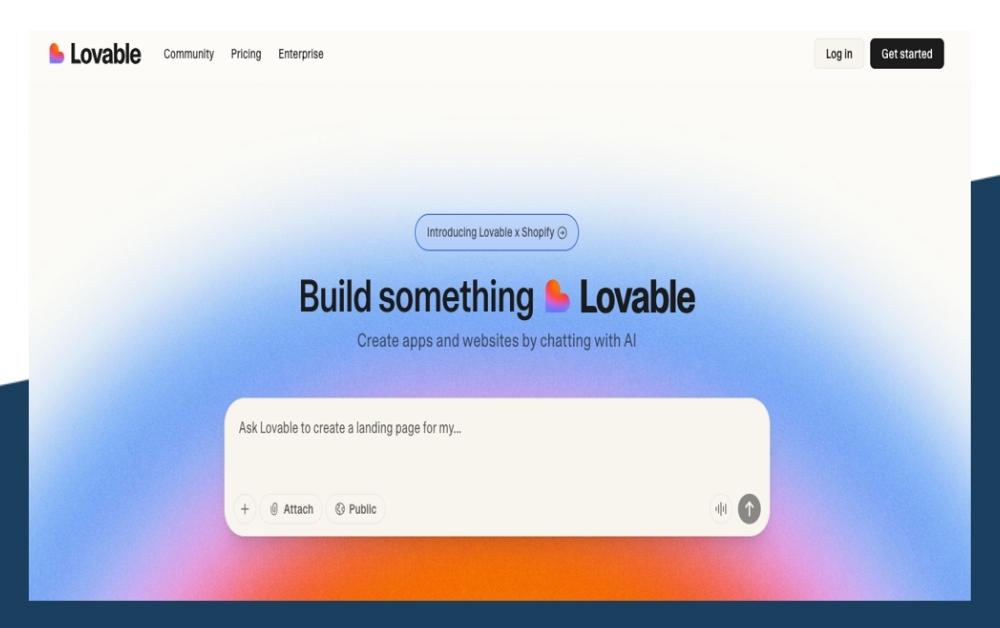
Lovable focuses on simplicity and collaboration. It provides an intuitive interface for building internal tools while keeping setup time low. Teams can integrate data sources quickly and create apps without heavy technical overhead. For organizations that prioritize ease of use and rapid onboarding, Lovable offers a straightforward path to building functional tools without the steep learning curve.
Also Read: Lovable Alternative
3. Bolt
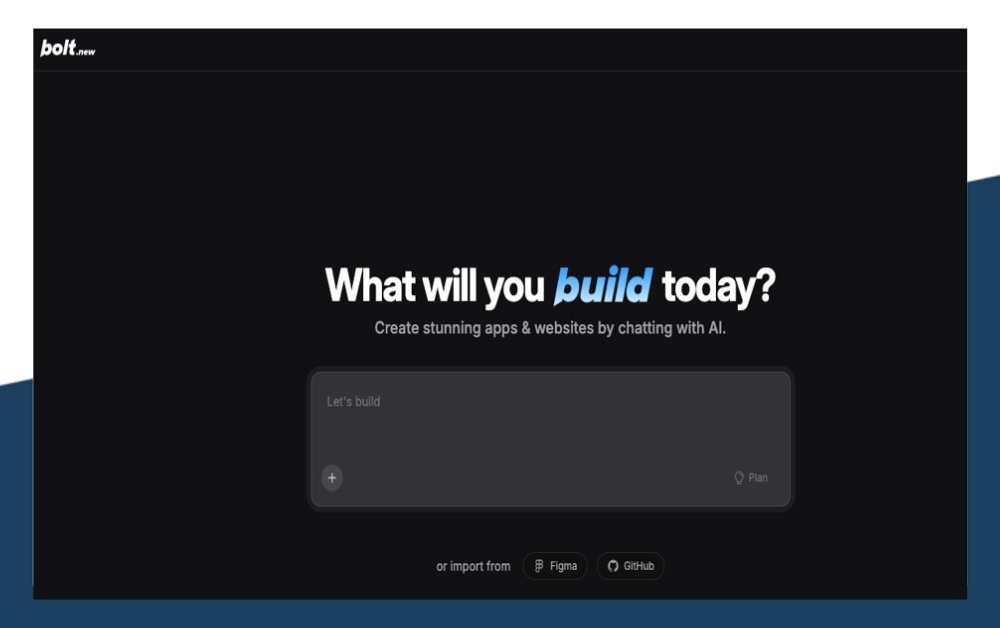
Bolt is another alternative that emphasizes speed and scalability. With its modern architecture and cloud-first approach, it helps teams roll out internal apps and workflows at pace. Bolt also supports integrations with popular databases and APIs, ensuring flexibility for developers who need to connect diverse systems. It’s a solid option for fast-growing companies that want to scale internal tools quickly.
Also Read: Best Bolt New Alternatives for AI App Development
Final Thoughts
Appsmith has carved a clear space in the low-code landscape by combining open-source flexibility with developer-friendly tools. It makes building internal apps faster without forcing teams into rigid frameworks.
That said, no single platform fits every scenario. Appsmith shines for internal dashboards, admin panels, and workflow automation, but it may not be ideal for customer-facing products or teams seeking advanced enterprise features right out of the box.
The key is alignment. If your team values speed, customization, and cost-effectiveness, Appsmith is worth serious consideration. If you need something simpler or more specialized, alternatives like Vitara, Lovable, or Bolt might better fit your workflow.
At the end of the day, the right platform is the one that helps your team deliver value quickly and sustainably. Take the time to explore your options, test the features, and choose the tool that feels like a natural extension of your process.
Frequently Asked Questions
What is Appsmith?
Appsmith is an open-source platform for building internal applications quickly. It gives developers a drag-and-drop interface, ready-made widgets, and seamless integrations with databases and APIs. The result is faster app development without sacrificing flexibility.
Who should use Appsmith?
Developers, tech-savvy teams, and startups use Appsmith to launch dashboards, admin panels, and workflow apps without heavy coding.
What makes Appsmith popular for internal app development?
Its visual UI builder, API flexibility, and JavaScript support let teams build powerful internal apps quickly and maintain full control.
Does Appsmith integrate with popular databases and APIs?
Yes. Appsmith connects with PostgreSQL, MySQL, MongoDB, REST APIs, and GraphQL, making data workflows smooth and reliable.
Is Appsmith truly free to use?
The Free plan works well for small teams, offering core features, 5 cloud users, public apps, and basic roles at no cost.
How much does Appsmith cost for growing teams?
The Business plan costs $15 per user per month and adds workflows, custom roles, unlimited workspaces, and premium integrations.
Can I self-host Appsmith?
You can self-host all editions, but you must cover your own infrastructure, security updates, and server costs.
What are some alternatives to Appsmith?
Vitara, Lovable, and Bolt offer strong competition with simpler onboarding, more customization options, or faster cloud-first workflows.
What’s New?