Builder.io in 2026: Everything You Need to Know Before Using It

I’ve spent time using Builder.io firsthand, testing how it handles visual editing, content updates, and team collaboration. In this review, I’m sharing what I found, where it works well, and where it can feel limiting depending on your workflow.
If you’re trying to figure out what Builder.io is, who it’s built for, and whether it’s worth your time, you’re in the right place. I’ll walk you through its features, how it works, pricing, pros, cons and the kind of teams that can get the most value from it.

What Is Builder.io?
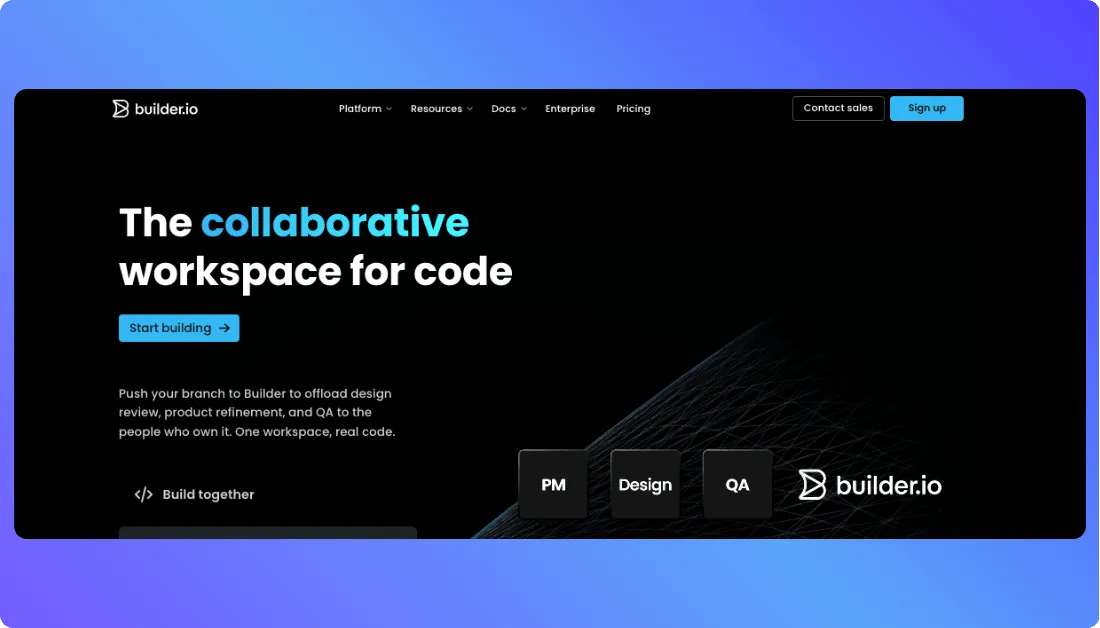
Builder.io is a visual development platform that helps teams build, edit, and optimize digital experiences faster. Unlike basic no-code website builders, Builder.io works with your existing codebase and design system, so you can create production-ready pages, apps, and content without giving up developer control.
When you use Builder.io, you can visually create and manage:
- Frontend experiences: landing pages, websites, and app interfaces
- Headless content: reusable content delivered across channels
- Design system components: developer-defined blocks for visual editing
- A/B tests and personalization: experiments to improve conversions
- Figma-to-code workflows: turn designs into editable production code
This mix of visual editing and code flexibility is why Builder.io stands out for teams that want speed without getting locked into a rigid no-code setup.
You should know other vibe coding tools:
Key highlights (from original article, expanded):
- Visual editor for pages, sections, and content updates
- Headless CMS capabilities with API-based content delivery
- Built for teams: marketers, designers, and developers can work together
- Supports reusable components, localization, scheduling, and workflow controls
- AI-powered generation, iteration, and frontend acceleration
- Flexible setup designed for modern composable development
How Builder.io Works (Step-by-Step)
This core flow is simple once you understand how Builder.io connects visual editing with your existing frontend setup:
Step 1: connect your site or app
You sign in and set up your space by connecting your website, app, or headless stack.
You can start with something like:
“Use Builder.io with my Next.js marketing site and reusable UI components.”
Builder.io maps your setup so visual editing works with your real components.
Step 2: create pages and content
Builder.io lets you build and manage:
- Pages and sections
- Reusable components
- Headless content entries
- Targeting and scheduling rules
- Variations for testing
A live visual editor shows changes as you make them.
Step 3: customize visually or with AI
You can do things like:
“Update this hero section copy.”
“Add a new CTA block below pricing.”
“Create a variant for mobile users.”
“Regenerate this section with AI.”
Builder.io applies updates inside the editor while keeping the developer-defined structure intact.
Step 4: publish or hand off
You can:
- Publish changes live
- Send content through APIs
- Sync workflows with your team
- Test and optimize experiences
This hybrid model of visual editing, headless delivery, and developer control is what makes Builder.io different from basic site builders.
Use Cases for Builder.io AI
Great fit for:
✅ Marketing teams launching landing pages fast
✅ Designers working with reusable design systems
✅ Developers who want visual editing without losing code control
✅ E-commerce brands running tests and personalized experiences
✅ Agencies building and managing content-heavy websites
Not ideal for:
❌ Teams looking for a simple drag-and-drop site builder only
❌ Projects with no developer support at all
❌ Very small websites with minimal content needs
❌ Workflows that need fully custom backend-heavy architecture
Limitations of Builder.io
1. Pricing can feel expensive for smaller teams
Across Reddit, this is a common concern among users comparing Builder.io with simpler tools.
“Builder.io is powerful, but it can feel expensive if you’re not using all the advanced features regularly.”
Source of Information: Reddit
“It’s great for teams that ship fast, but for smaller projects the pricing can feel like overkill.”
Source of Information: Reddit
Bottom line: If you’re actively publishing, testing, and iterating, the cost can be justified. For smaller or static sites, it may feel like too much.
2. Setup still depends on developer involvement
This is something many teams realize after getting started.
- Developers need to register components and define editing rules
- Initial setup takes time before non-dev teams can fully take over
- Larger projects still need ongoing developer support
3. Limited freedom compared to fully custom development
Even though Builder.io is flexible, it does not replace:
- Fully custom frontend architecture
- Pixel-perfect control in every scenario
- Deep backend-heavy application logic
Teams often use Builder.io for content and UI layers, while handling complex logic inside their main codebase.
4. Visual flexibility depends on implementation quality
Common issues teams run into:
- Editing freedom depends on how well components are configured
- Poor setup can make the editor feel restrictive
- Highly custom experiences can be harder to manage visually
This is a common trade-off with visual development platforms built on top of real production code.
Builder.io Pricing (Updated for April 2026)
Free Plan – $0
- 25 daily Agent Credits (75 monthly cap)
- Up to 5 users per space
- Connect with GitHub, GitLab, Bitbucket
- Basic visual development features
- Limited usage and credits
A solid option if you just want to explore Builder.io or test small ideas.
Pro Plan – Paid (usage-based)
- Everything in Free
- 500 monthly Agent Credits
- Credit rollover enabled
- On-demand credits ($25 per 500)
- Unlimited credit usage ceiling
This is where most individuals and small teams start building real projects and iterating faster.
Team Plan – Paid (per team)
- Everything in Pro
- 500 monthly Agent Credits
- Up to 20 users per space
- Collaboration and workflow features
- Password-protected previews
Best suited for teams working on larger projects with multiple contributors and workflows.
Enterprise – Custom
- Custom users and Agent Credits
- Role-based access control (RBAC)
- Single Sign-On (SSO)
- Advanced integrations and privacy controls
- Dedicated onboarding and support
Built for organizations that need scale, security, and deeper customization across teams.
Note: Builder.io pricing is heavily tied to Agent Credits (AI usage), so your actual cost depends on how much you use the platform rather than just the plan itself.
Builder.io AI Alternatives
1. Vitara.ai – best for AI-powered app and workflow building
If your goal is to quickly build apps, tools, or workflows using AI, Vitara.ai offers:
- AI-driven app generation
- Workflow automation and integrations
- Clean UI with fast setup
- Supports internal tools and business apps
- Minimal setup compared to traditional platforms
It’s a strong option if you want speed and automation without dealing with complex frontend setups.
2. Webflow – best for visual website building
If your goal is to design and launch websites without touching much code, Webflow offers:
- Visual drag-and-drop builder
- Built-in CMS and hosting
- Full design control with animations
- SEO and publishing tools
- No developer setup required
It’s easier to start with than Builder.io, but less flexible when working with custom codebases.
3. Contentful – best for headless CMS workflows
Contentful is a strong choice when you want:
- API-first content management
- Structured content modeling
- Multi-channel content delivery
- Scalable enterprise workflows
Used by teams that prioritize content infrastructure over visual editing.

Also Read other tools reviews:
Final thoughts: Is Builder.io worth it?
Yes, Builder.io is worth it if your team wants to move faster without giving up developer control. It works especially well for marketers, designers, and developers who need to collaborate on pages, content, and experiments in one workflow. For simple websites, it can feel like more tool than you need. But for growing teams with active publishing and testing needs, it can be a smart investment.
Frequently Asked Questions
What is Builder.io used for?
Builder.io is used to generate, edit, and optimize web and mobile experiences, including pages, UI, and headless content. It’s built for teams that want visual editing plus developer-controlled code workflows.
Is Builder.io a headless CMS?
Yes. Builder.io offers a headless CMS that lets teams structure, manage, and deliver content to any frontend through APIs.
Is Builder.io no-code or low-code?
It’s closer to low-code than pure no-code. Non-developers can edit visually, but Builder.io is designed to work with real codebases, reusable components, and developer-defined guardrails.
Does Builder.io work with React or Next.js?
Yes. Builder.io has official support and guides for both React and Next.js, including drag-and-drop page building inside those apps.
Can designers use Builder.io without coding?
Yes, to a point. Designers can use visual editing and Figma import workflows, but the best experience usually depends on developers setting up components and structure first.
What is the difference between Builder.io Fusion and Publish?
Fusion focuses on generating production-ready web apps and UIs using your code and design context. Publish is Builder.io’s visual CMS for creating, iterating, and optimizing pages and headless content.
Is Builder.io good for e-commerce?
Yes. Builder.io supports e-commerce workflows and integrations, and it’s positioned for high-performance commerce experiences where marketers and developers need to work together.
What are the best Builder.io alternatives?
Common alternatives depend on your use case: Webflow for visual website building, Contentful for headless CMS workflows, and Framer for fast marketing sites. Builder.io itself also distinguishes between Fusion for UI generation and Publish for CMS-style content work, which helps when comparing tools.
What’s New?